
We may earn a commission if you buy through links on this page. It never changes a score or a ranking. How we make money
The bottom line
A free, language-flexible code editor with useful project and server-file support.
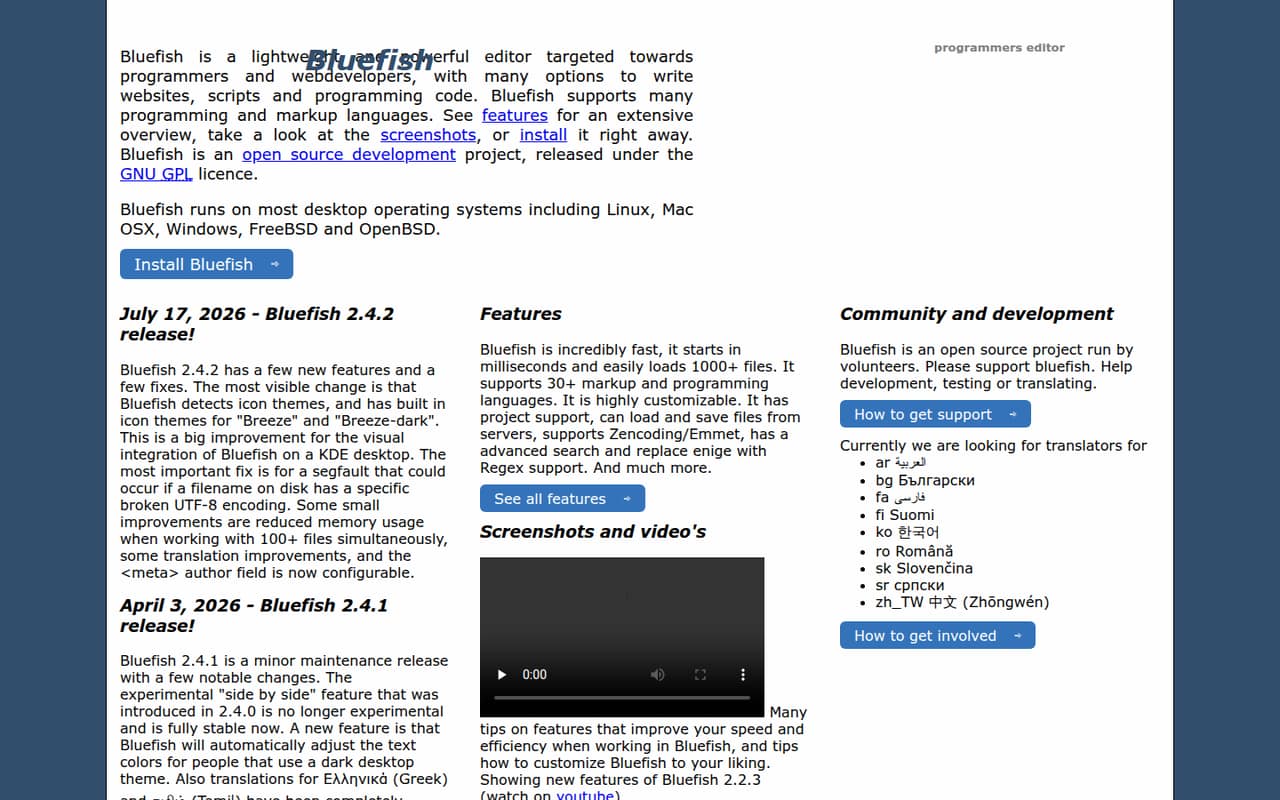
Bluefish is a free, open-source desktop editor for programmers and web developers writing websites, scripts, and code. It supports 30+ languages, projects, server files, regex search, and Zencoding/Emmet.
For a small team watching its software budget, the price is appealing. But seat and usage limits, support arrangements, and collaboration features aren't published, so check those needs before making it your team's standard editor.
Good fit if
- Budget-conscious coding teams
- Web developers working across languages
- Solo developers and small projects
Skip it if
- Teams needing shared live editing
- Buyers who need published support terms
- Teams requiring clear seat limits
ScoresHow it rates
What works
- Free and open source under the GNU GPL
- Supports 30+ markup and programming languages
- Includes project support
- Can load and save files from servers
- Regex search and Zencoding/Emmet support
What doesn't
- Monthly and annual prices aren't published
- Seat and usage limits aren't published
- Support arrangements aren't published
- No shared-editing feature is listed
- Setup time and learning curve aren't published
01Who Bluefish is for
Bluefish suits solo developers and small teams of 1–10 people who need a desktop editor for websites, scripts, and programming code without adding a software bill. It supports 30+ markup and programming languages, so it can fit teams whose work spans more than one language. Project support, regex search, and Zencoding/Emmet add useful tools for web-development tasks.
It is an editor, not a complete team-development platform. Bluefish can load and save files from servers, but the listed features don't describe shared editing, review workflows, or team administration. A small team can use it for individual coding work and decide separately how to share changes and manage projects. If everyone mainly needs an affordable place to write and edit code, Bluefish is worth considering; if you need coordinated work inside the editor, confirm those requirements before adopting it.
02Bluefish free plan and trial
Bluefish is free and open source under the GNU GPL. The listed capabilities include support for 30+ languages, project support, server-file loading and saving, regex search and replace, and Zencoding/Emmet. There isn't a separate paid tier described in the pricing material, and trial terms aren't published.
The vendor doesn't publish seat or usage limits, so a team should confirm any licensing questions for its intended use. The listed large-file capability is loading 1000+ files; that is a stated feature, not a published account or usage allowance. Monthly and annual billing figures aren't published either. For a small team, the way in is the free, open-source edition; ask the vendor about any terms or limits that matter to your deployment.
03What a small team pays for Bluefish
The listed plan is Free / Open Source (GNU GPL). That makes the software price free for one person and, on the same basis, free for a team of three or five. The pricing material doesn't publish a monthly or annual dollar figure, billing options, or seat limits, so there is no paid per-seat price to calculate. Confirm licensing terms with the vendor if your team's use raises questions.
For budget planning, the listed software cost is $0 for one, three, or five users; that is not a published monthly subscription rate. Annual pricing is also not published. No add-ons are listed, so there are no documented extra charges to include in the team total. The bigger uncertainty is operational rather than mathematical: the vendor doesn't publish seat or usage ceilings, or support terms. If your team needs defined limits or paid support, ask before relying on Bluefish as a shared standard.
04Getting started with Bluefish
Bluefish is a desktop editor for writing websites, scripts, and code. Its listed features include projects and the ability to load and save files from servers, which may cover some day-one needs without a separate server-file workflow. It also includes regex search and Zencoding/Emmet for teams that use those tools.
The vendor doesn't publish a setup-time estimate or a learning-curve guide in the available material, so we wouldn't promise a same-day rollout or a particular training burden. The feature list also doesn't specify connections to other team tools. For a small team, identify your operating environment, server access needs, and project workflow before standardizing on it; confirm setup details with the vendor or its documentation. The features suggest a straightforward editor use case, but shared workflows and integrations need checking.
05When small teams outgrow Bluefish
Bluefish may stop fitting when the team needs more than an editor for individual coding work. The listed features cover projects and server files, but don't list shared live editing, code review, centralized user administration, or team-level permissions. If those are requirements, verify whether Bluefish supports them before you commit; they aren't described in the available feature list.
Growth doesn't trigger a published upgrade price: the listed edition is free and open source, while paid plans, seat ceilings, and usage limits aren't published. That keeps the software cost simple, but leaves little pricing guidance for a larger rollout. Support arrangements also aren't published. A growing team should ask about user limits, support, and its preferred collaboration workflow. If the answers don't match the team's needs, it may be time to choose a tool with those capabilities and terms clearly documented.
Questions people ask
Is Bluefish free for a small team?
Bluefish is listed as free and open source under the GNU GPL. The pricing material doesn't publish seat limits or monthly and annual prices. A team of any size should confirm licensing terms with the vendor if it needs certainty about its intended use.
How many programming languages does Bluefish support?
Bluefish supports 30+ markup and programming languages, according to its listed features. The available information doesn't name every supported language, so check the vendor's documentation for a specific language your team depends on.
Can Bluefish work with files on a server?
Yes. Bluefish's listed features say it can load and save files from servers. The specific server protocols, connection setup, and authentication options aren't published in the published feature details, so confirm those requirements before your team adopts it.
Can Bluefish handle large projects?
Bluefish lists support for loading 1000+ files and includes project support. That gives teams a useful capacity signal, but it isn't a published performance benchmark or a guarantee for every project. Check the vendor's documentation for details relevant to your files and workflow.
Does Bluefish include team collaboration features?
The listed features include project support, but don't describe shared live editing, code review, or team administration. That doesn't establish what the software can or can't do beyond the published feature list. Ask the vendor whether it supports the collaboration workflow your team needs.