
We may earn a commission if you buy through links on this page. It never changes a score or a ranking. How we make money
The bottom line
Bolt covers everyday mobility; Bolt Payments has transaction fees, not a free or per-seat plan.
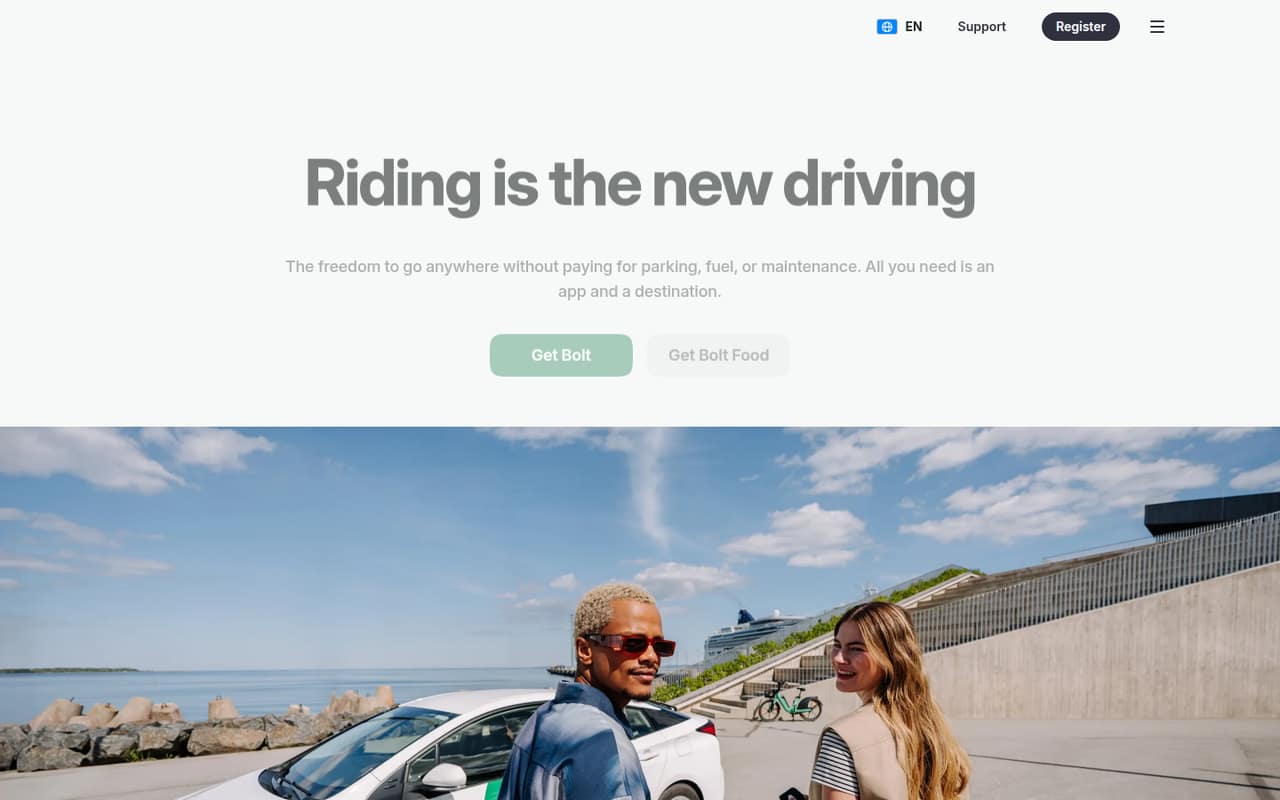
Bolt is a mobility app for rides, food and grocery delivery, car-sharing, micromobility and parcels. Bolt also describes services for businesses and people who earn through its platform.
For teams assessing payment software, the relevant offer is Bolt Payments: it charges per transaction, with no free plan or published monthly subscription price. Its fees may work for a small team with online card payments, but you’ll need transaction volume to estimate your bill.
Good fit if
- Teams arranging employee rides
- Businesses accepting online card payments
- People needing several mobility services
Skip it if
- Teams seeking free payment software
- Buyers needing a fixed monthly bill
- Teams comparing per-seat collaboration tools
ScoresHow it rates
What works
- Offers rides, food and grocery delivery
- Includes car-sharing and micromobility services
- Bolt Send offers same-day parcels where available
- Bolt Payments charges by transaction, not seat
- Refunded transaction fees are returned
What doesn't
- Bolt Payments has no free plan
- Monthly costs depend on payment volume
- Enterprise pricing requires a custom quote
- Monthly and annual subscription prices aren't published
- Setup steps and integrations aren't listed
01Who Bolt is for
Bolt is first a mobility app, not a general-purpose team workspace. Its apps cover rides, food and grocery delivery, car-sharing, two-wheel rentals and parcel delivery where available. The homepage also describes Bolt for Business and earning opportunities for drivers, couriers, merchants and fleet owners.
For a team of 1–10 people, it may fit if you need business mobility or your business accepts online card payments through Bolt Payments. Those are different needs: the rides and delivery services are not the same thing as the payment-processing offer. Bolt Payments lists transaction-based fees, so it may suit a small business that prefers costs tied to payment activity over a per-seat software subscription. If your main need is project management, team chat or a broad employee app, Bolt’s listed services don’t describe those jobs. Set a budget only after estimating card volume and checking which service you need.
02Bolt free plan and trial
Bolt Payments has no free plan, and a free trial is not listed. The cheapest way in is the transaction-priced Bolt Payments offer: the pricing page lists 2.5% plus $0.30 per card transaction. That means there is no published monthly seat fee to pay just to have one, three or five people on the team, but processing payments does incur fees.
The listed rate also includes a 1.35% network fee for existing account-holder sign-ins. Bolt lists fees as returned on refunds and no extra charge for subscriptions. Enterprise is the other listed option, with custom pricing through sales. For Bolt’s rides, delivery and other mobility services, these payment-processing rates do not describe what a customer pays for a ride or order.
03What a small team pays for Bolt
Bolt Payments prices transactions rather than seats. For one person, three people or five people, the listed card rate is the same: 2.5% plus $0.30 per transaction. There is no published monthly or annual plan price, so adding team members does not create a known per-seat charge, but the monthly bill still depends on how many payments you process and their value. The pricing page does not give a standard monthly total for any team size.
Other listed costs include a $1.35% network fee for existing account-holder sign-ins and $5 per chargeback. Assisted Fraud Protection costs $0.30 per transaction; Total Fraud Protection costs 0.79% per transaction, with indemnification for qualifying approved transactions. Bolt says transaction fees are returned on refunds and adds no extra fee on subscriptions. Enterprise pricing is a custom quote. Ask Bolt how the sign-in network fee applies to your checkout, and estimate costs using your expected payment volume before choosing.
04Getting started with Bolt
Bolt’s pricing page lists fees but does not publish a setup checklist, implementation timeline or integration list. We can’t give a dependable setup estimate from that information alone. Before choosing Bolt Payments, ask the vendor what your team needs to connect its checkout, what technical work is required and whether your existing payment flow is supported.
For a small team, the main planning task is to confirm which Bolt service you mean. Bolt’s mobility app offers rides and delivery services; Bolt Payments is the online card-processing offer with transaction fees. If you’re considering Bolt for Business, ask what its business setup includes and how it is priced, since those details aren’t listed with Bolt Payments’ rates. Keep the expected transaction mix and any fraud-protection add-ons in your cost estimate. The public pricing details don’t establish how much training or ongoing administration a team should expect.
05When small teams outgrow Bolt
Bolt Payments does not list seat tiers or a published monthly plan ceiling, so adding people alone does not trigger a stated upgrade. The pressure point is transaction cost: card fees, the sign-in network fee, chargebacks and optional fraud protection can add up as payment activity grows. Since Bolt does not publish a typical monthly total, compare your actual or forecast transaction mix with a custom quote before committing more volume.
A team may also need to look elsewhere if it requires published subscription pricing, a free tier, or clearly documented setup and integration details. Enterprise is the listed path for businesses seeking custom payment pricing, but Bolt does not publish its rates. Ask sales to spell out the full fee schedule and any service requirements. If you are using Bolt for employee mobility rather than payment processing, the listed Bolt Payments fees do not tell you when that separate service will need an upgrade.
Questions people ask
Does Bolt have a free plan?
Bolt Payments has no free plan in the listed pricing. Its lowest listed option charges 2.5% plus $0.30 per card transaction. A free trial is not listed either. Bolt’s ride, delivery and other mobility services are separate from these payment-processing fees.
How much does Bolt Payments cost?
The pricing page lists 2.5% plus $0.30 per card transaction, a 1.35% network fee for existing account-holder sign-ins and $5 per chargeback. Optional fraud protection costs extra. Bolt does not publish monthly or annual subscription prices, so your total depends on payment activity.
Does Bolt charge per team member?
Bolt Payments lists transaction-based rates, not a per-seat price. The listed card fee stays 2.5% plus $0.30 per transaction whether your team has one, three or five people. Bolt does not publish a monthly total for those team sizes; payment volume determines the bill.
What services does Bolt offer?
Bolt’s apps offer ride-hailing, food and grocery delivery, car-sharing, micromobility rentals and Bolt Send same-day parcel delivery where available. Its homepage also describes Bolt for Business and earning opportunities for drivers, couriers, merchants and fleet owners.
How much does a Bolt taxi ride cost?
The Bolt Payments rates are for card processing, not taxi fares. They do not give a ride price. Check the Bolt app for the fare for a particular trip before booking; Bolt’s ride prices are not listed in the payment-processing rates.