
We may earn a commission if you buy through links on this page. It never changes a score or a ranking. How we make money
The bottom line
A capable bookkeeping assistant for QBO and Xero, priced for businesses rather than seats.
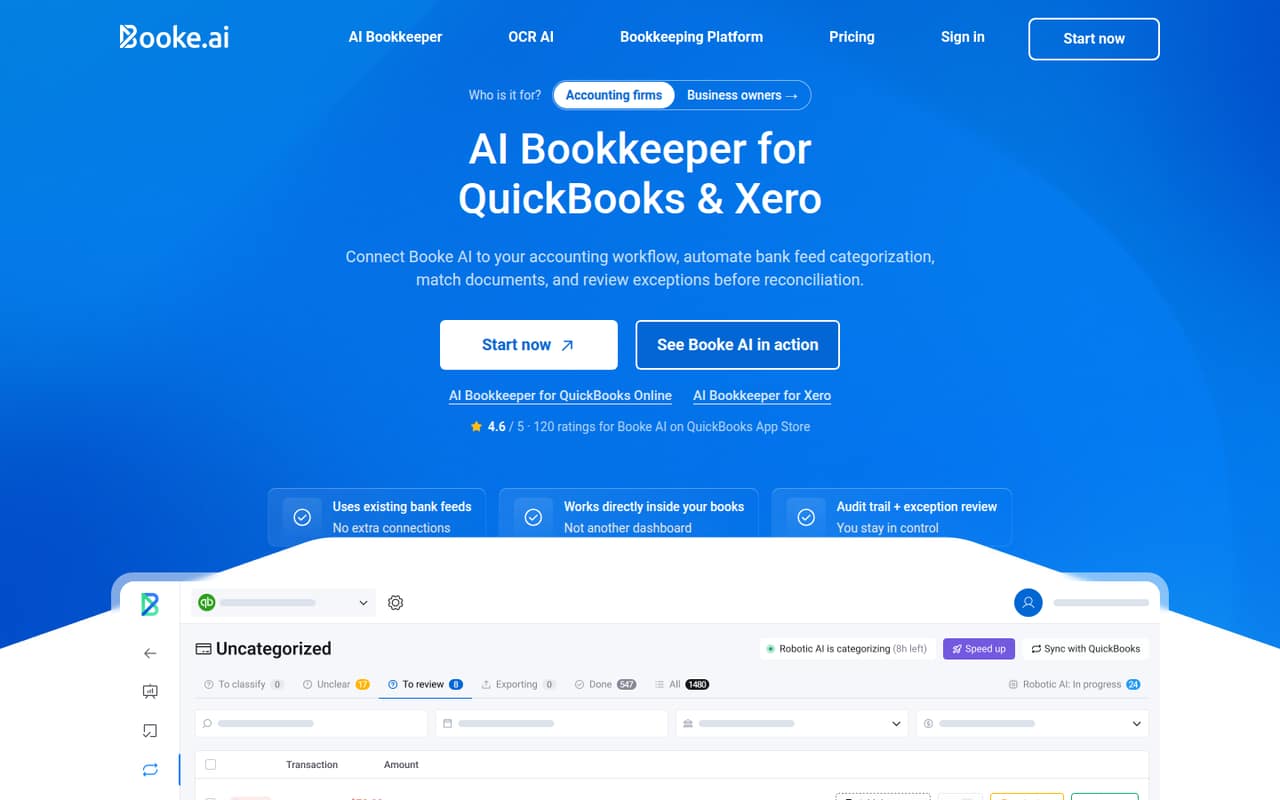
Booke AI automates bank-feed categorization, document matching and daily reconciliation work in QuickBooks Online and Xero. It flags uncertain transactions and missing documents for review; your existing books remain the system of record.
The Business plan costs $129 per business per month, whether one person or a small team uses it. There’s no free plan or trial listed, and annual billing rates aren’t published, so it’s best for teams that can justify the monthly spend with less manual bookkeeping.
Good fit if
- QBO or Xero bookkeeping teams
- Businesses with recurring transaction volume
- Firms managing multiple client books
Skip it if
- Teams looking for free bookkeeping software
- Businesses needing per-seat pricing
- Teams outside QBO or Xero
ScoresHow it rates
What works
- Automates daily bank-feed categorization
- Matches transactions to invoices, bills and receipts
- Flags uncertain transactions for review
- Requests missing documents automatically
- Offers custom thresholds and rules
What doesn't
- No free plan or trial is listed
- Business plan costs $129 per business monthly
- Annual billing rate isn’t published
- Accounting-firm pricing is custom
- Setup time and training requirements aren’t published
01Who Booke AI is for
Booke AI suits a small business or accounting team of one to ten people that already uses QuickBooks Online or Xero and spends time sorting bank feeds, chasing receipts or reconciling transactions. It works on a per-business basis, so a team of three or five doesn’t pay more just because more staff use the workflow.
The tool categorizes bank-feed transactions, matches them with invoices, bills and receipts, and flags uncertain or unusual items for a person to review. It can also request missing documents and let teams ask clients about transactions with one click. That makes it a helper for recurring bookkeeping tasks, not a replacement for the accounting system: the existing QuickBooks or Xero books remain the system of record.
At $129 per business each month, it’s easier to justify when bookkeeping admin is a regular burden. Teams with little transaction volume or a very tight budget may prefer manual review.
02Booke AI free plan and trial
Booke AI doesn’t list a free plan or a free trial. The cheapest published way in is the AI Bookkeeper (Business) plan at $129 per business per month. It includes daily bank-feed categorization, smart document matching, missing-document requests, custom thresholds and rules, and OCR for bills, invoices and receipts.
That entry plan is for businesses using QuickBooks Online or Xero. There isn’t a lower-priced solo tier listed, so a one-person business pays the same monthly business price as a team sharing that business account. If you’re unsure whether the automation will save enough time, ask Booke AI about a demonstration or trial before subscribing; neither is listed as an included option.
03What a small team pays for Booke AI
The AI Bookkeeper (Business) plan is $129 per business per month. For one person, that’s $129 monthly. For three or five people working on the same business, it’s still $129 monthly—not $387 or $645—because the listed unit is per business, not per seat. The price page offers monthly and annual billing options, but the annual rate isn’t published, so we can’t calculate an annual discount or total.
Accounting firms managing multiple clients get a separate plan with custom pricing. It includes the Business features, multi-client management, a white-label client experience and priority onboarding; ask Booke AI for a quote to price a small firm.
The listed add-on cost is for additional businesses: they’re charged prorated for the remainder of the billing period and included in the combined subscription charge at renewal. The vendor doesn’t publish a separate price for that addition. If your team handles several businesses, confirm the quote before budgeting.
04Getting started with Booke AI
Booke AI is built for QuickBooks Online and Xero, so a small team needs to use one of those accounting platforms for the stated workflows. Its core job is to work with bank-feed transactions and match them to bills, invoices and receipts, then surface uncertain items for human review. The Business plan also includes custom thresholds and rules.
The vendor doesn’t publish a setup-time estimate or a detailed learning curve. The work to plan for is deciding how your team wants to review flagged transactions and handle client document requests; those are central to the product’s workflow. Accounting firms can ask about priority onboarding, which is listed as part of the custom-priced firm plan, but it isn’t listed for the Business plan. Ask Booke AI what account permissions, configuration and training your setup will require before signing up.
05When small teams outgrow Booke AI
The first likely pressure point is managing multiple businesses or client books. The Business plan is priced per business, and additional businesses add prorated charges to the subscription. Accounting firms get multi-client management through a separate custom-priced plan, so a firm that expands beyond a single business should ask for that quote and compare it with its current costs.
Booke AI’s published pricing doesn’t state transaction limits, user limits, storage caps or a maximum number of businesses. Those aren’t confirmed reasons to move, but they’re worth checking as your workload grows. Another reason to reconsider is fit: the listed integrations are QuickBooks Online and Xero, so a team using a different accounting system should ask the vendor about support before committing. If your team wants a free option or clear annual pricing, the published offer may also be a poor match.
Questions people ask
Does Booke AI have a free plan or trial?
Booke AI lists no free plan or free trial. Its cheapest published option is the AI Bookkeeper (Business) plan at $129 per business per month. If you want to evaluate it before paying, ask Booke AI whether it can arrange a demonstration or trial.
How much does Booke AI cost for a small team?
The Business plan costs $129 per business per month, not per seat. One person and a team of three or five using the same business account pay the same listed monthly price. Annual billing is offered, but the vendor doesn’t publish its annual rate.
Does Booke AI work with QuickBooks Online and Xero?
Yes. Booke AI’s stated bookkeeping automation is for QuickBooks Online and Xero. It categorizes bank-feed transactions and matches them with invoices, bills and receipts in those accounting platforms. Ask the vendor about your specific account setup before subscribing.
Can Booke AI manage multiple client businesses?
The accounting-firm plan includes multi-client management, along with the Business features, a white-label client experience and priority onboarding. Its price is custom. Additional businesses are prorated for the remainder of the billing period and included in the combined charge at renewal.
Does Booke AI replace QuickBooks or Xero?
No. Booke AI automates categorization, document matching and reconciliation work, and flags items that need review. The existing QuickBooks Online or Xero books remain the system of record. Your team still has a role in reviewing uncertain transactions and handling exceptions.