
We may earn a commission if you buy through links on this page. It never changes a score or a ranking. How we make money
The bottom line
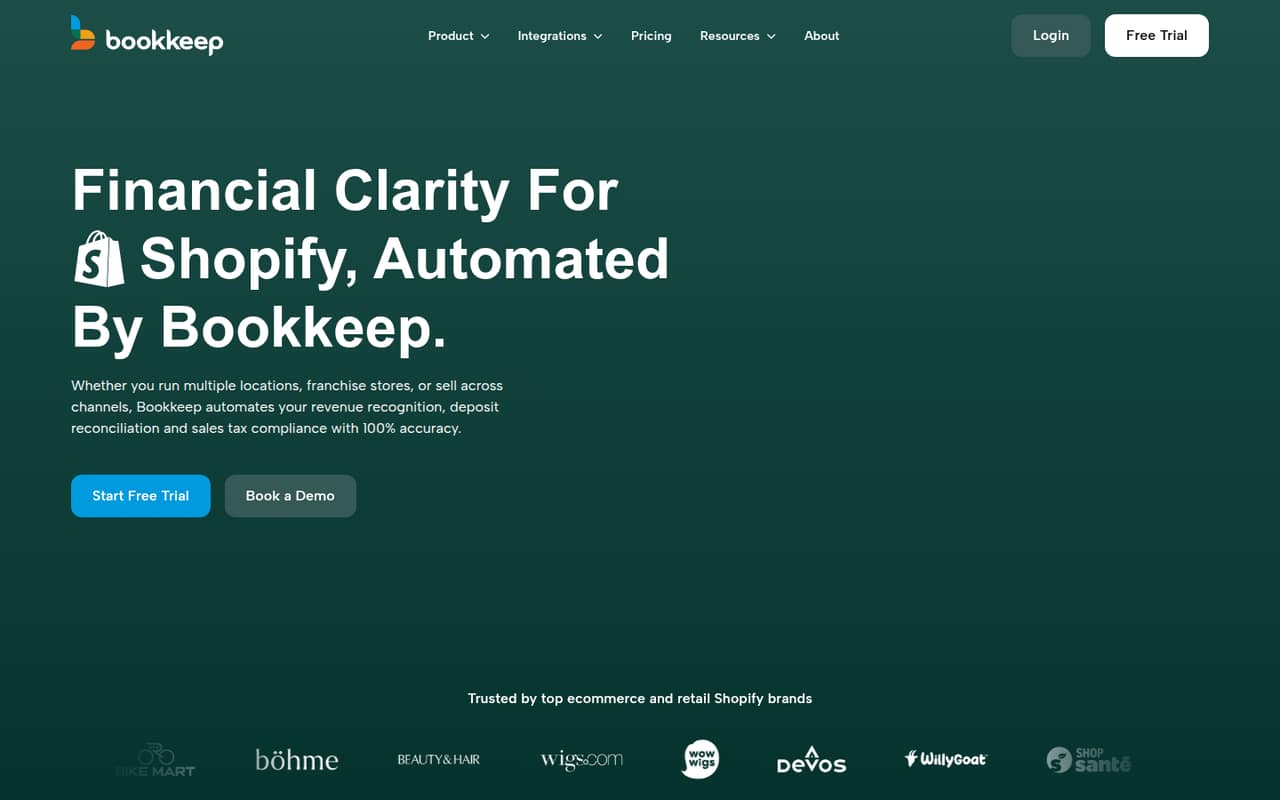
Bookkeep automates sales accounting for Shopify businesses, starting at $19 per entity monthly.
Bookkeep connects sales channels to accounting systems and automates daily journal summaries and deposit reconciliation. It also offers revenue recognition, sales tax filing, payout splitting, and multi-entity reporting for Shopify sellers and other retailers.
There’s no free plan, but Lite starts at $19 per entity monthly or $15.83 per month with annual billing. Each plan includes unlimited users, so the cost is based on entities, not seats. Add-ons and higher-tier features can raise the bill.
Good fit if
- Shopify sellers automating daily bookkeeping
- Teams with multiple sales channels
- Retailers needing payout reconciliation
Skip it if
- Businesses looking for free bookkeeping
- Teams wanting per-seat pricing
- Sellers needing unlimited channels on Lite
ScoresHow it rates
What works
- Lite includes unlimited users
- Posts automatically to QuickBooks Online, Xero, or Zoho Books
- Supports revenue recognition at Shopify fulfillment
- Pro includes managed sales tax filing
- Unlimited adds unlimited sales channels
What doesn't
- No free plan
- Pricing is per entity, not per seat
- Sales tax filing costs extra outside the Pro offer
- Payout splitting requires Pro or higher
- Implementation fees may apply
01Who Bookkeep is for
Bookkeep is for small Shopify businesses and retailers that want sales activity recorded in their accounting system without manually preparing every journal summary. It connects sales channels to accounting software, posts daily accrual-based summaries, and reconciles deposits in the general ledger. The product also offers revenue recognition at fulfillment, sales tax filing, payout splitting, and multi-entity reporting.
For a team of one to ten people, Lite is the simplest starting point if the job is basic bookkeeping automation: it costs $19 monthly per entity, includes unlimited users, and posts to QuickBooks Online, Xero, or Zoho Books. Starter costs more but adds journal editing, tax rate mapping, and live chat. Teams that need tax filing or payout tools should compare Pro, which starts at $199 monthly per entity. Bookkeep makes most sense when automating sales accounting saves enough staff time to justify a recurring fee.
02Bookkeep free plan and trial
Bookkeep does not offer a free plan. The pricing page lists a 14-day free trial, but the vendor does not publish which features or plan limits the trial includes. It also does not state whether a payment method is required, so confirm those details before signing up.
The cheapest listed option is Lite: $19 per entity monthly, or $15.83 per month when billed annually. Lite includes unlimited users, sub-category mapping for one listed sales channel, automated posting to QuickBooks Online, Xero, or Zoho Books, and email support with a one-business-day response time. The trial may help you check whether Bookkeep fits your workflow, but ask the vendor which accounting connection and sales channels you can use during it.
03What a small team pays for Bookkeep
Lite costs $19 per entity monthly or $15.83 per month with annual billing, charged upfront at $190 per year. Pricing is per entity, not per seat, and Lite includes unlimited users. If one entity has one, three, or five users, the bill stays $19 monthly or $190 annually. That works out to $19, $6.33, or $3.17 per user monthly on the annual plan, respectively; those are only per-user equivalents, not seat prices.
Starter is $49 monthly or $40.83 per month annually; Growth is $99 or $82.50; and Pro is $199 or $165.83. Pro is the first tier listing managed sales tax filing, with enrollment required. Sales tax filing is otherwise listed at $75 per filing. Payout splitting requires Pro or higher and costs $3.99 per transfer, with a $100 monthly minimum. Other possible costs include $99 monthly for Advanced Reporting, $0.35 per historical journal entry, and a variable implementation fee.
04Getting started with Bookkeep
Bookkeep’s basic workflow is to connect sales channels and an accounting system, then automate daily journal summaries and deposit reconciliation. Lite lists automated posting to QuickBooks Online, Xero, or Zoho Books. Growth adds automated posting to NetSuite, Sage Intacct, and Intuit Enterprise Suite, plus Inter-App Mapping and a dedicated onboarding and mapping session.
The vendor does not publish a typical setup time or a step-by-step setup workload, so ask how much configuration your sales channels and chart of accounts will need. Lite lists sub-category mapping for one sales channel; Starter adds manual journal entry editing and tax rate mapping. The included dedicated onboarding session starts at Growth, not Lite. That makes Lite a clearer fit when your accounting setup is straightforward, while businesses with complex mappings may want to price Growth before committing.
05When small teams outgrow Bookkeep
A team may need to move beyond Lite when it needs manual journal editing, tax rate mapping, or live chat; those are listed in Starter at $49 per entity monthly. Growth, at $99, adds more accounting-system connections, Inter-App Mapping, and a dedicated onboarding and mapping session. These are feature-based upgrade points rather than seat thresholds: all plans are priced per entity, and Lite already includes unlimited users.
Pro is the tier to consider for managed sales tax filing and payout splitting. It lists up to $5 million in annual revenue and five segmented sales channels. Advanced adds Shopify fulfillment-based revenue recognition, but its listed features still inherit Pro’s channel and revenue limits. Unlimited costs $1,199 monthly or $999 per month annually and adds unlimited sales channels. Before upgrading, confirm with Bookkeep how it handles revenue above Pro’s listed limit and whether additional entities or implementation work change your quote.
Questions people ask
Does Bookkeep have a free plan?
No. The pricing page lists a 14-day free trial, but Bookkeep does not list a free plan. The cheapest paid option is Lite at $19 per entity monthly, or $15.83 per month with annual billing. Ask the vendor what features the trial includes before relying on it for a full workflow evaluation.
Is Bookkeep priced per user or per entity?
Bookkeep lists prices per entity per month, not per user. Lite includes unlimited users, so adding colleagues to the same entity does not change the listed plan price. If your business needs multiple entities, ask Bookkeep how each entity will be priced and whether any implementation fees apply.
Which accounting systems does Bookkeep connect to?
Lite lists automated posting to QuickBooks Online, Xero, and Zoho Books. Growth adds automated posting to NetSuite, Sage Intacct, and Intuit Enterprise Suite. Confirm that your specific sales channels and accounting setup are supported before choosing a plan.
Does Bookkeep handle Shopify sales tax and payouts?
Bookkeep offers managed sales tax filing, with enrollment required, and lists coverage across all 50 U.S. states. The Pro plan includes the managed filing service; sales tax filing is otherwise listed at $75 per filing. Payout splitting is available on Pro or higher and costs $3.99 per transfer, with a $100 monthly minimum.
Can Bookkeep recognize revenue when an order is fulfilled?
Yes. Shopify fulfillment-based revenue recognition is listed with Advanced and included in higher plans. If fulfillment-based recognition is a requirement, check with Bookkeep about the plan and setup needed for your particular sales channels and accounting workflow.