
We may earn a commission if you buy through links on this page. It never changes a score or a ranking. How we make money
The bottom line
Good value for small teams building Bootstrap sites; less compelling for custom-code workflows.
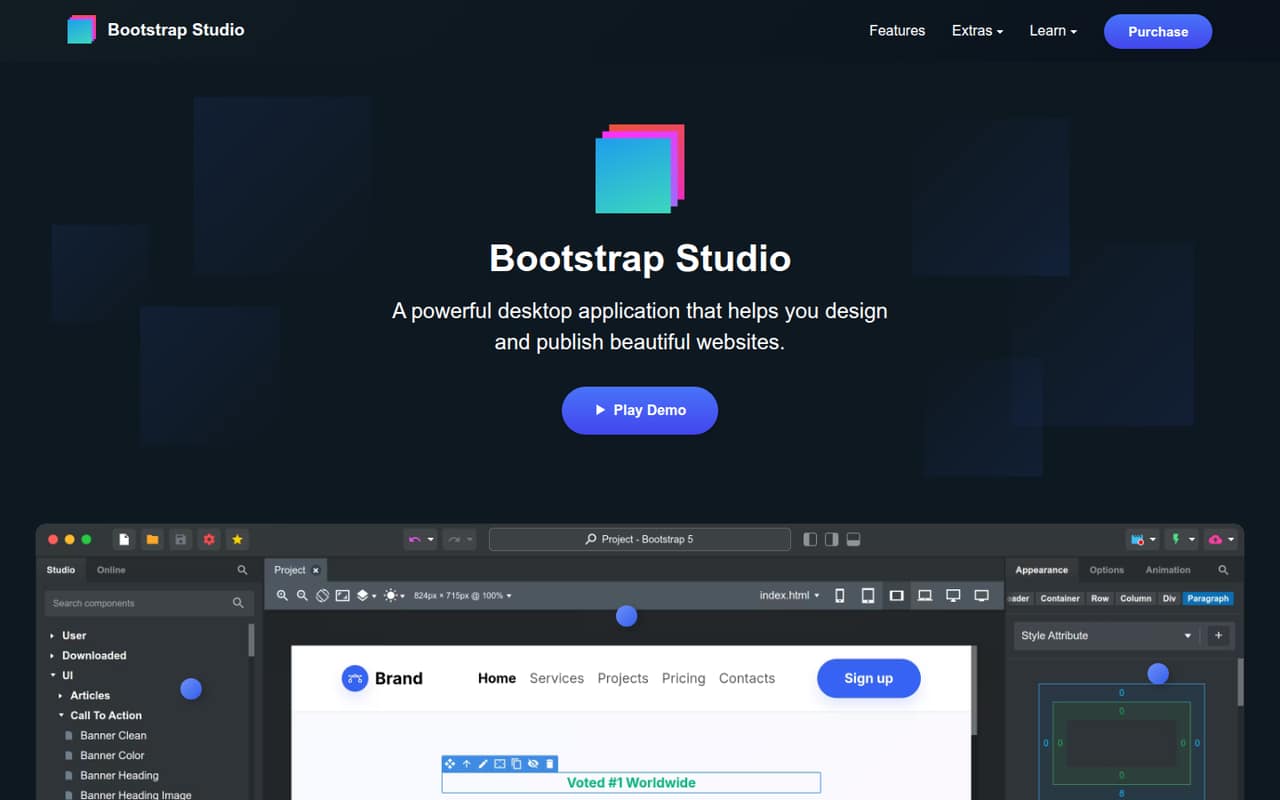
Bootstrap Studio is an offline desktop builder for visually designing responsive sites and exporting static HTML or publishing via SFTP. It supports Bootstrap 3, 4 and 5, with a drag-and-drop editor, reusable components and optional AI features that use your own API key.
The Standard plan costs $29 once and licenses one person, with one year of upgrades and five hosting slots. There is no general free plan listed, and a team of three would pay $87 for three Standard licenses. It suits small teams that want a visual starting point without a monthly subscription.
Good fit if
- Solo Bootstrap site builders
- Small teams making static sites
- Designers who prefer visual editing
Skip it if
- Teams needing shared team licenses
- Projects built outside Bootstrap
- Developers who prefer hand-coding
ScoresHow it rates
What works
- One-time Standard price of $29
- Works offline and exports static HTML
- Supports Bootstrap 3, 4 and 5
- Includes five hosting slots on Standard
- Can publish via SFTP
What doesn't
- No general free plan is listed
- Each license covers one individual
- Monthly and annual prices are not published
- AI Assistant requires your own API key
- Some users report a learning curve
01Who Bootstrap Studio is for
Bootstrap Studio is for a solo builder or a small team making responsive websites with Bootstrap. The desktop app lets you arrange pages visually with drag-and-drop editing, then export static HTML or publish via SFTP. It supports Bootstrap 3, 4 and 5, so it fits teams already using one of those versions rather than groups looking for a general-purpose site builder.
For a budget-conscious team, the appeal is paying once instead of adding another monthly subscription. The Standard plan is $29 for one individual, so a three-person team should budget for three licenses unless the vendor confirms a different arrangement. Built-in components, saved custom components and SEO tools can help with routine site work. The app can work offline, which is useful when connectivity is limited. It is a better match for straightforward marketing sites and page layouts than for a team that expects a shared, multi-user editing workspace.
02Bootstrap Studio free plan and trial
The pricing page lists no general free plan, and a free trial is not listed. That means there is no published free tier to use for an ongoing project or a trial period to assess before paying. One Reddit commenter says they found Bootstrap Studio free through the GitHub Student Developer Pack; that is a user report, not a general free plan listed on the pricing page.
The cheapest published way in is Standard: a $29 one-time payment for one individual. It includes one year of free upgrades, five website hosting slots and up to five Smart Forms recipients. If you are buying for a team, ask the vendor whether any team or education pricing applies before checkout; the listed license is for one individual.
03What a small team pays for Bootstrap Studio
The pricing page lists Standard at $29 once for one individual. On that basis, three individually licensed teammates cost $87 upfront; five cost $145. These are one-time totals, not monthly or annual charges. The listed license can be installed on all of that individual’s computers, but it does not cover multiple people. The vendor does not publish team pricing or a monthly equivalent.
Standard includes one year of free upgrades, five website hosting slots and up to five Smart Forms recipients. Lifetime costs $59 once per individual, or $177 for three and $295 for five, assuming one license per person. It includes free upgrades forever, lifetime free hosting and Smart Forms, five hosting slots and up to ten Smart Forms recipients. There are no add-ons listed in the pricing details. The main extra cost to plan for is therefore additional individual licenses, not a recurring subscription. Check with the vendor if your team needs shared access or a different licensing arrangement.
04Getting started with Bootstrap Studio
The basic workflow is to design a page in the desktop app, then export static HTML or publish via SFTP. The app works offline, and the built-in component library gives a small team pieces to place and reuse instead of starting every page from scratch. Bootstrap Studio also supports custom saved components. Its AI Assistant can edit designs or help build sites and apps, but it requires your own API key.
The visual editor is approachable in principle, but users on Reddit describe a learning curve. One commenter says the interface and functionality can take tinkering to understand; another says it was not as easy to pick up for less-proficient users. Several developers describe using it to lay out an initial page and then working with the exported files in a code editor. Plan for some onboarding and a handoff process if teammates will continue editing the output. The vendor does not publish a setup-time estimate.
05When small teams outgrow Bootstrap Studio
Bootstrap Studio may stop fitting when your team needs shared editing, a license that covers several people, or workflows centered on a framework other than Bootstrap. The listed plans license one individual each, and the pricing page does not publish a team plan. That makes the cost simple but linear: at Standard pricing, every additional person adds $29 upfront. Ask the vendor about licensing if multiple teammates need to work in the app.
It may also be a stepping stone rather than the whole development workflow. In one Reddit thread, users describe building an initial layout in Bootstrap Studio and then moving the files into a code editor for custom work. Another commenter says custom coding in the app can be problematic at times. Those reports suggest teams doing extensive custom development should check whether the editor fits their workflow before committing. If your projects move away from Bootstrap or need a more code-first process, the visual builder may no longer be the right center of the work.
From the threadsWhat users say
Reddit sentiment is mostly favorable for quick page layouts and as a tool that can make site work easier. Some users say the interface takes time to learn, or that they prefer moving exported files into a code editor for more custom work.
custom coding in BS can be a bit problematic at times
If this saves me 20 minutes one time... I don't see why people are so hesitant to spend trivial amounts of money on tools
Questions people ask
Does Bootstrap Studio have a free plan or trial?
The pricing page lists no general free plan or free trial. The cheapest published option is Standard, a $29 one-time purchase for one individual. A Reddit commenter reports finding access through the GitHub Student Developer Pack, but that is not a general free tier listed on the pricing page.
How much does Bootstrap Studio cost for a small team?
Standard costs $29 once per individual, so three separately licensed people would pay $87 upfront and five would pay $145. Lifetime costs $59 per individual: $177 for three or $295 for five. The vendor does not publish team pricing, monthly prices or annual prices.
Can Bootstrap Studio publish a website?
Yes. Bootstrap Studio can export static HTML with local assets for hosting elsewhere, and it can publish via SFTP. The listed plans also include five website hosting slots. Standard includes one year of free upgrades; Lifetime includes lifetime free hosting and Smart Forms.
Does Bootstrap Studio work offline?
Yes. Bootstrap Studio is an offline desktop website builder, according to the product description. You can design sites in the app and export static HTML or publish via SFTP. The AI Assistant requires your own API key, so check its requirements with the vendor if you plan to use AI features.
Which Bootstrap versions does Bootstrap Studio support?
Bootstrap Studio supports Bootstrap 3, 4 and 5. It is aimed at visually designing websites and apps with Bootstrap, rather than serving as a framework-neutral builder. If your project uses another framework, ask the vendor whether it fits your requirements before buying.
Sources
- Bootstrap Studio homepage
- Bootstrap Studio pricing, compiled via web search from saasrat.com, bootstrapstudio.io, spotsaas.com, unipos.net
- Reddit: Bootstrap Studio is out - Anyone tested? Opinions?
- Reddit: Is using bootstrap studio, cheating?
- Reddit: Bootstrap Studio v2.5
- Reddit: How good is bootstrap studio?