
We may earn a commission if you buy through links on this page. It never changes a score or a ranking. How we make money
The bottom line
Useful for automating support work; hard to justify once a small team needs paid seats.
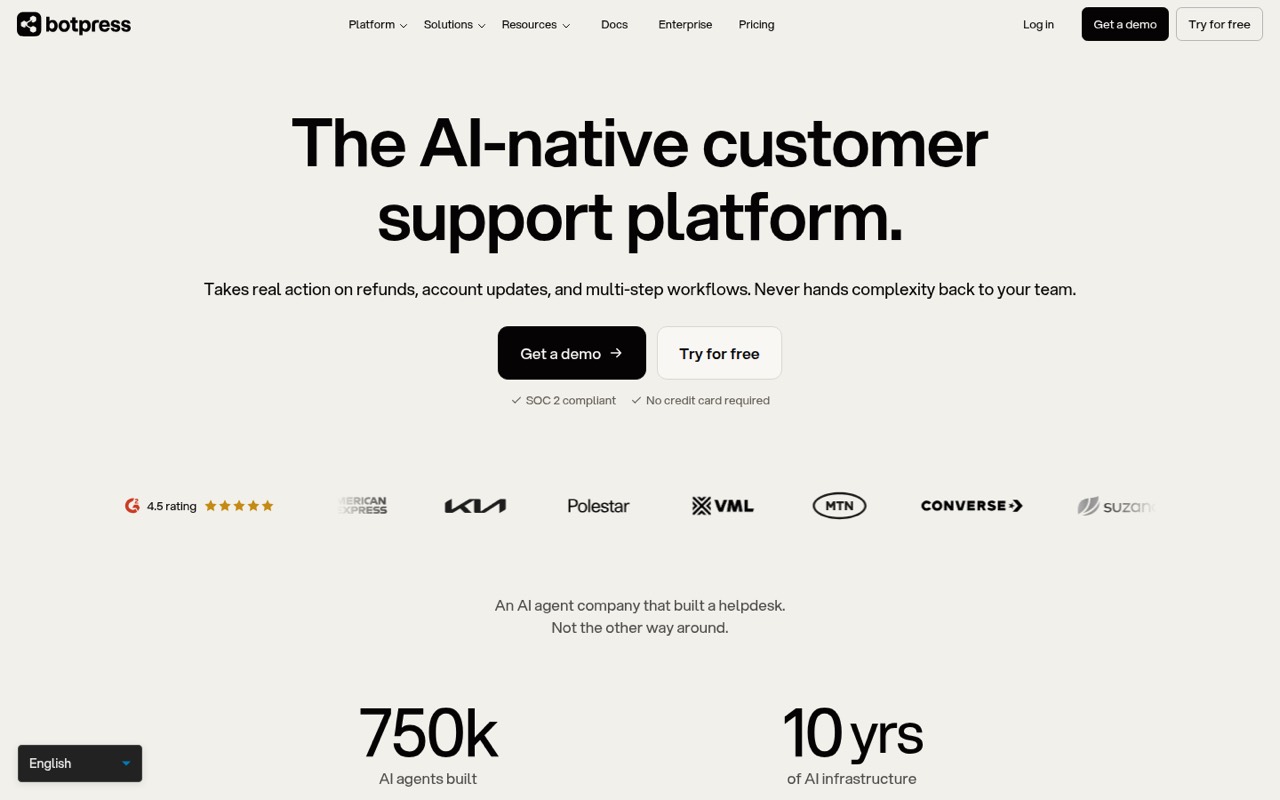
Botpress is for teams that want AI agents to resolve support requests, update accounts, issue refunds, and hand harder cases to a person. It can work with an existing helpdesk or as a standalone ticket system.
The free plan includes 3 seats and 100 conversations a month. Paid plans jump to $150/month billed annually for Plus, which still has 3 seats; a five-person team needs to look at Team, listed at $750/month billed annually.
Good fit if
- Teams automating complex support tickets
- Small teams with low conversation volume
- Businesses keeping human handoff available
Skip it if
- Teams needing more than three seats cheaply
- Anyone wanting published monthly billing
- Teams with simple chatbot needs
ScoresHow it rates
What works
- AI agents can handle refunds and account updates
- Can hand tickets to humans with context
- Works with an existing helpdesk or standalone
- Free plan includes three seats
- Natural-language agent building is listed
What doesn't
- Free plan stops at 100 conversations monthly
- Plus costs $150/month billed annually
- Plus still includes only three seats
- Team is listed at $750/month billed annually
- Monthly-billing prices are not published
01Who Botpress is for
Botpress suits a small support team with requests that take more than a canned answer: refunds, account changes, or work that requires steps across systems. Its AI agents can handle tickets end-to-end and pass a case to a human with context when needed. The platform can connect to an existing helpdesk or work as a standalone ticket management system.
For a team of one to three people, the Free plan may be enough to explore or run a low-volume workflow. The paid Plus plan includes three seats but costs $150/month when billed annually. That makes it a tough fit for a tight budget unless the automation can take meaningful support work off the team's plate. A five-person team reaches Team at $750/month billed annually, so the headcount math deserves a close look before building around it.
02Botpress free plan and trial
Botpress Free costs $0 and includes 100 conversations per month, 3 seats, 3 AI agents, 1,000 table rows, and 100MB of vector and file storage. That is a useful entry point for a solo operator or a small team checking whether its support workflows fit the product.
The plan stops being a fit when conversation volume passes 100 a month, the team needs more than three seats, or the included data limits become restrictive. Botpress lists no free trial; the Free plan is the no-cost way in. Plus raises the conversation allowance to 250 and gives unlimited AI agents, but it still has 3 seats and costs $150/month billed annually. Monthly billing prices are not published.
03What a small team pays for Botpress
The Free plan is $0 for up to three seats. For one person who wants a paid plan, Plus is the entry point at $150/month when billed annually, or $1,800 for a year. The plan includes three seats, so a fully occupied Plus account works out to $50 per seat monthly. Botpress does not publish a monthly-billing price.
A team of three can stay on Plus for $150/month billed annually. A team of five exceeds Plus's three-seat allowance, so Team is the listed fit: $750/month billed annually, or $9,000 for a year. With five people, that works out to $150 per seat monthly. The vendor does not publish a separate price for extra Plus seats.
Watch conversation limits, too: Plus includes 250 monthly conversations, and Team includes 1,500. Extra packs cost $65 per 100 conversations on Plus or $50 per 100 on Team. Plus and Team can also add storage for $40/month.
04Getting started with Botpress
Botpress says on its homepage that teams can build AI agents with natural language and connect through OAuth. That may lower the barrier to describing an agent's job, but setting up a support workflow still means deciding what the agent can do, what information it needs, and when a person should take over. The product description includes examples such as refunds, account updates, and multi-step actions across systems.
The vendor does not publish a setup-time estimate in the pricing details, so we would not budget this as a plug-and-play chatbot without checking the workflows you need. Confirm that your helpdesk and business systems can connect the way you expect before committing. A Reddit commenter discussing chatbot builders also argued that automation and connections to tools such as Shopify, Zendesk, and Klaviyo can matter as much as the AI itself. That is a useful reminder to map the handoffs first.
05When small teams outgrow Botpress
The first pressure point is volume: Free allows 100 conversations a month, Plus 250, and Team 1,500. Plus also stops at three seats. A five-person team has to consider Team at $750/month billed annually, while the cost of adding seats to Plus is not published. Those jumps can make Botpress difficult to justify if your support load is modest or your budget is fixed.
Teams may also run into included usage or storage limits. Plus includes $25 of AI usage and 100,000 table rows; Team includes $150 of AI usage and 500,000 rows. Add-ons are available, but they add to the bill. One Reddit thread about Botpress describes development costs becoming large, including a report of spending a couple of dollars a day during active development. That comment may reflect a different setup or period, but it is a reason to track AI usage before relying on it at scale. Ask Botpress for current monthly billing and seat details if those affect your decision.
From the threadsWhat users say
The available Reddit discussion is mixed and limited. One Botpress user praised its integrations and no-code appeal but raised concerns about development costs; other comments stress that automation and tool connections matter alongside chatbot AI.
I like botpress as it provides integrations to gmail, whatsapp, no code
the cost quickly becomes large even for development, it is couple dollars a day for active development
using different tools (e.g., shopify for order tracking, Zendesk for ticket responses, Klaviyo for email lists) is where a lot of the tangible value comes from
Questions people ask
Is Botpress completely free?
No. Botpress has a free plan with 100 conversations per month, 3 seats, 3 AI agents, 1,000 table rows, and 100MB of vector and file storage. Paid plans add capacity and features. Plus is listed at $150/month billed annually, and monthly-billing prices are not published.
Is Botpress any good for customer support?
It may suit teams with complex support requests: its AI agents can handle refunds, account updates, and multi-step workflows, then hand cases to a human with context. Whether it fits depends on your systems, support volume, and budget. Test your actual workflows against the free plan's limits before paying.
What does Botpress cost for a small team?
Free costs $0 and includes three seats. Plus is listed at $150/month billed annually and also includes three seats. Team is listed at $750/month billed annually with unlimited seats. Botpress does not publish monthly-billing prices, and conversation packs or storage can add to the bill.
Can Botpress work with our existing helpdesk?
Yes. Botpress can work with an existing helpdesk or as a standalone ticket management system, and its agents can hand off tickets to a human with context. Confirm that your specific helpdesk and connected systems support the workflow you need before choosing a plan.
When should a team upgrade from Botpress Free?
Consider upgrading when you need more than 100 conversations a month, more than three seats, or additional capacity for agents, table rows, or storage. Plus raises the conversation limit to 250 but still has three seats. Team includes 1,500 conversations and unlimited seats at a much higher listed price.