
We may earn a commission if you buy through links on this page. It never changes a score or a ranking. How we make money
The bottom line
Free to start, capable on paper, and billed by usage—not by seat.
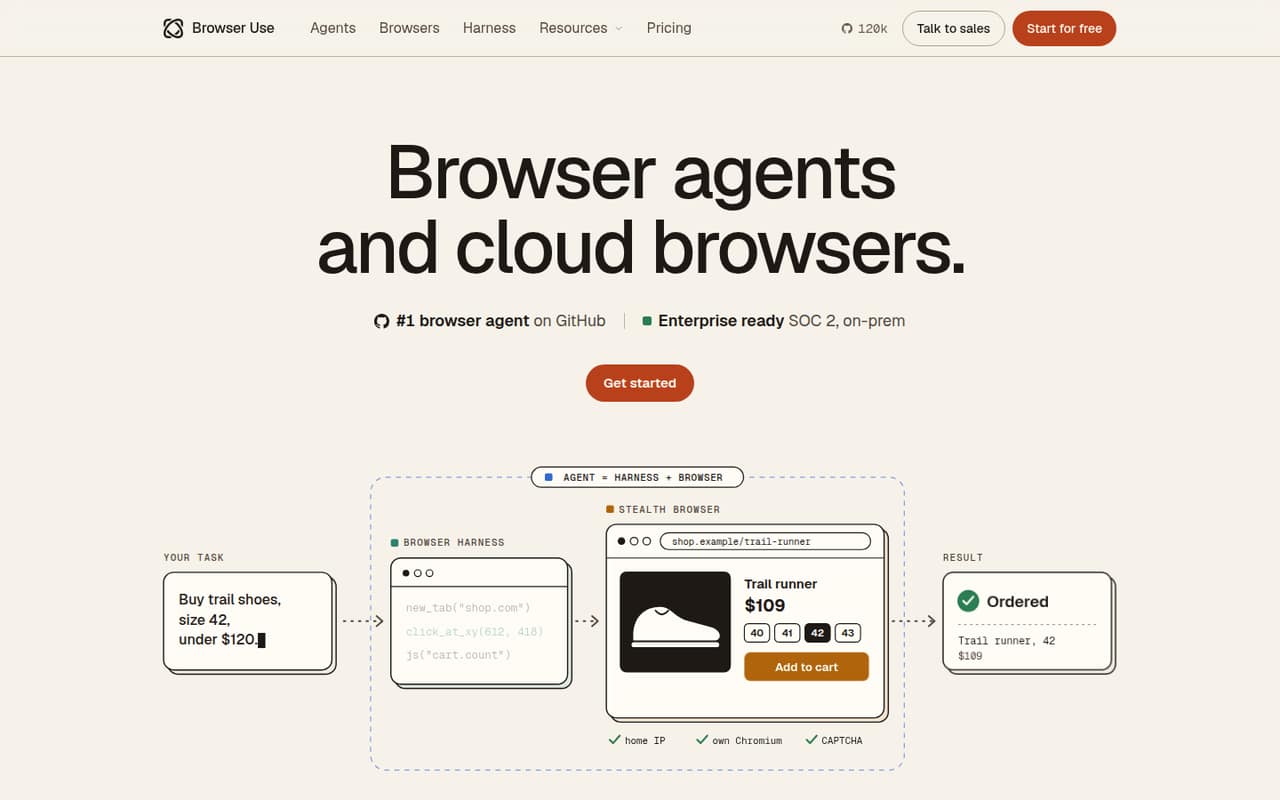
Browser Use gives a small team browser agents that turn tasks into JSON, stealth browsers designed to get past bot checks, and an open-source harness for Claude Code and Codex. It also offers cloud and on-prem deployment options, with enterprise compliance features.
The Pay as you go plan has no subscription charge, but browser time, traffic and some tasks cost extra. That can suit a technical team testing a few automations, but Reddit users report both easy wins and frustrating, unreliable clicks.
Good fit if
- Technical teams automating browser tasks
- Small teams testing agent workflows
- Teams needing usage-based browser capacity
Skip it if
- Teams needing predictable monthly bills
- Nontechnical teams wanting guided setup
- Workflows requiring dependable clicks every time
ScoresHow it rates
What works
- No subscription or annual billing
- Credits never expire
- Up to 1,000 browsers at once on Pay as you go
- Open-source harness for Claude Code and Codex
- On-prem deployment available on Enterprise
What doesn't
- Browser time and traffic cost extra
- Agent model rates vary by token
- No per-seat price to budget against
- Reddit users report hallucinated clicks
- Setup details and support terms may need vendor confirmation
01Who Browser Use is for
Browser Use is aimed at small, technical teams that want software to carry out browser tasks, not just record a fixed sequence of clicks. Give a web agent a task and it returns JSON; the product also offers stealth browsers designed to get past bot checks. Browser Harness is a free, open-source tool for Claude Code and Codex.
For a team of one to ten, the appeal is trying browser automation without a per-seat subscription. The Pay as you go plan has a $0 monthly price, with charges based on usage. That makes it worth considering for occasional tasks or early experiments, provided someone on the team can handle the technical side. Teams that need custom deployment or terms can ask about Enterprise. If your work needs predictable, repeatable actions on every run, keep a human review step: Reddit users report both successful tasks and trouble with misfiring clicks.
02Browser Use free plan and trial
The free entry point is Pay as you go, listed at $0 per month with no subscription or annual billing. It includes up to 1,000 browsers at once, credits that never expire, SOC 2 Type II and a signed DPA, plus a $1 one-time signup credit. There is no separate free-trial period listed.
That does not mean unlimited browser use at no cost. Browser time is $0.02 per hour, billed by the minute with a one-minute minimum. Home-IP traffic is $5 per GB; direct traffic or your own proxy is $0.20 per GB. BU Ultrafast costs $0.006 per task, and agent models have varying per-token rates. So the free plan is a useful way to start, but regular workloads can generate charges beyond the signup credit. Check which browser, traffic and model costs your workflow will incur before running it at scale.
03What a small team pays for Browser Use
There is no per-seat price to multiply: one person, a team of three and a team of five all pay $0 in monthly subscription fees on Pay as you go. The pricing page lists no annual billing, so the annual subscription total is also $0; usage charges still apply. Your actual monthly spend depends on browser time, traffic, task options and model tokens, so the vendor does not publish a fixed total for a small team.
The listed rates to budget for are $0.02 per browser hour, billed by the minute with a one-minute minimum; $5 per GB for Home-IP traffic or $0.20 per GB for direct traffic or your own proxy; and $0.006 per BU Ultrafast task. Model token rates vary. Bringing your own model key costs the provider rate plus 0.2x. The plan includes up to 1,000 browsers at once, but higher concurrency thresholds are tied to total paid amounts: $100 for 50 browsers, $1,000 for 250, $5,000 for 500 and $25,000 for 1,000. Ask the vendor how these thresholds apply to your workload.
04Getting started with Browser Use
The right starting point depends on what you want to automate. The web agents accept a task and return JSON, while Browser Harness is a free, open-source browser tool for Claude Code and Codex. The product also lists US or EU cloud, with EU cloud runs in Frankfurt, and on-prem deployment for teams that need browsers on their own network.
The vendor does not publish a setup-time estimate here, so we would not budget this like a one-click office app. A Reddit user praising the WebUI described it as easy to install, while another commenter said model choice and vision settings mattered to their results. Those are individual reports, not a promise that every setup is simple. Before committing, decide which interface, model and traffic route you need, and confirm the setup steps and any requirements with the docs. For a small team, have one technical owner test a representative task and check its output before relying on it.
05When small teams outgrow Browser Use
The first reason to reconsider Browser Use may be reliability, not team size. One Reddit post described hallucinated clicks and sessions that failed to complete; a commenter also warned that a model can confidently click the wrong thing. Other users report positive results, so performance appears to depend on the task and setup. For important workflows, plan for retries and human checks rather than assuming every run will finish cleanly.
The other pressure point is cost control. There is no seat-based bill, but browser hours, traffic and model tokens add up according to use, and the vendor does not publish a typical monthly total. Track those charges against the time saved. When you need custom concurrency above 1,000, annual credit pools, custom SLAs, dedicated support or on-prem deployment, the listed Enterprise plan is the route to ask about. Enterprise pricing is custom, so request a quote before planning a budget. If your main need is stable, repeatable automation, assess whether an agent is still the right tool.
From the threadsWhat users say
Reddit sentiment is mixed: one user praised the WebUI as easy to install and useful for real tasks, while another thread described hallucinated clicks and failed sessions. Results appear to vary by task and setup, so enthusiastic reports are not a guarantee of dependable workflows.
This tool surprised me, easy to install and legitimately works as advertised
Even completed a captcha on Amazon, got to the final step of purchasing tickets on ticketmaster, could open my web-based email and summarize the first three emails
spent like two weeks watching browser-use hallucinate clicks on elements that didn't exist
some models aren’t good in performing tasks, even while celebrated by the community as “this 3B model beats chatgpt!”
Questions people ask
Is Browser Use free?
Pay as you go is listed at $0 per month, with no subscription or annual billing. It includes a $1 one-time signup credit, but browser time, traffic, task options and model tokens can cost extra. Credits never expire, and the plan includes up to 1,000 browsers at once.
How does Browser Use charge for browser time?
The listed browser-time rate is $0.02 per hour, billed by the minute with a one-minute minimum. Other possible charges include traffic, BU Ultrafast tasks and model tokens. Your total depends on what you run, so estimate usage before relying on it for a regular workflow.
Does Browser Use work with Claude Code or Codex?
Browser Harness is described as a free, open-source browser tool for Claude Code and Codex. Browser Use also offers web agents that take a task and return JSON. Confirm the relevant setup steps in the docs for the interface and model you plan to use.
Does Browser Use offer on-prem deployment?
On-prem deployment is available on the custom-priced Enterprise plan. The product also lists US or EU cloud, with EU cloud runs in Frankfurt. Ask the vendor about deployment requirements, terms and pricing for your team.
Is Browser Use reliable enough for production tasks?
Reddit users report mixed experiences: one praised successful tasks, while another described hallucinated clicks and incomplete sessions. Reliability may depend on the workflow and model. Test the tasks that matter to your team and keep a review or recovery step for important actions.
Sources
- Browser Use homepage
- Browser Use pricing page
- Reddit: Tested 6 browser use agents for real-world tasks — here's an honest breakdown + looking for recommendations
- Reddit: Ok I admit it, Browser Use is insane (using gemini 2.0 flash-exp default) [https://github.com/browser-use/browser-use]
- Reddit: Stagehand vs Browser Use.. which one actually works for production agents?
- Reddit: Browser Use vs Playwright in 2026: When Should You Use an AI Browser Agent?