
We may earn a commission if you buy through links on this page. It never changes a score or a ranking. How we make money
The bottom line
Wide browser and device coverage, with pricing that can pinch as a small QA team grows.
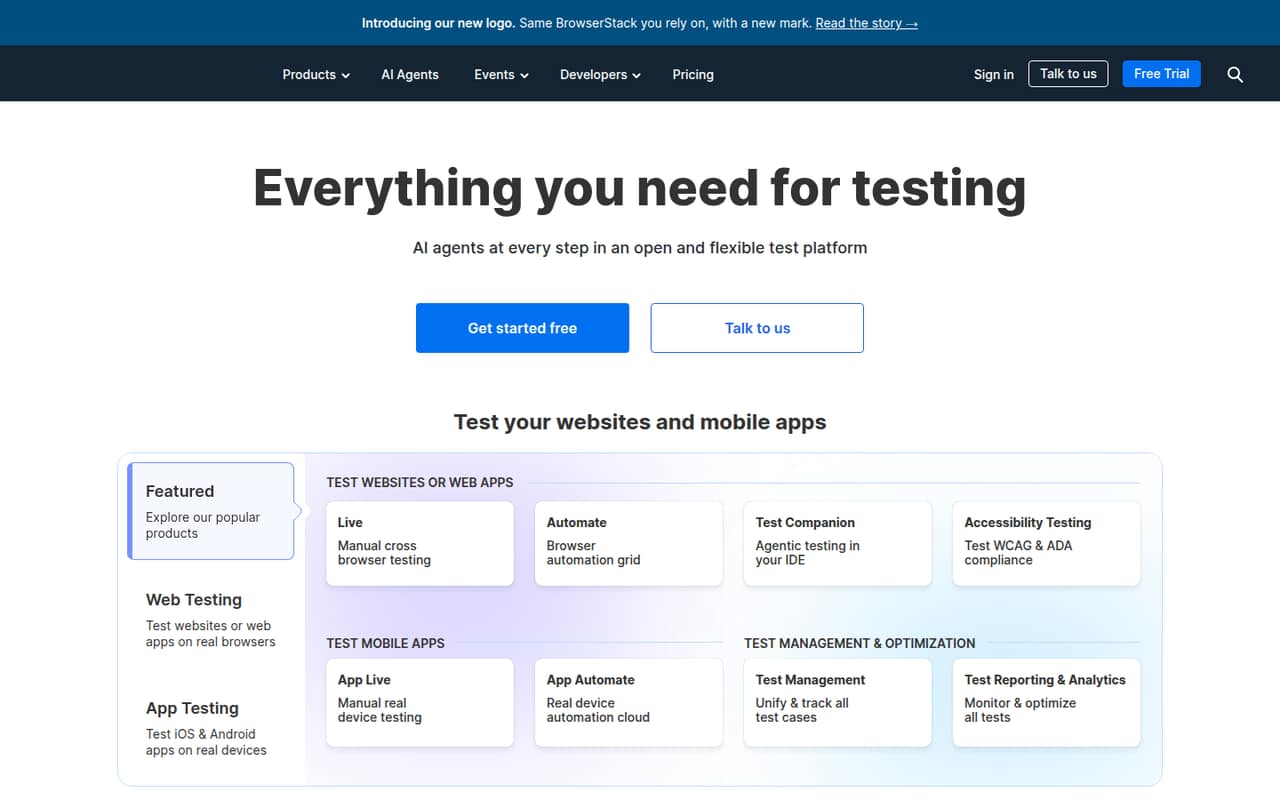
BrowserStack is worth considering if your team needs to test websites and apps across many real browsers and devices. Its products span manual and automated testing, visual review, accessibility, test management and reporting.
The catch for a small team is cost clarity: the free plan’s limits and monthly rates for paid plans aren’t published. The pricing page lists individual plans from $29 per month, while the Team plan starts at $150 per month on annual billing.
Good fit if
- Teams testing many browsers
- Mobile app QA teams
- Teams needing real devices
Skip it if
- Teams with very tight budgets
- Teams needing published free limits
- Teams testing only one browser
ScoresHow it rates
What works
- 3,500+ desktop and mobile browser combinations
- Access to 35,000+ real devices
- Manual and automated testing products
- Jira, Slack and GitHub integrations
- AI agents across the testing lifecycle
What doesn't
- Free-plan limits aren’t published
- Monthly paid rates aren’t published
- Team pricing is a sizable jump
- Reddit users report occasional slowness
- Broader platform features may be more than a small team needs
01Who BrowserStack is for
BrowserStack is for teams that need to check websites or mobile apps on browsers and devices they can’t keep in-house. The platform covers manual and automated testing, visual review, accessibility, test management and reporting. Its homepage lists more than 3,500 browser combinations and 35,000 real devices.
For a team of one to five, it makes the most sense when cross-browser or mobile coverage is a regular part of shipping, not an occasional check. A solo tester can start with an individual plan; teams wanting shared access should look at Team, which has 5- and 10-user options listed. The pricing page lists Team at $150 per month on annual billing, so it’s a meaningful budget line for a small crew. If your team only checks a narrow set of browsers, or rarely tests on real devices, first confirm that the extra coverage will earn its keep.
02BrowserStack free plan and trial
BrowserStack has a free plan, but the plan’s included products, usage limits and eligible users aren’t published in the pricing details. That makes it hard for a small team to know whether free access will cover a real workflow or just a limited evaluation. The vendor also doesn’t list a free-trial offer there.
Before building a process around the free plan, ask BrowserStack which testing products it includes, how many sessions or minutes are allowed, and whether multiple teammates can use it. If you need a published paid option, the cheapest listed plan is Desktop at $29 per month, billed annually. It covers desktop browser testing; Desktop & Mobile is listed at $39 per month on annual billing and adds real-device access.
03What a small team pays for BrowserStack
The pricing page lists Desktop at $29 per month and Desktop & Mobile at $39 per month, both as monthly equivalents billed annually. Three Desktop seats would total $87 per month, or $1,044 per year; five would be $145 per month, or $1,740 per year. For Desktop & Mobile, three seats total $117 per month, or $1,404 per year; five total $195 per month, or $2,340 per year. These are individual-plan calculations, not shared Team pricing.
Team is listed at $150 per month on annual billing, with 5- and 10-user options. If $150 applies to the 5-user option, that works out to $30 per user per month, or $1,800 per year total; confirm the applicable option and price with BrowserStack before budgeting. The 3-user Team price and monthly billing rate aren’t published. Team Pro is listed at $249 per month and Team Ultimate at $375 per month, also annual monthly equivalents. Test & Monitor starts at $300 for 5 users; Enterprise is an add-on with no published price.
04Getting started with BrowserStack
The setup effort depends on whether you’re checking a site manually or connecting an automated test workflow. BrowserStack lists manual and automated testing products, plus integrations with Jira, Slack and GitHub on Team. Those integrations can help a small team fit testing into its existing issue and development workflow.
The vendor doesn’t publish a setup-time estimate, so we wouldn’t assume a same-day rollout for every use case. A team starting with manual browser checks has less to configure than one connecting automated tests or adding products for accessibility, visual review and test management. Pick one first workflow, confirm which plan includes it, then check the relevant product documentation before inviting the whole team. One Reddit commenter called BrowserStack polished and noted its range of browsers and devices; another reported it could be slow sometimes. That’s a reminder to judge the experience against your own test flow.
05When small teams outgrow BrowserStack
The first pressure point is likely the bill: individual seats add up, while the listed Team plan starts at $150 per month on annual billing and offers 5- and 10-user options. Monthly rates aren’t published, and the free plan’s limits aren’t clear from the pricing details. Teams should ask for an exact quote and confirm which products and user counts are included before they scale access.
You may also outgrow a broad platform if you only need one part of it, or if your test volume makes cloud usage feel slow or expensive. Reddit comments are mixed: one user said BrowserStack was slow sometimes, while another said their team liked its reliability but found the bill too high. A commenter also said their team moved to BrowserStack for manual and automated app testing and parallel testing. As your needs change, compare the cost of the products you actually use with the cost of a narrower setup.
From the threadsWhat users say
Reddit sentiment is mixed. Some commenters praise the browser and device coverage or reliability; others mention occasional slowness and rising costs.
BrowserStack is widely used, super polished and has tons of devices and browsers, but it can get pricey
Browserstack is OK but slow sometimes. We also found the VPN was a little unreliable
We've been using browser stack to test our mobile and web applications but with time our amount of tests have increased and quite frankly the pricing is killing my budget
I like reliability of browser stack
Questions people ask
What is BrowserStack used for?
BrowserStack provides tools for testing websites and mobile apps across real browsers and devices. Its products cover manual and automated testing, accessibility, visual review, test management and reporting. The platform lists more than 3,500 browser combinations and access to more than 35,000 real devices.
Does BrowserStack have a free plan?
Yes, BrowserStack has a free plan. Its included features, user limits and usage limits aren’t published in the pricing details. Ask the vendor what the free plan covers before relying on it for regular team testing.
How much does BrowserStack cost for a small team?
The pricing page lists Desktop at $29 per month and Desktop & Mobile at $39 per month, as monthly equivalents billed annually. Team is listed at $150 per month and has 5- and 10-user options. Monthly billing rates aren’t published, so confirm the price for your team size.
Does BrowserStack test on real mobile devices?
Yes. BrowserStack lists access to a cloud of more than 35,000 real iOS and Android devices. The Desktop & Mobile individual plan lists real-device access, and the Team plan lists team access to real devices.
Does BrowserStack integrate with Jira, Slack and GitHub?
The Team plan lists Jira, Slack and GitHub integrations. If your team depends on a particular workflow or plan, confirm with BrowserStack that the integration is included and available for your account before purchasing.