
We may earn a commission if you buy through links on this page. It never changes a score or a ranking. How we make money
The bottom line
A clear way to collect website feedback, though the five-seat starting plan costs more than a solo user needs.
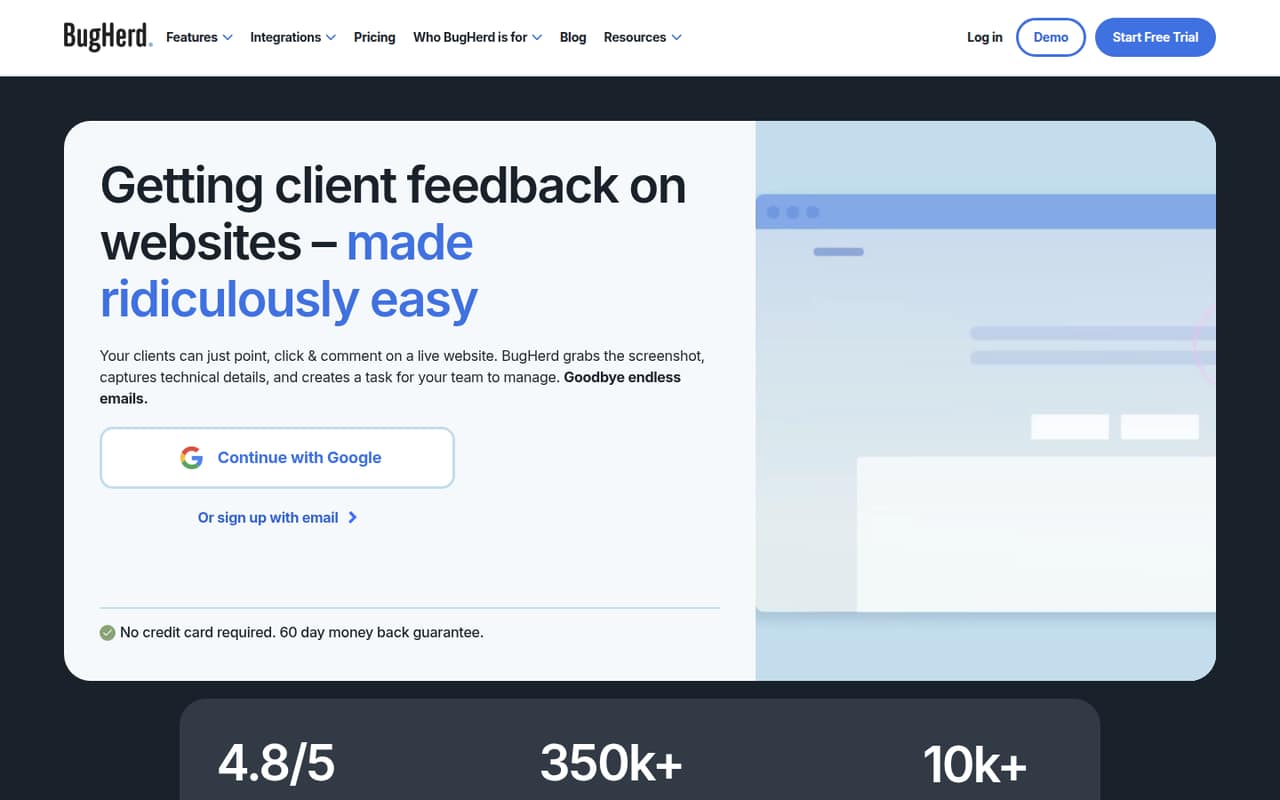
BugHerd turns website comments into trackable tasks, with pins, screenshots, technical details, and a Kanban board. Clients can review without creating accounts, which suits small teams that work with non-technical stakeholders.
There’s no free plan listed, and Standard starts at $50 per month for up to five members. That’s a steep entry price for a solo user, but a reasonable starting point if your team regularly reviews client websites.
Good fit if
- Small teams building client websites
- Agencies collecting client feedback
- Teams wanting visual bug reports
Skip it if
- Solo users on a tight budget
- Teams needing a free QA tool
- Projects with more than five members
ScoresHow it rates
What works
- Clients can leave feedback without creating accounts
- Pins tie comments to specific page elements
- Screenshots include browser and device details
- Feedback becomes tasks on a Kanban board
- MCP is included with Standard
What doesn't
- No free plan is listed
- No free trial is listed
- Solo users pay for a five-member plan
- Standard includes just 10 GB of storage
- Custom branding and premium integrations require Premium
01Who BugHerd is for
BugHerd suits small web teams that build or maintain sites for clients and need a tidy way to collect feedback. Instead of chasing comments in email, a client can pin a note to a page element, suggest replacement text, or report an issue. BugHerd captures a screenshot and technical details, then puts the feedback on a Kanban task board.
It’s most compelling for teams of three to ten people that handle repeated client reviews. Standard includes five members; Studio includes ten. Clients and projects are unlimited on both plans, and clients can review without logging in. That makes the tool a better fit for a small agency with several client contacts than for a solo developer who only needs occasional QA. The catch for a budget-conscious team: Standard costs $50 month to month even if only one person needs a seat.
02BugHerd free plan and trial
BugHerd lists no free plan and no free trial. If you want to use the product, the cheapest listed option is Standard, at $50 per month or $42 per month equivalent with annual billing. Standard includes five members, unlimited clients and projects, 10 GB of storage, MCP, and auto-title generation.
That means there’s no free tier for a solo user to try with one client project, and no smaller paid plan to start with. A team unsure whether visual feedback will fit its workflow should ask BugHerd about trial access before budgeting. If you already know you need to collect client comments on live websites, Standard is the entry point; its five included member slots can cover a small team without an immediate upgrade.
03What a small team pays for BugHerd
BugHerd charges by plan, not by the number of seats you use within that plan. Standard includes five members, so one person, a team of three, and a team of five all pay $50 per month on monthly billing. With annual billing, the listed rate is $42 per month equivalent, or $504 for the year. That works out to $50/$42 per user monthly for one person, about $16.67/$14 for three, or $10/$8.40 for five.
A sixth member can be added for $8 per user monthly or $6.60 per user monthly when billed annually ($80 per year). Studio includes ten members and costs $80 monthly or $67 per month equivalent annually. It may be simpler for a growing team than stacking add-ons, but compare the total before switching. Annual rates are monthly equivalents; the pricing page lists two months free with annual billing. Standard’s 10 GB storage is another limit to watch as project files accumulate.
04Getting started with BugHerd
The main workflow is straightforward to understand: a client opens a website, pins feedback to an element, and the team tracks the resulting task on a Kanban board. Clients don’t need accounts to review websites or files, so you can avoid onboarding every stakeholder as a full team member. Text suggestions and captured browser, operating system, and screen-resolution details add context to reports.
BugHerd doesn’t publish a setup-time estimate in its pricing details, so ask the vendor what installation and project configuration involve for your site. For day one, decide who needs a member seat and which client contacts should review without logging in. Standard lists MCP and auto-title generation; the pricing details don’t name specific third-party integrations for that plan. Premium lists premium integrations but doesn’t name them. The vendor describes MCP as a way for AI agents to connect to projects, tasks, and client feedback.
05When small teams outgrow BugHerd
The first pressure point is team size. Standard includes five members; you can add more for $8 each monthly or $6.60 each monthly with annual billing, while Studio includes ten members. Teams needing 25 members, 50 GB of storage, custom branding, or auto-tagging and similar-task detection need Premium. Standard’s 10 GB storage can also become a constraint as projects and feedback build up. Custom lists a custom member limit and unlimited storage, but its price isn’t published.
Reddit feedback is mixed and limited. One user said they love BugHerd for web QA; another Reddit thread said its author had used BugHerd before moving to another tool, without explaining why. That thread also included a claim that BugHerd lacked an MCP server, which BugHerd’s CEO corrected by saying the product does have MCP. For a team considering AI-assisted triage, confirm the current MCP workflow with the vendor rather than relying on that thread’s initial claim.
From the threadsWhat users say
Reddit feedback is mixed but sparse: one user says they love BugHerd for web QA, while another thread mentions moving on after using it. A claim in that discussion that BugHerd lacked an MCP server was corrected by BugHerd’s CEO, who said it has one.
Currently using BugHerd for web QA (love it)
We used BugHerd for a while, then Marker.io
I can tell already that it’s a better fit for my needs than bugherd
Quick clarification for anyone following along - BugHerd does have an MCP
Questions people ask
What does BugHerd do?
BugHerd collects visual website feedback and turns it into tasks. Clients can pin comments to page elements, suggest replacement text, and review websites or files without logging in. The team can prioritize and resolve those reports on a Kanban board.
Can clients use BugHerd without an account?
Yes. BugHerd’s client collaboration features let clients review websites and files without logging in. Your team can manage feedback as tasks, set deadlines, and manage permissions.
What details does BugHerd capture with feedback?
BugHerd includes screenshots and technical details with comments. Those details include the browser, operating system, and screen resolution, giving your team context alongside a client’s pinned feedback.
Does BugHerd connect to AI agents?
Yes. BugHerd MCP connects AI agents to projects, tasks, and client feedback for triage and task resolution. MCP is listed as part of Standard. The pricing details don’t name specific AI agents or integrations, so confirm compatibility with the vendor.
Where is BugHerd based?
BugHerd’s pricing details don’t state where the company is based. If company location matters for your purchasing, compliance, or data-residency requirements, ask BugHerd directly before subscribing.
Sources
- BugHerd homepage
- BugHerd pricing page
- Reddit: What platform are you using for email QA review and feedback?
- Reddit: We got tired of Marker.io pricing and BugHerd lacking an MCP server, so we built our own bug reporting tool
- Reddit: Join the BugHerd Team
- Reddit: BugHerd in G2's Top 40 Best Software Companies for 2026