
We may earn a commission if you buy through links on this page. It never changes a score or a ranking. How we make money
The bottom line
Good calendar coverage for small teams that can justify paying per seat; no free plan to start.
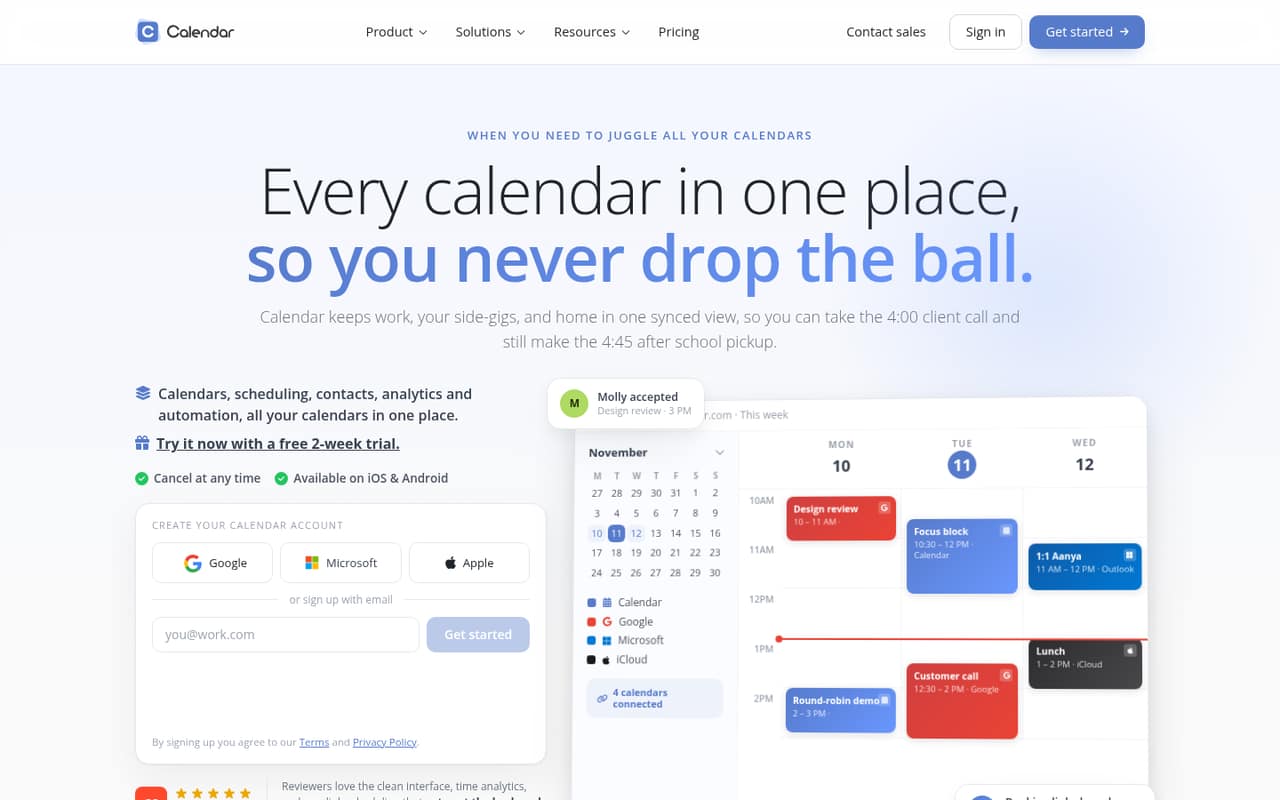
Calendar combines work and personal calendars in one view, with booking links, team scheduling, contact management, analytics, and workflow automation. That is a useful bundle if your team wants scheduling and calendar coordination in one place.
The trade-off is the entry price: there is no free plan, and Standard starts at $16 per user per month with annual billing or $20 month to month. A 14-day trial gives teams a chance to assess the fit before paying.
Good fit if
- Small teams sharing availability
- People juggling multiple calendars
- Teams using booking links
Skip it if
- Teams that need a free plan
- Solo users watching every dollar
- Teams needing more than ten users
ScoresHow it rates
What works
- Combines several calendar services in one view
- Booking links make meeting scheduling easier
- Team scheduling checks shared availability
- Includes contact management and meeting history
- Standard supports up to ten workspace users
What doesn't
- No free plan
- Standard costs per user
- Monthly billing costs more than annual billing
- Standard allows only three connected sync calendars
- Pro SSO add-on price is not published
01Who Calendar is for
Calendar is for individuals and small teams that need more than a place to record events. It brings work, personal, and other calendars into one view, then adds links for booking meetings and tools for checking team availability. Contact management, meeting history, analytics, and workflow automation round out the package.
For a team of one to ten, Standard is the relevant plan: it allows up to 10 users per workspace. The pricing page lists it at $20 per user monthly, or $16 per user per month with annual billing. That can make sense when people regularly coordinate across calendars or handle a steady flow of booked meetings. It is harder to justify if your team mainly needs a shared calendar and does not need booking links or the additional tools. With no free plan, even a small team needs room in its software budget.
02Calendar free plan and trial
Calendar does not offer a free plan, so there is no ongoing free tier with a published user limit or feature list. The vendor lists a 14-day free trial. The trial’s exact feature access and any restrictions are not published, so confirm those details before building a team evaluation around a specific capability.
After the trial, the cheapest listed option is Standard. It costs $20 per user per month with monthly billing, or $16 per user per month with annual billing. Standard includes up to 10 users per workspace, three connected sync calendars, three teams per workspace, five sub-calendars per calendar, and custom branding. If you only need basic calendar sharing, check whether your existing calendar service already covers that job before starting a paid subscription.
03What a small team pays for Calendar
Standard is the entry plan for a small team. The pricing page lists it at $20 per user per month with monthly billing, or $16 per user per month with annual billing. One person pays $20 monthly or $16 per month on an annual plan. Three people pay $60 monthly or $48 per month annually. Five people pay $100 monthly or $80 per month annually. Annual billing means paying for the year upfront; the listed annual rates amount to $192, $576, and $960 per year for one, three, and five seats, respectively.
Standard covers up to 10 users, three connected sync calendars, three teams, and five sub-calendars per calendar. If you need more capacity, Pro costs $30 per user monthly or $24 per user per month annually. Pro allows up to 30 users, six connected sync calendars, and 10 teams. SSO is an add-on for Pro, but its price is not published. Ask the vendor about that cost and trial access before you commit.
04Getting started with Calendar
The basic setup is to connect the calendars your team already uses, then decide how people will share availability and booking links. Calendar supports Google, Microsoft, Apple, Exchange, and CalDAV calendars. A small team can start by connecting the services it relies on and setting up the scheduling links it wants to share.
The amount of time setup takes and the details of the onboarding process are not published. The learning curve will depend on whether you use only the unified calendar and booking links or also configure contacts, analytics, and workflow automation. For day one, identify which calendars should sync and who needs access to team scheduling. If you depend on a particular integration, check that it is supported before purchasing; Salesforce and HubSpot integrations are listed for Pro.
05When small teams outgrow Calendar
The clearest reason to upgrade is hitting Standard’s stated limits: 10 users per workspace, three connected sync calendars, or three teams per workspace. Pro raises those limits to 30 users, six connected calendars, and 10 teams. It also lists Salesforce and HubSpot integrations. The price rises from $16 to $24 per user per month with annual billing, or from $20 to $30 with monthly billing.
A larger team can look at Enterprise, listed for teams of 30 or more, with unlimited users, 10 connected sync calendars, unlimited teams, SSO, and SCIM provisioning. Its price is custom, so ask the vendor for a quote. A team may also outgrow the budget before the product limits: there is no free plan, and adding seats increases the bill. Pro SSO is an extra-cost add-on, with the amount not published. Confirm that cost before treating it as part of the plan.
Questions people ask
Does Calendar have a free plan?
No. Calendar does not list a free plan. It offers a 14-day free trial, but the vendor does not publish the trial’s exact feature access or restrictions. After the trial, the cheapest listed plan is Standard at $20 per user monthly or $16 per user per month with annual billing.
What calendars can Calendar sync?
Calendar lists support for Google, Microsoft, Apple, Exchange, and CalDAV calendars. Standard allows three connected sync calendars per workspace, while Pro allows six. Check which accounts you need to connect against the plan limit before signing up.
Can Calendar schedule meetings for a team?
Yes. Calendar offers team scheduling that checks team availability, along with scheduling links that let others book available meeting times. Standard lists a limit of three teams per workspace; Pro lists 10.
How much does Calendar cost for five people?
Standard for five people costs $100 per month with monthly billing, or $80 per month with annual billing. The annual rate is $16 per user per month, billed annually. Pro costs more: $150 monthly or $120 per month with annual billing for five users.
Does Calendar integrate with Salesforce or HubSpot?
Salesforce and HubSpot integrations are listed for Pro. Standard’s listed plan details do not include those integrations. If either connection is essential, confirm the specific integration and any requirements with the vendor before choosing a plan.