We may earn a commission if you buy through links on this page. It never changes a score or a ranking. How we make money
The bottom line
A useful shared-scheduling hub, but unclear seat limits make the real small-team cost hard to pin down.
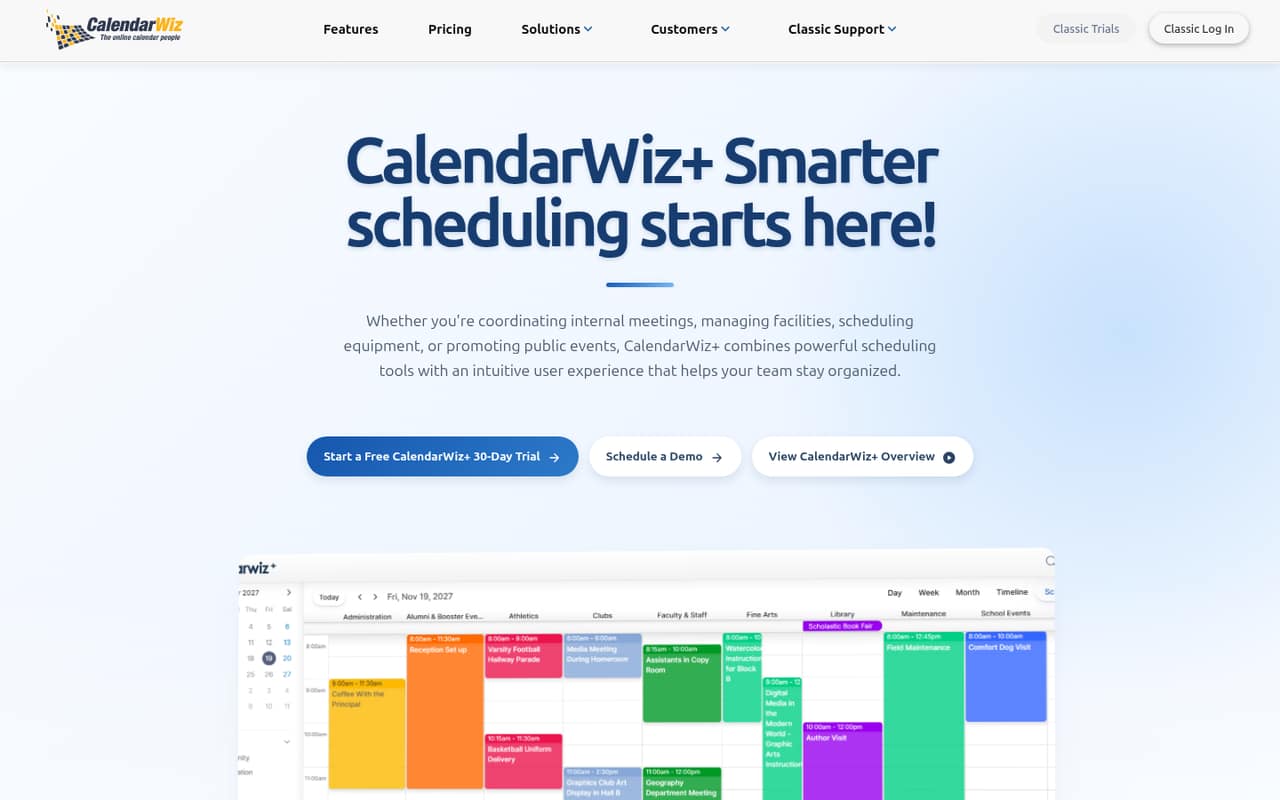
CalendarWiz is for teams that need to coordinate staff, share schedules, book rooms or equipment, or publish events on a website. It has a 30-day trial, but no free plan; paid plans start at $15 per month or $12 per month with annual billing, per the pricing page.
The main budget question is how many people each plan covers. CalendarWiz lists monthly plan prices but doesn't publish seat limits or whether the rates change with team size. We’d confirm that before choosing a plan for three or five people.
Good fit if
- Teams sharing staff schedules
- Organizations booking rooms or equipment
- Groups publishing events online
Skip it if
- Teams that require a free plan
- Buyers needing clear per-seat pricing
- Groups relying on audience event submissions now
ScoresHow it rates
What works
- Shared calendars for teams, departments, and communities
- Website calendars and event feeds stay synced
- Tools for staff scheduling and resource booking
- 30-day trial before a paid plan
- Annual billing is 20% cheaper
What doesn't
- No free plan
- Seat limits aren't published
- Per-seat pricing isn't specified
- Named integrations aren't published
- Audience event suggestions are coming soon
01Who CalendarWiz is for
CalendarWiz is for a small organization that needs one shared place to coordinate schedules, rather than a personal calendar for each employee. The product is aimed at teams, departments, communities, staff, volunteers, and groups managing public events. It can also help with booking shared rooms, facilities, equipment, and other resources.
For a team of 1–10, the fit depends on how many people need access and what the plan includes for them. The pricing page lists plans from $12 per month with annual billing, but CalendarWiz doesn't publish seat limits or say whether the price changes with team size. That makes it harder to check the budget than a clear per-user price would. We’d consider it if shared schedules, resource reservations, and website calendars solve a real coordination problem, then confirm user access and plan limits with the vendor before committing.
02CalendarWiz free plan and trial
CalendarWiz has no free plan, per its pricing information, but offers a 30-day free trial. The vendor doesn't publish in the published pricing details which features, user limits, or support are included during the trial, so ask what your team can use before starting it.
The cheapest listed paid option is Starter: $15 per month with monthly billing, or $12 per month with annual billing. Annual billing works out to $144 for a year, compared with $180 at the monthly rate for 12 months. The pricing page lists secure cloud hosting, ongoing software updates, modern scheduling tools, and helpful support for plans. It doesn't spell out whether trial access includes all of those items or how many people can join.
03What a small team pays for CalendarWiz
The pricing page lists Starter at $15 per month, or $12 per month with annual billing. That is $180 over 12 monthly payments or $144 for a year billed annually. Business is $20 monthly or $16 per month with annual billing; Pro is $30 or $24; Enterprise is $55 or $44. The listed annual rates are 20% cheaper.
Those are plan prices, not confirmed per-seat rates. CalendarWiz doesn't publish whether one person, three people, or five people are covered at the same price, so we can't give a reliable total or per-person calculation for those team sizes. Ask the vendor for the exact cost and seat allowance before comparing plans. The pricing page lists no add-ons, but it also doesn't publish plan-by-plan limits or explain what separates Starter from Business, Pro, and Enterprise. Starter is the lowest-cost entry point; confirm it includes the access and scheduling capacity you need.
04Getting started with CalendarWiz
CalendarWiz describes shared calendars, staff schedules, resource booking, and website calendars, but the vendor doesn't publish setup steps or a learning-curve estimate in the available product details. We can't say how long a small team should budget for setup. Start by deciding which calendars need to be shared, who needs access, and which rooms or equipment should be bookable.
For day one, check whether you can embed the calendar or event feed on your website and whether it works with your existing site. CalendarWiz describes website calendars and event feeds that stay synced, but doesn't publish a list of named integrations here. Ask the vendor about connections to your website, existing calendar tools, and any scheduling systems your team relies on. Confirming those details early should help you judge the setup effort before paying.
05When small teams outgrow CalendarWiz
The first reason to reconsider CalendarWiz is cost uncertainty as more people need access. The pricing page lists Starter, Business, Pro, and Enterprise, but doesn't publish seat limits, usage caps, or the thresholds that prompt an upgrade. It also gives the same general feature list across plans, so ask what changes between tiers before moving up from Starter.
A second reason is a missing requirement. Audience event suggestions with an approval flow are listed as coming soon, so don't rely on them for a current workflow. The vendor also doesn't publish named integrations or detailed capacity limits on the vendor's site. As your team grows, ask about user counts, calendar and booking limits, and integration needs. If the answers or the resulting quote don't fit your budget, compare tools with published seat pricing and limits.
Questions people ask
Does CalendarWiz have a free plan?
No. CalendarWiz's pricing information lists no free plan, but does list a 30-day free trial. The vendor doesn't publish the trial's user limits or exactly which features it includes in the pricing details, so confirm those points before inviting your team. The cheapest paid plan is Starter, at $15 monthly or $12 per month with annual billing.
How much does CalendarWiz cost for a small team?
Starter is listed at $15 per month with monthly billing or $12 per month with annual billing. CalendarWiz doesn't publish whether that rate covers one person or a larger group, and doesn't list per-seat pricing. Ask the vendor for the total for your team size and any seat limits before comparing the plan with alternatives.
What is included in CalendarWiz's 30-day trial?
CalendarWiz lists a 30-day free trial, but its pricing information doesn't specify which plan features, support, or user allowances are included during that period. Before you begin, ask whether your team can test shared calendars, staff scheduling, resource booking, and website calendars, and whether trial data carries over if you subscribe.
Can CalendarWiz publish events on a website?
Yes. CalendarWiz describes website calendars, event feeds, and widgets for displaying upcoming events on a website. It says website calendars and feeds stay synced, and upcoming-event widgets update instantly. The vendor doesn't publish named website integrations in the available product details, so check how it connects to your site before setup.
Can people submit events for approval in CalendarWiz?
CalendarWiz lists audience event suggestions with an approval flow as coming soon. That means teams needing audience submissions today should confirm availability with the vendor rather than count on the feature. The product does describe publishing events and displaying upcoming events on websites, but the submission workflow is not listed as currently available.