
We may earn a commission if you buy through links on this page. It never changes a score or a ranking. How we make money
The bottom line
A strong Kubernetes security fit if you can budget by vCPU-hour instead of by seat.
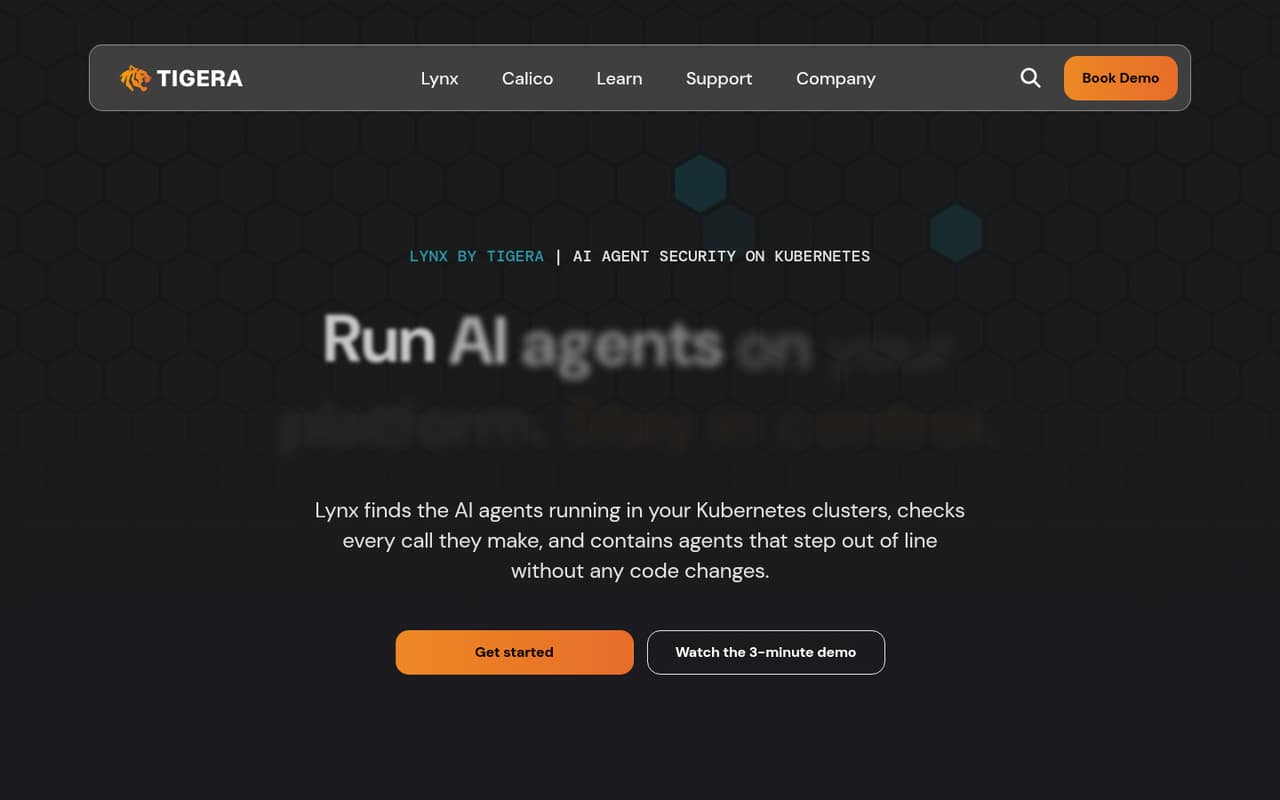
Calico Cloud is aimed at teams running Kubernetes that need networking and security controls. Tigera also presents Lynx for discovering AI agents in clusters, governing their calls and keeping audit records.
The Cloud plan lists unlimited users, multi-cluster support and seven-day log retention at $0.025 per vCPU-hour. Calico Open Source is free, but it is a separate offering. That makes Calico worth considering for a Kubernetes team, while the Cloud bill needs a workload-based estimate before you commit.
Good fit if
- Teams already running Kubernetes
- Multi-cluster security operations
- Teams governing AI agents
Skip it if
- Teams without Kubernetes clusters
- Buyers needing per-seat pricing
- Teams requiring published setup estimates
ScoresHow it rates
What works
- Cloud plan includes unlimited users
- Multi-cluster support is included
- Pricing starts at $0.025 per vCPU-hour
- Free Calico Open Source option
- Lynx includes agent discovery and audit records
What doesn't
- Monthly cost depends on vCPU-hours
- No per-seat price is listed
- Cloud log retention is seven days
- Annual prices are not published
- No free trial is listed
01Who Calico Cloud is for
Calico Cloud is for teams that already run Kubernetes and need networking and security controls across their clusters. Tigera describes Calico as a unified platform for Kubernetes networking and security. Its homepage also presents Lynx, which discovers AI agents in Kubernetes, governs their calls and records activity for audits.
For a small team of one to ten people, the fit depends less on headcount than on the infrastructure you operate. The Cloud plan lists unlimited users and multi-cluster support, so there is no per-person charge to spread across a small team. The tradeoff is a bill based on vCPU-hours, which can be harder to forecast than a flat team subscription. If your team does not run Kubernetes, or only needs a simple tool for a handful of users, this is likely more platform than you need.
02Calico Cloud free plan and trial
Calico Open Source is the free option listed by Tigera. The pricing information identifies it as free and licensed under Apache-2.0. It is not the same plan as Calico Cloud: the Cloud SaaS plan is priced at $0.025 per vCPU-hour.
The Cloud plan lists unlimited users, multi-cluster support and seven-day log retention. Tigera does not publish a free trial in the pricing information. If your team wants a self-managed platform rather than the SaaS plan, Calico Enterprise is listed with custom pricing, unlimited users, multi-cluster support and custom log retention.
For a small team trying to keep spend at zero, start by evaluating Calico Open Source. Ask Tigera what features or support differ from Cloud before treating it as a like-for-like replacement.
03What a small team pays for Calico Cloud
The Calico Cloud SaaS plan lists a rate of $0.025 per vCPU-hour, with unlimited users, multi-cluster support and seven-day log retention. That is not a per-seat price, so one, three or five people do not have separate listed costs. Your estimate depends on the vCPU-hours your clusters use.
For illustration, assuming one vCPU runs for 730 hours in a month, the charge is $18.25. At three continuously running vCPUs, it is $54.75; at five, $91.25. These are vCPU examples, not prices for one, three or five team members. At the same rate, 8,760 hours for one vCPU would total $219; annual subscriptions are available through Azure, AWS and Google Marketplace, but Tigera does not publish annual prices.
The pricing information lists no add-ons. Ask Tigera for an estimate based on your expected vCPU-hours and whether your usage pattern changes the bill.
04Getting started with Calico Cloud
Calico Cloud is built for Kubernetes, and Tigera says enforcement runs inside Kubernetes clusters. That means the first practical requirement is having clusters to secure; this is not a standalone security tool for a team without Kubernetes workloads.
Tigera's homepage describes Lynx features including agent discovery across clusters, policy checks for calls to models, MCP tools or other agents, individual-agent quarantine, audit records and workload identity using short-lived, scoped tokens. Those capabilities suggest useful questions for a setup call: which cluster environments are supported, how policies are configured, and which trusted identity sources work with your systems.
Tigera does not publish a setup-time estimate in the pricing details. We would budget for a Kubernetes-literate owner and confirm prerequisites with the vendor before planning a rollout. The public feature description names MCP and model calls, but does not list specific integrations by provider.
05When small teams outgrow Calico Cloud
Calico Cloud is more likely to become a budget or requirements mismatch than a seat-count problem: the listed plan includes unlimited users. As cluster usage grows, the vCPU-hour bill grows with it, so teams should compare projected usage with the $0.025 hourly rate rather than assume a fixed monthly subscription.
The Cloud plan lists seven-day log retention. Teams that need custom retention can consider Calico Enterprise, which is self-managed and has custom pricing and custom log retention. That is a different operating model, so ask Tigera about migration and infrastructure requirements before treating it as a simple upgrade.
A small team may also outgrow the published detail available for planning. Annual prices are not listed, and the homepage does not name specific integrations. If predictable annual spend, longer retention or a defined integration list is essential, get those answers in writing before expanding deployment.
Questions people ask
How much does Calico Cloud cost?
The Calico Cloud SaaS plan lists a price of $0.025 per vCPU-hour. It is not priced per person, and the total depends on cluster vCPU-hours. For example, one vCPU running for an assumed 730-hour month would cost $18.25. Annual subscription prices are not published.
Is Calico Cloud free?
Calico Cloud is not listed as free. Tigera lists Calico Open Source as free under the Apache-2.0 license, while Calico Cloud is priced at $0.025 per vCPU-hour. The open-source option is a separate offering, so confirm which features and support you need before choosing.
Does Calico Cloud offer a free trial?
A free trial is not listed in the pricing information. If you want to evaluate Calico Cloud before paying, ask Tigera whether it offers a trial or guided evaluation, and confirm what usage or access limits would apply.
What is included in the Calico Cloud plan?
The SaaS plan lists unlimited users, multi-cluster support and seven-day log retention, at $0.025 per vCPU-hour. Tigera also describes Calico as a Kubernetes networking and security platform. Its homepage presents Lynx features for AI-agent discovery, call governance, quarantine and audit records.
How is Calico Cloud different from Calico Enterprise?
Calico Cloud is listed as a SaaS platform priced per vCPU-hour, with seven-day log retention. Calico Enterprise is listed as self-managed with custom pricing and custom log retention. Both list unlimited users and multi-cluster support. Ask Tigera about operational requirements and feature differences before deciding.