
We may earn a commission if you buy through links on this page. It never changes a score or a ranking. How we make money
The bottom line
A capable accounting-firm hub, if the $74-per-seat annual starting price fits your budget.
Canopy combines client management, documents, workflows, billing, payments, and a client portal in one platform for accounting firms. Standard starts at $74 per user/month with annual billing, and the vendor lists no free plan or free trial.
For a small firm, the main trade-off is convenience versus a recurring per-seat bill. One Reddit commenter preferred Canopy’s learning curve to TaxDome’s, while others reported frustrations with organizers, reporting, or payments.
Good fit if
- Small accounting and tax firms
- Teams wanting one client-work hub
- Firms needing workflows and billing
Skip it if
- Teams that need a free plan
- Firms avoiding annual commitments
- Buyers needing proven advanced reporting
ScoresHow it rates
What works
- Combines client management, documents, workflows, and billing
- Includes client portal and secure messaging in Standard
- Standard supports automated and recurring task workflows
- Canopy lets some prospects explore a demo
- Reddit users praise easy mass emails and organizer sending
What doesn't
- No free plan or free trial is listed
- Standard costs $74 per user/month with annual billing
- Monthly rates are not published
- Some Reddit users report weak revenue reporting
- Tax Workflow Automation and other add-ons raise the bill
01Who Canopy is for
Canopy is for U.S. accounting, CPA, tax, and bookkeeping firms that want client records, documents, workflows, billing, and communication in one place. Standard starts at $74 per user/month when billed annually, so even a small team should treat it as a meaningful software expense rather than a casual add-on.
The core plan includes CRM and client management, document management and eSign, a client portal, secure messaging, automated and recurring task workflows, invoicing, and payments. That makes it a fit for firms trying to coordinate client work without assembling those basics from separate tools. Plus adds roles and access controls, more client intake capacity, capacity planning, forecasting, and custom reporting. Premium adds advanced workflows, billing scenarios, and reporting.
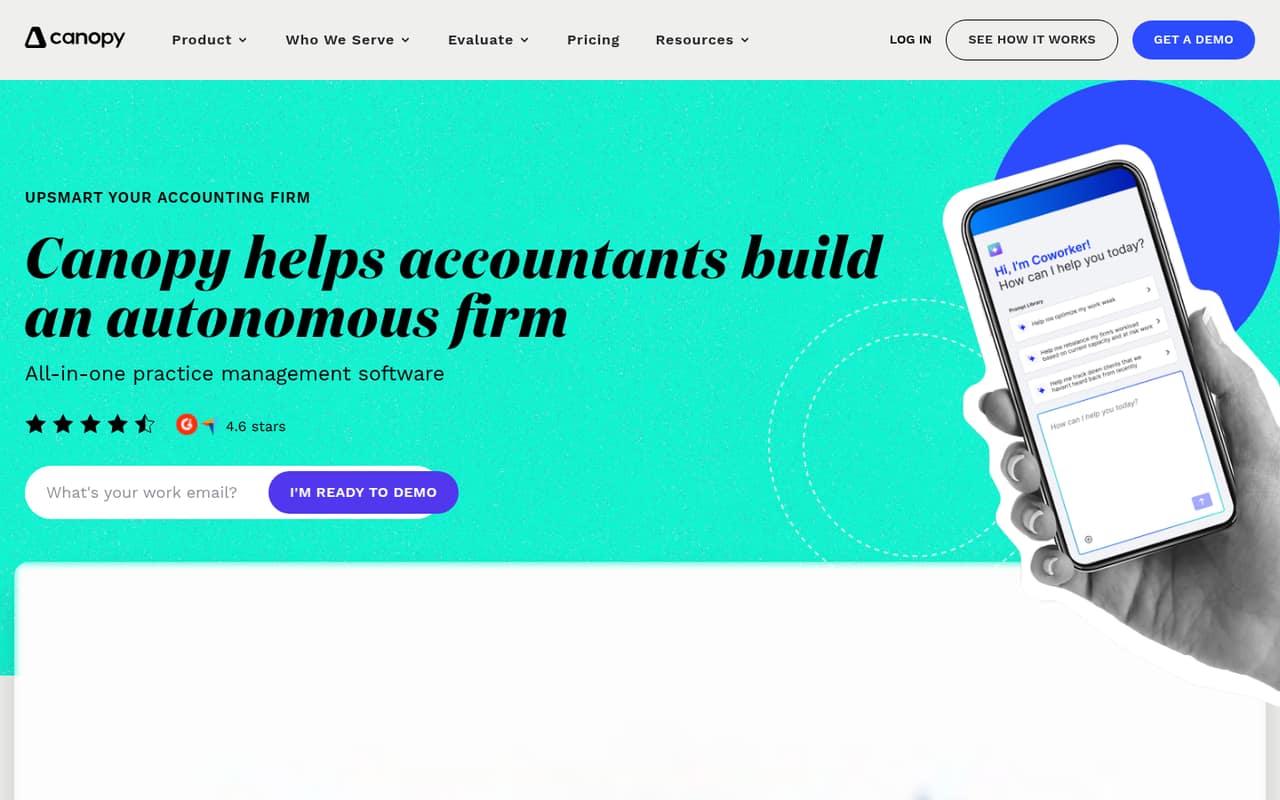
Canopy may suit a firm that values a ready-made, accounting-focused hub more than building a highly customized system. Its homepage marks Canopy Coworker, an AI tool intended to coordinate and execute work, as coming soon, so we wouldn’t buy the platform based on that feature today.
02Canopy free plan and trial
The Canopy pricing information lists no free plan and no free trial. That means a firm cannot start with a permanently free tier for its client records, portal, workflows, or billing. Ask Canopy whether it offers a demo or another way to evaluate the software before signing; a Reddit commenter says Canopy let them play with it while they worked through questions.
The cheapest listed way in is Standard at $74 per user/month with annual billing. It includes the core tools: CRM and client management, documents and eSign, client portal and secure messaging, recurring task workflows, invoicing, and payments. Monthly pricing is not published, and the listed annual price saves 20% compared with monthly billing. If you need to test with a small group, confirm the evaluation options and billing terms with Canopy before budgeting for seats.
03What a small team pays for Canopy
Standard costs $74 per user/month when billed annually. That is $888 per seat for a year: one person is $74 monthly on an annual commitment, a three-person team is $222 per month or $2,664 for the year, and five people are $370 per month or $4,440 for the year. The pricing page says annual billing saves 20%, but it does not publish monthly rates, so ask Canopy for the month-to-month price before comparing contracts.
Plus is $109 per user/month annually, or $327 per month for three seats and $545 for five. Premium is $149 per user/month annually, or $447 for three and $745 for five. Enterprise pricing is custom.
Add-ons can change the total: Tax Workflow Automation starts at $34 per credit/client with annual billing; Close Automation is $10 per connected client/month annually, with the first five connections included; Tax Resolution is $50 per user/month annually. KBA costs $1.25 per credit. Standard and premium card payments are 3.30% plus $0.20 per transaction; ACH is 1%, capped at $10.
04Getting started with Canopy
Canopy brings several firm tasks into one platform, but the vendor's site does not publish a setup timeline, migration process, or required integrations. Ask the vendor how client records, documents, workflows, billing, and payment processing will be configured for your firm, and whether any integrations you rely on are supported.
One Reddit commenter said Canopy let them explore the product until they understood their questions, and that its learning curve seemed less daunting than TaxDome’s. That is one user’s comparison, not a guarantee that onboarding will be quick. Another commenter said sending organizers and mass emails was easy, but also described issues with organizers not rolling forward year to year.
For a small team, map out your recurring client work and decide who needs access before rollout. Confirm how staff roles work on your chosen plan: user roles and access controls are listed under Plus, not Standard. Also ask about training, client migration, and any setup fees, since those costs are not published.
05When small teams outgrow Canopy
The first pressure point is usually seat cost. Standard is $74 per user/month annually, so a growing team’s bill rises with each added user; three seats cost $222 per month and five cost $370. If your firm needs user roles and access controls, capacity planning, forecasting, or custom reporting, the pricing page places those features in Plus at $109 per user/month. Advanced workflows, billing scenarios, and reporting require Premium at $149 per user/month.
Some Reddit users describe other reasons to reconsider how well Canopy fits. One reports that organizers do not roll forward from year to year and criticizes revenue reporting; another says they use Canopy for representation work but other software for CRM and return delivery. These are individual experiences, not universal product limits.
Before upgrading or moving, check whether the missing feature is on a higher plan or available as an add-on, and ask Canopy about migration and integrations. If your needs center on more customization or capabilities users say they cannot get in Canopy, compare alternatives before adding more seats.
From the threadsWhat users say
Reddit sentiment is mixed: one user appreciated Canopy’s less daunting learning curve and another likes its payment handling and mass emails. Other commenters criticize organizers, reporting, or payments, and some prefer competing tools for particular workflows.
I picked Canopy since the learning curve seemed less daunting
Payments are good and I like how it automatically applies to the A/R
The biggest pain point for me for Canopy is the organizers don’t roll forward from year to year
Tried Canopy at a firm I did contract work for, was not a fan; seemed clunky and lacking in features all at the same time
Questions people ask
Does Canopy have a free plan?
No free plan is listed for Canopy, and the pricing information also lists no free trial. Standard is the cheapest listed plan at $74 per user/month with annual billing. Ask Canopy whether a demo or other evaluation option is available before committing.
How much does Canopy cost for a small team?
Standard costs $74 per user/month when billed annually. Three seats cost $222 per month, or $2,664 for the year; five cost $370 per month, or $4,440 for the year. Monthly rates are not published, so confirm the price and billing terms with Canopy.
What does Canopy Standard include?
Standard includes CRM and client management, document management and eSign, a client portal and secure messaging, automated and recurring task workflows, invoicing, and payments. It costs $74 per user/month with annual billing. User roles and access controls, capacity planning, and custom reporting are listed under Plus.
Does Canopy charge extra for payments or signatures?
The pricing information lists card processing at 3.30% plus $0.20 per transaction and ACH at 1%, capped at $10. Knowledge Based Authentication costs $1.25 per credit. Ask Canopy whether those fees apply to your specific payment and signature workflows.
What is Canopy Coworker?
Canopy describes Coworker as an AI tool intended to coordinate and execute work across tasks, workflows, and clients. The Canopy homepage marks it as coming soon, so it should not be treated as an available feature when choosing a plan.