
We may earn a commission if you buy through links on this page. It never changes a score or a ranking. How we make money
The bottom line
Useful payment flexibility, with a $2,000 monthly starting price to match.
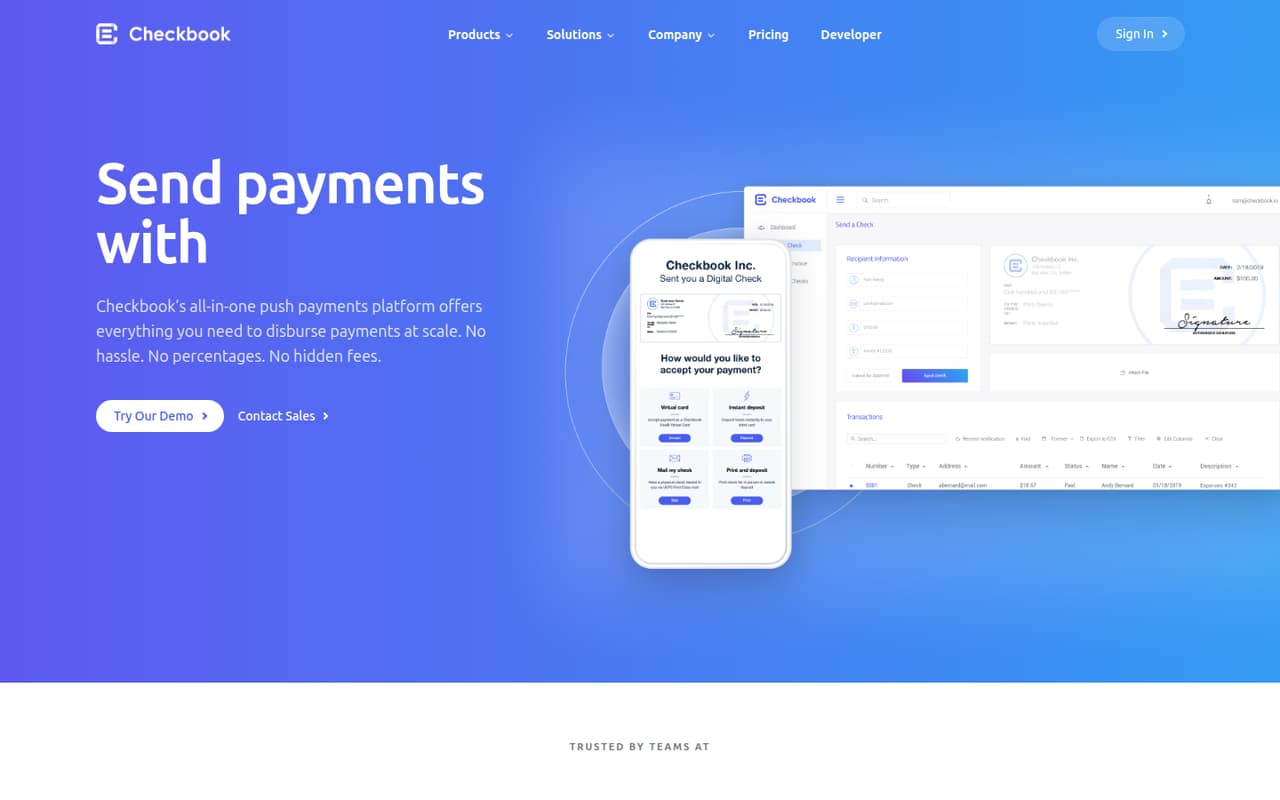
Checkbook helps businesses send disbursements by ACH, real-time payments, cards, digital checks, and printed checks. It offers an online dashboard, a RESTful API, and white-label tools for marketplaces.
The catch for a small team is price: the pricing page lists Business at $2,000 per month, with transaction charges on top. There’s no free plan or trial listed, so this is a fit only if the payment workflow justifies the spend.
Good fit if
- Businesses with frequent disbursements
- Marketplaces needing white-label payments
- Teams that need several payment methods
Skip it if
- Teams seeking a free payment tool
- Small budgets under $2,000 monthly
- Businesses needing published transaction rates
ScoresHow it rates
What works
- Supports ACH, real-time payments, cards, and checks
- Recipients can choose deposit options without signing up
- Dashboard and RESTful API are both available
- Marketplace tools customize payment flows and branding
- QuickBooks Online and Accounting Seed integrations
What doesn't
- Business starts at $2,000 per month
- No free plan or trial is listed
- Per-transaction charges apply; rates are unpublished
- Enterprise pricing is custom and unpublished
- No annual Business rate is published
01Who Checkbook is for
Checkbook is for businesses that send payments to customers, vendors, or other recipients and want several ways to deliver the money. It supports ACH, real-time payments, push to card, virtual cards, and printed or mailed checks, along with digital checks that let recipients choose a deposit option without signing up.
A team of one to five could use it if disbursements are central to the business, especially a marketplace that wants to customize the payment experience. The dashboard offers a way to manage payments online; teams can also use the RESTful API for payments, tracking, batches, and customer onboarding. Checkbook lists Business at $2,000 per month, before per-transaction charges, so it is not a casual add-on for a tight budget. The vendor does not publish a seat limit or per-seat price. A small team should weigh the cost against its payment volume and the value of consolidating these workflows.
02Checkbook free plan and trial
Checkbook does not list a free plan or free trial. The first listed option is Business at $2,000 per month. That plan includes payments, invoices, multi-party checks, CSV upload, API access, approvals, authorized users, white-labeling, live support, and a dedicated customer success manager.
There is no free tier to use for basic payments or to try before committing, based on the listed pricing. The vendor also does not publish a lower-cost starter plan. For a small team, the cheapest way in is therefore Business, plus per-transaction payment charges whose rates are not published. Ask Checkbook whether it can provide a demo or clarify any implementation costs before budgeting; neither is listed as a free trial or included price.
03What a small team pays for Checkbook
The pricing page lists Business at $2,000 per month, billed monthly, and publishes no annual rate. It does not list per-seat pricing. That means one person pays $2,000 per month for the plan, while a three-person team pays $2,000 total—not a published seat-based rate. Dividing the plan price evenly gives an illustrative $666.67 per person for three people, or $400 per person for five. Those are budgeting comparisons, not Checkbook seat prices. The annualized monthly cost is $24,000; an annual billing rate or discount is not published.
Business includes API access and authorized users, but the vendor does not state a user cap. Per-transaction payment charges are additional, and rates are not published. A team should ask for the transaction pricing that matches its payment methods and volume, and confirm whether any setup or integration work carries a separate cost. Enterprise has custom pricing, so it is not possible to calculate a comparable team total from the public price list.
04Getting started with Checkbook
The setup path depends on whether your team uses the online dashboard or builds around the RESTful API. The dashboard provides payment functionality online; the API supports sending and tracking payments, batches, and customer onboarding. Checkbook also lists pre-built integrations for QuickBooks Online and Accounting Seed.
A team using an available integration or the dashboard may have a simpler path than one building an API workflow or customizing a marketplace payment experience. The product description identifies these options, but Checkbook does not publish a setup-time estimate or a step-by-step implementation timeline. We would confirm integration coverage, technical requirements, and who handles onboarding before choosing a path. Business includes live support and a dedicated customer success manager, which may help with implementation questions, but the listed plan details do not specify the scope or timing of that help.
05When small teams outgrow Checkbook
Checkbook does not publish a user cap, transaction limit, or a lower tier that teams can move into as they grow. Business already includes authorized users, API access, and multi-party checks, so the listed plans do not show a clear step-up based on headcount alone.
The practical pressure point is likely cost and fit: Business starts at $2,000 per month, with per-transaction charges on top, and those rates are not published. A team may need to reconsider the tool if the fixed fee outweighs the value of its payment workflows, or if it needs clear transaction pricing before forecasting costs. Enterprise offers custom pricing and full feature availability, but Checkbook does not publish its price or what specific growth threshold calls for that plan. Ask the vendor about volume pricing, user limits, and the Enterprise transition before your payment needs expand.
Questions people ask
How much does Checkbook cost?
The pricing page lists the Business plan at $2,000 per month. Per-transaction payment charges apply, but their rates are not published. Enterprise pricing is custom. Checkbook does not list an annual Business rate or a per-seat price.
Does Checkbook have a free plan?
No free plan or free trial is listed. Business is the first listed plan, at $2,000 per month, plus per-transaction charges. Ask Checkbook whether it can arrange a demo before you commit.
What payment methods does Checkbook support?
Checkbook lists ACH, real-time payments, printed and mailed checks, push to card, virtual cards, and digital checks. Recipients can choose from deposit options for digital checks without signing up.
Can I use Checkbook with QuickBooks?
Checkbook lists a pre-built integration with QuickBooks Online, as well as an integration with Accounting Seed. Confirm with the vendor that the integration supports your specific accounting workflow.
Does Checkbook offer an API?
Yes. Checkbook describes a RESTful API for sending and tracking payments, sending batches, and onboarding customers. Business includes API access; Enterprise also lists API access and third-party integrations.