
We may earn a commission if you buy through links on this page. It never changes a score or a ranking. How we make money
The bottom line
Useful hospital inventory automation on paper; unclear limits and custom pricing make it hard to budget.
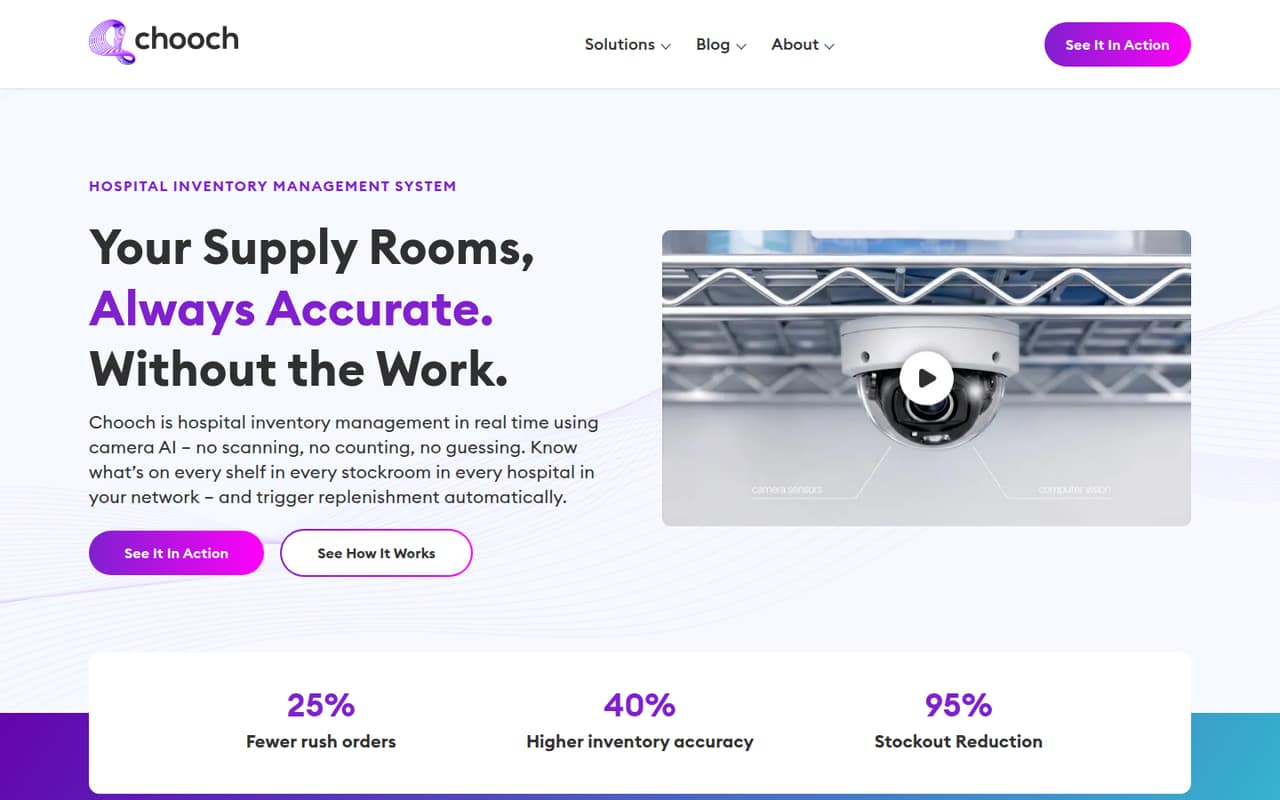
Chooch AI uses cameras and computer vision to track hospital supplies, forecast demand, flag inventory risks, and support replenishment through ERP integration. It could suit teams trying to reduce manual counts and improve visibility across supply rooms.
The pricing page lists a free account, but its usage limits are not published. Enterprise pricing is custom, and no per-seat rates are listed. Small teams should ask for a deployment quote and confirm what the free account actually covers before planning around it.
Good fit if
- Hospital supply and inventory teams
- Teams reducing manual stock counts
- Hospitals needing ERP-linked replenishment
Skip it if
- Teams needing published prices
- Businesses outside hospital inventory
- Buyers requiring known usage limits
ScoresHow it rates
What works
- Tracks supplies with cameras and computer vision
- Forecasts demand from consumption patterns
- Can flag expiration risks and excess stock
- Supports replenishment through ERP integration
- Free account registration is listed
What doesn't
- Free account usage limits are unpublished
- Enterprise pricing requires a custom quote
- No per-seat prices are listed
- Setup effort and learning curve are unclear
- Support terms are not published
01Who Chooch AI is for
Chooch AI is aimed at hospital teams responsible for supplies across storage rooms, not a general-purpose inventory app for any small business. It uses cameras and computer vision to track stock without manual counts, barcodes, or RFID. The product description also lists demand forecasting, risk alerts, PAR and safety-stock optimization, and replenishment through ERP integration.
For a small team of one to ten people, the fit depends less on headcount than on whether the hospital wants to automate inventory across rooms and can support a camera-based deployment. It may be worth investigating if staff spend time counting supplies or responding to shortages and expiry risks. The budget fit is harder to judge: the pricing page lists free account registration, but not its usage limits, and enterprise deployment requires a custom quote. Ask Chooch what is included for your locations and team before treating the free option as a working deployment.
02Chooch AI free plan and trial
The pricing page lists a “Free Account / Free App” at $0 per month for trying the app, with free account registration included. It does not publish usage limits, so we can’t tell how many rooms, cameras, inventory items, or users the free option covers. The pricing information does not list a free trial separately.
That makes the free account a low-cost way to start a conversation, not a confirmed fit for live hospital inventory tracking. The page lists Enterprise as the option for custom deployment requirements, with a custom quote and demo available upon request. Ask Chooch whether the free account supports your inventory workflow and what triggers a move to Enterprise. If you need a real deployment, Enterprise is the listed route, but its price is not published.
03What a small team pays for Chooch AI
The pricing page lists the Free Account / Free App at $0 per month. At that listed rate, one account is $0 monthly, and three or five accounts would also total $0 if each can register separately. But the page does not publish usage limits or per-seat terms, so those calculations do not establish that a team of that size can use the product for a live deployment.
Enterprise pricing is custom, with no monthly or annual rate published. That means the cost for one person, three people, or five people on an Enterprise deployment cannot be calculated from the listed prices. Annual billing rates are also not published. The pricing information lists no paid add-ons, but that does not confirm what is included in a quote. Before budgeting, ask whether pricing depends on seats, cameras, rooms, inventory volume, ERP integration, or implementation work, and request a written quote for your intended setup.
04Getting started with Chooch AI
Chooch AI’s described workflow depends on cameras tracking supplies in storage areas, with computer vision updating inventory and ERP integration supporting replenishment. That means setup is likely to involve more than creating user accounts: a buyer should clarify camera placement, which rooms and supplies are in scope, how inventory thresholds are set, and how the ERP connection works. Those are questions to confirm with the vendor, not published setup steps.
The pricing page lists a custom demo upon request for Enterprise, which is the clearest stated starting point for a deployment discussion. The available information does not publish implementation time, training requirements, technical prerequisites, or a step-by-step setup guide. Before committing, ask who configures the cameras and inventory rules, what your team needs to do, and whether the ERP system you use is supported. Without those details, we can’t reliably rate the learning curve or staff effort.
05When small teams outgrow Chooch AI
The clearest reason a team may need to move beyond the free account is hitting a usage limit, but the pricing page does not publish what those limits are. It also does not list per-seat rates, so adding staff cannot be priced in advance. For a live deployment, the listed Enterprise option requires a custom quote; ask for costs at your current size and at the next stage of growth.
A growing hospital team should also confirm how pricing changes as it adds rooms, cameras, inventory categories, or ERP workflows. The product description names multi-room dashboards and replenishment integration, but it does not specify capacity limits or which deployment tiers include those features. If the vendor cannot provide clear limits, an expansion quote, and supported integration details, that uncertainty itself may push a budget-conscious team to compare alternatives. Get those answers before depending on the free account for a broader rollout.
Questions people ask
Does Chooch AI have a free plan?
The pricing page lists a Free Account / Free App at $0 per month, intended for trying the app, and includes free account registration. It does not publish usage limits, so check with Chooch whether the free option covers your users, rooms, cameras, and intended inventory workflow.
How much does Chooch AI cost for a small team?
The listed free account costs $0 per month, but its limits and per-seat terms are not published. Enterprise deployment requires a custom quote, and the pricing page lists no monthly or annual Enterprise rate. Ask Chooch for a quote based on your team and deployment requirements.
Does Chooch AI support ERP integration?
The product description says Chooch AI can trigger purchase orders through ERP integration when inventory reaches defined thresholds. It does not name supported ERP systems or publish setup requirements, so ask the vendor whether your system is supported and what the integration costs.
Does Chooch AI require barcodes or RFID?
Chooch AI is described as using cameras and computer vision to track hospital supplies without manual counts, barcodes, or RFID. Confirm with Chooch what camera equipment and deployment requirements apply to your storage rooms, since those details are not included in the published pricing information.
Can Chooch AI flag expiring or excess inventory?
Yes. The product description lists waste alerts for slow-moving stock, expiration risks, and excess inventory. It also describes dashboards for live status, usage trends, and replenishment history. Ask the vendor how alerts are configured and whether those features are included in the option you are considering.