
We may earn a commission if you buy through links on this page. It never changes a score or a ranking. How we make money
The bottom line
Worth considering for cost-aware project tracking; harder to justify for simple time logs.
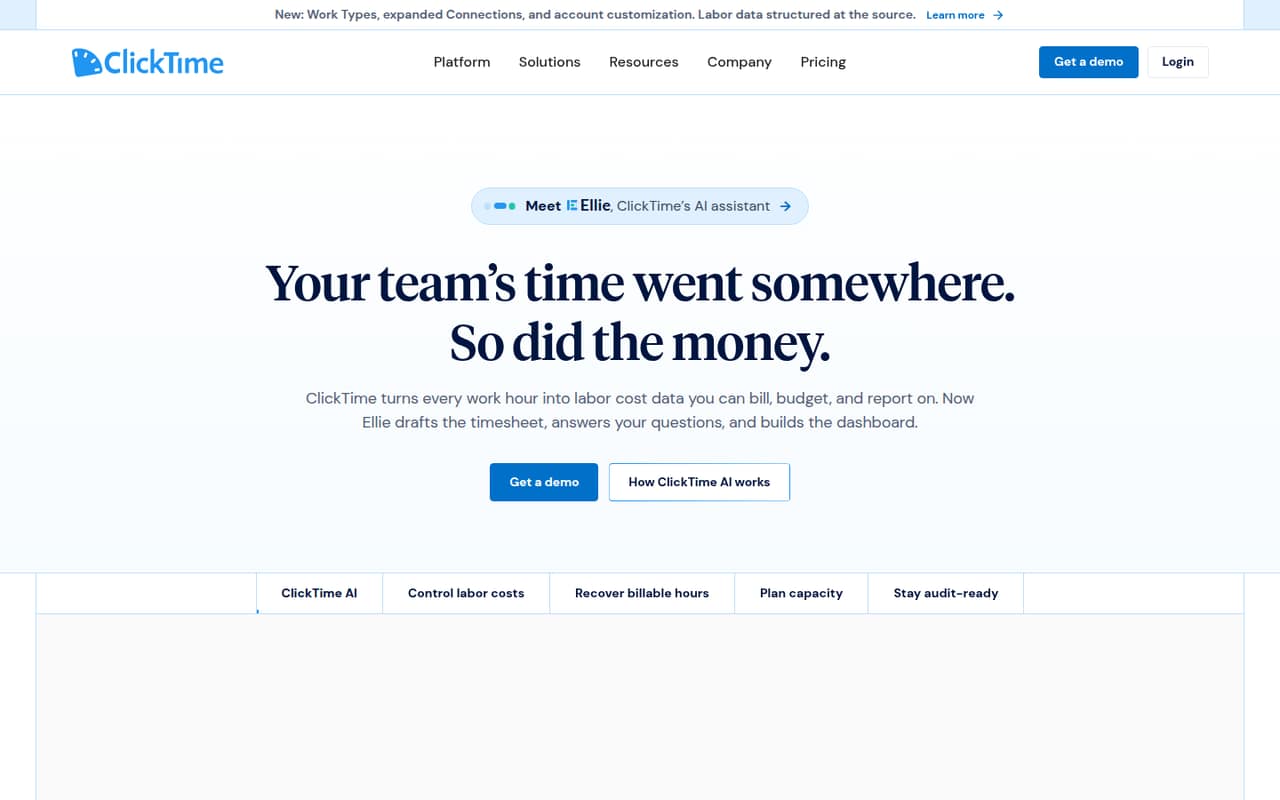
ClickTime tracks hours and turns them into labor-cost data for billing, budgets, and reporting. It also offers approvals, capacity planning, expense tools, and AI features. Starter begins at $12 per user per month, but there’s no free plan and the prices for higher tiers aren’t published.
We’d shortlist it when your team needs labor costs by project, client, or cost center. For straightforward time tracking, the lack of a free tier and the unclear cost of approvals and budgeting make it a tougher small-team buy.
Good fit if
- Professional services teams
- Project labor-cost tracking
- Teams needing approval workflows
Skip it if
- Teams seeking a free plan
- Simple time logging
- Teams needing staff scheduling
ScoresHow it rates
What works
- Tracks hours for billing and financial reporting
- Supports cost allocation across projects and cost centers
- Starter includes web and mobile timesheets
- Offers approvals and cost rates on Team
- Premier adds project budgeting and resource management
What doesn't
- No free plan is listed
- Team and Premier prices aren’t published
- Annual price for Starter isn’t clear
- Expense tracking costs extra
- A Reddit post flags a lack of scheduling
01Who ClickTime is for
ClickTime is best suited to small professional services teams that need more than a record of hours. It tracks work for billing and financial reporting, and can allocate labor to projects, clients, cost centers, CapEx, and R&D. That makes it a better fit for teams watching labor costs than for a small group that only needs a basic timer.
For one to five people, Starter covers timesheets and reports at a listed $12 per user per month. If you need approvals and cost rates, those are on Team, whose price the pricing page doesn’t publish. Premier adds project budgeting and resource management, so it may suit a growing team that needs a view of capacity and utilization. Before choosing, weigh those needs against the cost of multiple seats and any add-ons. ClickTime doesn’t list a free plan, which limits how cheaply a small team can start.
02ClickTime free plan and trial
ClickTime doesn’t list a free plan. The pricing page lists Starter as the cheapest plan, at $12 per user per month, with web and mobile timesheets, more than 70 reports, and email reminders. The page offers monthly and yearly billing, but doesn’t say which billing period applies to the $12 starting price or publish a separate annual rate.
A free trial isn’t listed either. If you need to test the workflow before paying, ask ClickTime whether it offers a trial or a guided evaluation. For the lowest published entry cost, Starter is the way in; it won’t cover approvals or cost rates, which the pricing page places on Team. Teams that need those features should ask for a Team quote before committing.
03What a small team pays for ClickTime
Starter is listed at $12 per user per month. At that rate, one person comes to $12 monthly, three people to $36, and five people to $60. These are calculations from the listed per-user price, not separate team rates. ClickTime offers monthly and yearly billing, but the pricing page doesn’t say which billing period the $12 rate uses or publish a separate annual price.
Team includes approvals and cost rates, but its price isn’t published. Premier, which adds project budgeting and resource management, also has no published price. Ask ClickTime for quotes if you need either tier, and confirm whether the quote changes with billing term or seat count.
Expense tracking is a listed add-on at $4 per user per month, adding $12 for three people or $20 for five. ClickTime AI suggestions and Auto-Import are Starter add-ons with unpublished prices. Integrations can also be add-ons on some plans, and sandbox access is by quote, so check your required connections and extras before budgeting.
04Getting started with ClickTime
ClickTime doesn’t publish a setup-time estimate. A small team should expect to decide how it wants to group work—such as by project, client, or cost center—and who needs to review time entries. That structure matters because ClickTime uses hours for cost allocation and reporting. Approvals and cost rates are listed under Team, while Starter focuses on timesheets, reports, and reminders.
The pricing page lists integrations for ERP and accounting, HRIS and payroll, Salesforce, work management, automation, and business intelligence, but says these are add-ons on some plans. It doesn’t spell out which specific integrations are included in each plan or their prices. Check that your must-have systems are available and confirm any extra cost before setup. Dedicated-expert onboarding is listed for Enterprise; the page doesn’t describe onboarding support for the lower tiers.
05When small teams outgrow ClickTime
A team can outgrow Starter when it needs approval workflows or cost rates: the pricing page puts those features on Team, whose price isn’t published. Project budgets and resource management sit on Premier, also without a listed price. As seat count rises, Starter’s per-user rate adds up, and expense tracking adds another $4 per person per month. Ask for tier and add-on pricing before building a budget around a larger rollout.
ClickTime may also be a poor match if your team needs staff scheduling alongside time tracking. One Reddit post describes the tool as comprehensive for time tracking, project costing, and resource planning, but flags its lack of scheduling and high pricing as drawbacks for smaller teams or simpler needs. If your main job is tracking hours without detailed labor-cost reporting, those extra layers may be more than you need.
From the threadsWhat users say
The available Reddit discussion is limited to one post, which praises the breadth of ClickTime’s project and cost-tracking features but raises concerns about pricing and scheduling. That’s a mixed signal, not enough to establish broad user sentiment.
detailed time tracking, project costing, and resource planning
its features are comprehensive
lack of scheduling
high pricing may make it less appealing for smaller teams or businesses with simple needs
Questions people ask
What does ClickTime do?
ClickTime tracks employee hours and turns them into labor-cost data for billing, cost allocation, and financial reporting. It also offers timesheet approvals, capacity planning, expense management, and AI features for time entry and labor-data analysis. Teams can categorize labor by projects, clients, cost centers, CapEx, and R&D.
Does ClickTime have a free plan?
ClickTime doesn’t list a free plan. Its lowest published tier is Starter, listed at $12 per user per month. Starter includes web and mobile timesheets, more than 70 reports, and email reminders. A free trial isn’t listed either, so ask ClickTime whether it can arrange an evaluation before you buy.
Does ClickTime have a mobile app?
The Starter plan lists web and mobile timesheets, so mobile time entry is part of the plan. The pricing details don’t specify the app’s operating systems or describe its full mobile feature set. If your team depends on particular mobile functions, confirm those details with ClickTime before choosing a plan.
Does ClickTime include expense tracking?
ClickTime offers expense tracking for $4 per user per month as an add-on. That works out to an additional $12 per month for three users or $20 for five, using the listed per-user rate. Confirm which plan the add-on works with and whether it covers the expense workflows your team needs.
Which ClickTime plan includes approvals?
The pricing page lists approvals and cost rates in Team. Starter lists timesheets, reports, and email reminders, but not approval workflows. ClickTime doesn’t publish Team’s price, so ask for a quote and check whether the cost changes with your seat count or billing term.