
We may earn a commission if you buy through links on this page. It never changes a score or a ranking. How we make money
The bottom line
Good for simple online edits; regular work means paying for Pro and budgeting by user.
Clideo bundles a video editor with tools for subtitles, converting, GIFs, screen recording and more. Its free plan is a reasonable way to try basic editing, but exports carry a watermark and top out at 720p.
For regular use, Pro is listed at $9 per month when billed yearly, or $108 per subscription annually. One Reddit commenter praises its approachability for basics but reports serious timeline and playback bugs on larger projects.
Good fit if
- People making simple video edits
- Small teams testing a free editor
- Creators needing several video tools
Skip it if
- Teams needing reliable complex timelines
- Watermark-free free exports
- Teams seeking published seat pricing
ScoresHow it rates
What works
- Free plan includes 10 credits monthly
- Editor includes cut, crop, merge and transitions
- Subtitle tools include automatic generation
- Pro removes the watermark
- Homepage also lists audio and image tools
What doesn't
- Free exports include a watermark
- Free video exports are limited to 720p
- Free uploads are capped at 500 MB
- Pro monthly-billing price is not published
- A Reddit commenter reports timeline and playback bugs
01Who Clideo is for
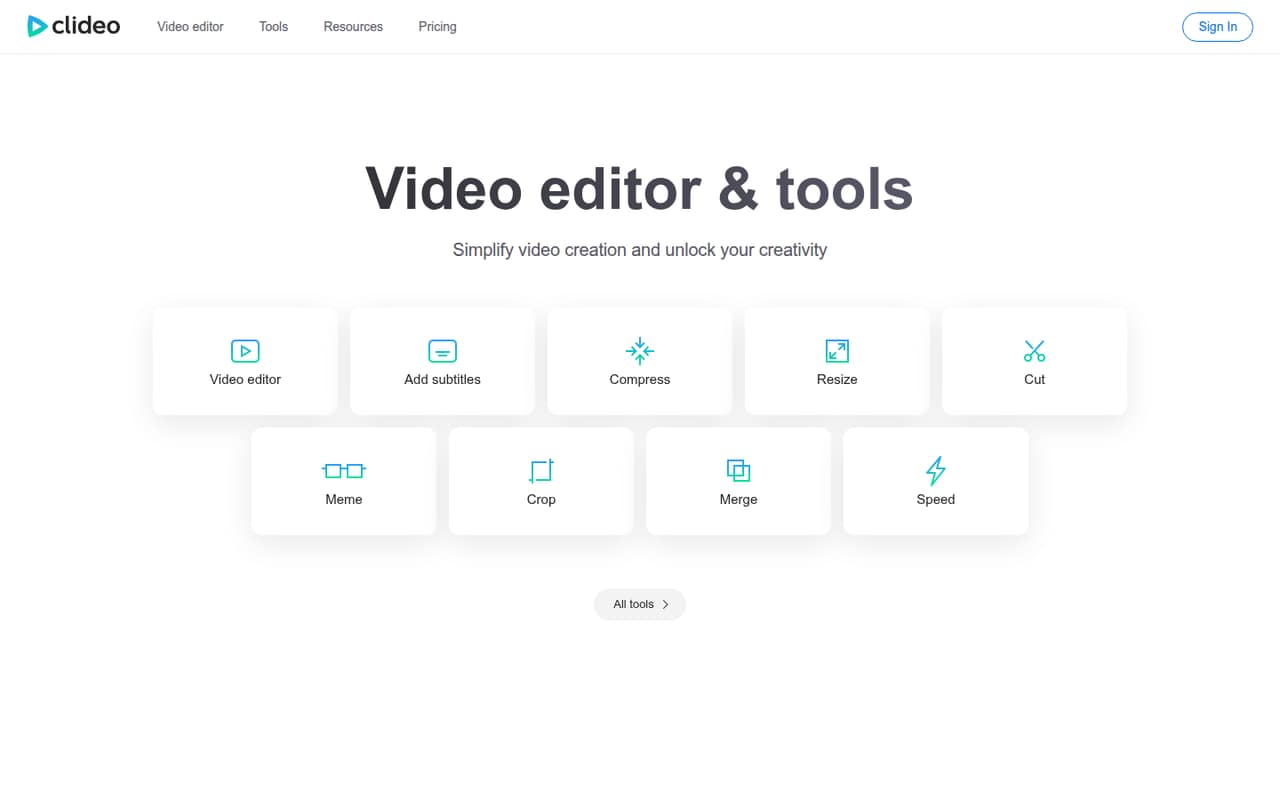
Clideo is worth considering if one person or a small team needs occasional video edits without installing a desktop editor. It is an online video editor, with separate tools for jobs such as cutting, resizing, converting and adding subtitles. The homepage also lists audio, image and recording tools, so it may suit a team that wants several basic tasks in one place.
For a team of one to ten on a careful budget, the free plan can cover trying the workflow and making occasional edits. The trade-off is a watermark, a 720p export limit and just 10 credits per month. If video is a regular part of your work, Pro removes those constraints listed for free, but the cost grows with each subscription. Clideo looks better suited to straightforward edits than complicated projects: one Reddit commenter says it is intuitive for learning basics but reports bugs during larger timeline projects.
02Clideo free plan and trial
Clideo's free plan costs $0 and includes 10 credits per month, exports with a watermark, video export up to 720p, 14 days of storage and uploads up to 500 MB. That is enough to see whether the online editor and its individual tools fit a simple workflow, but the credit allowance and output limits matter if you publish regularly.
The listed free plan does not include watermark-free exports, 4K quality, unlimited storage or unlimited upload file size; those are listed with Pro. Clideo does not list a free trial separately in the pricing details. The cheapest way in is to stay on Free. Before relying on it for frequent work, check how many credits your particular tasks use, since the pricing details list the monthly allowance but not the credit cost of each action.
03What a small team pays for Clideo
Clideo lists Pro at $9 per month when billed yearly, or $108 per year for one subscription. The monthly-billing price is not published. If each person needs a separate Pro subscription, the yearly-billed equivalent is $27 per month for three people, or $324 per year; for five people, it is $45 per month, or $540 per year. These are per-subscription calculations, not a published team-seat offer; ask Clideo whether it has different team pricing.
Free costs nothing, but its watermark, 720p export ceiling, 10 monthly credits, 14 days of storage and 500 MB upload limit may not suit ongoing work. Pro lists 500 credits per month, no watermark, 4K video quality, unlimited storage and unlimited upload file size. Clideo lists no add-ons in the pricing details. Credit use by tool is not published there, so a team should confirm how quickly its planned edits use the allowance before committing to annual billing.
04Getting started with Clideo
Clideo is an online editor, so the basic workflow is to bring video into the editor, make edits and export. Its listed tools include cutting, cropping, merging, changing speed and adding transitions; separate tools cover subtitles, conversion, GIFs, screen recording and video translation. The free plan's 500 MB upload limit is worth checking against your media before starting a project.
The pricing details do not publish a setup checklist or integrations. Clideo does not list integrations there, so a small team that needs files to move automatically between its editor and other services should ask the vendor before signing up. One Reddit commenter calls the editor intuitive for learning the basics, which suggests a low barrier for simple edits, but that same commenter reports problems on larger timeline projects. Start with a short, non-critical video before making it part of a team's regular production process.
05When small teams outgrow Clideo
The first reason to upgrade is hitting the free plan's practical limits: a watermark, exports up to 720p, 10 credits per month, 14 days of storage and 500 MB uploads. Pro raises those listed limits with 500 monthly credits, no watermark, 4K quality, unlimited storage and unlimited upload size. Check your expected credit use, since the cost per action is not published in the pricing details.
The next constraint is cost across a team. At the listed yearly-billed rate, three Pro subscriptions work out to $324 per year and five to $540; monthly billing is not published, and Clideo does not list team-seat pricing in the details. A Reddit commenter says the editor is slow and describes audio and clips going wrong in projects with at least seven clips, including changes between saves. That is one person's report, not a guarantee, but teams with complex timelines should test carefully and keep working copies elsewhere before depending on Clideo.
From the threadsWhat users say
The available Reddit feedback is sharply mixed: one commenter finds Clideo intuitive for learning basics, but describes serious performance and project reliability problems. That is a single user's account, so treat it as a caution rather than a measure of typical experience.
really intuitive and great for learning the basics
The website is extremly slow
clips randomly moving along the timeline between saves
it grabs all of my work, chews it up, and barfs out an incomprehensible jumbled mess
Questions people ask
What does Clideo's free plan include?
The free plan includes 10 credits per month, exports with a watermark, video exports up to 720p, 14 days of storage and uploads up to 500 MB. It costs $0. The pricing details do not state how many credits each editing action uses, so check that before planning regular work around the free allowance.
How much does Clideo Pro cost?
Clideo lists Pro at $9 per month when billed yearly, which is $108 per year for one subscription. The monthly-billing price is not published. If three people each need a subscription, that works out to $324 per year at the yearly-billed rate; ask Clideo whether team pricing differs.
Does Clideo export videos without a watermark?
The free plan includes exports with a watermark. Clideo lists no watermark as a Pro feature, alongside 4K video quality, unlimited storage and unlimited upload file size. If watermark-free output is essential, plan on Pro rather than assuming the free plan will cover it.
Can I upload large video files to Clideo?
The free plan lists uploads up to 500 MB. Pro lists unlimited upload file size. If your team works with large source files, check the Pro terms and your expected credit use with Clideo before choosing a plan.
Can Clideo generate subtitles automatically?
Clideo offers subtitle tools that can add subtitles or generate them automatically. The pricing details list a credit allowance for each plan but do not say how many credits automatic subtitle generation uses. Confirm that usage with Clideo if subtitles are a frequent part of your workflow.