
We may earn a commission if you buy through links on this page. It never changes a score or a ranking. How we make money
The bottom line
Good for branded client collaboration; less appealing if your team needs a free or low-cost shared workspace.
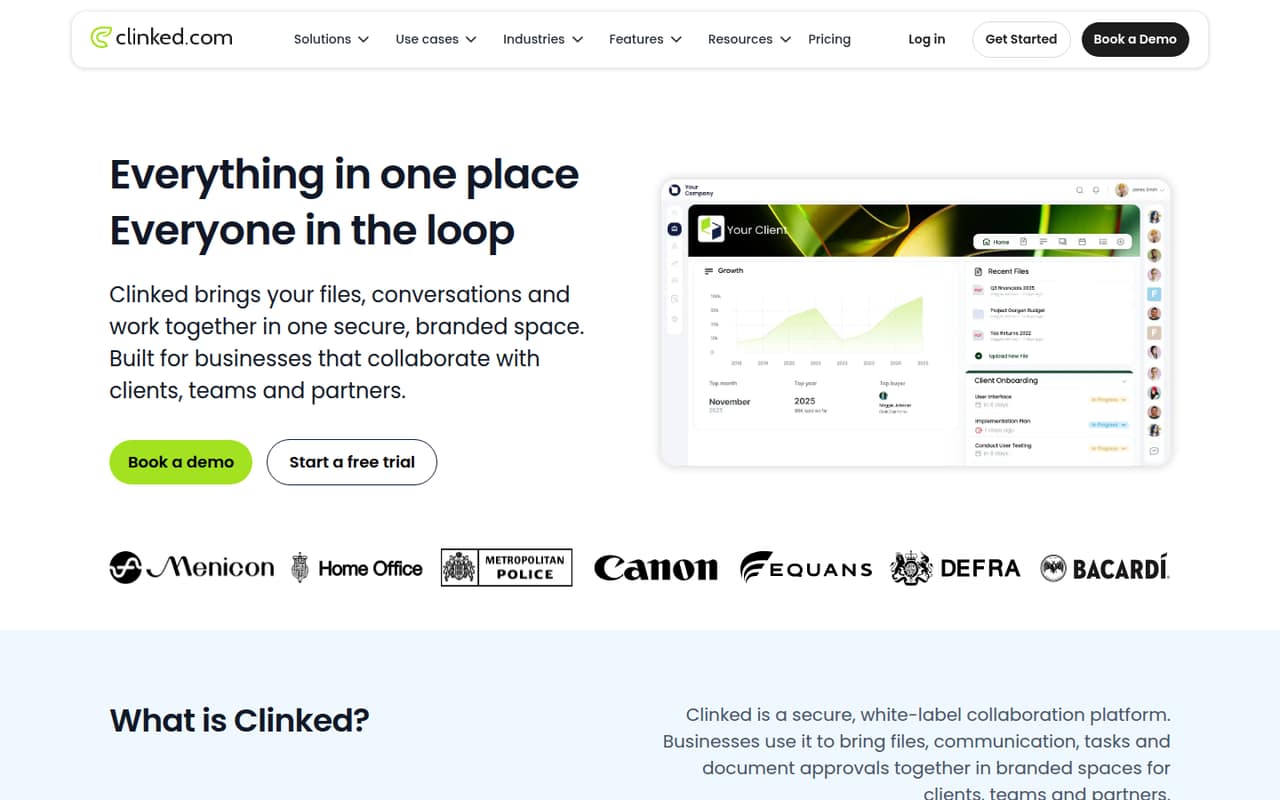
Clinked brings files, conversations, tasks and document approvals into branded workspaces, with access controls and audit trails. It fits teams sharing work with clients or partners, rather than a small team looking only for an inexpensive internal file hub.
There’s no free plan listed. Start Up costs $11 per user monthly or $8.80 per user monthly with annual billing, but it’s listed for one user. The Standard plan includes 100 members and costs $239 monthly or $191.20 per month with annual billing, a much bigger commitment for a team of three or five.
Good fit if
- Client-facing project teams
- Branded partner workspaces
- Teams managing document approvals
Skip it if
- Teams that need a free plan
- Small groups on tight budgets
- Teams needing published seat-by-seat costs
ScoresHow it rates
What works
- Combines files, conversations, tasks and approvals
- Branded workspaces support logos and colours
- Standard includes up to 100 members
- Audit trail and full-text search on Standard
- Premium adds role-based permissions and Kanban
What doesn't
- No free plan is listed
- Start Up is listed for one user
- Standard costs $239 monthly before annual billing
- Extra seat prices are not listed for most plans
- Several add-on prices are not listed
01Who Clinked is for
Clinked is for small businesses that need a shared space for client, team or partner work—not just a place to store files. A branded workspace can bring files, conversations, tasks and document approvals together, so people can find project details without relying only on email and calls. Access controls manage who can see shared content, and audit trails record activity.
For a team of one, Start Up is the lowest-cost entry at $11 per user monthly or $8.80 with annual billing. For a small team of three to ten people, the decision is less straightforward: Start Up is listed for one user, while Standard costs $239 monthly or $191.20 per month with annual billing and includes 100 members. That flat price may make sense when client access, audit trails and shared team tools matter. It’s a steep spend if you only need basic collaboration.
02Clinked free plan and trial
Clinked lists no free plan. The pricing page also does not publish a free-trial offer, so ask the vendor whether a trial or guided evaluation is available before committing.
The cheapest listed way in is Start Up: $11 per user monthly, or $8.80 per user monthly with annual billing. It includes one user, 2 GB of storage and standard features except a custom URL. That makes it an option for a solo user testing a client portal, but it is not a free shared workspace for a team. For multiple people, the page says Start Up is priced per user and that additional seats cost extra, but it does not publish their exact price. Standard is the first plan listing 100 members, at $239 monthly or $191.20 per month annually.
03What a small team pays for Clinked
The pricing page lists Start Up at $11 per user monthly or $8.80 per user monthly with annual billing. If you can buy one seat for each person at those rates, three people cost $33 monthly or $26.40 per month annually; five cost $55 monthly or $44 per month annually. Those annual figures are monthly equivalents, not the total annual bill. The vendor does not list a separate price for extra Start Up seats, so confirm the actual multi-user quote.
Standard is a flat $239 monthly or $191.20 per month with annual billing, and includes 100 members and 1 TB of storage. That’s the listed team tier with tasks, a shared calendar, discussions, audit trail and full-text search. Premium costs $599 monthly or $479 per month annually for 250 members and 3 TB, adding white-label email notifications, a Kanban board and role-based permissions.
Mobile app, Active Directory and SSO, and several compliance options are marked as add-ons without published prices. Ask for a full quote if your team needs them.
04Getting started with Clinked
The basic setup job is to create a workspace, apply your branding and bring the work into it: files, conversations, tasks and documents for approval. Clinked says users can add a logo and colours; some packages also support a custom domain and branded email notifications. You’ll also need to decide who can access shared content and how to organise files and tasks.
The pricing page does not publish a setup-time estimate, step-by-step onboarding details or an integration list. So we wouldn’t budget a precise number of hours based on the published pricing alone. Standard includes a dedicated account manager, which may help teams that want a contact during rollout, but the page does not specify the support process. Before signing, ask Clinked about migration help, integrations your team relies on, and whether those services cost extra.
05When small teams outgrow Clinked
Clinked’s first pressure point is the gap between a solo Start Up seat and the flat-price team plans. Start Up includes one user, and extra seats are priced per user without a published rate. Standard jumps to $239 monthly, or $191.20 per month with annual billing, even if your team uses only a few of its 100 included member places. That makes it worth getting a quote before inviting more people.
You may also need to move up when you hit plan limits or need advanced controls. Standard includes 1 TB of storage and audit trails; Premium raises that to 3 TB, includes 250 members and adds role-based permissions and a Kanban board. Enterprise lists 1,000 or more members and 5 TB or more, with Active Directory and single sign-on. Enterprise pricing is not published. If the included member capacity is more than you need or the next tier’s controls don’t justify its cost, Clinked may no longer fit a small team’s budget.
Questions people ask
Does Clinked have a free plan?
Clinked does not list a free plan. The lowest listed option is Start Up, at $11 per user monthly or $8.80 per user monthly with annual billing. The pricing page does not publish a free-trial offer, so ask the vendor whether you can evaluate the product before paying.
How much does Clinked cost for a small team?
Start Up is listed at $11 per user monthly or $8.80 per user monthly with annual billing. At those rates, three seats would be $33 or $26.40 per month, and five would be $55 or $44. The plan is listed for one user, though, and exact extra-seat pricing is not published. Standard costs $239 monthly or $191.20 with annual billing.
What does Clinked Start Up include?
The Start Up plan includes one user, 2 GB of storage and standard features except a custom URL. It is priced per user. The pricing page does not list an exact price for additional seats, so confirm the total cost if more than one person needs access.
What is the difference between Clinked Standard and Premium?
Standard includes 100 members, 1 TB of storage, tasks, a shared calendar, discussions, a dedicated account manager, an audit trail and full-text search. Premium includes 250 members and 3 TB, plus white-label email notifications, a Kanban board and role-based permissions. Standard is $239 monthly; Premium is $599.
Does Clinked include a mobile app, Active Directory or SSO?
The pricing page marks the mobile app and Active Directory and single sign-on as add-ons. It does not publish their prices. Ask Clinked for a quote if these are requirements, and confirm which plan or configuration supports the features your team needs.