
We may earn a commission if you buy through links on this page. It never changes a score or a ranking. How we make money
The bottom line
A useful free tracker for up to five people; paid admin and billing features raise the bill.
A small team that needs to record hours across projects can use Clockify without paying, as long as it has no more than five users and the included tracking and reports are enough. The timer, weekly timesheet, and project reports cover the basics; paid plans add tools such as invoicing, approvals, and scheduling.
We like the free entry point, but teams should check the plan boundaries before building a workflow around it. Reddit comments range from praise for the simple start-and-stop timer to frustration when a free-plan workflow changes or the app feels like too much for basic tracking.
Good fit if
- Teams of up to five
- Project-based time tracking
- Small teams watching spend
Skip it if
- Teams needing free unlimited seats
- Solo users wanting only a timer
- Teams needing paid features for free
ScoresHow it rates
What works
- Free plan supports up to five users
- Unlimited time tracking on Free
- Timer and weekly timesheet included
- Reports included on Free
- Paid plans add invoicing and approvals
What doesn't
- Free plan has a five-user cap
- Paid features require per-seat upgrades
- Monthly rates cost more than annual rates
- Kiosk seats add a separate charge
- Some users say it feels bloated
01Who Clockify is for
Clockify is for people and teams that need to record work hours against projects. A solo freelancer can use the timer or enter time in a weekly timesheet; a small team can use reports to review tracked hours. The Free plan covers up to five users, so it is a practical starting point for a very small business that needs basic time tracking without a subscription.
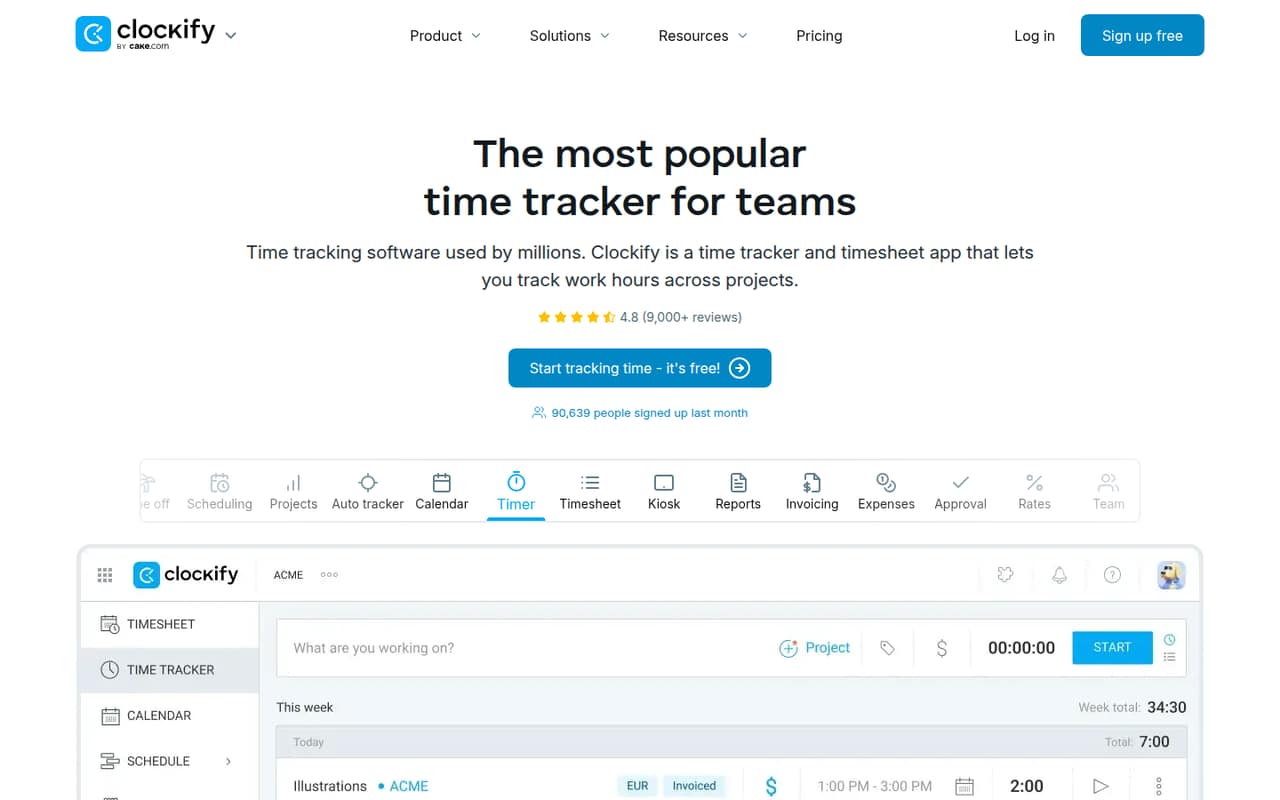
The core workflow is straightforward: track time in real time, enter it later, and review project reports. Teams that also need invoicing, timesheet approval, time off, or scheduling can move to paid plans as those needs arrive. That makes Clockify a better fit for teams that want time records connected to project work than for someone who only wants the simplest possible stopwatch. One Reddit commenter calls it a simple start-and-stop tool; another says it feels bloated for their needs.
02Clockify free plan and trial
Clockify’s Free plan costs $0 and includes up to five users, unlimited time tracking, a time tracker, a timesheet, mobile and desktop apps, and reports. That is enough for a small team that only needs to record and review work hours. There is no need to start with a paid plan just to track time within the five-user limit.
The free plan stops being an option once the team needs more than five users. Features such as adding time for others, time off, invoicing, timesheet approval, scheduling, and budgets appear on paid plans. Clockify’s pricing information does not list a free trial, so we would treat the free plan as the available no-cost way to get started rather than count on a trial of paid features.
03What a small team pays for Clockify
The Free plan is $0 for up to five users. For paid features, Basic is the cheapest plan: the pricing page lists $3.99 per seat per month with annual billing, or $4.99 month to month. That works out to $3.99 or $4.99 for one person, $11.97 or $14.97 for three, and $19.95 or $24.95 for five. Annual prices are monthly equivalents, not the month-to-month rate.
Basic adds tools such as adding time for others, time audit, and project templates. Standard is $5.49 per seat monthly with annual billing or $6.99 month to month, and adds time off, invoicing, and timesheet approval. Pro, for scheduling, expenses, and budgets, is $7.99 annually billed or $9.99 monthly per seat. Kiosk is a separate add-on with plan-dependent per-seat prices: for example, Basic lists $0.79 annually billed or $0.99 monthly. Check the add-on rate for your plan before budgeting.
04Getting started with Clockify
A small team can begin with the basic timer workflow: create a project, set an hourly rate if needed, and start tracking time. One Clockify user on Reddit describes setting a project and rate, then starting the timer and marking work billable. That account suggests a low-effort start for a simple project, though it is one person’s report rather than a setup guarantee.
Clockify offers web, mobile, and desktop apps on Free, and a weekly timesheet for entering hours without running the timer. A team that needs billing through QuickBooks can consider Standard, which lists a QuickBooks integration. We would first decide who creates projects, whether hours are billable, and whether people will use the timer or weekly timesheet. Clockify does not publish a setup-time estimate, so allow time to settle those team habits rather than assume a specific onboarding duration.
05When small teams outgrow Clockify
The clearest threshold is team size: Free is capped at five users, so a sixth seat means choosing a paid plan. Basic starts at $3.99 per seat per month with annual billing or $4.99 month to month. Teams may also upgrade when they need specific features: Standard adds invoicing and timesheet approval, while Pro adds scheduling, expenses, and budgets. Each upgrade raises the per-seat bill.
A growing team should also check whether its way of working fits the tool. One Reddit user says Clockify felt bloated for a simple freelance timer, while another says they had used its start-and-stop tracking for years. In a separate thread, a user says parts of a long-running free-plan workflow no longer worked as before. Those reports are not proof every team will hit the same issue, but they are a reason to review needed features and export requirements before making Clockify central to your process.
From the threadsWhat users say
Reddit sentiment is mixed: some users praise Clockify’s straightforward timer, while others report frustration with its fit or changes to their free-plan workflow. Comments also raise concerns about screenshot-based tracking in some work arrangements.
I been using Clockify for ten years. It's literally just click to start and stop
clockify feels bloated for what I need; I literally just want to click "start" when I begin working and "stop" when I'm done
I’ve relied on Clockify’s free plan for years, so it was frustrating to find out that parts of my workflow no longer work the way they used to
Just started a remote copywriting role (contractor) where time is tracked in Clockify with screenshots
Questions people ask
What is Clockify?
Clockify is time-tracking and timesheet software for recording work hours across projects. It includes a real-time timer, weekly timesheet, and project reports. The product also offers tools for scheduling, attendance, budgeting, invoicing, and team management on paid plans.
Is Clockify free for a small team?
Yes. The Free plan costs $0 and includes up to five users, unlimited time tracking, a timer, timesheet, mobile and desktop apps, and reports. A team with more than five users needs a paid plan, and features such as invoicing and timesheet approval are on paid plans.
How do I set an hourly rate on Clockify?
A Clockify user on Reddit describes creating a project, setting its hourly rate, starting the timer, and marking the entry billable. The exact steps may depend on your setup; check Clockify’s current help materials if you need instructions for a specific account or project.
Does Clockify take screenshots?
A Reddit poster describes a work arrangement where time is tracked in Clockify with screenshots. The listed plans do not specify screenshot monitoring as a feature, so teams should ask their administrator or Clockify what is enabled in their specific setup before assuming how monitoring works.
What does Clockify cost for three people?
The Free plan covers up to five users. If three people need Basic features, the listed cost is $11.97 per month with annual billing, or $14.97 month to month. Standard is $16.47 with annual billing or $20.97 month to month for three seats.
Sources
- Clockify homepage
- Clockify pricing page
- Reddit: How do you all track billable hours? I'm going insane with clockify
- Reddit: What’s the best Clockify alternative? Any time tracking software with a genuinely free plan?
- Reddit: Clockify screenshots every 5 minutes at work
- Reddit: Best Alternatives for Clockify