
We may earn a commission if you buy through links on this page. It never changes a score or a ranking. How we make money
The bottom line
A broad set of cloud and email tools, with a free tier best suited to free cloud accounts.
Small teams should consider cloudHQ when they need to back up, sync or move data between cloud accounts, or want extra Gmail tools. The Free plan can cover free cloud services, but its limits and account restrictions make it a poor fit for everyone.
Paid plans are billed annually: Premium is $149 per user per year, while Business starts at $399 per year for three users. Reddit comments mention useful email features, but also frustration with limits on free use.
Good fit if
- Teams syncing business cloud accounts
- Gmail users sharing email labels
- Small teams moving cloud data
Skip it if
- Teams needing monthly billing
- Users with paid accounts seeking free sync
- Teams needing published setup guidance
ScoresHow it rates
What works
- Covers backup, sync, migration and email tools
- Free plan includes free cloud services
- Premium includes unlimited backup and sync
- Business plan includes admin integration
- Email and phone support on Business
What doesn't
- Paid plan prices are billed annually
- Business starts with a three-user quota
- Free transfers may be throttled
- Free file-size limit is inconsistent
- Setup time and learning curve are not published
01Who cloudHQ is for
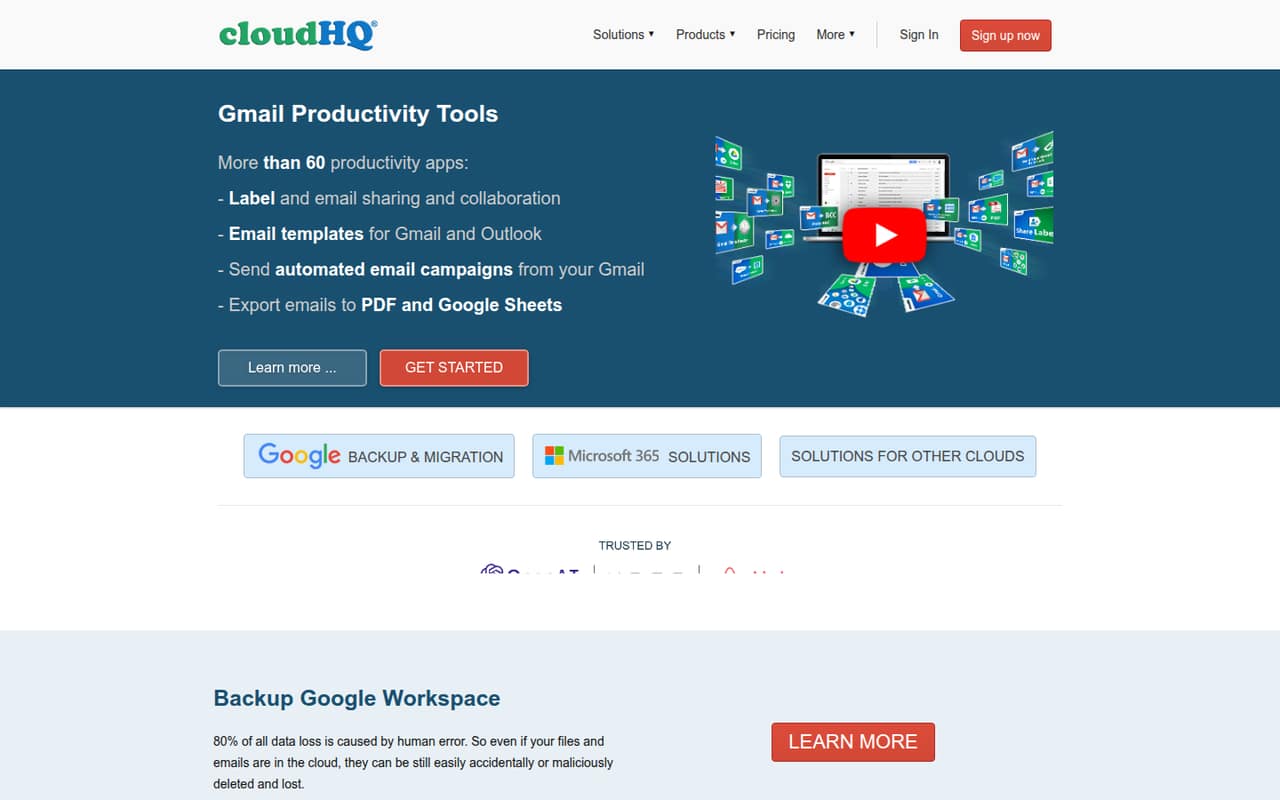
cloudHQ is worth considering if a small team needs to back up, sync or move data between cloud services, rather than just store files in one place. It also has more than 60 productivity apps for Gmail and Outlook, including tools for email collaboration, exports and campaigns.
For one person using free cloud accounts, the Free plan may be enough to try basic services. A professional syncing personal and premium accounts can look at Premium, listed at $149 per user per year. Teams syncing business accounts should compare Business, which starts at $399 per year for three users. That makes it a more natural fit for a small team with a specific backup or sync job than for a group looking for general-purpose storage alone.
Before signing up, confirm that cloudHQ supports the particular accounts and workflow you need.
02cloudHQ free plan and trial
The Free plan includes free cloud services and free-app sync. Transfers may be throttled, and the plan card lists a 100 MB maximum file size, while the FAQ lists 150 MB. We’d confirm the applicable limit with cloudHQ before relying on it for a large transfer. The plan is for personal and non-professional users; one Reddit thread says free use applies only when the connected cloud accounts are free.
cloudHQ also offers a 15-day free trial. The pricing page does not specify whether the trial requires a payment method or exactly which paid-plan features it includes, so check those details before starting. If you need to sync business accounts, the listed plan for small companies is Business, not Free. Free is most useful for trying free cloud services, not as a guaranteed no-cost option for paid accounts or business use.
03What a small team pays for cloudHQ
Paid prices are listed annually; monthly-billed prices are not published. Premium costs $149 per user per year, shown as $12.42 per user per month on an annual basis. One user pays $149 per year; three pay $447, and five pay $745. Premium is described for professionals syncing personal and premium accounts.
For business accounts, Business starts at $399 per year for three users, or $33.25 per month for that three-user plan on an annual basis. A five-person team pays $557 per year: $399 for the first three users plus $79 each for two additional users. That works out to about $46.42 per month when spread across the year. Each additional Business user costs $79 per year. Exceeding the plan’s user quota incurs a prorated overage based on the current per-user cost.
Enterprise pricing is custom and available to selected customers. Compare plans by account type and required seats, not just the displayed monthly equivalent.
04Getting started with cloudHQ
The right first step is to list the accounts and jobs you need covered: for example, backing up Google Workspace, syncing cloud storage, moving data from Dropbox or Box to Google Workspace, or sharing Gmail labels. cloudHQ advertises tools for those workflows, plus Gmail exports and campaigns through MailKing.
The vendor does not publish a setup-time estimate in the pricing details, so we wouldn’t assume onboarding is instant. Setup effort will depend on which accounts you connect and which tools you choose. The pricing page lists admin integration on Business, but does not spell out the setup steps or learning curve. Ask cloudHQ what permissions are needed, how to configure the specific transfer or backup, and whether it can help with your account types. Premium includes email support; Business includes email and phone support. A Reddit user describes using cloudHQ for PDF email exports, but that comment doesn’t establish how easy the wider setup is.
05When small teams outgrow cloudHQ
The first pressure point may be account eligibility, not team size. Free is intended for personal and non-professional users, and one Reddit thread says it only works for free cloud accounts. Teams syncing business accounts need to look at Business, which starts with three users and adds users at $79 per year each. That annual commitment can feel steep if you only need an occasional transfer.
The Free plan may also frustrate teams moving larger files: transfers can be throttled, and the listed file-size limit conflicts between the plan card and FAQ. Confirm the limit before planning a migration. As your needs grow, check whether you need more than sync and backup, or require a clearly documented setup and support process. A Reddit commenter cautions that sync is not the same as immutable backup; that is a useful question to put to the vendor if recovery protection is central to your plan. Enterprise pricing is custom.
From the threadsWhat users say
The small amount of Reddit feedback is mixed: users mention practical email features, while one thread flags the Free plan’s dependence on free cloud accounts. These comments are anecdotes, not a broad measure of customer experience.
I realized cloudhq is only free if you use free cloud accounts
PDF export of your e-mail. You might need one for legal purposes
I use it to add hyperlinks to images when composing an email in Gmail (in the web browser, of course)
It's great when you find a tool that does more than you thought it would, makes things easier, and doesn't cost too much
Questions people ask
What is cloudHQ in Gmail?
cloudHQ offers productivity tools for Gmail and Outlook alongside cloud backup, sync and migration services. Its Gmail tools include shared labels for email collaboration, email exports to Google Sheets or PDF, and MailKing campaigns with merge tags and campaign-stat exports.
How do I get rid of cloudHQ in Gmail?
If you don’t recognize a cloudHQ connection, first check which service or account it is connected to. A Reddit commenter suggested deleting the connection if it is unfamiliar. Before removing it, check whether any backup, sync or email workflow you rely on uses that connection.
Is cloudHQ a data center?
cloudHQ is described as a service for backing up, syncing and moving data between cloud accounts, with additional email and productivity tools. It is not described as a data-center facility. If you need to know where data is stored or processed, ask cloudHQ directly.
Is cloudHQ safe to use?
We can’t judge its security from the available plan details. Before connecting business accounts, ask cloudHQ about encryption, access controls, data retention, deletion and recovery. Also confirm what permissions the integration needs and whether its backup behavior meets your recovery requirements.
Does cloudHQ offer a free trial?
Yes. The listed free trial lasts 15 days. The pricing details do not specify whether a payment method is required or which paid-plan features are included, so confirm both points with cloudHQ before starting. The separate Free plan includes free cloud services and free-app sync, with limits.