
We may earn a commission if you buy through links on this page. It never changes a score or a ranking. How we make money
The bottom line
A useful free option for public repositories, with too much paid-plan pricing left unclear.
CodeFactor analyzes GitHub and Bitbucket repositories, grades code quality, and offers automated code review. Its Community plan is free for unlimited public repositories and users, but it excludes private repositories.
For a small team working with private code, the pricing page lists Pro and Pro Max but doesn't publish their prices or private-repository limits. Ask CodeFactor for a quote and confirm the limits before relying on it.
Good fit if
- Teams reviewing public repositories
- Small teams wanting automated code analysis
- Projects using supported languages
Skip it if
- Teams needing clear paid pricing
- Teams requiring private-code limits upfront
- Repositories needing published support terms
ScoresHow it rates
What works
- Free Community plan for public repositories
- Unlimited users on the Community plan
- Supports GitHub and Bitbucket repositories
- Lists languages including Python and JavaScript
- Names tools including ESLint and Pylint
What doesn't
- Community plan excludes private repositories
- Pro and Pro Max prices aren't published
- Private-repository limits aren't published
- Pro allows two branches per repository
- Pro repository size is capped at 2GB
01Who CodeFactor is for
CodeFactor is for small development teams that want automated code review and quality analysis without adding a per-user limit to their plan. It analyzes GitHub and Bitbucket repositories, assigns code quality grades, and lists support for languages such as Python, JavaScript, Java, Go, and Ruby. It also names tools including ESLint, Pylint, and ShellCheck.
For a one-to-ten-person team working in public repositories, the Community plan is a practical starting point: it lists unlimited users and unlimited public repositories at no monthly charge. The trade-off is clear: it includes zero private repositories. Teams working on private code need to look at Pro or Pro Max, but the pricing page doesn't publish their prices or private-repository limits. That makes CodeFactor easier to recommend for public open-source work than for a budget-conscious team planning a private-code rollout. Ask the vendor for those details before choosing a paid plan.
02CodeFactor free plan and trial
The Community plan costs $0 per month and lists unlimited users and unlimited public repositories. It suits a small team that wants quality grades and automated review for open-source projects, without paying for seats. The plan includes zero private repositories, so it won't cover a team's private codebase.
The pricing information doesn't list a free trial. For private repositories, CodeFactor lists Pro as the entry plan, but its monthly price and private-repository limit aren't published. Pro Max is also listed, with unlimited branches and repository size subject to its Fair Use Policy, but its price isn't published either. Ask CodeFactor to confirm the cost, private-repository allowance, and any trial or evaluation option before moving work onto a paid plan.
03What a small team pays for CodeFactor
The Community plan is $0 per month for one person, three people, or five people: it lists unlimited users and unlimited public repositories. That price only covers public repositories, with zero private repositories included.
For private code, the pricing page lists Pro and Pro Max but doesn't publish either monthly price. Both plans list unlimited users, so the page doesn't give us a per-seat price to multiply for a one-, three-, or five-person team. The total monthly cost for those team sizes is therefore not published. Annual prices aren't shown either. The page says annual billing can save up to 20%, but without the underlying rates, we can't calculate the annual cost or savings for a small team.
Pro lists two branches per repository and a 2GB maximum repository size. Pro Max lists unlimited branches and repository size subject to a Fair Use Policy. Private-repository limits aren't published for either plan. No add-ons are listed in the pricing information. Ask for a written quote covering team size, repository count, and annual billing before budgeting.
04Getting started with CodeFactor
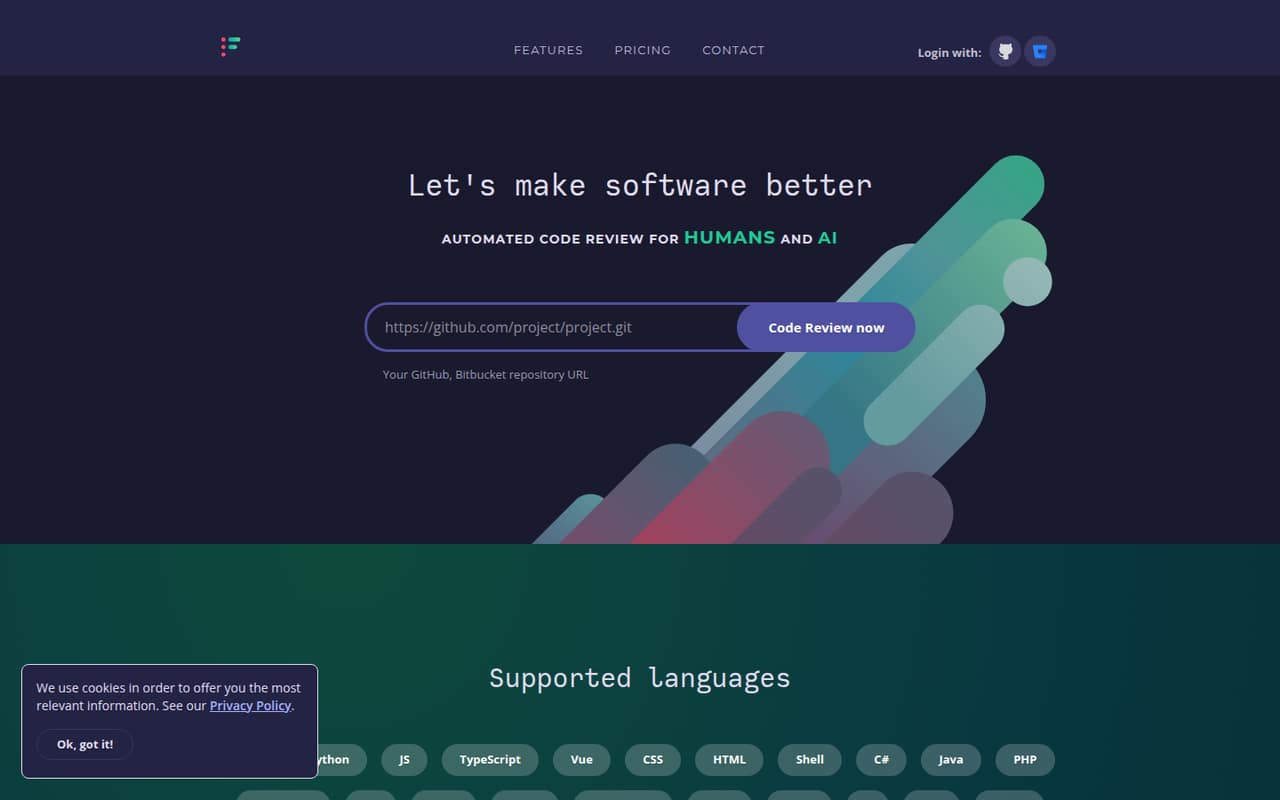
CodeFactor offers a field for a GitHub or Bitbucket repository URL, so the basic starting point is choosing a repository from one of those services. The product describes its work as automated code review and quality analysis, with repository grades and analysis tools. Its homepage also shows examples of public open-source repositories it analyzes.
The setup steps, permissions required, and time to complete setup aren't published in the available product details, so we can't promise a particular onboarding effort. A small team should confirm what access CodeFactor needs and whether it can review the repositories and languages the team actually uses. The listed language examples include Python, JavaScript, Java, Go, and Ruby; named analysis tools include ESLint, Pylint, and ShellCheck. Check the vendor's setup instructions for the exact connection process and any configuration the team needs on day one.
05When small teams outgrow CodeFactor
The first clear limit is private code: Community includes zero private repositories, so a team moving from public projects to private work will need a paid plan. Pro lists two branches per repository and a 2GB maximum repository size. Teams that need more branches or larger repositories may need Pro Max, which lists unlimited branches and repository size subject to a Fair Use Policy.
The hard part is planning the upgrade. CodeFactor doesn't publish the prices or private-repository limits for Pro or Pro Max, so a team can't calculate the cost of adding developers or repositories from the listed information. Although both paid plans list unlimited users, that doesn't establish their total cost or clarify other limits. Before adopting CodeFactor for a growing private-codebase, ask the vendor to confirm price, repository allowances, branch needs, and how the Fair Use Policy applies. If those answers don't fit the budget or workflow, compare alternatives before migrating review processes.
Questions people ask
Is CodeFactor free?
Yes. CodeFactor's Community plan is listed at $0 per month and includes unlimited users and unlimited public repositories. It includes zero private repositories, so teams analyzing private code need to consider Pro or Pro Max. The listed pricing doesn't include a free trial.
How much does CodeFactor cost for a small team?
The Community plan is free for unlimited users, but only covers public repositories. CodeFactor doesn't publish monthly prices for Pro or Pro Max, so the cost for a team of one, three, or five people can't be calculated from the listed rates. Ask the vendor for a quote.
Does CodeFactor support private repositories?
The Community plan lists zero private repositories. CodeFactor lists Pro and Pro Max for teams needing private repositories, but the pricing page doesn't publish the private-repository limit for either plan. Confirm the allowance directly with CodeFactor before choosing a plan.
Which code hosting services does CodeFactor support?
CodeFactor describes support for GitHub and Bitbucket repositories and offers a field to enter a repository URL from either service. Check with the vendor if your team depends on a particular hosting setup or repository configuration before connecting it.
What are the limits of CodeFactor Pro?
The pricing page lists two branches per repository and a 2GB maximum repository size for Pro. It doesn't publish the plan's price or private-repository limit. Pro Max lists unlimited branches and repository size, subject to a Fair Use Policy; ask CodeFactor for full terms.