
We may earn a commission if you buy through links on this page. It never changes a score or a ranking. How we make money
The bottom line
A useful integration layer for small agent teams, with schema and usage costs to watch.
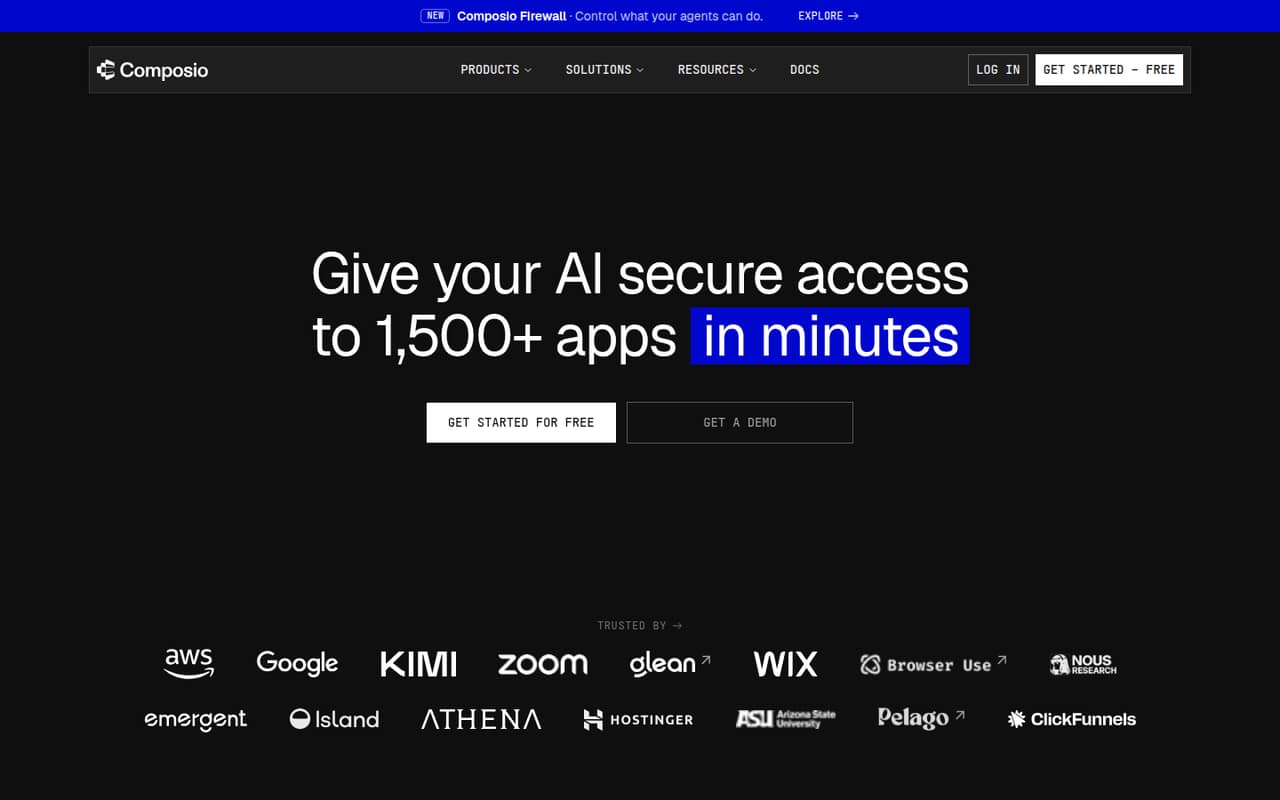
Composio connects AI agents to more than 1,500 apps and lets teams set action permissions and record what agents do. Its free Hobby plan includes three team members and substantial monthly usage limits, making it easy to start without a subscription.
Pro costs $29 per month, not per seat, and supports unlimited team members. That can work well for a small team, but Reddit users report trouble with tool reliability, missing parameters, and understanding action schemas.
Good fit if
- Small teams building app-connected agents
- Teams needing action permissions and records
- Projects that fit Hobby limits
Skip it if
- Teams needing a self-hosted option
- Workflows requiring custom API schemas
- Teams wanting predictable overage costs
ScoresHow it rates
What works
- Connects agents to more than 1,500 apps
- Free Hobby plan supports three members
- Action permissions help control agent access
- Action records include outcomes and CSV export
- Pro price stays flat as seats grow
What doesn't
- Reddit users report tool reliability problems
- Action parameters can be hard to understand
- Pro overage rates vary or are unpublished
- Some security features cost extra on Pro
- Hobby limits beyond included usage are unclear
01Who Composio is for
Composio is for small teams building AI agents that need to work across multiple apps. It connects agents to more than 1,500 apps, lets you choose which actions an agent can take, and records actions with the user, tool, and outcome. For a founder or a team of two or three, Hobby may be enough to try a workflow without adding a monthly bill. Teams of five to ten can use Pro for $29 per month, with no per-seat charge listed and unlimited team members.
The fit is strongest when your agent needs a range of app connections and you want controls around its actions. Composio also offers reusable skills for recurring tasks, a private workspace for code-heavy work, and pay-per-use Instant Tools. If you only need a few specific operations, direct APIs may offer more control over input structure, though a Reddit commenter notes that maintaining authentication and integrations separately takes effort. Budget for usage beyond included amounts, too.
02Composio free plan and trial
Composio’s free Hobby plan includes 100,000 tool calls and 50,000 trigger events per month, three team members, one million Sandbox LLM tokens per month, and $2 in credits. That is a useful starting allowance for an individual or early project, and it lets a team test app-connected agent workflows without paying a subscription.
The main limits are the three-member cap and the published monthly allowances. If you need more than three team members, Pro is the first listed plan that fits; it costs $29 per month. The pricing page does not list a separate free trial, and it does not spell out Hobby overage rates in the published plan details. Check how usage is counted and what happens when a Hobby allowance runs out before relying on it for a production workflow.
03What a small team pays for Composio
Hobby costs $0 per month and includes up to three team members. Pro is $29 per month, with unlimited team members, so the listed subscription works out to $29 for one person, about $9.67 per person for three, or $5.80 per person for five. Those are monthly equivalents, not per-seat prices. The pricing page lists no annual Pro rate, so there is no published annual discount to compare.
Pro includes $29 in monthly credits, 20,000 managed-app tool calls, and 10,000 managed-app trigger events. After included amounts, tool calls cost $0.0003 in credits per call and trigger events cost $0.003 per event. Managed-app polling and realtime events have separate overage rates. The first 1,000 additional managed-app connected accounts are free; after that, connections cost $0.10 each, one time. Specific managed-app tool-call overage rates vary by app and are not listed. Advanced security and white-labeling features are Pro add-ons with unpublished prices.
04Getting started with Composio
Composio’s basic job is straightforward to describe: connect the apps your agent needs, decide which actions it may take, then review recorded activity. The product also offers reusable skills with steps, checks, and cautions, plus a private workspace for code-heavy tasks. The exact setup steps and effort depend on your agent framework and chosen integrations; the vendor does not publish a general setup-time estimate.
A Reddit user describes using hosted Composio MCP tools for X, LinkedIn, and Reddit in an n8n workflow. That example shows one possible route, not a measure of how easy setup is for every team. Other Reddit users say action documentation and parameters were hard to inspect, and one reports errors when a model missed required parameters. Before committing, check the action schemas for your day-one apps and confirm they match your agent’s inputs.
05When small teams outgrow Composio
The first clear step up is team size: Hobby includes three members, while Pro allows unlimited members for $29 per month. Teams can also run past Pro’s included managed-app calls or trigger events. Extra tool calls and events consume credits, and some rates vary by app or are not published, so a growing workload can be harder to budget than the base price suggests.
A team may also outgrow the integration layer if it needs tighter control over specific API inputs or finds that available action schemas do not fit its workflow. One Reddit commenter says tools were unreliable and that a model repeatedly hit errors from missing parameters; another found it difficult to test actions manually and understand their parameters. These are individual reports, not a guarantee of the same experience, but they make schema review and a real workflow check worthwhile. Teams needing SSO / SCIM, customer-managed keys, or dedicated support should ask about Enterprise or Pro add-on pricing.
From the threadsWhat users say
Reddit reactions are mixed: one user describes a working social-posting setup, while others flag reliability and action-schema friction. The comments are individual experiences, not a broad measure of customer satisfaction.
This setup ended up working really well for me
So far the tools are a bit unreliable
That's where I found it hard to dig through the documentation of the actions and the different parameters
aci.dev similar to composio and open sourced
Questions people ask
How much does Composio cost?
Composio’s Hobby plan is free and includes three team members. Pro is listed at $29 per month with unlimited team members. Enterprise pricing is custom. Pro has usage allowances and credit-based overages, and some rates or add-on prices are not published, so the subscription price may not be the whole bill.
Is Composio free to use?
Yes. The Hobby plan costs $0 per month and includes 100,000 monthly tool calls, 50,000 trigger events, three team members, one million Sandbox LLM tokens, and $2 in credits. The vendor does not list a separate trial. Check the Hobby limits against your expected workload before putting a production agent on it.
How does Composio work?
Composio connects AI agents to apps and gives them access to tools and accounts. Teams can choose which actions an agent may take and review action records that list the user, tool, and outcome. It also offers reusable skills, a private workspace for code-heavy tasks, and pay-per-use Instant Tools.
Is Composio an MCP?
Composio is described as an app and tool connection platform for AI agents. A Reddit user describes using Composio-hosted MCP tools in an n8n workflow, but that example does not establish that every Composio integration or setup uses MCP. Check the vendor’s current docs for the specific framework and connection method you need.
Can I control what an AI agent does in connected apps?
Composio lists action permissions that let users choose which actions an AI can take in each app. It also records actions with the user, tool, and outcome, with CSV export. Those controls help with oversight, but teams should check the available permissions and actions for each integration before granting an agent access.