
We may earn a commission if you buy through links on this page. It never changes a score or a ranking. How we make money
The bottom line
Worth considering for device-wide DNS controls, if $2 per endpoint monthly fits your budget.
Control D gives teams DNS filtering, access policies, query logs, and controls for more than 1,000 apps and services. Its SMB plan starts at $2 per endpoint monthly, but there’s no ongoing free plan and the annual price isn’t published.
For a small team, the main trade-off is capability versus setup and interface complexity. Reddit users praise its customization but report a learning curve and mixed reliability experiences.
Good fit if
- Teams managing several devices
- Businesses setting DNS access policies
- Teams needing AI-agent controls
Skip it if
- Teams that need a free plan
- Buyers wanting a simple interface
- Teams needing published annual pricing
ScoresHow it rates
What works
- SMB plan starts at $2 per endpoint monthly
- More than 1,000 blockable apps and services
- 30-day query logs on every plan
- Analytics retained for up to one year
- Native clients listed for five operating systems
What doesn't
- No ongoing free plan
- Annual price isn’t published
- Interface can take time to learn
- Storage-region add-on costs aren’t published
- Reddit users report latency and reliability concerns
01Who Control D is for
Control D is DNS filtering software: it blocks malicious domains and lets teams set internet access policies across devices. The SMB plan is aimed at growing teams that want self-serve deployment, and its price is per endpoint rather than per named person. For a team of one to ten, that can work if you count the devices you want covered before budgeting.
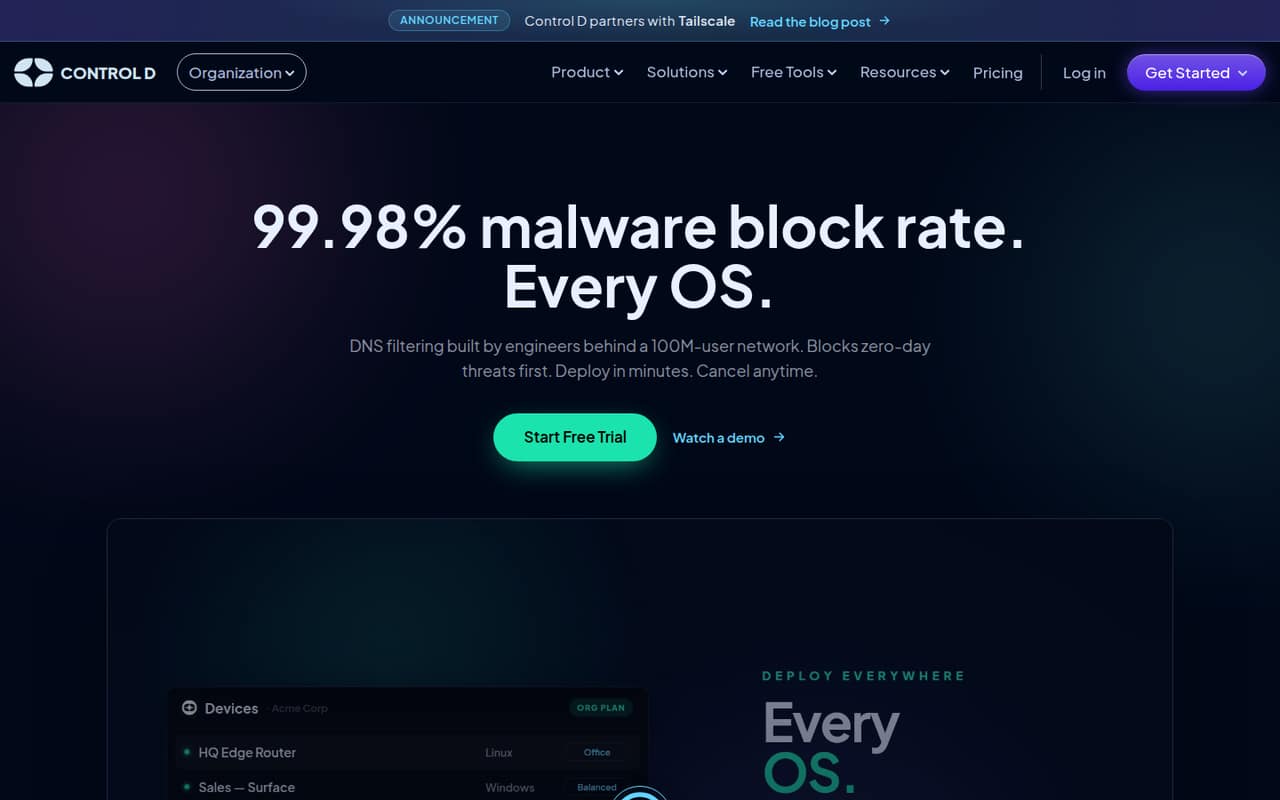
The feature set goes beyond basic threat blocking. The homepage lists controls for more than 1,000 apps and services, AI-agent destination policies, several encrypted DNS protocols, and query logs. Native clients are listed for Mac, Windows, Linux, iOS, and Android. That makes Control D worth considering when a small business needs consistent DNS rules across different devices. It may be more tool than a team needs if the goal is only simple filtering on a couple of computers.
02Control D free plan and trial
Control D has no ongoing free plan for its business plans. The pricing page lists a 14-day free trial, but doesn’t publish which features or endpoint limits the trial includes. Ask the vendor to confirm those details before relying on it to cover your team.
After the trial, the cheapest listed business option is SMB at $2 per endpoint per month. It includes self-serve deployment, more than 1,000 blockable services, four modern DNS protocols, 30-day query log retention, and analytics retention for up to one year. The pricing page says plans can be billed monthly or annually, but doesn’t publish the annual price. A free public DNS option comes up in a Reddit discussion, but that isn’t the same as an ongoing free business plan with the listed SMB features.
03What a small team pays for Control D
The SMB plan is $2 per endpoint per month. If each person uses one covered endpoint, that works out to $2 monthly for one person, $6 for three, and $10 for five. A team covering two devices per person would pay for ten endpoints at the five-person size, or $20 monthly. These are per-endpoint calculations, not a published per-seat price.
The pricing page says monthly and annual billing are available, but the annual SMB rate isn’t published, so we can’t compare annual savings. It also doesn’t state a minimum endpoint count. Custom storage regions cost extra for SMB, but the vendor doesn’t publish the add-on price. The SMB plan already includes three modern DNS protocols, 30-day query logs, and analytics retained for up to one year. If you need a different storage region, get a quote before budgeting; the pricing page doesn’t list other paid SMB add-ons.
04Getting started with Control D
Control D lists multiple deployment methods and native clients for Mac, Windows, Linux, iOS, and Android. It also supports DNS-over-HTTPS/3, DNS-over-TLS, DNS-over-QUIC, and Legacy DNS. That gives a small team several ways to bring devices under DNS policies, but the exact steps depend on the deployment method and device mix. The pricing page describes SMB as self-serve.
Plan for time to learn the policy interface and decide which devices or services need rules. In one Reddit thread, a user said the interface felt “all over the place”; another said the learning curve was worthwhile for scheduled blocking. A different commenter praised the customization and interface. Those are individual impressions, not a guarantee of how your team will find it. Before rollout, confirm which deployment method fits your devices and whether the policy setup matches how your team manages them.
05When small teams outgrow Control D
The SMB plan is priced per endpoint, so the bill grows as you cover more devices. That is manageable for a small fleet at $2 per endpoint monthly, but teams should count devices rather than assume one seat equals one endpoint. The vendor doesn’t publish an annual SMB price or the cost of custom storage regions, so budget certainty can become harder as requirements grow.
Teams needing dedicated infrastructure or SIEM log streaming would need to ask about Enterprise, which is custom-priced. MSP is the listed plan for managed service providers and client fleets, with multi-tenant profiles and billing. Reddit feedback is mixed: some users value Control D’s customization, while others report a complicated interface, latency, or reliability problems. If DNS performance is critical to your work, assess whether it suits your setup before moving a larger fleet. One Reddit commenter also wished for device-level search, which they said was reserved for business customers.
From the threadsWhat users say
Reddit comments show a split: some users value Control D’s flexible rules and customization, while others find the interface complicated or report latency and reliability problems. These are individual accounts, not a consistent verdict on performance.
Because it can do this better than NextDNS, I didn't mind the learning curve to use their UI
I found the UI very all over the place
ControlD isn't competitive in latency at least in Europe
The UI and customizability are amazing. Absolutely fantastic
Questions people ask
How does Control D work?
Control D filters DNS requests, blocking malicious domains and applying access policies across devices. The homepage lists controls for apps and services, AI-agent destination policies, and encrypted DNS protocols including DNS-over-HTTPS/3, DNS-over-TLS, DNS-over-QUIC, and Legacy DNS.
Is Control D good for a small business?
It can suit a small business that wants DNS policies across devices and is comfortable paying per endpoint. SMB starts at $2 per endpoint monthly. There’s no ongoing free plan, and Reddit users report both useful customization and concerns about interface complexity and performance.
Does Control D have a free plan?
The listed business plans don’t include a free plan. The pricing page lists a 14-day free trial, but doesn’t publish its feature or endpoint limits. SMB is the lowest listed paid plan at $2 per endpoint per month.
What does Control D’s SMB plan include?
The pricing page lists self-serve deployment, more than 1,000 blockable services, four modern DNS protocols, 30-day query log retention, and analytics retention for up to one year. The plan costs $2 per endpoint monthly; its annual price isn’t published.
Does Control D support AI agents?
The homepage says Control D can set policies for the internet destinations AI agents can access and show every lookup. Check with the vendor for details about which agents or deployment setups those controls cover.
Sources
- Control D homepage
- Control D pricing page
- Reddit: Control D founder says NextDNS is an abandoned product
- Reddit: Switch to Control D?
- Reddit: I tested the top free DNS ad blocking services with the default configuration. (NextDNS, Control D, Mullvad, AdGuard, LibreDNS, CleanBrowsing)
- Reddit: So much potential, wasted.