
We may earn a commission if you buy through links on this page. It never changes a score or a ranking. How we make money
The bottom line
A strong free starting point for Windows FTP transfers, with limited clarity for growing teams.
Core FTP LE is worth considering if your small team needs a Windows client to transfer and maintain website files over FTP. The free version lists secure protocols, transfer resume, drag and drop, site-to-site transfers, and file editing.
The pricing page lists paid Standard at $24.95 and Pro at $39.95 per user as one-time perpetual licenses. Pro adds scheduled transfers and encryption; recurring monthly and annual rates are not published.
Good fit if
- Small Windows-based web teams
- Budget-conscious FTP users
- People managing website files
Skip it if
- Teams needing shared cloud storage
- Organizations wanting clear seat pricing
- Mac or Linux users
ScoresHow it rates
What works
- Core FTP LE is free to download
- Supports SFTP, SSL, TLS, FTPS, and HTTPS
- Can resume transfers and retry failures
- Includes site-to-site transfer support
- Paid licenses are one-time purchases
What doesn't
- Windows client software
- Pro is needed for scheduled transfers
- Recurring monthly and annual rates are not published
- Site license terms require contacting sales
- Server product pricing and limits are not published
01Who Core FTP is for
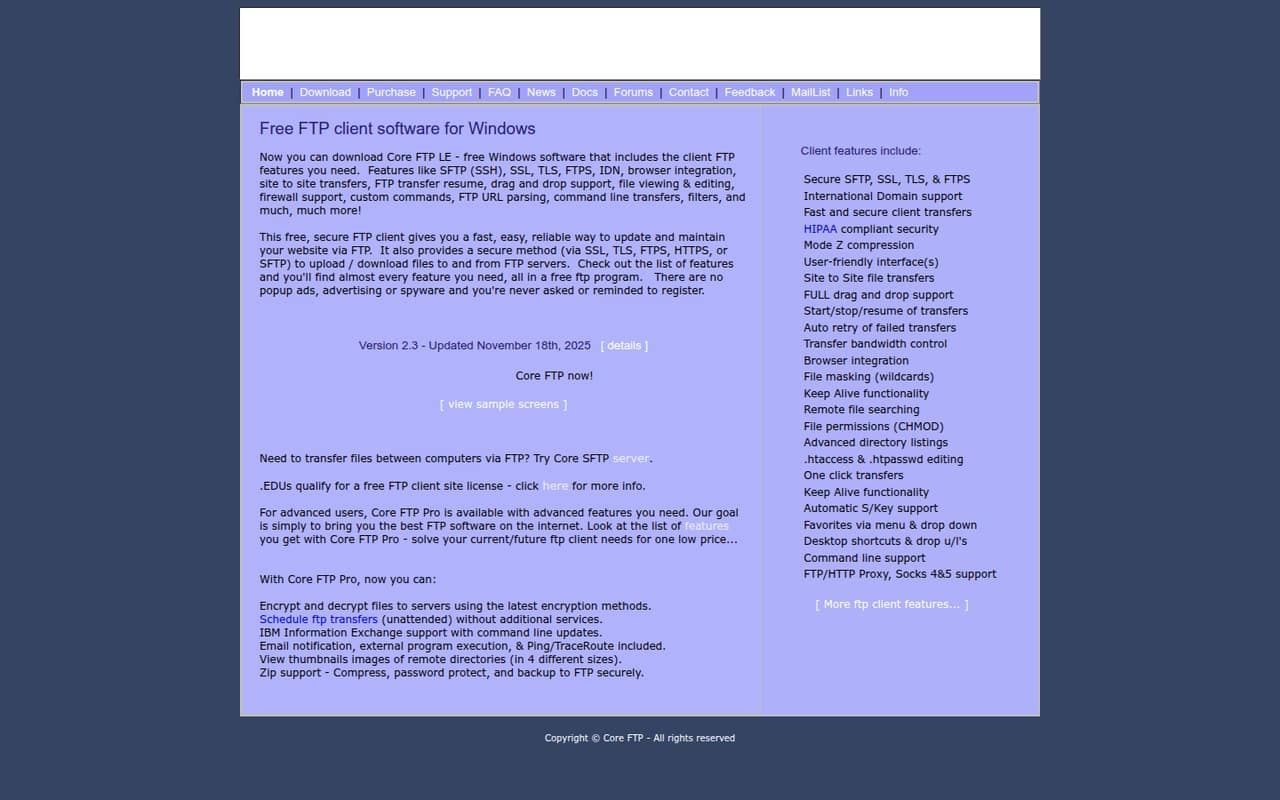
Core FTP fits a small team that needs to move website files between Windows computers and FTP servers without paying for a monthly subscription. Core FTP LE is the free client; its listed features include secure transfer protocols, transfer resume, drag and drop, site-to-site transfers, and viewing or editing files such as .htaccess and .htpasswd.
For a one-person operation or a team of three to five people sharing website-maintenance work, it can cover the basic job of uploading, downloading, and maintaining files. It is a client for file transfers, not a general-purpose shared file workspace. The pricing page lists single-user licenses for Standard and Pro, plus a site-license option whose terms require contacting sales. So it is easiest to assess as a tool each person installs, rather than assume the listed prices include team administration or shared storage.
02Core FTP free plan and trial
The pricing page lists Core FTP Client (Core FTP LE) as free to download. Its listed capabilities include SFTP, SSL, TLS, FTPS, and HTTPS transfers, transfer resume, automatic retries for failed transfers, site-to-site transfers, drag and drop, and file viewing and editing. That is a useful set for a small team whose main need is moving files to and from FTP servers.
The paid Pro version adds features including scheduled transfers and encryption. The free plan details do not list scheduled unattended transfers, so treat that as a reason to consider Pro if transfers need to run without someone starting them. The pricing page does not list a free-trial period. If you need more than the free client, the cheapest listed paid license is Standard at $24.95 one-time for one user.
03What a small team pays for Core FTP
The pricing page lists Core FTP Standard at $24.95 for a one-user perpetual license and Core FTP Pro at $39.95 for one user, also perpetual. These are one-time prices, not monthly subscriptions. The vendor does not publish monthly or annual recurring rates.
Assuming each person needs an individual license, three Standard licenses cost $74.85 once, or five cost $124.75. Three Pro licenses cost $119.85 once, or five cost $199.75. Core FTP LE remains the free option for each user, though the pricing details do not spell out team administration terms for free use.
Pro is the listed choice for scheduled transfers and encryption. The pricing page does not list add-ons. It offers organization-wide site-license options and educational or charitable pricing, but says buyers need to contact sales for terms. Core FTP Server is a separate product; its price and limits are not published.
04Getting started with Core FTP
Plan for a Windows client that needs to connect to an FTP server: your team will need the relevant server connection details and a person to configure the transfer. Core FTP lists SFTP, SSL, TLS, FTPS, and HTTPS support, along with drag-and-drop transfers and file editing. These options give buyers several ways to handle different server setups, but the listed information does not specify setup time or the exact steps for each protocol.
The feature set is practical rather than a broader team workspace: it focuses on transfers, retries, resume, and file handling. A Reddit post also lists browser integration, command-line transfers, and custom commands among LE's features. Those may be useful for a team with an existing workflow, but they are not a substitute for shared-file collaboration. Before rolling it out, confirm which protocol your server uses and whether the free client covers your team's needs.
05When small teams outgrow Core FTP
Core FTP may stop fitting when your team needs clearer organization-wide licensing or wants more than individual file-transfer clients. The pricing page lists a site-license option, but says its terms require contacting sales. It also does not publish monthly or annual rates, so recurring-budget planning is not possible from the listed prices. The server product's price and limits are not published either.
Pro is the listed upgrade if your team needs scheduled unattended transfers or encryption; the single-user license costs $39.95 one time. Core FTP's described role remains transferring and maintaining website files, so teams that need shared storage or collaboration should check whether a separate tool is needed. Reddit discussion is thin: one r/ITProTuesday post praises LE's transfer features, while an r/PDQDeploy thread lists a package release dated 2018-05-09. That package date is not proof of the current product's update status, so check with the vendor if update cadence matters.
From the threadsWhat users say
The Reddit material is limited rather than a broad set of user reviews. One post appreciates LE's secure-transfer and file-handling features; another is a package listing, not an evaluation.
secure FTP client
SFTP (SSH), SSL, TLS, FTPS
site-to-site transfers
FTP transfer resume
Questions people ask
Is Core FTP free?
Yes. The pricing page lists Core FTP LE as free to download. It includes file-transfer features such as secure protocols, transfer resume, drag and drop, site-to-site transfers, and file viewing and editing. The listed paid licenses are Standard and Pro, each priced as a one-time purchase for one user.
Which secure protocols does Core FTP support?
Core FTP lists SFTP, SSL, TLS, FTPS, and HTTPS for secure transfers. A Reddit post also names SFTP (SSH), SSL, TLS, and FTPS. Check which protocol your server requires before choosing a connection setup.
Does Core FTP LE support scheduled transfers?
Scheduled unattended FTP transfers are listed as a Core FTP Pro feature. The free LE feature list does not include scheduled transfers. If your team needs files to move on a schedule without someone starting each transfer, Pro is the listed paid option.
How much does Core FTP cost for three people?
Assuming each person needs an individual license, three Standard licenses cost $74.85 one time, and three Pro licenses cost $119.85 one time. The pricing page lists Standard at $24.95 and Pro at $39.95 per user. Monthly and annual recurring rates are not published.
Does Core FTP work on Mac or Linux?
Core FTP LE is described as free Windows client software. The available product details do not list Mac or Linux client versions. If your team uses those operating systems, ask the vendor about platform support before choosing Core FTP.