
We may earn a commission if you buy through links on this page. It never changes a score or a ranking. How we make money
The bottom line
A useful free Mac text editor for small teams that don't need shared editing or a full IDE.
CotEditor is worth considering if your team needs a straightforward macOS plain-text editor, not another paid team platform. The pricing page lists it as free to download and use, with syntax highlighting, backups and other practical editing tools.
The trade-off is scope: CotEditor is an editor, not a shared workspace or full IDE. Reddit users praise its native Mac feel, while some say it doesn't replace their preferred development editor.
Good fit if
- Mac users editing plain text
- Small teams watching software costs
- Writers and developers needing syntax highlighting
Skip it if
- Teams needing shared editing workflows
- Developers who need a full IDE
- People working outside macOS
ScoresHow it rates
What works
- Free to download and use
- Syntax highlighting for 60+ languages
- Automatic document backups
- Regular-expression find and replace
- Supports scripts in several languages
What doesn't
- Made for macOS
- No team plan is listed
- No shared-workspace features are listed
- Not a full IDE
- Donation prices are not published
01Who CotEditor is for
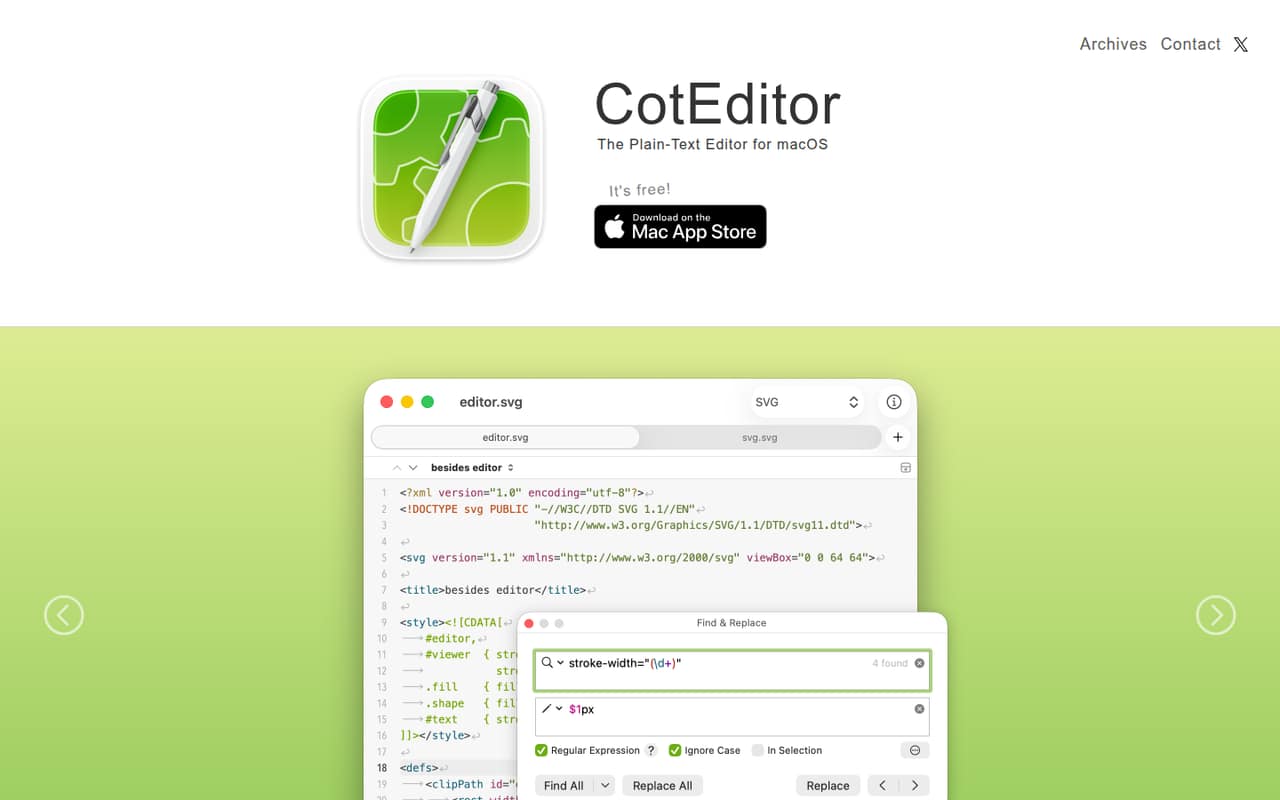
CotEditor suits a solo user or a small team of 1–10 people that needs to edit plain text on Mac without adding a per-seat software bill. It can handle code and other text documents with syntax highlighting for more than 60 pre-installed languages, regular-expression find and replace, and automatic backups. Split panes help when you need to view different parts of a document, and the character inspector shows Unicode data for a selected character.
It is a focused editor, not a team workspace. Its listed features center on editing, inspection and scripting; they don’t describe shared documents, project management or a full IDE. One Reddit commenter suggested it as an option for people upgrading from TextEdit, while another said it wasn’t the Notepad++ replacement they wanted. That’s a useful distinction: CotEditor makes sense when the job is editing text, but teams should check that it covers their specific development workflow before standardizing.
02CotEditor free plan and trial
The pricing page lists CotEditor as free to download and use, with an open-source project behind it. The listed free features include syntax highlighting for 60+ languages and automatic document backups. The product description also lists regular-expression find and replace, split panes, a character inspector and scripting support.
There’s no paid tier to unlock in the listed plan details, and no trial period is listed. The main boundary is the product’s scope: the features are for editing text, not managing team projects or coordinating shared work. Voluntary in-app tips or donations are available, but their prices are not published. For a team that only needs a Mac text editor, the free version is the cheapest way in—and the only listed plan.
03What a small team pays for CotEditor
The pricing page lists one plan: Free at $0 per month. That makes the listed cost $0 for one person, $0 for three people, and $0 for five people, assuming each person downloads and uses the editor. There’s no per-seat charge in the listed plan, so a small team can add users without changing that price.
CotEditor doesn’t list monthly or annual billing; it is free to download and use. So there’s no annual discount to calculate, and the listed annual cost is not applicable rather than a separate subscription price. The page does mention voluntary in-app tips or donations, but their prices are not published, so they aren’t part of a predictable team budget.
There’s no paid team plan or seat-based upgrade listed. If you’re buying for a group, check whether each person can use the app under your organization’s requirements; the pricing details don’t describe team administration or business licensing terms.
04Getting started with CotEditor
Getting started should be a small lift for an individual: CotEditor is free to download and use, and it is made for macOS. The listed editing tools include syntax highlighting, automatic backups, split panes and regular-expression find and replace. A Reddit commenter describes settings as appearing in a familiar macOS system-settings-style window, which may feel more at home to Mac users than configuring an editor through scripts.
The product supports scripting in Python, Ruby, Perl, PHP, UNIX shell, AppleScript and JavaScript. That gives technically inclined users ways to automate editor tasks, though teams that don’t need scripts can ignore that feature. The listed feature set emphasizes tools inside the editor rather than third-party service integrations. If your team needs a specific integration, confirm it with the vendor before making CotEditor part of a shared workflow. No team-wide setup or administration process is listed.
05When small teams outgrow CotEditor
A team may outgrow CotEditor when editing text is only one part of its workflow. The listed features cover syntax highlighting, search and replace, backups, split panes, character inspection and scripting; they don’t list shared editing, team administration or broader IDE features. If your developers need those, compare CotEditor with tools built around their required workflow rather than expecting a paid CotEditor tier to add them. No paid upgrade or team plan is listed.
Reddit reactions reflect that gap in expectations. One commenter called CotEditor useful as a fast plaintext editor or a step up from TextEdit, while another said it wasn’t the replacement they were looking for. A commenter also noted that editors with years of work and many plugins can be hard to match. That doesn’t make CotEditor poor value—it remains free—but it does mean a growing team should check its specific needs before relying on it as a development environment.
From the threadsWhat users say
Reddit sentiment is mixed but generally appreciative of CotEditor as a free, native-feeling Mac text editor. Some users like its simplicity, while others say it does not replace more feature-rich editors for their needs.
if you don't have a license for Sublime Text or want to use a fast plaintext editor written in Swift, or want to upgrade from TextEdit, this might be worth your time
Another alternative is the free version of BBEdit; it’s a native Mac app
For me this was not the replacement i was looking for
It really would be great if people included the requirements
Questions people ask
Is CotEditor free?
Yes. The pricing page lists CotEditor as free to download and use, with a price of $0 per month. It also lists voluntary in-app tips or donations, but their prices are not published. No paid subscription plan or trial period is listed.
Does CotEditor work on Windows?
CotEditor is described as a text editor made specifically for macOS. The vendor's site does not list a Windows version. If your team uses more than one operating system, check with the vendor about platform availability before choosing it as a shared standard.
What languages does CotEditor support?
CotEditor includes syntax highlighting for more than 60 pre-installed languages, with customizable settings. Its scripting support includes Python, Ruby, Perl, PHP, UNIX shell, AppleScript and JavaScript. The available information does not name every language covered by syntax highlighting.
Can CotEditor find and replace text with regular expressions?
Yes. CotEditor’s find-and-replace feature uses the ICU regular expression engine. It also supports syntax highlighting, automatic document backups and split panes. If your team depends on a particular search pattern or workflow, confirm its behavior with the vendor.
Does CotEditor support collaboration for a team?
CotEditor is presented as a plain-text editor, and its listed features don’t include shared editing, team administration or a team plan. Each user can download and use the free app, but the vendor does not publish team collaboration details in the plan information.
Sources
- CotEditor homepage
- CotEditor pricing, compiled via web search from github.com, coteditor.com, funkyspacemonkey.com, apple.com, macupdate.com
- Reddit: Best mac alternative for notepad++
- Reddit: CotEditor
- Reddit: CotEditor - a free, open-source plaintext editor written in Swift, with syntax highlighting and more