
We may earn a commission if you buy through links on this page. It never changes a score or a ranking. How we make money
The bottom line
Useful AI clipping tools, but no free plan and unclear team seat pricing.
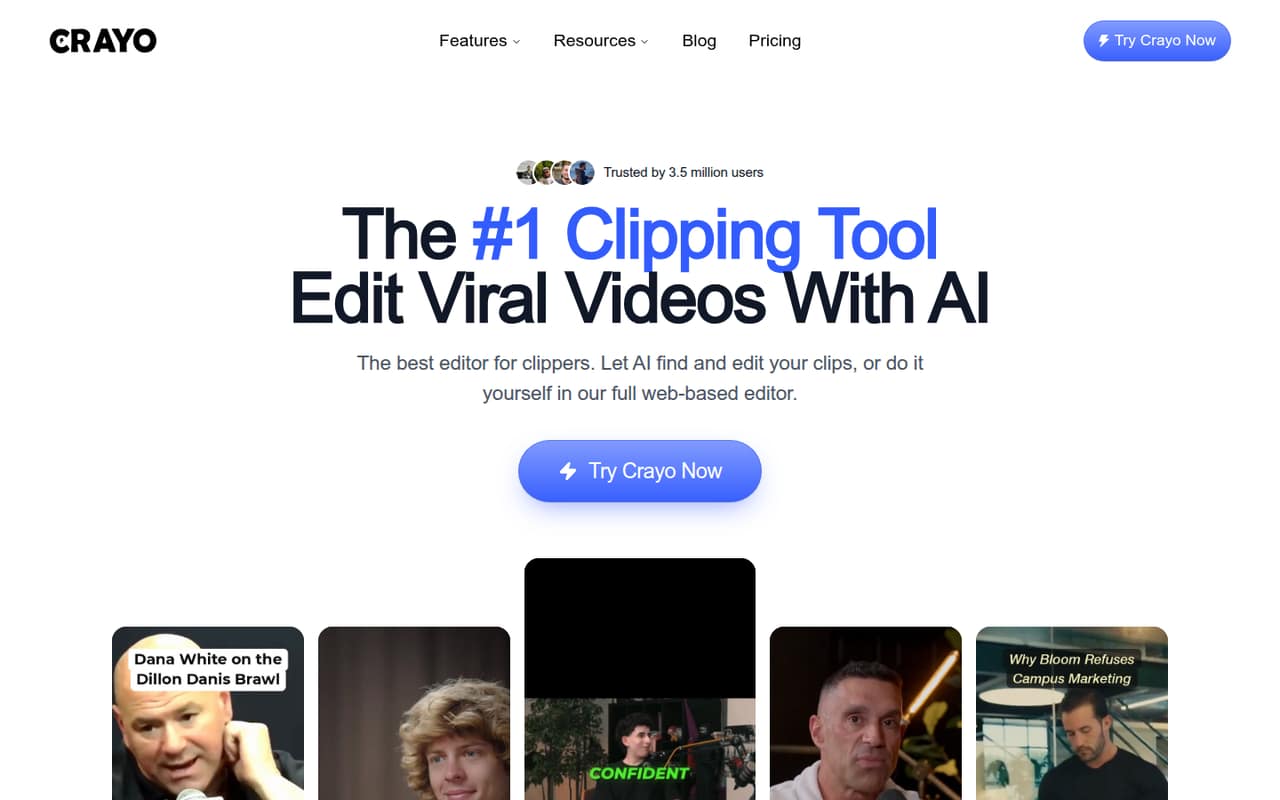
Crayo can find moments in videos, turn them into short clips, add captions and titles, and let you edit in a browser. It also offers voiceovers, audio enhancement, and an iPhone export workflow, according to the homepage.
The pricing page lists plans from $29 per month, with usage allowances that may suit a solo creator better than a busy team. There’s no free plan listed, and the vendor doesn’t publish seat allowances, so check how team access works before budgeting.
Good fit if
- Solo creators making short clips
- Small teams repurposing long videos
- Creators who want AI captions
Skip it if
- Teams needing a free plan
- Editors who need clear seat pricing
- High-volume teams on tight budgets
ScoresHow it rates
What works
- Finds and scores moments for short clips
- Combines clipping, captions, and editing
- Browser-based multi-track editing
- Offers AI voiceovers and speech enhancement
- Three monthly plans with published usage limits
What doesn't
- No free plan or trial is listed
- Annual prices are not published
- Seat allowances and per-seat pricing are unclear
- One-time credit top-up prices are not published
- Monthly export, voiceover, and credit limits apply
01Who Crayo is for
Crayo is aimed at creators who turn longer videos into short-form clips, whether they work alone or share that job with a small team. It can find moments automatically, score moments for review, and help edit clips in a browser-based timeline. Captions, titles, effects, voiceovers, and audio cleanup are part of the toolset.
For a one- to five-person team, the fit depends on how often you publish and how much video you process. A solo creator can start with the $29-a-month Hobby plan. Teams should check the seat terms with Crayo before treating that as a shared subscription: the vendor doesn’t publish seat allowances or per-seat pricing in the listed plan details. Crayo is less appealing if your budget requires a free tier or predictable annual costs. Its workflow credits, export hours, voiceover minutes, image allowances, and storage give buyers concrete limits to compare against their workload.
02Crayo free plan and trial
Crayo doesn’t list a free plan or free trial. That means a small team can’t use a no-cost tier to check whether its clip-finding and editing workflow fits before paying. The cheapest listed way in is Hobby at $29 per month, or a quarterly billing option listed at $57. The vendor doesn’t publish an annual price.
Hobby includes 250 workflow credits, 2 export hours, 30 voiceover minutes, 100 AI images, and 25GB of storage per month. Those are the published limits, not an unlimited editing allowance. If you want to try the product with more room for exports or voiceovers, the next listed monthly plan is Clipper at $59. Ask the vendor whether a demo or other evaluation option is available before committing.
03What a small team pays for Crayo
The pricing page lists monthly prices of $29 for Hobby, $59 for Clipper, and $129 for Pro. If each creator needs a separate subscription, the simple monthly math for three people is $87, $177, or $387; for five, it’s $145, $295, or $645, respectively. These are conditional totals, not confirmed team quotes: Crayo doesn’t publish seat allowances or say whether a plan can be shared.
For one person, the listed monthly price is the plan price. The site also lists quarterly billing at $57, $117, and $237 for those plans; annual prices are not published. Hobby provides 250 workflow credits and 2 export hours monthly. Clipper raises that to 1,000 credits and 10 export hours; Pro offers 3,000 credits and 30 export hours. One-time credit top-ups are mentioned, but their prices aren’t published. Check seat terms and top-up pricing before setting a team budget.
04Getting started with Crayo
Crayo describes a browser-based editor with a timeline for cutting, splitting, and rearranging clips. That means the editing workflow is presented as browser-based rather than as a desktop application. The homepage also says users can clip, caption, and export from an iPhone. AutoClip is designed to find moments, frame clips, and add captions and titles in one pass; users can also choose moments and edit them.
The vendor doesn’t publish setup steps, onboarding time, or a required integration list in the product details. We’d plan to bring a source video and decide who will review and edit the generated clips, then confirm supported file sources and team access with Crayo. Captions, voiceovers, and speech enhancement are built-in features, but no specific connection to a publishing platform or team collaboration service is listed. The product description suggests a focused editing workflow; the exact learning curve isn’t published.
05When small teams outgrow Crayo
The first pressure point is usage. Hobby includes 2 export hours and 250 workflow credits each month; a team that regularly exceeds either allowance may need to consider Clipper, with 10 export hours and 1,000 credits, or Pro, with 30 export hours and 3,000 credits. Voiceover minutes, AI images, and storage also have plan limits, so compare all five allowances with your workload before moving up.
The next pressure point is cost and access. Monthly list prices rise from $29 to $59 to $129, but the vendor doesn’t publish how many people each plan covers. If every team member needs a separate subscription, those prices multiply quickly; if a plan supports shared access, confirm the terms directly. Annual prices and credit top-up prices aren’t published either. A growing team may need to move on if it requires known seat costs, a free evaluation tier, or published annual budgeting options.
Questions people ask
What does Crayo do?
Crayo helps turn videos into short-form clips. Its tools can find moments, score moments for review, add captions and titles, and let users edit on a browser-based multi-track timeline. It also offers AI voiceovers, effects, and speech enhancement.
Is Crayo free?
The pricing information lists no free plan or free trial. The cheapest listed monthly option is Hobby at $29 per month. It includes monthly limits for workflow credits, export hours, voiceover minutes, AI images, and storage.
How much does Crayo cost for a team?
The listed monthly plan prices are $29 for Hobby, $59 for Clipper, and $129 for Pro. Crayo doesn’t publish seat allowances or per-seat pricing, so a team should confirm whether a plan covers multiple people before multiplying the price or signing up.
Can I edit clips manually in Crayo?
Yes. Crayo describes a browser-based multi-track editor for cutting, splitting, and rearranging clips. Users can also choose moments themselves rather than relying only on automatic clip selection, then create or style captions.
Does Crayo have annual billing?
The vendor lists monthly prices and quarterly billing amounts, but annual prices aren’t published. If your team needs an annual quote or wants to know how billing periods affect the total, ask Crayo before choosing a plan.