
We may earn a commission if you buy through links on this page. It never changes a score or a ranking. How we make money
The bottom line
A broad visual workspace with a workable free tier and paid prices Creately doesn’t publish.
Creately brings diagrams, process maps, org planning, and shared work onto one visual canvas. Its free plan includes all diagram types and real-time collaboration, but limits diagrams to 45 shapes.
For a small team that needs more room, Pro adds unlimited shapes and diagrams, exports, and one connected data source. Creately doesn’t publish plan prices, so we can’t tell you what a few seats cost. One Reddit thread includes both praise for the fit and concerns about subscription costs and a reported document-loss incident.
Good fit if
- Teams mapping processes and systems
- Small teams testing visual workflows
- Organizations linking policies to requirements
Skip it if
- Teams needing a known seat price
- People who need more than 45 free shapes
- Teams requiring confirmed recovery guarantees
ScoresHow it rates
What works
- Free plan includes all diagram types
- Real-time collaboration is included for free
- Pro removes shape and diagram limits
- Pro includes PDF, SVG, PNG, and JPEG exports
- Business adds admin controls and an audit log
What doesn't
- Creately doesn’t publish monthly or annual plan prices
- Free diagrams are limited to 45 shapes
- Pro includes only one connected data source
- Named integrations and setup time aren’t published
- One Reddit commenter reports losing most of a diagram
01Who Creately is for
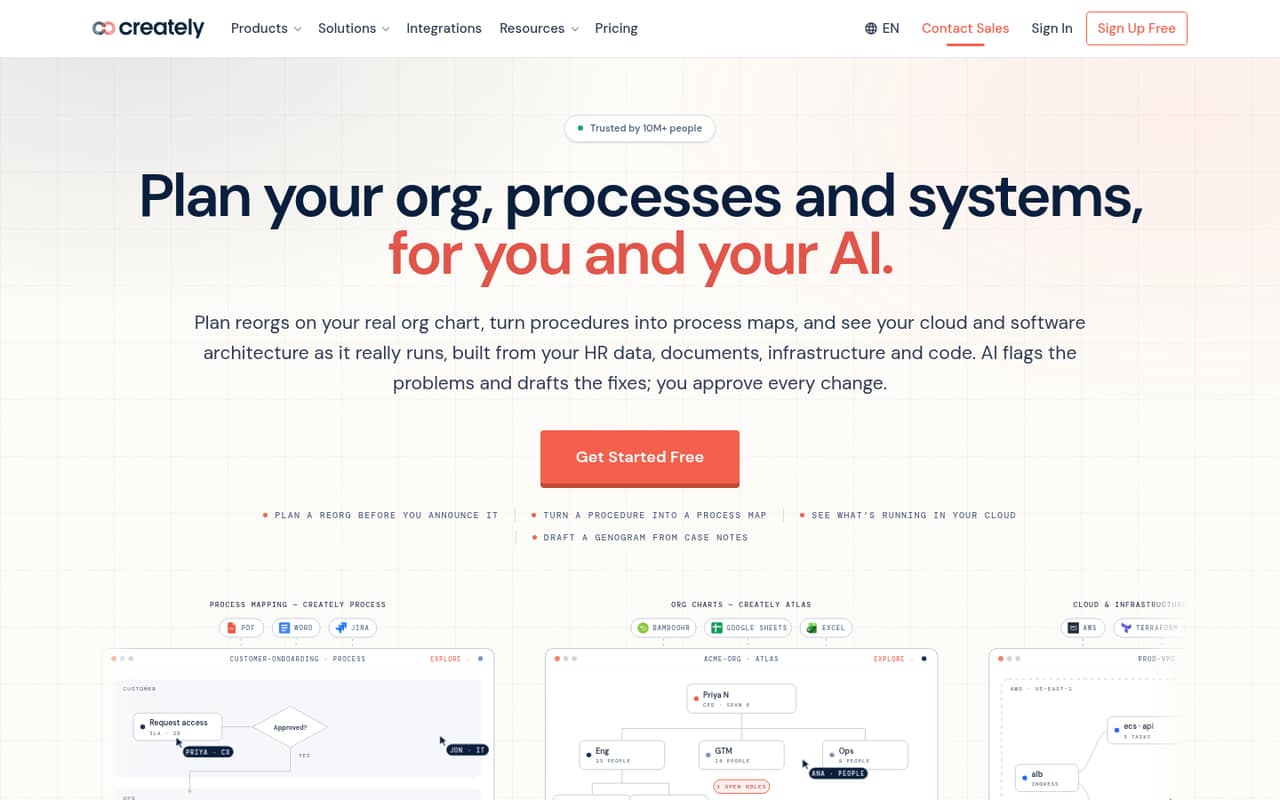
Creately is worth considering if a small team needs more than a basic diagram tool. It combines org charts, process maps, mind maps, cloud architecture, compliance mapping, and general diagrams in a shared visual workspace. The product also describes turning existing data and documents into visuals, with AI that can flag issues or draft changes for review.
For a team of one to ten, the free plan is a low-commitment way to see whether the canvas fits its work. It includes all diagram types and real-time collaboration, though each diagram is capped at 45 shapes. Pro is aimed at professionals and small teams that need unlimited shapes and diagrams, exports, or a connected data source. Creately may suit teams planning processes or systems; teams that mainly need a simple diagram and a predictable subscription bill may prefer a tool with published prices.
02Creately free plan and trial
Creately’s Free plan is listed as free forever. It includes all diagram types, basic features and AI tools, real-time collaboration, and up to 45 shapes per diagram. That gives a small team a way to make and share diagrams without paying, as long as the shape cap works for its projects.
The main limit is per diagram, not a stated limit on how many people can collaborate. Creately doesn’t publish a general free-trial offer in the plan details. Enterprise is listed with 30-day product evaluations, but that’s for organizations considering Enterprise, not a general Pro trial. If a diagram needs more than 45 shapes, the listed step up is Pro, which removes shape and diagram limits. Its price isn’t published.
03What a small team pays for Creately
Creately lists Free, Pro, Business, and Enterprise, and its pricing page offers monthly and annual billing options. It doesn’t publish prices for Pro or Business, so we can’t calculate the cost for one person or a team of three or five, either monthly or annually. The page also doesn’t establish whether the plans are billed per seat, so multiplying an unknown per-seat rate would be guesswork.
For a small team, Pro is the plan to compare first: it includes unlimited shapes and diagrams, one connected data source refreshed daily, exports to PDF, SVG, PNG, and JPEG, plus private links and email invitations. Business adds unlimited connected data sources, admin controls, roles, shared governance, an audit log, and priority support. Enterprise uses custom pricing and an annual agreement. The pricing page lists no add-ons. Before budgeting, ask Creately for the total price for your team size, whether billing is per seat, and what annual billing changes.
04Getting started with Creately
A team can start with one of the listed diagram types and invite collaborators on the Free plan, which includes real-time collaboration. For work that depends on connected data, Pro lists one data source refreshed daily; Business lists unlimited connected data sources. Creately describes using staff spreadsheets for org charts and procedures for process maps, but setup steps and time estimates aren’t published.
The learning curve is hard to judge from the plan details alone. Creately covers several kinds of visual work, so teams should agree on which diagrams they want to maintain and who owns updates before building a large shared workspace. The listed plan features don’t name specific integrations, so check with Creately about compatibility with the spreadsheets, documents, or systems your team already uses. We’d confirm that before choosing a paid plan, especially if linked data is central to the workflow.
05When small teams outgrow Creately
The first clear reason to upgrade is a diagram that needs more than 45 shapes: Free has that limit, while Pro lists unlimited shapes and diagrams. Pro is also the listed step up for a team that wants exports or one connected data source. A team that needs multiple connected sources, admin controls, roles, shared governance, an audit log, or priority support would need Business. The unknown prices make it difficult to tell when those upgrades still fit a small-team budget.
A Reddit thread raises a separate reason to be cautious. One commenter said a problem while collapsing blocks deleted most of a UML diagram, including comments and data, and said there was no way to recover it. That is one user’s report, not proof of a general issue, but it’s a sensible reason to ask Creately about version history, backups, and recovery before storing important work there. The commenter also described it as not their first issue.
Questions people ask
Does Creately have a free plan?
Yes. Creately lists a Free plan as free forever. It includes all diagram types, basic features and AI tools, and real-time collaboration. Each diagram can have up to 45 shapes. If you need unlimited shapes and diagrams, Creately lists Pro as the next plan, but its price isn’t published.
How much does Creately cost for a small team?
Creately doesn’t publish prices for Pro or Business, so the cost for one person or a team of three or five can’t be calculated from its listed pricing. It offers monthly and annual billing options, but doesn’t specify per-seat costs there. Ask Creately for a quote for your team size and billing term.
Does Creately offer a free trial?
The plan details list a Free plan but no general free trial. Enterprise includes 30-day product evaluations, which are intended for organizations considering that plan. If you want to try Pro before paying, ask Creately whether an evaluation is available for your account and what happens to your work afterward.
What does Creately Pro include?
Pro lists unlimited shapes and diagrams, one connected data source refreshed daily, PDF, SVG, PNG, and JPEG exports, private links, and email invitations. The plan is described for professionals and small teams. Creately doesn’t publish its price in the listed plan details, so confirm the cost and billing terms directly.
Can a team recover a deleted Creately diagram?
Creately’s listed plan features don’t specify diagram recovery or version-history details. One Reddit commenter reported losing most of a UML diagram after an issue while collapsing blocks and said they couldn’t recover it. Before storing important work, ask Creately about backups, version history, and what support can restore.