
We may earn a commission if you buy through links on this page. It never changes a score or a ranking. How we make money
The bottom line
A capable free starting point for event games, with paid costs that climb for larger groups.
A small team only needs Crowdpurr if live trivia, polls, bingo, or similar audience activities are part of its events. The always-free Basic plan covers small experiences, and participants can join in a browser by QR code or URL.
The catch is scale: Basic caps experiences at 20 participants, while a team of three needs the five-member Seminar plan at $149.99 per month for monthly billing. Annual billing lowers that to $899.94 per year, but that is still a meaningful event-tool expense.
Good fit if
- Small events with up to 20 participants
- Teams running interactive audience games
- Hosts who need live results and rankings
Skip it if
- Teams needing more than two paid seats cheaply
- Events regularly exceeding 500 participants
- Teams needing published integration details
ScoresHow it rates
What works
- Basic is free, with no trial countdown
- Participants join through a QR code or URL
- Supports trivia, polls, bingo, and other experiences
- Live results and leaderboards suit event screens
- Results can be exported to a spreadsheet
What doesn't
- Basic is limited to 20 participants per experience
- Classroom includes only two team members
- A three-person team must buy Seminar
- Streaming minutes are capped on every listed plan
- Additional streaming-minute prices are not published
01Who Crowdpurr is for
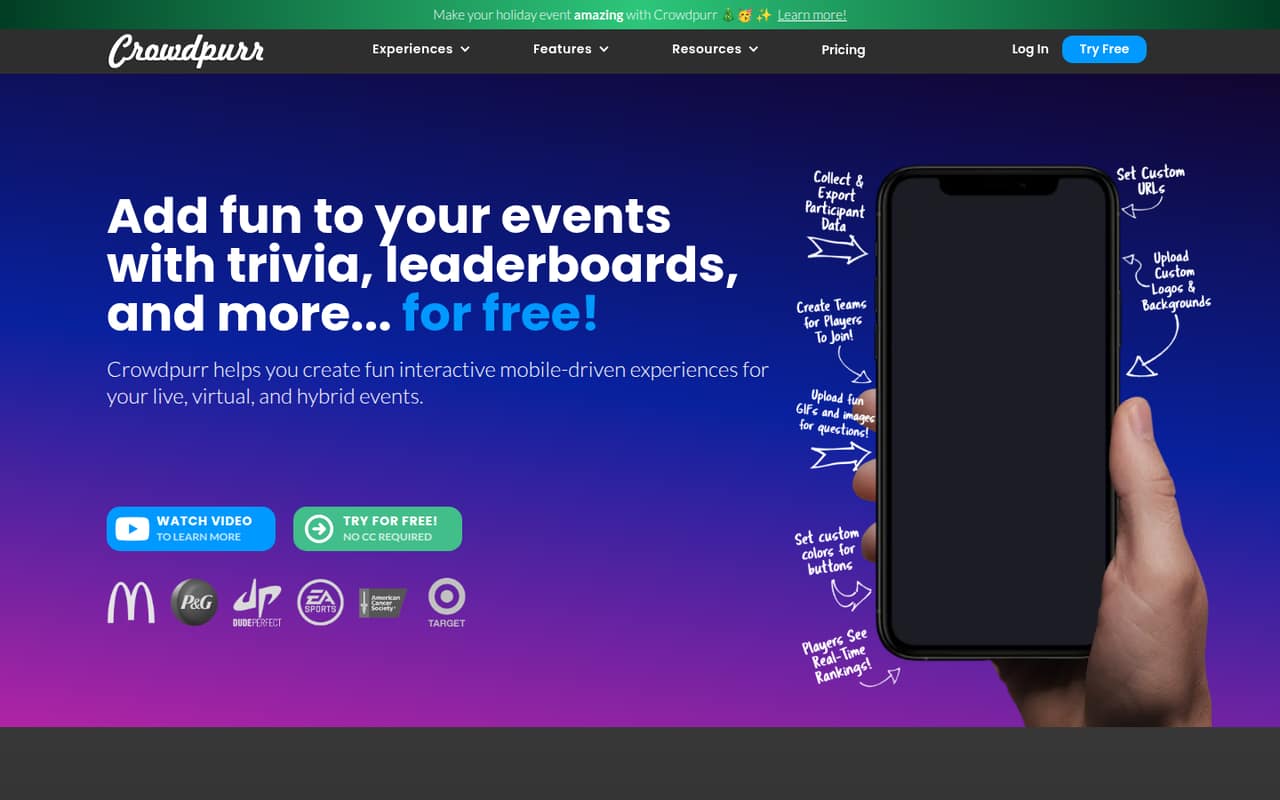
Crowdpurr is for a small team that runs live, virtual, or hybrid events and wants attendees to take part rather than just watch. It puts trivia, polls, bingo, and other interactive experiences in a web-based dashboard. Hosts can show a presentation view with live results and leaderboards, while attendees join in a browser through a QR code or event URL.
The free Basic plan is a sensible starting point for a small event: it allows 20 participants per experience and three simultaneous experiences. For a team that needs more room, Classroom allows 100 participants per experience and two team members. That seat limit matters: a team of three needs to look at Seminar, which includes five team members and costs $149.99 per month with monthly billing. Crowdpurr makes most sense when audience interaction is a regular part of the event, not just a one-off activity that could be handled with a simpler tool.
02Crowdpurr free plan and trial
Crowdpurr lists Basic as free, with no end date stated. It includes 20 participants per experience, 15 questions per experience, three simultaneous experiences, and 15 streaming minutes per month. That is enough capacity to try a small trivia round, poll, or bingo activity, but it puts a firm ceiling on attendee count and streaming use.
The next listed plan, Classroom, raises the limits to 100 participants and 100 questions per experience, with 10 simultaneous experiences and 30 streaming minutes per month. It also includes two team members. The pricing information does not list a separate free trial, so teams can start with Basic rather than rely on a trial period. If your events need more than 20 participants or you need more than 15 streaming minutes monthly, check whether Classroom fits before planning around the free tier.
03What a small team pays for Crowdpurr
Classroom costs $49.99 per month with monthly billing, or $299.94 per year with annual billing, listed as $24.99 per month. It includes two team members. For one paid user, that works out to $49.99 monthly or $299.94 for the year; with both included seats used, the cost is about $25 per seat monthly or $149.97 per seat annually.
A three-person team exceeds Classroom’s seat limit, so the lowest listed plan with enough seats is Seminar. It costs $149.99 monthly or $899.94 annually, listed as $74.99 per month, and includes five team members. For three actual users, that is about $50 per person monthly, or $299.98 per person per year. For five users, it is about $30 per person monthly, or $179.99 per person per year. Seminar also raises capacity to 500 participants per experience and includes 60 streaming minutes monthly. Extra streaming minutes are available à la carte, but the price is not published.
04Getting started with Crowdpurr
Crowdpurr’s setup is centered on a web-based event dashboard: hosts configure and run experiences there, then participants join from a browser using a QR code or event URL. The presentation view is designed to display the activity on a screen or in a virtual meeting, with live responses and rankings available during the experience. That gives a small team a clear basic workflow: configure an activity, share the join link or QR code, and display the event view.
The pricing information does not state how long setup takes, and the vendor does not publish integration details on the vendor's site. Teams that need a specific meeting platform, registration system, or data connection should ask Crowdpurr which integrations are supported before buying. Lead capture can collect names, emails, phone numbers, and custom fields; results can be exported to a spreadsheet. The browser-based joining flow avoids asking participants to install an app, but hosts should still check the dashboard and presentation options against their event setup.
05When small teams outgrow Crowdpurr
The first upgrade trigger is usually attendance: Basic stops at 20 participants per experience, and Classroom raises that to 100. Teams that need more than 100 participants move to Seminar, which supports 500. The other pressure point is staff access. Classroom includes two team members, so even a three-person team has to pay for Seminar’s five seats rather than add a single seat to the cheaper plan.
Streaming limits can also matter for events that run long or happen often: the listed plans include 15, 30, and 60 minutes per month, respectively. Crowdpurr says extra live-streaming minutes are available à la carte, but does not publish their price. In one Reddit thread, a person looking for live bingo for 100 people said they did not have a budget for $150 per month. That is a useful warning for budget-conscious organizers, though the post does not confirm which Crowdpurr plan the person had in mind. Ask about your expected audience, streaming use, and seat needs before committing.
From the threadsWhat users say
The available Reddit discussion reflects concern about the cost of accommodating a 100-person bingo event. It is a single request for advice, not a broad report on product satisfaction, so the overall sentiment signal is limited.
I do not have a budget to pay $150 USD per month and need to accommodate 100 people to play
Questions people ask
What does Crowdpurr’s free plan include?
Basic is listed as free and includes 20 participants per experience, 15 questions per experience, three simultaneous experiences, and 15 streaming minutes per month. It is suited to smaller activities, but teams needing more attendees, questions, or streaming time will need to check the paid tiers.
Does Crowdpurr offer a free trial?
The listed Basic plan is free, and the pricing information does not list a separate free trial. Basic has limits of 20 participants per experience and 15 streaming minutes per month. If you need higher limits before paying, ask Crowdpurr whether it offers a trial or another way to evaluate a paid plan.
How much does Crowdpurr cost for a small team?
Classroom costs $49.99 per month or $299.94 per year and includes two team members. Seminar costs $149.99 per month or $899.94 per year and includes five team members. The pricing page lists annual billing equivalents of $24.99 and $74.99 per month, respectively.
How do participants join a Crowdpurr event?
Participants can scan a QR code or enter an event URL in a browser. Crowdpurr’s product description says hosts run activities from a web-based dashboard and can display a presentation view for an event screen or virtual meeting. Ask the vendor about any specific meeting or event-platform integration you need.
Can Crowdpurr collect attendee details and export results?
Yes. Crowdpurr’s listed features include lead capture for names, email addresses, phone numbers, and custom fields. Hosts can view live responses and leaderboards, then export event results to a spreadsheet. Check with the vendor if you need a specific export format or a connection to another system.