
We may earn a commission if you buy through links on this page. It never changes a score or a ranking. How we make money
The bottom line
Free tools cover basic PDF jobs; Professional costs $49.95 per license, one time.
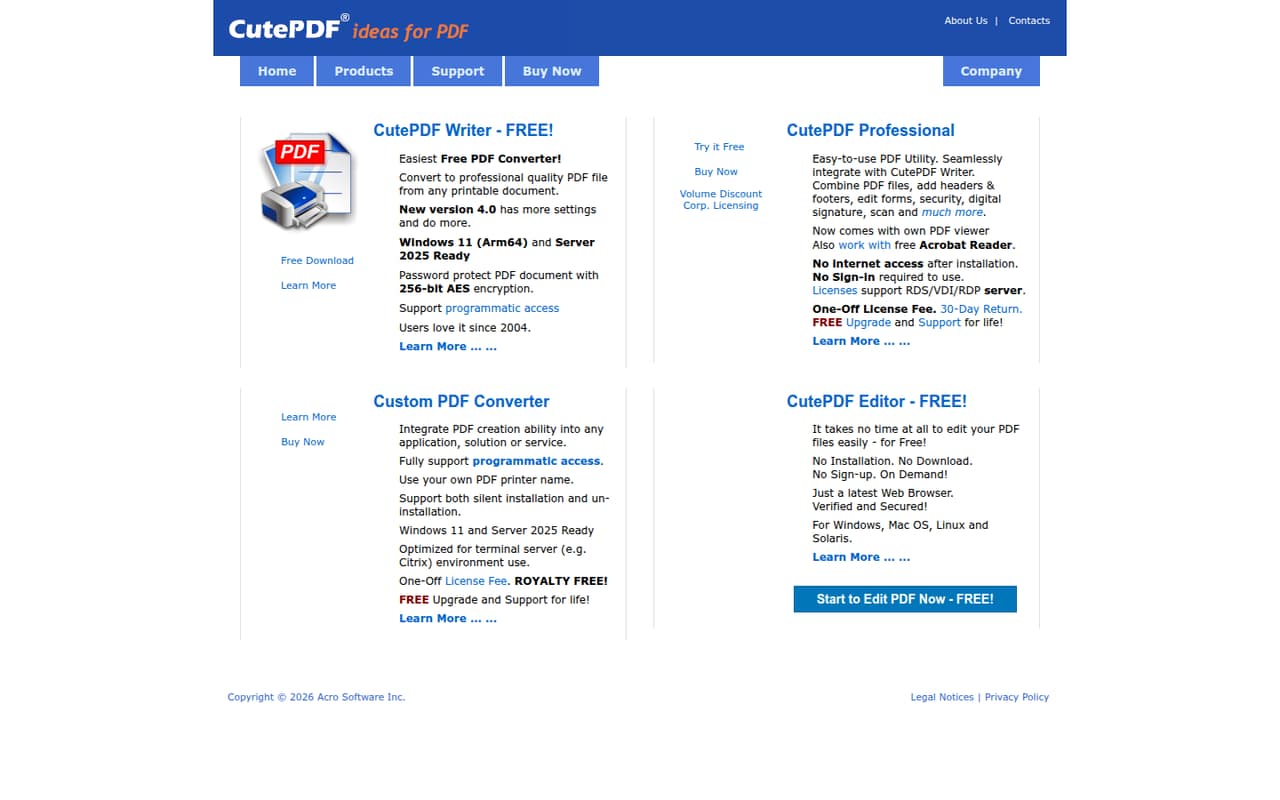
CutePDF offers a free PDF printer and browser editor for straightforward tasks, plus Professional for combining and editing PDFs, forms, headers, footers, and security. The product description also lists programmatic access through Writer and Custom PDF Converter.
Professional starts at $49.95 for one license, with lower per-license prices for larger orders and lifetime upgrades and support. For small teams, the key checks are whether its form tools fit your workflow and whether you need team features beyond individual PDF utilities.
Good fit if
- Teams converting printable documents
- Occasional PDF edits in a browser
- Buyers preferring a one-time license
Skip it if
- Teams needing a free Pro tier
- Complex fillable-form workflows without confirmation
- Teams requiring documented shared administration
ScoresHow it rates
What works
- Free Writer converts printable documents to PDFs
- Free online editor needs no installation or sign-up
- Professional combines PDFs and edits forms
- Writer supports 256-bit AES password protection
- Professional includes lifetime upgrades and support
What doesn't
- Professional starts at $49.95 per license
- No monthly or annual billing is listed
- No Professional free trial is listed
- A Reddit user reports a fillable-form limitation
- Published product details do not list team administration features
01Who CutePDF is for
CutePDF suits a small team of one to 10 people when the main job is making PDFs from printable documents, combining files, or handling occasional edits. CutePDF Writer is a free PDF printer; Professional is a one-time paid utility for more editing and customization. The free online editor can handle browser-based edits without installation or sign-up.
For a budget-conscious team, the free tools may cover basic conversion and simple edits. Professional makes more sense when you need to combine PDFs, edit forms, add headers or footers, or use digital signatures. It also supports password protection with 256-bit AES encryption through Writer, and the product description lists programmatic access for Writer and Custom PDF Converter. The vendor describes document tools rather than a shared team workspace, so teams that need coordinated review or centralized administration should check those requirements before buying.
02CutePDF free plan and trial
CutePDF does not list a free plan for Professional or a free trial on its pricing page. It does offer separate free tools: CutePDF Writer creates PDFs from printable documents, and the online editor lets users edit PDFs in a browser without installation or sign-up. Those tools can be enough if your team mainly converts documents or needs occasional basic editing.
For combining PDFs and using the Professional features, the cheapest paid option is one license for $49.95, charged once. The Professional license includes a Form Filler, free upgrades, and support for life. The vendor does not list a trial, so confirm that the paid features cover your specific workflow before purchasing.
03What a small team pays for CutePDF
The pricing page lists CutePDF Professional at $49.95 for one license, paid once. For a few people, the 2–14 license tier is $45 each: assuming one license per person, three people cost $135 upfront, and five cost $225 upfront. The page lists no monthly or annual billing, so there is no recurring seat-price calculation to add.
The next price break is $40 per license for 15–49 licenses, followed by $36 each for 50–249. For a 1–10-person team, the $45 tier is the practical group price. The license includes Form Filler, free upgrades, and support for life. CutePDF lists no paid add-ons on its pricing page. Its free Writer and online editor remain options for basic tasks, but they are not a free Professional tier.
04Getting started with CutePDF
For basic conversion, CutePDF Writer’s printer approach means the source document needs to be printable; the vendor describes Writer as creating PDFs from printable documents. The online editor has less setup: CutePDF says it works in a browser without installation or sign-up. The product description does not publish an onboarding time or a detailed deployment process.
Professional adds more choices, including combining PDFs, editing forms, adding headers and footers, and digital signatures. Programmatic access is listed for Writer and Custom PDF Converter, but the vendor does not detail the integration steps in its product description. A Windows 98 Reddit thread asks whether a compatible version exists, so teams on older systems should confirm OS support with CutePDF. For ordinary office use, verify the installation and required features before rolling it out to everyone.
05When small teams outgrow CutePDF
CutePDF may stop fitting when PDF work depends on shared review, centralized team controls, or a documented workflow across several people. The vendor’s listed features focus on creating and editing PDFs; its product description does not list shared workspaces or team administration. Ask CutePDF about those needs before making it a team standard.
The per-license cost rises with headcount: at the 2–14 tier, 10 licenses would cost $450 once. That is not a recurring bill, but a growing team should still compare the upfront spend with its actual use. Reddit discussions also flag workflow questions: one paid user said CutePDF did not meet their particular fillable-form need. Another poster raised concerns about finding a safe download, while a separate post asks about Windows 98 support. Those comments do not establish product-wide problems, but they are good reasons to verify forms, compatibility, and download sources before expanding use.
From the threadsWhat users say
The available Reddit discussion is sparse and mixed, with a strongly negative post and specific concerns about forms, compatibility, and safe downloads. One poster says CutePDF had worked well for occasional PDFs, but that positive note does not resolve the workflow questions raised by other users.
Really? Fuck you CutePDF!
but apparently to best I can figure, it cannot do this
CutePdf worked well
I don't want to take risk and install some malware
Questions people ask
Is CutePDF Writer free?
Yes. CutePDF Writer is described as a free PDF printer that creates PDFs from printable documents. The paid CutePDF Professional license is separate and starts at $49.95 one time. Writer is a free tool, not a free Professional plan, so check which features your team needs before choosing.
Does CutePDF offer a free trial?
The pricing page lists a one-time Professional license but does not list a free trial. You can use the free Writer and online editor for their respective PDF tasks, but those are separate free tools, not a time-limited Professional trial. If you need to confirm a specific paid feature, ask CutePDF before purchasing.
Can CutePDF create fillable PDFs?
CutePDF Professional can edit forms, but the product description does not explicitly say it can create a fillable form from another file. One paid user on Reddit said it did not work for their particular fillable-PDF task. If form creation is your main requirement, ask the vendor to confirm that workflow before buying.
How much does CutePDF cost for a team of three?
Assuming one license per person, three licenses fall in CutePDF’s 2–14 tier at $45 each, or $135 upfront. The pricing page lists this as a one-time license fee, not monthly or annual billing. The license includes Form Filler, free upgrades, and support for life.
Can I use CutePDF online?
Yes. CutePDF’s free online editor works in a browser without installation or sign-up. CutePDF Writer is a separate PDF printer for creating PDFs from printable documents. The vendor describes Professional as a paid utility, so check with CutePDF if you need to know whether a particular Professional task is available in a browser.