
We may earn a commission if you buy through links on this page. It never changes a score or a ranking. How we make money
The bottom line
Worth considering for varied image work; check credit costs before relying on it at scale.
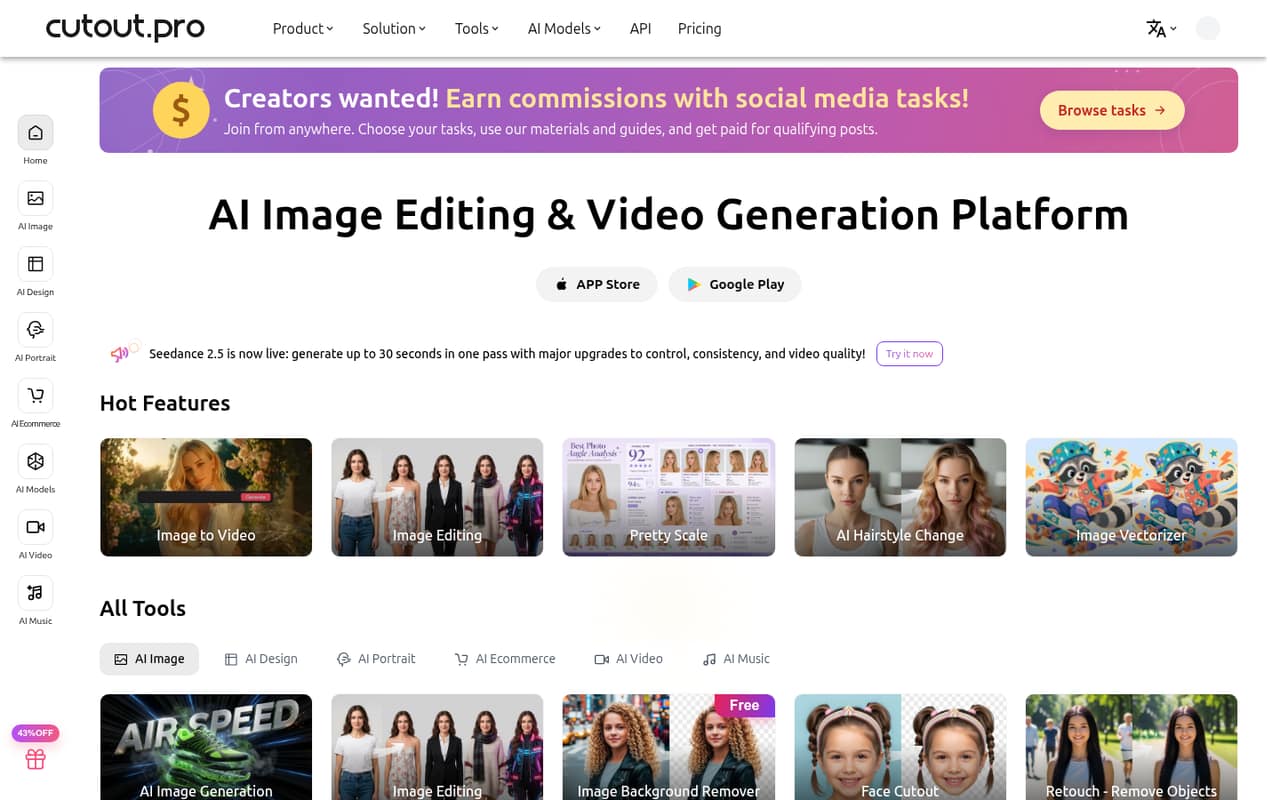
Cutout.Pro brings background and object removal, photo enhancement, image generation, and video tools under one roof. The free account is useful for a first look, while regular use starts at $5 monthly for 80 credits.
For a small team, the sticking point is predictability: subscription plans list credit balances, but not how many credits each tool uses. Reddit users have also raised privacy concerns, though the posts do not establish what happened.
Good fit if
- Small teams editing product images
- Creators needing several AI tools
- Occasional image cleanup
Skip it if
- Teams needing predictable per-edit costs
- Businesses requiring published seat pricing
- Privacy-sensitive teams without vendor answers
ScoresHow it rates
What works
- Free Account includes five credits
- Free previews are available forever
- Background removal covers images and video
- Monthly plans start at $5
- Pay-as-you-go credits are available forever
What doesn't
- Credit use per tool is not published
- Seat pricing is not published
- Annual billing prices are not shown
- Free Account includes only five credits
- Reddit users have raised privacy concerns
01Who Cutout.Pro is for
Cutout.Pro is aimed at people who need several kinds of visual editing without assembling separate tools for every job. It offers background and object removal, photo enhancement and upscaling, image generation, and video creation or editing. Its e-commerce tools include virtual models, product images, staging, and auto-design.
That makes it worth a look for a one-to-five-person shop, small marketing team, or creator with a modest software budget and a mix of product and promotional imagery. The entry subscription is $5 per month for 80 credits, and the Free Account comes with five credits. But a credit balance is not the same as a set number of edits: Cutout.Pro does not publish per-tool credit costs in the listed pricing. For a team of up to 10, check how accounts and shared credits work before budgeting. Seat pricing is not published, so we would not assume one subscription covers everyone.
02Cutout.Pro free plan and trial
The Free Account includes five free credits, free previews forever, and the option to invite friends to earn five credits. There is no separate free-trial term listed. That makes the free tier a low-commitment way to see previews and try a small amount of credit-based work, rather than a clear ongoing allowance for a busy team.
Cutout.Pro does not publish how many credits each editing tool uses in the listed pricing, so five credits cannot be translated into a reliable number of finished images or videos. If you need ongoing editing, the cheapest paid option is Subscription — 80 credits at $5 per month. There is also a Pay as you go — 30 credits pack for $4.99; those credits are available forever. Choose based on whether you want a monthly balance or credits that do not expire.
03What a small team pays for Cutout.Pro
The cheapest subscription is Subscription — 80 credits at $5 per month. That is $5 for one person; if three people each need their own subscription, the arithmetic is $15 monthly, and five separate subscriptions would be $25. These are illustrative totals, not published team or seat quotes: Cutout.Pro does not list per-seat pricing or say whether credits can be shared. No annual billing price is shown.
A heavier user can move to Subscription — 170 credits for $9.90 monthly, Subscription — 300 credits for $16.90, or Subscription — 1,000 credits for $49. Each plan lists unused-credit rollover up to five times its monthly budget. Pay-as-you-go packs start at $4.99 for 30 credits, with credits available forever. The main budgeting variable is how quickly each tool uses credits; that cost per task is not published in the plan details. No add-ons are listed, but ask Cutout.Pro about account access, shared balances, and likely credit use before buying for a group.
04Getting started with Cutout.Pro
For a small team, the first decision is which job to try: background removal, object cleanup, photo enhancement, image generation, or one of the video tools. The Free Account offers five credits and free previews forever, so a team can start with limited exposure before choosing a paid plan. Cutout.Pro also lists apps and API access, which may matter if you want to connect tools to an existing workflow.
The vendor does not publish a setup time or a required-integration list in its pricing details. Nor is a step-by-step setup path described there, so we would avoid promising that an API workflow is a quick setup. For a basic evaluation, agree on one or two sample tasks and track the credits used; ask the vendor about API requirements and team access if those are part of the plan. The learning curve will depend on which tools your team needs.
05When small teams outgrow Cutout.Pro
The first sign to revisit the plan is frequent credit exhaustion. Subscription plans range from 80 to 1,450 credits monthly, with a custom option for other requirements, but the listed pricing does not say how many credits individual tools consume. Without that detail, it is difficult to forecast image or video volume or tell when a bigger plan is cheaper than pay-as-you-go packs.
A growing team may also need clear seat rules, shared credits, or a formal account structure. Cutout.Pro does not publish seat pricing in its listed plans, so ask how multiple people can work under one subscription before multiplying the solo price across a team. Reddit users have posted concerns about alleged information leaks, but those posts do not verify the cause or scope. If privacy is central to your work, get answers from the vendor before uploading sensitive material. Custom credit requirements are available by contacting Cutout.Pro.
From the threadsWhat users say
The small amount of Reddit discussion we found is mixed but leans negative: users raise privacy concerns, while one commenter offers general reassurance about email exposure. These posts are individual reports, not verification of a breach or a broad measure of customer sentiment.
Dont use it, got my info leaked in the darkweb cuz ofit
I got really scared
Your email address on its own is gonna get out one way or another
It was only my name got leaked
Questions people ask
Does Cutout.Pro have a free plan?
Yes. The Free Account includes five free credits, free previews forever, and the option to invite friends to earn five credits. Cutout.Pro does not list how many credits each tool uses in its pricing details, so check the balance against the specific task you want to try.
How much does Cutout.Pro cost per month?
The lowest paid monthly subscription is Subscription — 80 credits for $5. Other listed subscriptions include 170 credits for $9.90 and 300 credits for $16.90 per month. Cutout.Pro does not show an annual billing price, and custom credit requirements require contacting the vendor.
Can I buy Cutout.Pro credits without a subscription?
Yes. Pay-as-you-go packs start at 30 credits for $4.99, and the pricing page says those credits are available forever. Larger listed packs include 300 credits for $39 and 900 credits for $79. The number of credits each tool uses is not listed in the plan details.
What can Cutout.Pro edit?
Cutout.Pro lists tools for removing image and video backgrounds, removing unwanted objects, enhancing and upscaling photos, generating images, and creating or editing videos. Its e-commerce imagery tools include virtual models, product images, staging, and auto-design.
Can a team share one Cutout.Pro subscription?
The listed plans are priced by monthly credit balance, not by published seat count. Cutout.Pro does not state in its pricing details whether multiple people can share an account or pool credits. Ask the vendor about account access and shared balances before using the solo subscription price to budget for a team.