
We may earn a commission if you buy through links on this page. It never changes a score or a ranking. How we make money
The bottom line
Cypress is a strong browser-testing fit for small developer-led teams that can start on its free plan.
Small teams that need end-to-end, component, or API tests in a real browser can start with Cypress without paying. Its free Starter plan lists 10 users, 500 test results a month, and 100 prompt executions a month.
The first paid step is Team: $799 a year, shown as $67 a month when billed annually. That flat plan includes up to 50 users, so it can be good value for a small group, but standalone monthly pricing and premium add-on prices are not published.
Good fit if
- Developer-led web testing teams
- Teams starting with a free plan
- Small groups needing CI test results
Skip it if
- Teams needing published monthly pricing
- Teams requiring broad mobile automation
- Teams needing premium coverage at a known cost
ScoresHow it rates
What works
- Free Starter plan lists 10 users
- Tests end-to-end, components, and APIs
- Interactive browser execution helps inspect tests
- Team plan includes Jira integration
- CI failures can be replayed with captured details
What doesn't
- Team's listed price requires annual billing
- Standalone monthly rates are not published
- Free plan caps results at 500 monthly
- UI Coverage and Accessibility cost extra
- Premium add-on prices are not published
01Who Cypress is for
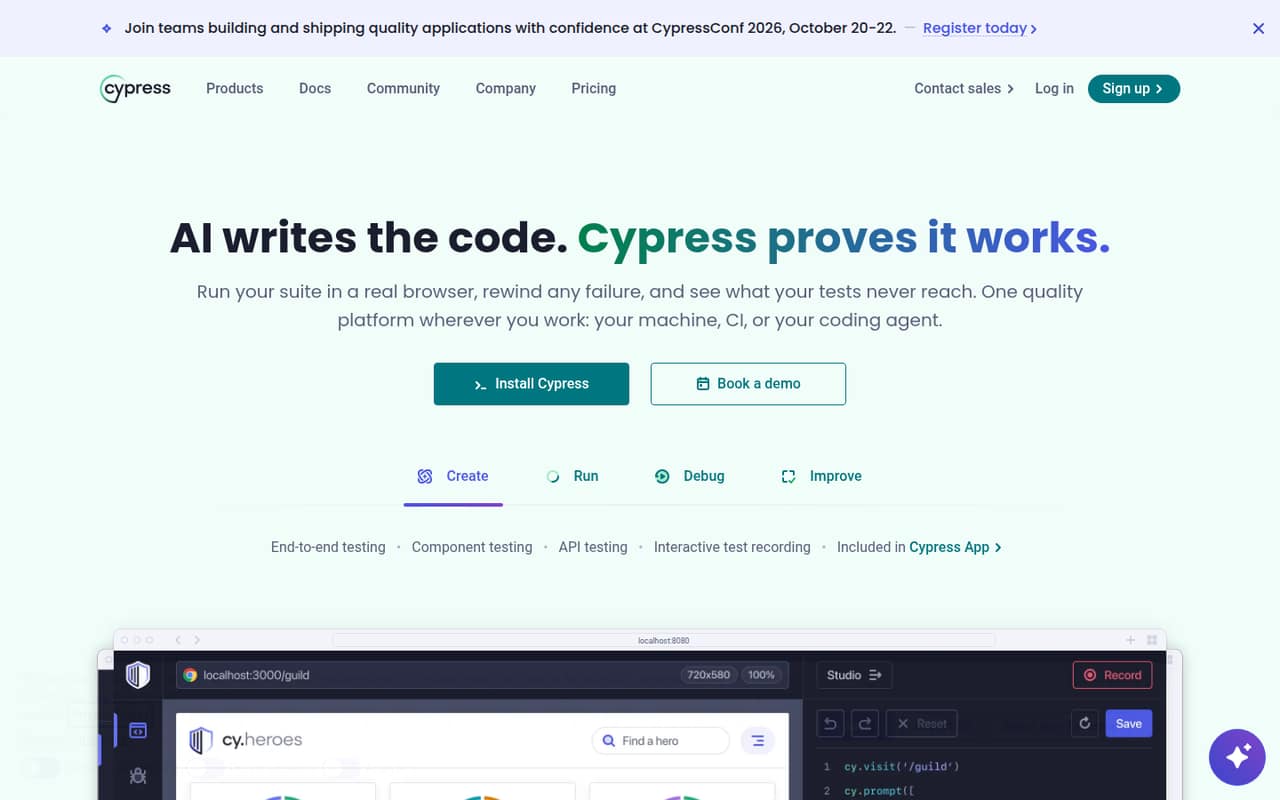
Cypress suits a small team that builds and maintains a web application and wants its developers close to browser testing. It covers end-to-end, component, and API tests in a real browser, with interactive execution for inspecting test runs. Cypress Cloud adds ways to run tests at scale, review failures, track coverage, and share results with workflow tools.
For a one-to-ten-person team, the free Starter plan is a sensible place to begin: it lists capacity for 10 users. The paid Team plan is for a bigger testing allowance or features such as Flake Detection and Jira integration, rather than simply adding a few seats. Its annual price is $799 for up to 50 users. Cypress is less compelling if you need predictable month-to-month billing or want UI Coverage and Accessibility included in the plan price; those are paid add-ons.
02Cypress free plan and trial
Cypress lists a free Starter plan with 10 users, 500 test results per month, 100 prompt executions per month, and 30-day data retention. That gives a small team room to begin testing without a subscription, although the result allowance may be tight for a growing suite or frequent CI runs.
The paid plans raise those allowances: Team lists 120,000 test results and 9,000 prompt executions per year, while Business lists 120,000 results and 24,000 prompt executions per year. A 30-day trial is also listed, but the pricing page does not say which plan it covers or spell out eligibility. Ask Cypress to confirm trial terms before planning around them. UI Coverage and Accessibility are paid add-ons, not listed Starter inclusions.
03What a small team pays for Cypress
Team is the cheapest listed paid plan. The pricing page lists $799 a year, shown as $67 a month when billed annually; standalone monthly pricing is not published. It is a flat plan for up to 50 users, not a stated per-seat charge. At the exact annual price, that works out to about $66.58 a month for one person, $22.19 per person for three, or $13.32 per person for five. Those are cost-per-person averages, not separate seat prices.
Starter remains free if its 500 monthly results and 100 monthly prompt executions are enough. Team adds 90-day retention, Flake Detection, Jira integration, and higher annual allowances. Extra Team test results are listed at $5.28 per 1,000 when bundled or $6 per 1,000 on demand. UI Coverage and Accessibility are paid add-ons, but their prices are not published. Business costs $3,199 a year and is unlikely to make sense for a small team unless it needs its listed SSO or Spec Prioritization features.
04Getting started with Cypress
Cypress is aimed at teams writing browser tests, so expect setup to involve building tests and deciding how they fit into your development and CI workflow. The product supports end-to-end, component, and API testing, and offers interactive execution in a browser. The vendor does not publish a setup time, so we would not promise that a team can be running in a particular number of hours.
For day one, a small team can start by agreeing which critical user flows to test, then decide whether to run tests interactively or as part of CI. Cypress Cloud can help organize CI results, and workflow tools can receive status checks, pull request comments, team notifications, Jira updates, or webhooks. Not every team needs all of those integrations at the start. The more important early task is choosing a manageable first set of tests and understanding how your team will maintain them.
05When small teams outgrow Cypress
The free plan may stop being enough when a team regularly exceeds 500 test results or 100 prompt executions a month, or needs more than 30 days of retention. Team raises the allowances and adds Flake Detection and Jira integration, but the listed annual commitment is $799. Team and Business each list 50 users; Enterprise is the listed option with unlimited users and custom pricing. UI Coverage and Accessibility also require paid add-ons, with prices not published.
Reddit comments show mixed opinions rather than a clear consensus. One commenter said their company switched from Cypress to Playwright, while another described Cypress as a specialized fit for teams where frontend developers own end-to-end tests. A discussion comparing it with Selenium also raised cases where broader automation needs may matter. Treat those as individual experiences, not a forecast: check whether your team’s browsers, workflows, test scale, and budget still fit before switching.
From the threadsWhat users say
Reddit sentiment is mixed: commenters describe successful Cypress test projects, but some teams report moving away from it or preferring other tools for particular needs. The discussion is anecdotal, so it is a useful prompt to assess fit, not a reliable measure of overall satisfaction.
Our company just switched off cypress to playwright
Started from zero to up 255 automated tests with Cypress
Cypress is just a more specialized tool, mean primarily at companies where FE devs create/maintain E2E
Cypress is more suitable for single user e2e tests, for system test (mocking the backend) and component tests (web frameworks)
Questions people ask
Is Cypress free?
Yes. Cypress lists a free Starter plan for up to 10 users, with 500 test results and 100 prompt executions per month and 30-day data retention. A 30-day trial is also listed, but the pricing page does not specify which plan it applies to or the eligibility rules.
What does Cypress Cloud add?
Cypress Cloud helps teams run tests at scale, inspect failures, track coverage, and coordinate results with workflow tools. Its listed capabilities include CI orchestration, Test Replay for CI failures, and integrations such as status checks, pull request comments, Jira, and webhooks.
How much does Cypress Team cost?
The pricing page lists Team at $799 per year, displayed as $67 a month when billed annually. Standalone monthly pricing is not published. The plan lists capacity for 50 users, so that amount is a team-plan price, not a per-seat quote.
Does Cypress include UI Coverage?
No. UI Coverage and Accessibility are paid premium add-ons. Cypress does not publish their prices, so ask the vendor for a quote if either is important to your budget.
When should a small team upgrade from Starter?
Consider Team when you regularly need more than 500 test results or 100 prompt executions per month, want 90-day retention, or need listed features such as Flake Detection and Jira integration. Compare the $799 annual price with your actual usage before upgrading.