
We may earn a commission if you buy through links on this page. It never changes a score or a ranking. How we make money
The bottom line
A strong fit for isolated AI code execution, with costs tied to usage rather than headcount.
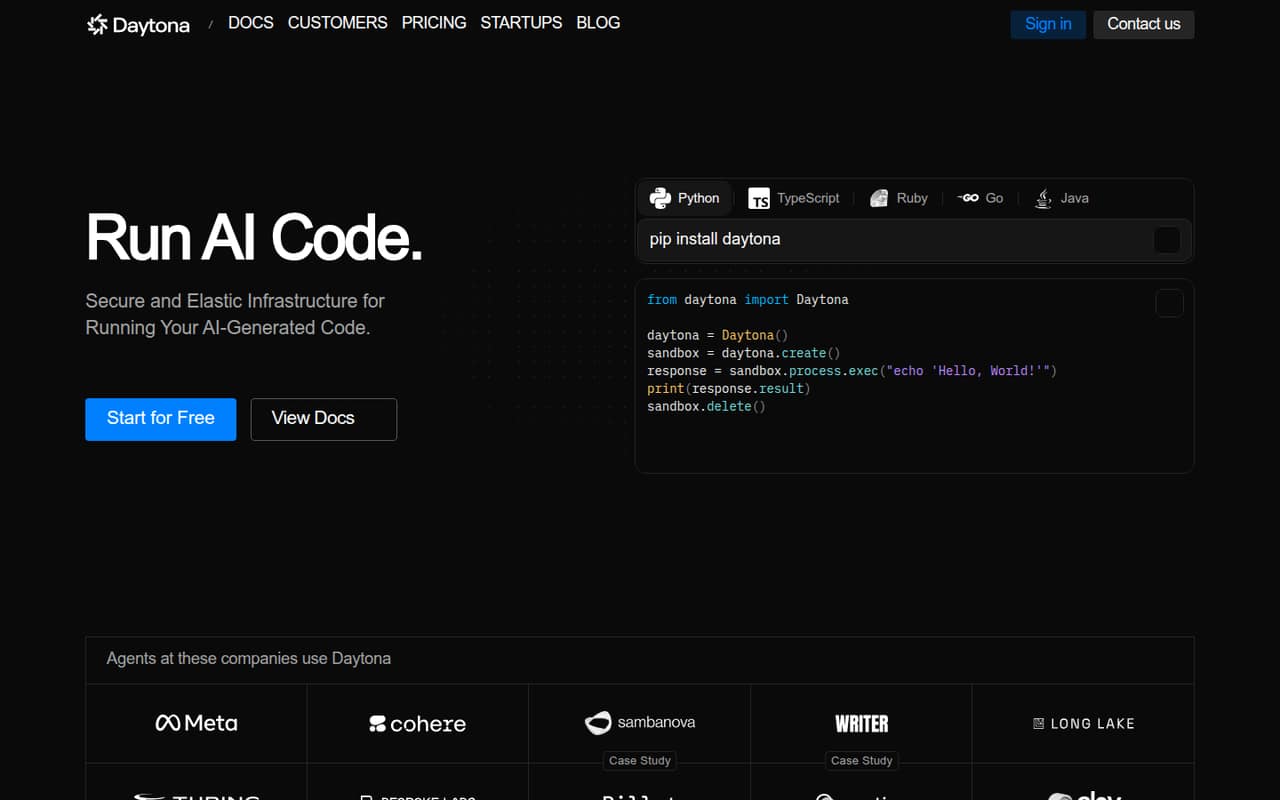
Daytona provides isolated, stateful sandboxes for running AI-generated code and agent workflows. Its homepage describes sandbox creation in under 90ms, parallel execution, and APIs for process, file, Git, and language-server operations.
The pricing page lists $200 in free compute and pay-as-you-go billing per second. There is no published monthly or annual subscription price, so a small team’s bill depends on its resource use—not simply its number of seats.
Good fit if
- Teams executing AI-generated code
- Agent workflows needing isolated sandboxes
- Variable or parallel sandbox workloads
Skip it if
- Teams needing a fixed monthly bill
- Simple apps without sandbox needs
- Buyers requiring published seat pricing
ScoresHow it rates
What works
- $200 in free compute is included
- Free trial requires no credit card
- Usage is billed per second
- Supports process, file, Git, and LSP operations
- Enterprise lists SSO, audit logs, and BYOC
What doesn't
- No monthly or annual subscription price is listed
- Total cost depends on resource usage
- Setup time and effort are not published
- Free compute limits and expiry are not published
- No per-seat pricing is listed
01Who Daytona is for
Daytona is for small engineering teams building AI agents or products that need to run AI-generated or untrusted code in isolated environments. A team of one to ten can use it without buying a fixed number of seats: the pricing page lists free compute and usage-based billing, not a per-seat subscription.
In plain terms, Daytona gives code a separated, stateful sandbox to run in. Its homepage describes fast sandbox creation, parallel execution, real-time output, and APIs for process, file, Git, and language-server operations. That makes it relevant when a workflow needs more than a basic code runner.
The budget fit depends on how often sandboxes run and which resources they need. The $200 in free compute is a low-commitment way to start, but teams that need predictable monthly spending should ask Daytona for an estimate based on their workload before rolling it out.
02Daytona free plan and trial
Daytona’s Free compute plan includes $200 in free compute, and the pricing page says the free trial requires no credit card. That gives a solo developer or small team room to try sandbox workloads without committing to a monthly subscription.
The vendor does not publish the free compute’s usage limits, expiration date, or a sample workload showing how long $200 lasts. Those details matter because costs depend on resources such as vCPU, memory, storage, and GPUs. Ask Daytona how the credits apply to your planned sandbox configuration and what happens when they run out.
For paid usage, Pay-as-you-go is billed per second and also lists $200 in free compute. The page does not list a fixed monthly or annual price for that plan.
03What a small team pays for Daytona
Daytona does not publish a per-seat price or a fixed monthly or annual subscription. So a one-person account and teams of three or five cannot be priced by multiplying a seat rate. Each team’s bill depends on its sandbox usage; the pricing page says Pay-as-you-go is billed per second and includes $200 in free compute.
The listed resource rates include $0.0504 per vCPU-hour and $0.0162 per GiB of memory per hour. Storage is $0.000108 per GiB-hour after the first 5 GiB. Windows costs $0.0858 per vCPU-hour. GPU rates vary by model and billing type: for example, an on-demand RTX 4090 is $0.99 per hour, while its preemptible rate is $0.57.
Those rates are not a complete bill estimate: your resource mix and runtime determine the total. The pricing page does not give a typical one-, three-, or five-person team bill. Ask Daytona for a workload estimate before setting a monthly budget.
04Getting started with Daytona
Daytona’s homepage describes sandboxes managed through APIs for process execution, file operations, Git, and language-server features. It also describes real-time output and parallel workflows, which are useful capabilities to consider when mapping a code-running workflow to the service.
The homepage claims sandbox creation in under 90ms. That is a stated creation speed, not a measure of how long your team will take to configure an account or connect its workflow. Daytona does not publish a setup-time estimate in the published product and pricing details, so we would ask for a quick-start path and any prerequisites before scheduling a rollout.
For day one, identify the code and commands to run, the files and Git operations needed, and the expected CPU, memory, storage, or GPU demand. Specific external integrations and a step-by-step setup process are not listed in the product details, so confirm those requirements with Daytona.
05When small teams outgrow Daytona
Daytona’s pricing is not seat-based, so adding people alone does not reveal how much the bill will rise. The pressure comes when more or longer-running sandboxes, higher resource needs, or GPU workloads increase usage. Since the pricing page does not publish a typical bill or usage cap for the free credits, track actual resource consumption and ask Daytona for an estimate before scaling.
A team may also need controls that sit beyond its initial sandbox workflow. Daytona lists Enterprise for businesses needing larger limits, SSO, audit logs, or BYOC, with custom pricing. That is the stated upgrade path when those controls matter, but the vendor does not publish the Enterprise price or specific limit thresholds.
If a growing team needs predictable flat fees, clear published usage ceilings, or a per-seat budget, ask Daytona whether it can provide those terms before committing. The listed plans do not show a fixed subscription option.
Questions people ask
What does Daytona do?
Daytona provides isolated, stateful sandboxes for running AI-generated code and agent workflows. Its homepage describes APIs for process execution, file operations, Git, and language-server features, along with parallel execution and real-time output.
Does Daytona have a free plan?
Yes. The pricing page lists a Free compute plan with $200 in free compute and says the free trial requires no credit card. It does not publish the credit’s expiry or detailed usage limits, so ask Daytona how the credits apply to your workload.
How does Daytona charge for usage?
The Pay-as-you-go plan is billed per second, while listed resource rates include hourly prices for vCPU, memory, storage, Windows, and GPUs. Daytona does not list a fixed monthly or annual subscription price; the total depends on your resource use.
Can Daytona run code in parallel?
Yes. Daytona’s homepage describes running code in isolated environments with real-time output and parallel execution. The specific concurrency limits are not published in the product details, so ask Daytona what limits apply to your plan and workload.
What does Daytona Enterprise include?
The pricing page lists larger limits, SSO, audit logs, and BYOC for Enterprise. Pricing is custom, and Daytona does not publish a price or the specific thresholds for larger limits. Contact the vendor to confirm what your team would receive.