We may earn a commission if you buy through links on this page. It never changes a score or a ranking. How we make money
A team of 1–10 does not always need a full cloud platform: one managed app host may be enough for a small web project. For less server work, start with Render, Vercel, or Heroku; for a broader set of cloud services, consider DigitalOcean. If you have the skills to manage servers, Coolify or Proxmox can keep costs down, but ask how much setup and upkeep your team can take on. Listed starting prices are not a complete team bill: usage charges and seat costs can change the total.
Quick picksThe shortlist
 RenderRenderBest for small teams · $25/mo
 VercelVercelBest for web apps · $20/mo
 DigitalOceanDigitalOceanBest cloud toolkit · $4/mo
 HerokuHerokuBest managed hosting · $5/mo
 PythonAnywherePythonAnywhereBest for Python · $10/mo
 RailwayRailwayBest for previews · $1/mo
 CoolifyCoolifyBest budget self-hosting · $4/mo
 Hetzner CloudHetzner CloudBest server value · €5.99/mo
 Fly.ioFly.ioBest for global apps · $2.19/mo
 Proxmox VEProxmox VEBest free virtualization · €10/mo
01Compared at a glance
| Tool | Score | From | Free plan | Trial |
|---|---|---|---|---|
| RenderRender | 7.8 | $25/mo | Yes | — |
| VercelVercel | 7.2 | $20/mo | Yes | — |
| DigitalOceanDigitalOcean | 7.0 | $4/mo | Yes | — |
| HerokuHeroku | 7.0 | $5/mo | No | — |
| PythonAnywherePythonAnywhere | 7.4 | $10/mo | Yes | — |
| RailwayRailway | 6.2 | $1/mo | No | 30 days |
| CoolifyCoolify | 7.8 | $4/mo | Yes | — |
| Hetzner CloudHetzner Cloud | 7.0 | €5.99/mo | No | — |
| Fly.ioFly.io | 6.8 | $2.19/mo | No | — |
| Proxmox VEProxmox VE | 8.0 | €10/mo | Yes | — |
02The picks, in detail
- Best for small teamsRenderRender
Render is a strong first look for a small team combining app and data services without taking on as much infrastructure work. Its listing shows a free workspace and a starting price of $25, but a free workspace does not make production compute free. Check expected usage and the paid production cost before choosing it for a live app.
What works
- Hobby costs $0 per month
- Pro includes unlimited seats and services
- Hosts apps, workers, and static sites
What doesn't
- Compute is billed separately from workspace plans
- Hobby includes just one team seat
- Extra bandwidth costs $0.15 per GB
- Best for web appsVercelVercel
Vercel suits small teams shipping web apps that want deployment without managing much infrastructure. The listing includes a free plan for personal, non-commercial projects and a starting price of $20. Usage charges and seat details deserve a close look, so ask for the cost for your team rather than treating the starting price as a per-team total.
What works
- Free Hobby plan for non-commercial projects
- Pro includes a $20 monthly usage credit
- Global delivery and deployment environments
What doesn't
- Hobby is for personal, non-commercial projects
- Usage and add-ons can increase the bill
- Developer-seat pricing needs clarification
- Best cloud toolkitDigitalOceanDigitalOcean
DigitalOcean is a practical pick if you want several cloud services rather than only a place to deploy an app. Its listing shows a free plan and a $4 starting price. The platform is described as a capable cloud toolkit for small teams, with usage-based bills to watch. Check the specific services and expected usage that make up your bill.
What works
- Droplets start at $4/month
- App Platform and Functions list $0 monthly starting prices
- Compute, databases, storage, and networking share one account
What doesn't
- Costs vary with services and usage
- Backups add a percentage or storage charge
- No annual pricing is listed
- Best managed hostingHerokuHeroku
Heroku is worth a look if your team wants managed app hosting and may use managed Postgres or Redis. The listing starts at $5, but it has no free plan, and even a small production app needs a paid plan. That makes the likely production cost more useful than the entry price when you compare it with free-to-start options.
What works
- Managed runtime reduces infrastructure work
- Managed Postgres and Redis-based storage
- GitHub deployments and disposable Review Apps
What doesn't
- No free plan or free trial listed
- Always-on Basic starts at $7 per month
- Eco sleeps after 30 minutes of inactivity
- Best for PythonPythonAnywherePythonAnywhere
PythonAnywhere is aimed at Python learners, simple Python sites, and founders who want to avoid server administration. Its listing includes a free plan and starts at $10. It can suit a small project, but the product is a weaker fit if your workload needs more freedom. Confirm that its hosting options match your app before building around it.
What works
- Code and run Python in a browser
- Free Beginner plan includes one web app
- Host Django, Flask and other WSGI apps
What doesn't
- Free plan restricts outbound internet
- Developer costs $10 monthly
- Additional CPU seconds cost extra; price isn't published
- Best for previewsRailwayRailway
Railway offers visual infrastructure controls for teams deploying connected repositories, with previews and rollbacks listed among its strengths. The starting price is $1, but the offer includes a trial and usage charges, and reliability concerns are worth weighing. Ask how usage is billed for your app and whether the deployment workflow matches your team's needs.
What works
- Deploy from connected repositories with automatic configuration
- Visual canvas makes infrastructure settings easier to see
- YAML is optional
What doesn't
- Hobby and Pro plan prices are not published
- Free option charges $1 monthly after the trial
- Usage rates can add costs beyond monthly credits
- Best budget self-hostingCoolifyCoolify
Coolify offers deployment value for technical teams hosting several small projects, with a listing that shows a free plan and a $4 starting price. The trade-off is server work: it is less simple than managed hosting and fits teams with server experience. Include the time needed to run your own infrastructure when comparing it with managed services.
What works
- Free self-hosted plan includes all features
- Supports several Docker and build workflows
- Offers one-click databases and services
What doesn't
- Self-hosting means managing server infrastructure
- Team subscription pricing is not published
- Cloud fees don't include a published server price
- Best server valueHetzner CloudHetzner Cloud
Hetzner Cloud is a budget-conscious option for technical founders running small apps or test servers. The listing starts at $5.99 and has no free tier or per-seat pricing. It may work well when your team is comfortable managing infrastructure, but it is not the most hands-off route. Ask what your chosen server configuration will cost.
What works
- CX23 starts at €5.99 per month before VAT
- No per-seat charge is listed
- CX23 includes 2 shared vCPUs and 4 GB RAM
What doesn't
- No free plan or free trial is listed
- Prices exclude VAT
- Primary IPv4 adds €0.50 per month
- Best for global appsFly.ioFly.io
Fly.io is aimed at technical teams deploying web apps, including small workloads that need global deployment. Its listing starts at $2.19 and has no free tier. The low starting figure comes with a hands-on setup expectation, so budget for the time your team will spend configuring and maintaining the deployment as well as the usage bill.
What works
- Machines start at $2.19 per month
- Offers 18+ regions worldwide
- Managed Postgres starts at $38 monthly
What doesn't
- No free plan or listed free trial
- Team seat pricing is not published
- Small Machines have limited listed RAM
- Best free virtualizationProxmox VEProxmox VE
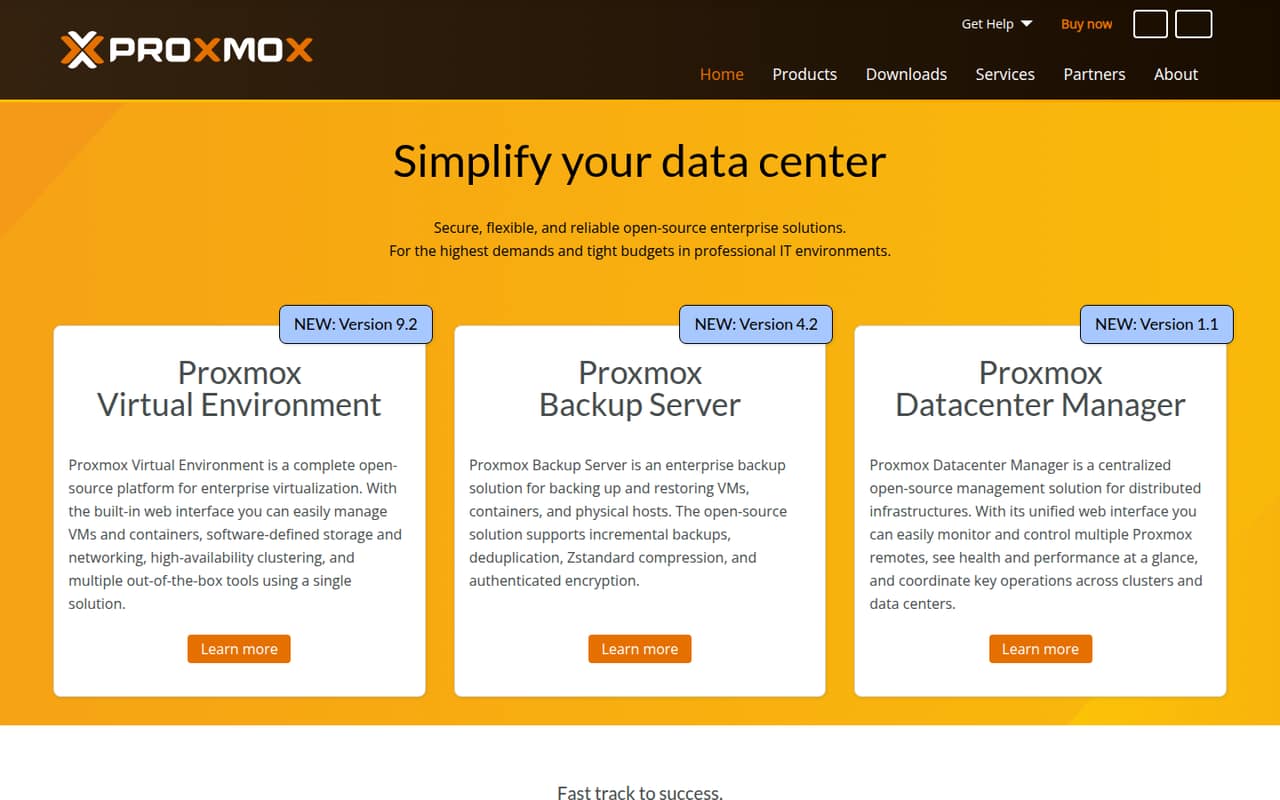
Proxmox VE is a strong free virtualization option for teams consolidating virtual machines, especially admins comfortable running their own infrastructure. The listing also shows a $10 starting price and socket-based pricing. The free offer does not remove the technical work of operating your setup, so this is a better fit for an experienced team than for founders seeking managed app hosting.
What works
- Free plan has no listed scale limits
- VMs and containers in one interface
- Includes storage and networking management
What doesn't
- Requires someone to manage infrastructure
- Free plan lists forum support
- Community includes zero technical support tickets
03How we chose
We ranked platforms for a team of 1–10, weighing free-plan availability, listed starting prices, the likely cost for a few seats, setup effort, plan limits, vendor documentation, and Reddit sentiment. Starting prices are not treated as a full team quote, especially when usage charges or seat details matter. We favor managed deployment for teams short on infrastructure time, while including lower-cost self-hosted choices for teams with the skills to run them. We do not assume a feature, limit, or per-seat total when the vendor does not publish it.
04Match the platform to the work your team has
Start with the job, not the biggest feature list. If you are shipping a web app and want less infrastructure work, compare managed options such as Render, Vercel, and Heroku. If you need several cloud services, DigitalOcean may fit better. For Python projects, PythonAnywhere is designed for simple Python hosting. If your team already knows how to manage servers, Coolify, Hetzner Cloud, or Proxmox VE may be worth considering, but they ask more of your technical staff. Before signing up, write down what you need to deploy, who will maintain it, and whether you need previews, data services, or virtual machines. A platform that matches that list is usually a better buy than one with capabilities your team will not use.
05Calculate the real cost before you commit
Treat a listed starting price as an entry point, not your full monthly budget. Render notes that a free workspace does not make production compute free; Vercel calls attention to usage charges and seat details; Railway includes usage charges. Heroku says even a small production app needs a paid plan. Check the pricing page for the plan limits and billing units that apply to your workload, then ask the vendor for a quote if seat or usage costs are not clear. Include any infrastructure your team must provide or manage when comparing self-hosted options. For a small team, a low base price can still be a poor fit if the setup and upkeep take too much staff time.
Questions people ask
Which cloud platform has the best free option?
Proxmox VE is listed as strong free virtualization for teams consolidating virtual machines. It is not a hands-off app host: the fit is best for admins who can run their own infrastructure. For a free app-hosting starting point, compare the free plans from Render, Vercel, DigitalOcean, and PythonAnywhere against their specific limits.
Which platform has the lowest starting price?
Among these picks, Railway has the lowest listed starting price at $1. Its offer includes a trial and usage charges, so that figure is not a complete monthly estimate. Compare the expected usage bill and ask about team-seat costs before choosing based on the entry price alone.
Which cloud platform needs the least server management?
Render, Vercel, and Heroku are aimed at teams that want app deployment or hosting without taking on as much infrastructure management. Heroku requires a paid plan for a small production app; Render's free workspace does not cover production compute. Check each platform's current plan and expected charges.
When should a small team move to a different platform?
Reconsider when your workload needs more freedom than your current host offers, your usage charges or seat costs no longer fit your budget, or your team cannot handle the required server work. PythonAnywhere's listing specifically flags workloads needing more freedom as a reason to look beyond it. Compare the next platform's setup effort before moving.