
We may earn a commission if you buy through links on this page. It never changes a score or a ranking. How we make money
The bottom line
Good for organizing varied IT connections; team features come at a meaningful per-seat cost.
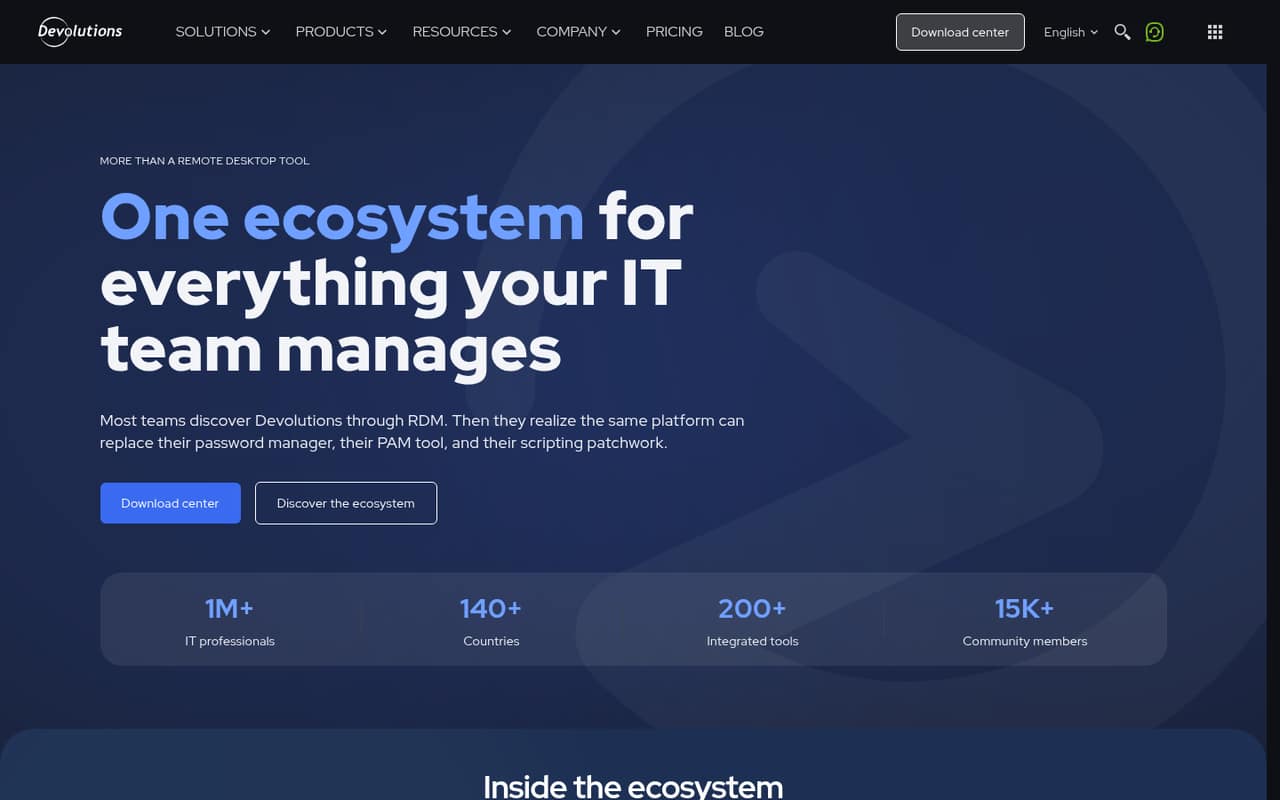
The breadth is the draw: the homepage lists RDP, SSH, VNC and more than 150 other connection types, plus Windows, macOS, Linux, iOS and Android. Before choosing a team plan, compare its cost with the custom-priced Starter Pack for teams of five or fewer, and confirm which option includes the features you need.
Good fit if
- IT teams managing varied connections
- Helpdesks needing centralized sessions
- Solo admins managing personal connections
Skip it if
- Teams needing free shared access
- Buyers requiring published monthly billing
- Small teams with very tight budgets
ScoresHow it rates
What works
- Supports RDP, SSH, VNC and 150+ connection types
- Automatic credential injection when sessions launch
- Free edition permits commercial use
- Available across desktop and mobile platforms
- Docs describe CSV and PowerShell import options
What doesn't
- Free edition has no team features or shared vaults
- IT plan costs $33.33 per user monthly, billed annually
- Monthly billing prices are not published
- Starter Pack price is custom
- Trial feature scope is not published
01Who Devolutions Remote Desktop Manager is for
Small IT teams and helpdesks are the clearest fit: the tool puts remote connections in one workspace rather than leaving each person to manage sessions separately. The homepage lists RDP, SSH, VNC and more than 150 other connection types, with credentials injected automatically when sessions launch. It also lists Windows, macOS, Linux, iOS and Android.
For a team of one to five, the budget question matters. The free edition is for an individual and has no shared vaults or centralized management. The IT plan that lists 150+ protocols is $33.33 per user per month when billed annually. A Starter Pack is also listed for teams of five or fewer, but its price is custom, so ask Devolutions to compare the included tools and total cost. This is more compelling when managing many kinds of IT access is a real job, not just occasional remote support.
02Devolutions Remote Desktop Manager free plan and trial
The Remote Desktop Manager Free Edition costs nothing and is listed as free for commercial use. It manages remote connections and credentials, which can suit an individual using a personal workstation. The boundary is important for small teams: the free edition has no team features, shared vaults or centralized management. It is not a no-cost way to coordinate connections and credentials across several people.
Devolutions also lists a 14-day free trial. The pricing page does not publish the trial’s feature scope, so confirm which plan it covers and whether it includes the team functions you need. If you need a paid option, the plan listing for remote desktop management and IT operations starts at $33.33 per user per month, billed annually. Teams of five or fewer can also ask about the custom-priced Starter Pack.
03What a small team pays for Devolutions Remote Desktop Manager
The plan listing prices Remote desktop management & IT operations at $33.33 per named user per month, billed annually. That is $399.96 per year for one person, $99.99 per month equivalent or $1,199.88 per year for three, and $166.65 per month equivalent or $1,999.80 per year for five. Monthly billing prices are not published; these monthly figures are annual costs divided across 12 months, not a monthly-payment option.
This is the listed plan that includes 150+ connection protocols, external password manager integrations and built-in network discovery. The lower $4 Workforce plan lists password-management features, while Remote access management is $22.08 per user per month; neither is described as including the 150+ protocols. For teams of five or fewer, the Starter Pack includes an all-in-one IT security toolbox and standard support, but its price is custom. No add-ons are listed. Ask Devolutions to confirm which package fits your use case and compare its full cost with per-seat pricing.
04Getting started with Devolutions Remote Desktop Manager
Plan on gathering the team’s connection details and deciding how credentials and access should be organized before rolling it out. The homepage describes a unified workspace, centralized management and automatic credential injection, but Devolutions does not publish a setup-time estimate or a formal learning-curve rating. A small team should confirm which plan provides its required sharing and access controls before putting shared connections into everyday use.
For data brought in from elsewhere, the docs describe a generic CSV import wizard and strategies for the file format. A Devolutions representative on Reddit also points to PowerShell for mass imports. The IT plan lists external password manager integrations, but the pricing details do not name specific integrations. On day one, identify which connection types and password manager your team relies on, then ask Devolutions to confirm compatibility. One Reddit commenter praised support as fast and helpful, though that is a single user’s report.
05When small teams outgrow Devolutions Remote Desktop Manager
The first upgrade trigger is usually collaboration, not connection count: the Free Edition has no team features, shared vaults or centralized management. Once more than one person needs to share or centrally manage access, the free option stops fitting. The next pressure is cost. At five seats, the listed IT plan totals $1,999.80 per year when billed annually; ask about the custom Starter Pack before assuming per-seat pricing is the best fit.
A growing organization may also need capabilities beyond the standard IT plan. Devolutions lists a Privileged access management plan at $54.17 per user per month, billed annually, with privileged session management, automated password rotation and credential checkout with approval. Enterprise pricing is custom and listed for organizations with 100 or more users.
Reddit feedback is limited and mixed. One thread reported a Devolutions Remote Desktop Manager release crashing on Windows 11 ARM; a Devolutions representative said the team had identified the issue and was working on a fix. Treat that as a version-specific warning, not evidence of a current, general reliability problem.
From the threadsWhat users say
The small amount of Reddit feedback is mixed but includes praise for support and a report of a version-specific Windows 11 ARM issue. One commenter also points to PowerShell as an option for mass imports.
App is solid. And the couple times I worked with support they were fast and helpful
not working on Win 11 ARM
PowerShell can also be used to make mass imports if you have a lot of data
You can do rollbacks although it will require that you have the previous version available
Questions people ask
Is Devolutions Remote Desktop Manager free for commercial use?
Yes. The pricing page lists Remote Desktop Manager Free Edition as free for commercial use and says it manages remote connections and credentials. It is for individual use on a personal workstation, though: it does not include team features, shared vaults or centralized management.
How much does Remote Desktop Manager cost for a five-person team?
The listed Remote desktop management & IT operations plan is $33.33 per user per month, billed annually. Five seats work out to $166.65 per month equivalent, or $1,999.80 per year. Monthly billing prices are not published. The custom-priced Starter Pack is another option for teams of five or fewer.
Which connection types does Remote Desktop Manager support?
The homepage lists RDP, SSH, VNC and more than 150 other connection types. The Remote desktop management & IT operations plan also lists 150+ connection protocols. If your team depends on a particular protocol, confirm that it is supported before choosing a plan.
Can a team share connections and credentials on the free edition?
No. Devolutions describes the Free Edition as an individual-use product and specifically excludes team features, shared vaults and centralized management. Teams that need shared or centrally managed access should compare the paid plans or ask Devolutions what the custom-priced Starter Pack includes.
Which operating systems can run Remote Desktop Manager?
The homepage lists Windows, macOS, Linux, iOS and Android. For a specific device or operating-system version, ask Devolutions to confirm compatibility. One Reddit thread reported an issue with a particular release on Windows 11 ARM, so teams using ARM devices should check current version support.
Sources
- Devolutions Remote Desktop Manager homepage
- Devolutions Remote Desktop Manager pricing page
- Reddit: FYI - Devolutions Remote Desktop Manager 3.5.0 crashing on Win 11 ARM
- Reddit: Devolutions remote desktop manager vs Apple remote desktop, what do you prefer ?
- Reddit: Devolutions Remote Desktop Manager - Import Asset
- Reddit: Devolutions Remote Desktop Manager 2025.2.23.0