
We may earn a commission if you buy through links on this page. It never changes a score or a ranking. How we make money
The bottom line
Good value for solo WordPress owners; teams of five need to confirm seat pricing.
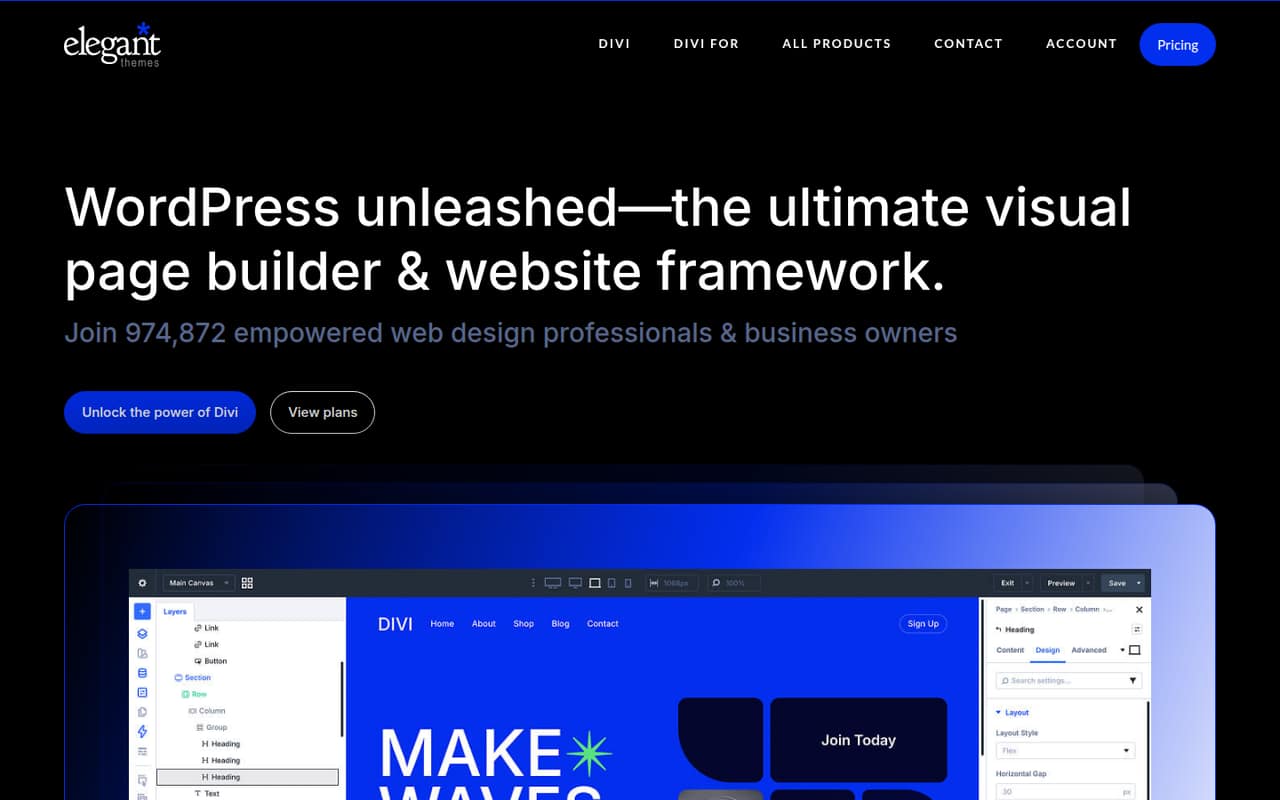
Divi combines a WordPress theme and drag-and-drop visual builder, with templates, Quick Sites, website management and AI tools. Its entry plan costs $89 billed yearly and includes unlimited website use.
There’s no free plan, and Divi Pro’s listed team limit is four members. That makes the price straightforward for a solo owner or a small team of up to four, but less certain for a five-person group.
Good fit if
- Solo WordPress site owners
- Small web design teams
- People building client websites
Skip it if
- Teams needing a free plan
- Five-person teams needing clear seat pricing
- People not using WordPress
ScoresHow it rates
What works
- Drag-and-drop editing without coding
- Unlimited website use on listed plans
- Templates and Quick Sites for building sites
- Divi Pro includes unlimited AI content tools
- Divi plan lists 24/7 customer support
What doesn't
- No free plan
- Divi and Divi Pro are billed yearly
- Divi Pro lists up to four team members
- Fifth-seat pricing isn't published
- Setup and integration details aren't published
01Who Divi is for
Divi fits solo site owners and small web teams that already work in WordPress and want to build pages visually rather than write code. It combines a WordPress theme with a drag-and-drop page builder, so the core job is creating and editing a site. Templates and Quick Sites offer starting points, while Divi Dash is listed for managing updates, themes, plugins and clients across sites.
The entry Divi plan is $89 billed yearly, which is a manageable subscription for one person who expects to use the builder across multiple websites. Divi Pro costs $277 yearly and lists up to four team members, so it may suit a small client-services team that wants shared cloud storage and AI tools. A five-person team should confirm the seat arrangement and price before committing. Divi is a poor fit if your team needs a free tier or doesn’t use WordPress.
02Divi free plan and trial
Divi doesn’t offer a free plan. The listed entry point is Divi at $89 billed yearly, equivalent to $7.42 per month when spread across the year. That plan includes unlimited website usage, Divi Dash and 24/7 customer support. Divi also lists a 30-day free trial, but the trial’s feature access and cancellation terms aren’t published in the published pricing details, so check those before starting.
For a solo WordPress owner, the trial is the way to try Divi without paying upfront. After that, there’s no ongoing free option to keep using. Teams that need shared team features should compare the trial with Divi Pro, which costs $277 billed yearly and lists up to four team members.
03What a small team pays for Divi
Divi costs $89 billed yearly for one person, or $7.42 per month equivalent. The plan lists unlimited website usage, Divi Dash and 24/7 customer support. The pricing page doesn’t list monthly billing. A team of three can look at Divi Pro for $277 yearly, or $23.08 per month equivalent; it lists up to four team members, unlimited Divi Cloud storage and unlimited AI layouts, text, images and code. That’s the total listed annual price, not a per-seat charge.
For five people, Divi Pro’s published limit is short by one member, and the price for another seat or a five-person package isn’t published. Ask Elegant Themes for a quote before budgeting. Divi Lifetime costs $249 once, but its listed inclusions don’t specify team seats. Lifetime + Pro costs $297 once plus $212 yearly for Pro Services and lists up to four team members. There’s no free plan, and the 30-day trial’s terms should be confirmed.
04Getting started with Divi
Divi is a WordPress theme and visual page builder, so a team needs a WordPress site to use it. The product describes drag-and-drop editing and pre-made layouts; those give non-coders a visual route to building pages, but they don’t tell us how long setup takes. The vendor doesn’t publish a setup-time estimate in the pricing details.
Quick Sites and the AI website builder are offered for creating a site, while Divi Dash is listed for managing updates, themes, plugins and clients across sites. That could be useful for a small team with several WordPress properties. The specific integrations required on day one, and setup instructions for connecting them, aren’t published here; ask the vendor if your workflow depends on particular services. One Reddit commenter describes Divi as familiar to someone with web-building experience, but that’s one user’s view, not a measure of the learning curve.
05When small teams outgrow Divi
The clearest published team limit is Divi Pro’s allowance for up to four team members. A five-person team should ask about another seat or a suitable plan before buying, since that price isn’t published. If you need a free tier, Divi also won’t fit; its listed entry plan is paid, with yearly billing.
Teams may also outgrow a visual builder if they need deeper development work or want to change tools. In one Reddit thread, commenters disagree about whether switching builders solves a struggling web-design business: one recommends learning underlying code, while another says changing page builders won’t fix the broader problem. A commenter who switched from Divi to Breakdance says they like the change, while another recommends looking at the Divi 5 beta and says it addresses longstanding issues. These are individual opinions, not a settled verdict on Divi’s performance. Consider a move when the seat arrangement, workflow or technical needs no longer fit.
From the threadsWhat users say
Reddit comments are mixed and mostly discuss web-design work and switching builders rather than Divi features. Some users describe moving on from Divi, while others argue the builder itself may not be the main problem.
I switched from Divi to breakdance a year ago and it’s been awesome
Bricks and Elementor are both still crushing it
It addresses some of the longstanding issues and improves speed considerably
the page builder isn't the problem, and you'll still have that same problem when you "switch" to Bricks, Elementor, etc
Questions people ask
What is Divi?
Divi is a WordPress theme and visual page builder for making and editing websites with drag-and-drop tools. It also offers pre-made layouts, Quick Sites, website management through Divi Dash, AI tools, cloud storage and team collaboration services.
Does Divi have a free plan?
No. Divi doesn’t list a free plan. Its pricing includes a 30-day free trial, but the trial’s feature access and terms aren’t published in the published pricing details. The lowest listed paid option is Divi at $89 billed yearly.
How much does Divi cost?
Divi costs $89 billed yearly, equivalent to $7.42 per month. Divi Pro is $277 yearly, or $23.08 per month equivalent. Lifetime options cost $249 once for Divi Lifetime, or $297 once plus $212 per year for Lifetime + Pro.
Do I need to know how to code to use Divi?
Divi describes its visual editing as drag-and-drop website building without coding. That makes it possible to create and edit pages without writing code, though the vendor doesn’t publish a learning-time estimate. Teams with specific technical needs should confirm Divi can support their workflow.
Can Divi manage multiple websites?
The listed plans include unlimited website usage. Divi Dash is described as a way to manage updates, themes, plugins and clients across sites. The pricing details don’t specify how many sites Divi Dash can manage or whether it has additional limits.