
We may earn a commission if you buy through links on this page. It never changes a score or a ranking. How we make money
The bottom line
A handy PDF editor for occasional work, with a strict free export cap and affordable paid entry.
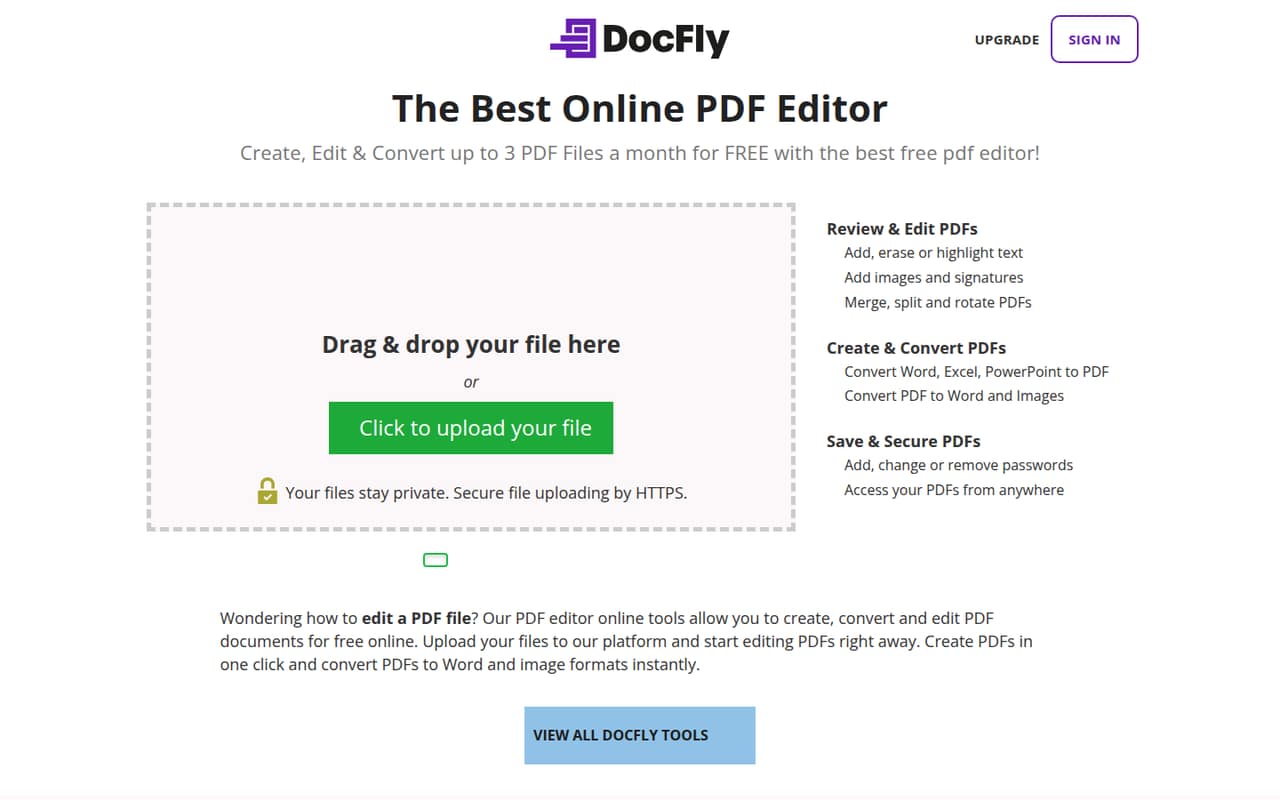
Small teams that handle a few PDFs now and then can start free: DocFly allows up to three exports a month without an account. It runs in a browser and covers common editing, conversion, page management, and password tasks.
For regular use, Pro costs $7.99 month to month or $3.99 per month with annual billing. The plan includes unlimited exports and 10GB of storage, but the listed pricing does not spell out team or shared-workspace features.
Good fit if
- Teams with occasional PDF tasks
- Small budgets and simple edits
- Browser-based document workflows
Skip it if
- Heavy free-plan export needs
- Teams needing shared PDF workflows
- Sensitive files without security answers
ScoresHow it rates
What works
- Free users can export three documents monthly
- Works in a browser without a software download
- Edits text, images, and signatures
- Converts office files to PDFs and PDFs to Word or images
- Can add, change, or remove PDF passwords
What doesn't
- Free exports stop at three per month
- Unlimited exports require a paid plan
- No team or seat pricing is listed
- Pro storage is limited to 10GB
- A free trial is not listed
01Who DocFly is for
DocFly suits a solo operator or a small team of one to ten people that edits PDFs now and then: signing a form, fixing a line of text, combining pages, or turning an Office file into a PDF. It is an online editor, so the product description says there is no software download.
The free option is a sensible first stop for a tight budget, provided three exports a month covers the work. For more frequent editing, DocFly Pro adds unlimited monthly exports, 10GB of file storage, a form creator and filler, and priority customer service. That is a focused PDF tool, not a full office suite. Teams that need shared document management, integrations, or a named multi-seat workspace should ask DocFly about those needs before buying; the listed plan details do not spell them out.
02DocFly free plan and trial
DocFly’s homepage says free users can export up to three documents per month without signing up. That is enough to try an occasional edit or conversion, but it is a firm ceiling for a team processing regular paperwork. The free-plan description does not list storage, form tools, or priority service, so don’t count on those being included.
The pricing information lists no free trial. The cheapest paid route is Pro at $3.99 per month when billed annually, or $47.88 for the year. Month-to-month billing costs $7.99. Pro includes unlimited exports, 10GB of storage, the in-browser editor, form creation and filling, and priority customer service.
03What a small team pays for DocFly
The pricing page lists one DocFly Pro plan: $7.99 per month with monthly billing, or $3.99 per month on an annual subscription. Annual billing totals $47.88 per subscription for the year and is listed as a 50% saving; subscriptions auto-renew at the end of each term.
There is no team or per-seat price in the listed plan. If each person needs a separate subscription, three people would cost $23.97 monthly, or $11.97 per month equivalent with annual billing ($143.64 for the year). For five people, that becomes $39.95 monthly or $19.95 per month equivalent annually ($239.40 for the year). Confirm with DocFly whether separate subscriptions are required before budgeting that way.
Pro includes 10GB of file storage and unlimited monthly exports. No add-ons are listed, but a team may need to ask about shared access or extra storage if its workflow depends on them.
04Getting started with DocFly
Setup should be light for basic PDF work: DocFly runs in a modern browser, and the product description says no software download is needed. Free users can export up to three documents monthly without signing up, so there is a low-commitment way to try a simple task before paying.
The listed tools cover editing text, adding images or signatures, managing pages, converting common Office files, and changing PDF passwords. That gives a small team a clear starting point without configuring a desktop application. The published plan details do not list integrations or a team setup process. Ask DocFly whether it connects to the storage or document services your team already uses, and how multiple people can access files. One Reddit commenter described DocFly as worth exploring for advanced editing or annotation, while also comparing it with a competitor’s mobile compatibility.
05When small teams outgrow DocFly
The first pressure point is volume: the free plan caps exports at three documents a month, so regular work means paying for Pro. The next is cost as more people need access. At the listed annual rate, five separate subscriptions would add up to $239.40 per year; monthly billing would total $479.40. The pricing listing does not explain team billing or shared workspaces, so confirm how seats and file access work before expanding.
DocFly may also be a poor fit if your team needs a published integration list, more than 10GB of storage, or a broader document workflow. Ask the vendor about those requirements rather than assuming they are included. Reddit discussion is limited: one commenter called DocFly and PDFescape decent editors and said DocFly might suit advanced editing or annotation, but praised the other editor’s mobile compatibility. That comparison is a reason to check device needs, not a broad verdict on DocFly.
From the threadsWhat users say
The small amount of Reddit feedback is mixed but generally open to DocFly for PDF editing. One commenter calls it a decent option and sees potential for advanced edits, while preferring a competitor’s mobile compatibility.
both PDFescape and DocFly are decent online PDF editors
If you require advanced editing or better annotation tools, DocFly might be worth exploring
PDFescape offers a more user-friendly interface and better mobile compatibility
Thank you so much for responding and sharing this infromation
Questions people ask
How much does DocFly cost?
DocFly Pro costs $7.99 per month with monthly billing. Annual billing is $3.99 per month, or $47.88 for the year, and the pricing page lists that as a 50% saving. The listed plan includes unlimited exports, 10GB of storage, the in-browser editor, form tools, and priority customer service.
Can DocFly edit PDF files?
Yes. DocFly’s listed editing tools include adding, erasing, or highlighting text, plus adding images and signatures. It can also merge, split, rotate, or watermark PDF pages. The product description says it works in a modern browser without a software download.
What does DocFly’s free plan include?
The homepage says free users can export up to three documents per month without signing up. That cap may work for occasional paperwork, but teams with regular PDF tasks will likely need Pro for unlimited monthly exports. A free trial is not listed.
Is DocFly safe for sensitive PDFs?
DocFly offers tools to add, change, or remove PDF passwords. That is a document-protection feature, not a full security assessment. Before uploading sensitive business files, ask DocFly about encryption, file retention and deletion, and who can access documents.
Do I need to install DocFly or connect other apps?
No software download is needed according to the product description; DocFly works in a modern browser. The listed plan details do not name integrations, so ask DocFly whether it connects to the storage or document tools your team relies on before adopting it.