
We may earn a commission if you buy through links on this page. It never changes a score or a ranking. How we make money
The bottom line
A strong local development tool, but team pricing adds up per seat.
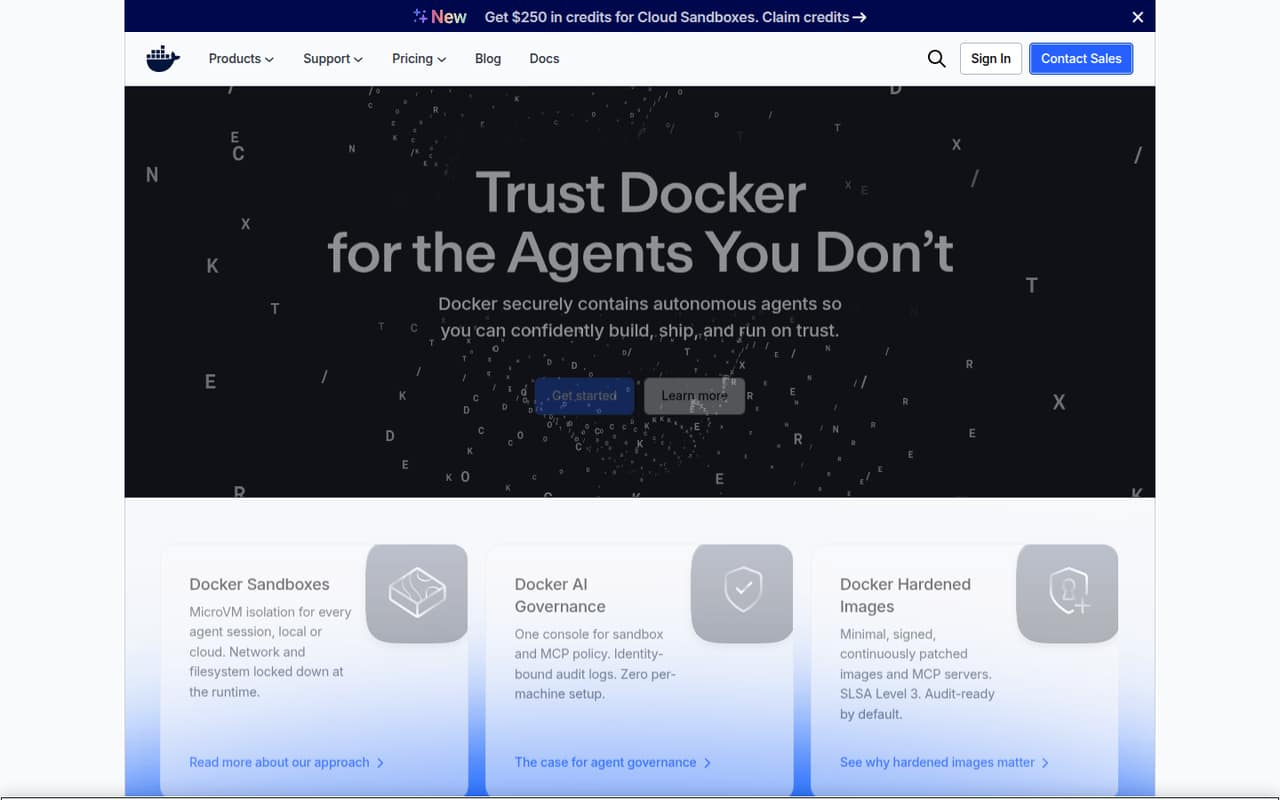
Docker Desktop is for building and running container-based applications on a developer’s computer, not for hosting production services. Its homepage pitches a full development loop, local sandboxes, and hardened images.
The free Docker Personal plan covers one user, while collaborative teams need to budget for Docker Team at $15 per user monthly with annual billing or $16 month to month. That is manageable for a few seats, but the Reddit feedback is divided on Windows resource use and the value of the desktop app.
Good fit if
- Developers building containerized applications
- Solo users who fit the free plan
- Small teams sharing container workflows
Skip it if
- Teams seeking a production hosting platform
- Organizations watching every per-seat cost
- Users who prefer terminal-only workflows
ScoresHow it rates
What works
- Docker Personal is free for one user
- Brings the development loop into one place
- Docker Team includes up to 100 users
- Docker Scout repositories are unlimited on Team
- Homepage says apps can ship anywhere
What doesn't
- Team costs $15 or $16 per user monthly
- Personal includes only one Docker Scout-enabled repository
- Some Windows users report resource use and quirks
- Some experienced users prefer command-line workflows
- Support pricing and details are not published
01Who Docker Desktop is for
Docker Desktop is aimed at developers who want to build and run applications in containers on their own computers. The homepage says it brings the full development loop into one place, from a blank file to a running app, and says apps can be shipped anywhere. For a solo developer, Docker Personal costs nothing and covers one user.
For a team of 3–10 people, Docker Desktop can be a shared way to work with containers, but the relevant plan is Docker Team, priced per user. Three seats cost $45 per month on annual billing or $48 month to month; five cost $75 or $80. That is worth weighing against how much the team needs the included Docker Scout and Testcontainers Cloud allowances. We would not buy it as a service-hosting platform: a Reddit commenter describes development as a good fit but says it is not intended for hosting long-running services.
02Docker Desktop free plan and trial
Docker Personal is free and includes one user, one Docker Scout-enabled repository, 100 Docker Hub pulls per hour, and one private Docker Hub repository, per the pricing page. That is a useful starting point for an individual, but it is not the collaborative team tier: Docker Team is listed separately for small collaborative teams and allows up to 100 users.
Docker’s subscription terms, quoted in a Reddit discussion, say Desktop remains free for personal use, education, non-commercial open-source projects, and businesses with fewer than 250 employees and less than $10 million in annual revenue. Check the current terms with Docker if your organization’s eligibility is unclear. A free trial is not listed. If one person needs more than Personal includes, Docker Pro starts at $9 per user monthly with annual billing, or $11 month to month.
03What a small team pays for Docker Desktop
The pricing page lists Docker Pro at $9 per user per month with annual billing, or $11 month to month. That is the individual plan. For collaboration, Docker Team is $15 per user per month with annual billing or $16 month to month. Three Team seats come to $45 per month on annual billing, versus $48 month to month; five seats are $75 versus $80. The page lists Team for up to 100 users but does not publish a seat minimum.
Team includes unlimited Docker Scout-enabled repositories, 500 Testcontainers Cloud runtime minutes per month, 10 organization access tokens, and one Docker Hub organization. Watch the runtime allowance: additional Testcontainers Cloud minutes are $3 per 100, while on-demand minutes are $4 per 100. Premium Support and TAM are add-ons, but Docker does not publish their price. Annual rates are monthly equivalents, so check the billing commitment before comparing them with month-to-month costs.
04Getting started with Docker Desktop
Docker’s homepage says developers can go from a blank file to a running app in minutes, but that is a product claim, not a setup-time guarantee for every project. The core job is container development, and the homepage describes Desktop as a place for the full development loop. Docker also describes Sandboxes as providing microVM isolation for agent sessions running locally or in the cloud.
For a small team, the practical first step is getting each developer’s local container workflow working and agreeing how it fits the project. The published product details do not name a required set of third-party integrations, so confirm any specific editor or workflow needs with Docker before rollout. Windows users on Reddit describe Docker Desktop running through WSL2; some say it works well, while others mention quirks or resource use. That makes setup effort depend partly on each person’s operating system and existing development setup.
05When small teams outgrow Docker Desktop
The first pressure point is the per-user bill. Docker Team is $15 per user monthly with annual billing or $16 month to month; a ten-person team therefore pays $150 or $160 per month, respectively. Team allows up to 100 users, so headcount alone does not force an upgrade before that point. Docker Business has no user cap and adds unlimited private Docker Hub repositories, but it costs $24 per user monthly on either billing rate.
A team may also hit the included Testcontainers Cloud runtime allowance: Team includes 500 minutes per month, with extra or on-demand minutes billed separately. Reddit feedback flags other reasons a developer might move on: some users say Desktop consumes substantial system resources, and one Windows commenter calls its networking difficult. Other commenters prefer terminal workflows. Docker Desktop is a development tool, so teams that need a production hosting platform should plan for a separate service rather than treating Desktop as their server.
From the threadsWhat users say
Reddit sentiment is mixed. Some developers say Desktop is fine for development, while others prefer the command line or report Windows resource and networking frustrations.
I think developing code is a fine use for docker desktop
To me personally, it has more so to do with system resources that Docker uses
Networking with it is a pure hot mess
Unpopular opinion, working very well for me (through WSL2)
Questions people ask
What is Docker Desktop used for?
Docker Desktop is a development tool for building applications with containers. Docker’s homepage describes it as bringing the development loop into one place, from a blank file to a running app. It is meant for local development workflows, not as a platform for hosting long-running production services.
Is Docker Desktop free for commercial use?
Docker Personal is listed at $0 for one user. Docker’s subscription terms quoted in a Reddit discussion say free use includes businesses with fewer than 250 employees and less than $10 million in annual revenue, as well as personal, education, and non-commercial open-source use. Check Docker’s current terms if your organization is near either business threshold.
How does Docker Desktop work on Windows?
Reddit users describe Docker Desktop on Windows as working through WSL2, which uses a lightweight virtual machine for Linux containers. Some commenters say it works well for development; others report system-resource use or quirks. Experiences may depend on the developer’s setup, so check Docker’s current Windows requirements before rolling it out.
Can I use Docker Desktop to host production apps?
Docker Desktop is described as a development tool, not a hosting platform. A Reddit commenter specifically cautions against using it for long-running services. Docker’s homepage says applications built with Docker can be shipped anywhere; that is different from saying Desktop itself hosts those applications in production.
Is Docker Desktop still relevant in 2026?
Docker’s homepage continues to position Desktop around container development and the full development loop, with features including local Sandboxes and Hardened Images. Whether it fits your team depends on your workflow, operating systems, and seat budget. Reddit opinion remains mixed, particularly around Windows resource use and whether a graphical desktop app is needed.
Sources
- Docker Desktop homepage
- Docker Desktop pricing page
- Reddit: Why should I NOT use Docker Desktop on Windows?
- Reddit: Don't forget Docker Desktop becomes a paid piece of software for lots of companies in two weeks.
- Reddit: Why so hate for Docker Desktop (Windows 11)
- Reddit: Apple made Docker Desktop optional on Mac months ago, and Apple’s container is a solid alternative.