
We may earn a commission if you buy through links on this page. It never changes a score or a ranking. How we make money
The bottom line
Good statement and invoice extraction; check the page cap and privacy details before uploading.
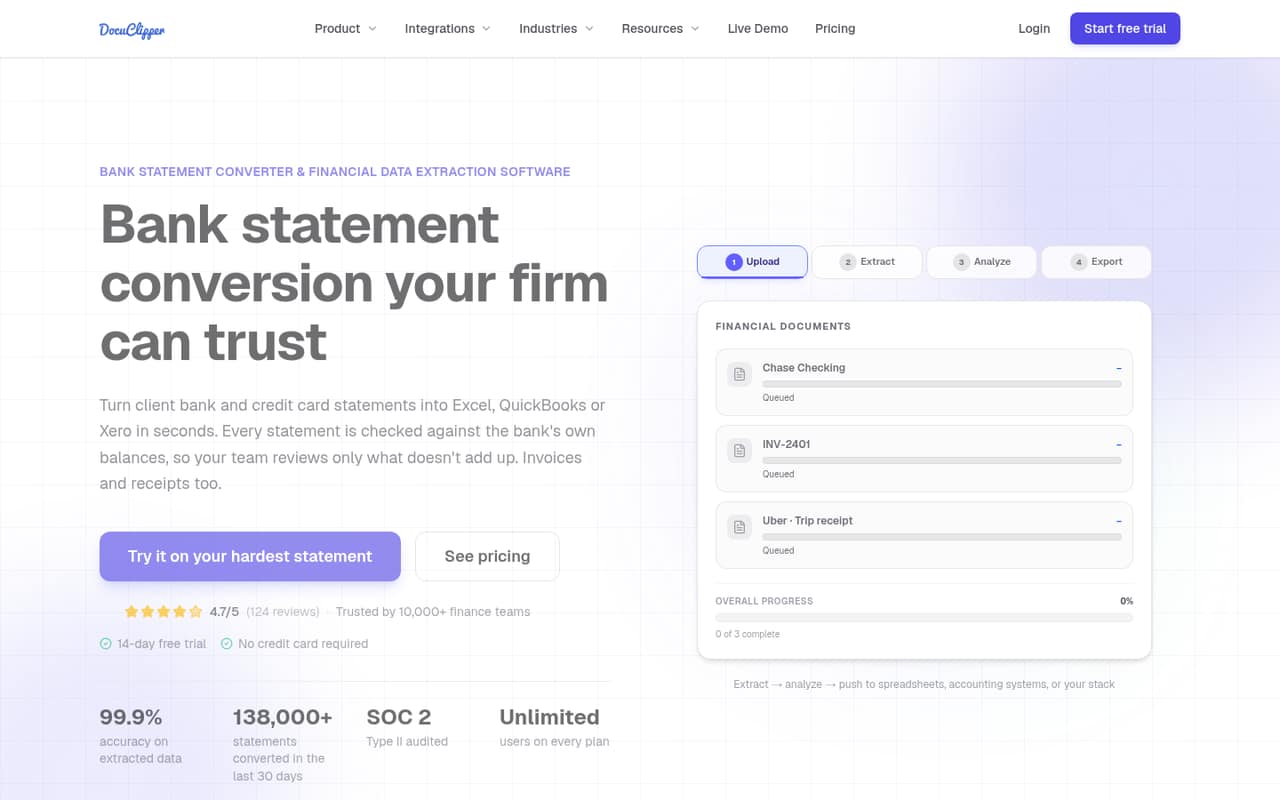
DocuClipper converts bank and credit card statements into spreadsheet and accounting formats, checks extracted totals against printed balances, and also handles invoice and receipt line items. For a small team, its standout pricing detail is unlimited users: Starter costs the same for one person or five, but includes just 60 pages per month.
There is no free plan, though the pricing page lists a 14-day trial. Reddit discussions show people considering DocuClipper for statement cleanup, but offer little direct feedback on its accuracy, setup, or security. We’d test representative documents during the trial and ask the vendor about data handling before uploading sensitive statements.
Good fit if
- Bookkeepers processing statements monthly
- Small teams sharing one page allowance
- Teams exporting to accounting software
Skip it if
- People needing a permanent free tier
- High-volume teams on Starter
- Buyers requiring published security details
ScoresHow it rates
What works
- Unlimited users on all listed plans
- Checks extracted totals against printed balances
- Exports to Excel, CSV, and accounting formats
- Reads scanned statements, invoices, and receipts
- Starter has monthly and annual billing
What doesn't
- No free plan
- Starter includes only 60 pages monthly
- Trial page allowance is not published
- Security and data-retention details are not published
- API overages cost $0.10 per page
01Who DocuClipper is for
DocuClipper suits solo bookkeepers and small businesses that regularly turn bank or credit card statements into usable transaction data. It converts scanned or digital PDFs into formats such as Excel, CSV, QuickBooks, Xero, Quicken, OFX, and QIF. It also reads invoices and receipts, including their line items, and checks statement totals against printed opening and closing balances.
For a team of one to five, the Starter plan is the natural place to look: the pricing page lists 60 pages per month and unlimited users. That can work when statement conversion is a recurring but modest task, rather than a constant stream of client files. The page allowance matters more than the number of seats. If you process more than 60 pages most months, compare Business at 640 pages before committing. Reddit users discussing historical cleanups mention DocuClipper as an option, but the threads don’t establish how well it handles particular banks or messy layouts.
02DocuClipper free plan and trial
DocuClipper does not list a free plan. The pricing page lists a 14-day free trial, but does not publish the trial’s page allowance or specify which plan features are available during it. Ask the vendor what limits apply before using the trial for a real client workload.
The cheapest listed paid option is Starter, at $29 per month or $20.30 per month when billed annually. It includes 60 pages per month, unlimited users, API access, and email and chat support. That is the entry point if you need ongoing access beyond the trial. For a one-off cleanup, the trial may be enough only if its unpublished page allowance covers the job. Use sample or redacted documents first, and confirm the vendor’s privacy and data-handling terms before uploading sensitive bank statements.
03What a small team pays for DocuClipper
Starter costs $29 monthly, or $20.30 per month with annual billing. Because the pricing page lists unlimited users, the plan costs the same for one person, a team of three, or a team of five: $29 monthly, or $20.30 per month on the annual rate. That annual rate works out to $243.60 for a year, with the plan’s annual pages provided upfront. The 60-page allowance, not seats, is the main constraint for a small team.
If you need more volume, Business is $159 monthly or $111.30 per month billed annually, with 640 pages per month, unlimited users, fraud detection and flow of funds, audit logs, and phone and premium support. Enterprise is $399 monthly or $279.30 per month annually for 1,800 pages and additional features. The API plan is $199 monthly and includes 2,000 pages plus 50 free live pages; extra pages cost $0.10 each, and the pricing page lists a volume quote above 20,000 pages monthly. Web plans are 30% cheaper annually; API pricing is listed monthly.
04Getting started with DocuClipper
The basic job is straightforward to describe: upload bank or credit card statement PDFs, have DocuClipper extract transactions, check the totals against the printed balances, then export to a spreadsheet or accounting format. It also supports scanned statements, invoice and receipt OCR, and phone photos. The available product details do not publish a step-by-step setup guide, expected processing time, or how much manual correction different statement layouts may need.
For day one, choose the export your bookkeeper already uses: the listed options include Excel, CSV, QuickBooks, Xero, Quicken, OFX, and QIF. Teams automating regular intake can use bulk uploads, project email, cloud-folder sync, API, or webhooks, though the amount of configuration each requires is not published. Try representative, redacted files during the 14-day trial and verify transaction rows and balances before relying on exports. Reddit commenters discussing statement cleanup also note that formatting and wrapped lines can need attention, so budget time to review output.
05When small teams outgrow DocuClipper
The first ceiling is volume: Starter stops at 60 pages per month. A team that regularly exceeds that limit may need Business, which lists 640 pages monthly but costs $159 month to month, or $111.30 per month on annual billing. Enterprise raises the allowance to 1,800 pages, at a much higher price. All three plans list unlimited users, so adding a teammate does not create a stated per-seat charge; the pressure to upgrade is page volume and the need for higher-tier features.
For API use, the listed allowance is 2,000 pages monthly, with $0.10 per extra page and a volume quote above 20,000 pages. Reddit discussions include people weighing statement-cleanup tools against manual or custom approaches, and one commenter cautions that cleanup rules can matter as much as OCR. Those comments are not direct DocuClipper reviews, so use your own sample files to judge accuracy. If your workflow needs published security assurances, specialized bank-layout handling, or limits beyond the listed tiers, ask the vendor before scaling.
From the threadsWhat users say
Reddit users mention DocuClipper as an option for statement conversion, but the discussions provide little direct evidence about using it. The wider conversation is mixed: people report formatting and cleanup frustrations with PDFs, while some favor alternative tools or custom workflows.
maybe 25-35 on average
Excel's 'Get Data from PDF' completely ruined the formatting
Bank statement PDFs usually need cleanup rules more than OCR magic
I'm looking into DocuClipper, Dext, and AutoEntry
Questions people ask
What is DocuClipper used for?
DocuClipper extracts data from bank and credit card statements, invoices, and receipts. It converts statements into spreadsheet and accounting formats, checks extracted totals against printed balances, and supports workflow automation through bulk uploads, project email, cloud-folder sync, API, and webhooks.
How much does DocuClipper cost?
Starter costs $29 per month or $20.30 per month when billed annually, with 60 pages monthly and unlimited users. Business starts at $159 monthly, Enterprise at $399 monthly, and the API plan is $199 monthly. Annual billing is listed for web plans; API pricing is monthly.
Does DocuClipper have a free plan?
No. The pricing page lists no free plan, but it does list a 14-day free trial. The trial’s page allowance and exact feature access are not published, so ask the vendor what applies before planning a large conversion job.
Is DocuClipper safe for bank statements?
The pricing and feature details don’t publish specific security, privacy, or data-retention commitments. Since bank statements contain sensitive information, review the vendor’s current security and privacy terms and ask how uploaded files are handled before using client documents.
Does DocuClipper work with scanned statements?
Yes. DocuClipper’s listed features include OCR for scanned or digital bank and credit card PDFs, as well as scanned invoices, receipts, and phone photos. Its balance-reconciliation feature compares extracted totals with printed opening and closing balances and flags mismatches.