
We may earn a commission if you buy through links on this page. It never changes a score or a ranking. How we make money
The bottom line
A possible fit for mixed device fleets, if a quote and setup details meet your needs.
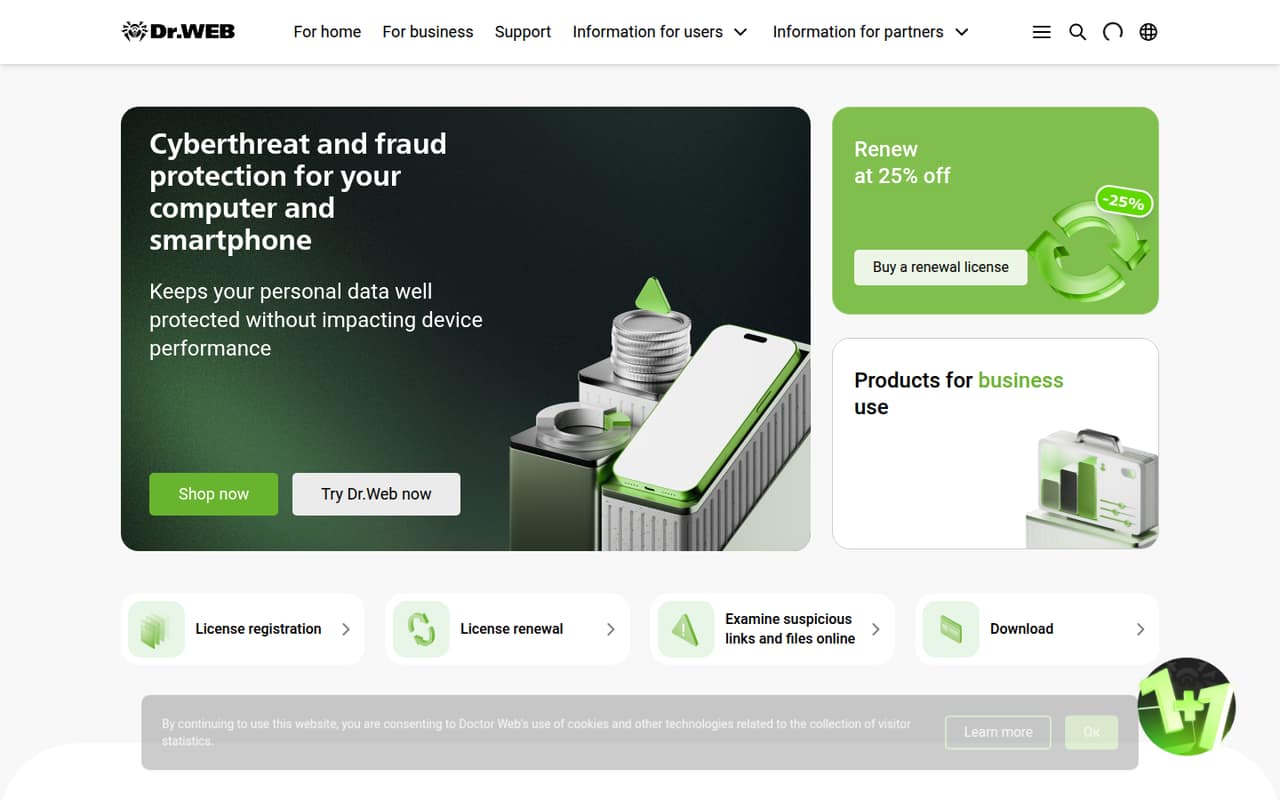
Dr.Web offers business security packages for PCs, servers, mail systems, gateways and mobile devices. Its Universal suite covers desktops, laptops, servers and mobile devices, but the homepage focuses on personal products rather than explaining Enterprise Security Suite in detail.
There is no listed free plan or published starting price. A trial is available, and the Small Business Bundle covers 5–25 PCs, but its annual price depends on configuration. Get a quote and confirm setup requirements before budgeting.
Good fit if
- Teams protecting mixed device fleets
- Businesses with at least five PCs
- Buyers willing to request a quote
Skip it if
- Teams needing a free plan
- Three-person teams seeking a PC license
- Buyers requiring transparent seat pricing
ScoresHow it rates
What works
- Packages cover PCs, servers, mail, gateways and mobile devices
- Universal suite includes desktops, laptops, servers and mobile devices
- Small Business Bundle covers 5–25 PCs
- Free trial is available
- Online checks for suspicious links and files
What doesn't
- No free plan is listed
- Monthly and annual prices are not published
- Desktop Security Suite requires at least five PCs
- Trial duration is not published
- Homepage does not explain Enterprise Security Suite specifically
01Who Dr.Web Enterprise Security Suite is for
Dr.Web Enterprise Security Suite is aimed at organizations protecting computers, servers, mail systems, gateways or mobile devices. The Universal package covers desktops, laptops, servers and mobile devices, so it may suit a small business managing more than one device type. The Small Business Bundle is listed for 5–25 PCs.
For a team of one to three people, the fit is less clear: the Desktop Security Suite has a five-PC minimum, and prices are not published. We’d consider it when endpoint protection is the main job and the team is comfortable requesting a configured quote before committing. The homepage also lists personal-computer and mobile protection, online checks for suspicious links and files, and claims that protection does not impact device performance. Those claims describe Dr.Web’s products generally, though; the homepage does not explain exactly how Enterprise Security Suite delivers them or how its management works.
02Dr.Web Enterprise Security Suite free plan and trial
Dr.Web does not list a free plan for Enterprise Security Suite. It does offer a free trial: the business suite listings say a trial is available on request, while the Small Business Bundle lists a free trial. The trial’s duration is not published, so ask Dr.Web or an authorized partner how long it runs and which package, devices and features it covers.
The lowest clearly described entry option is the Small Business Bundle for 5–25 PCs, but its annual price is calculated after configuration. The Desktop Security Suite also has a five-PC minimum. Neither listing gives a price, so a trial can help assess the product, but it does not tell a small team what ongoing service will cost.
03What a small team pays for Dr.Web Enterprise Security Suite
The pricing page lists no monthly or annual prices; licenses are configured through a license constructor, online wizards or authorized partners. That means the cost for one person is not published. Three seats also do not meet the five-PC minimum listed for Dr.Web Desktop Security Suite. For five PCs, the Small Business Bundle is listed as covering 5–25 PCs, with an annual price calculated upon configuration; the actual five-seat total and per-seat cost are not published.
There is no monthly-versus-annual comparison to calculate, and the other listed suites—for servers, mail systems, gateways and mobile devices—also have no published prices. The Universal suite covers desktops, laptops, servers and mobile devices, but its price is likewise not listed. No add-on prices are listed. Before comparing it with another endpoint security bill, ask for a quote that specifies the number and types of protected devices, license term, renewal price and any extra charges.
04Getting started with Dr.Web Enterprise Security Suite
The available homepage information does not describe Enterprise Security Suite setup, its management console or the steps for enrolling devices. It also does not identify integrations a small team can use on day one. We can’t tell from the published details whether installation is self-serve or whether a partner needs to help configure the license.
Before requesting a trial, ask Dr.Web or an authorized partner what devices and operating systems the selected package covers, how to deploy protection to each device, and how administrators monitor alerts and updates. Confirm whether the trial includes the same management features as the paid license and how much help is available during setup. The package list does identify coverage areas, including PCs, servers, mail, gateways and mobile devices, but that is not enough to estimate the learning curve. Treat setup effort as something to confirm during the trial, rather than assuming it will be simple.
05When small teams outgrow Dr.Web Enterprise Security Suite
The clearest size constraint is the five-PC minimum for Desktop Security Suite. That can rule it out for a team with fewer computers, while the Small Business Bundle is listed for 5–25 PCs. Its price depends on configuration, so a growing team may need a fresh quote to understand how costs change as it adds devices.
Teams with mixed fleets can look at the Universal suite, which covers desktops, laptops, servers and mobile devices. Its listed mail-scanning limit is 150% of protected end devices. Ask Dr.Web how that limit applies to your mail setup and what happens if your needs change; the published details do not state an upgrade threshold or price. A team may also need to reassess the product if it requires integrations or management features not explained on the homepage. Before renewing or expanding, get written pricing and confirm coverage for every device type you plan to protect.
Questions people ask
Does Dr.Web Enterprise Security Suite have a free plan?
Dr.Web does not list a free plan for Enterprise Security Suite. It lists a free trial available on request, but the trial duration is not published. Ask Dr.Web or an authorized partner which package and features the trial includes, how many devices it covers, and when it ends.
How much does Dr.Web Enterprise Security Suite cost?
Dr.Web does not publish monthly or annual prices for the listed business suites. The Small Business Bundle covers 5–25 PCs and has an annual price calculated upon configuration. Request a quote that includes your device count, license term, renewal price and any additional charges.
Can a team of three buy Dr.Web Desktop Security Suite?
The listed minimum for Dr.Web Desktop Security Suite is five PCs, so a three-PC team does not meet that stated minimum. The Small Business Bundle is listed for 5–25 PCs. Ask Dr.Web whether another package fits a smaller deployment and request its price before deciding.
What devices does Dr.Web Enterprise Security Suite protect?
The Universal suite is listed for desktops, laptops, servers and mobile devices. Dr.Web also lists separate business suites for desktop computers, servers, mail systems, gateways and mobile devices. Confirm the exact device and operating-system coverage with Dr.Web for the package you plan to license.
What is the mail-scanning limit in the Universal suite?
The listed limit is 150% of protected end devices. The pricing details do not explain how that limit translates to a particular mail environment or what happens if your needs exceed it. Ask Dr.Web to confirm how it applies to your device count and configuration.