
We may earn a commission if you buy through links on this page. It never changes a score or a ranking. How we make money
The bottom line
Good range of diagramming tools, but no free plan and unclear AI add-on costs.
Edraw AI brings AI diagramming, mind maps, Gantt charts, templates, and browser collaboration into one toolkit. That range can suit a small team that regularly turns ideas or processes into visuals.
The pricing page lists EdrawMax at $99 per year, equivalent to $8.25 per month for annual billing. There is no free plan listed, and the vendor does not publish a monthly-billed price or prices for AI add-ons, so check your likely total before buying.
Good fit if
- Teams that make diagrams regularly
- Mind-map and presentation workflows
- Small teams using Gantt charts
Skip it if
- Teams that need a free plan
- Buyers needing predictable AI costs
- Teams seeking published monthly pricing
ScoresHow it rates
What works
- AI can generate and refine diagrams
- Mind maps can expand ideas with AI
- Gantt charts support task tracking
- Browser collaboration is highlighted
- More than 50,000 templates are listed
What doesn't
- No free plan is listed
- Monthly-billed price is not published
- AI add-on prices are not published
- AI token pack prices are not published
- Team-specific pricing details are unclear
01Who Edraw AI is for
Edraw AI is for small teams that need to make diagrams, mind maps, or project plans as part of regular work. A team of one to ten could use it to map a process, sketch an org chart, expand an idea into a mind map, or track tasks in a Gantt chart.
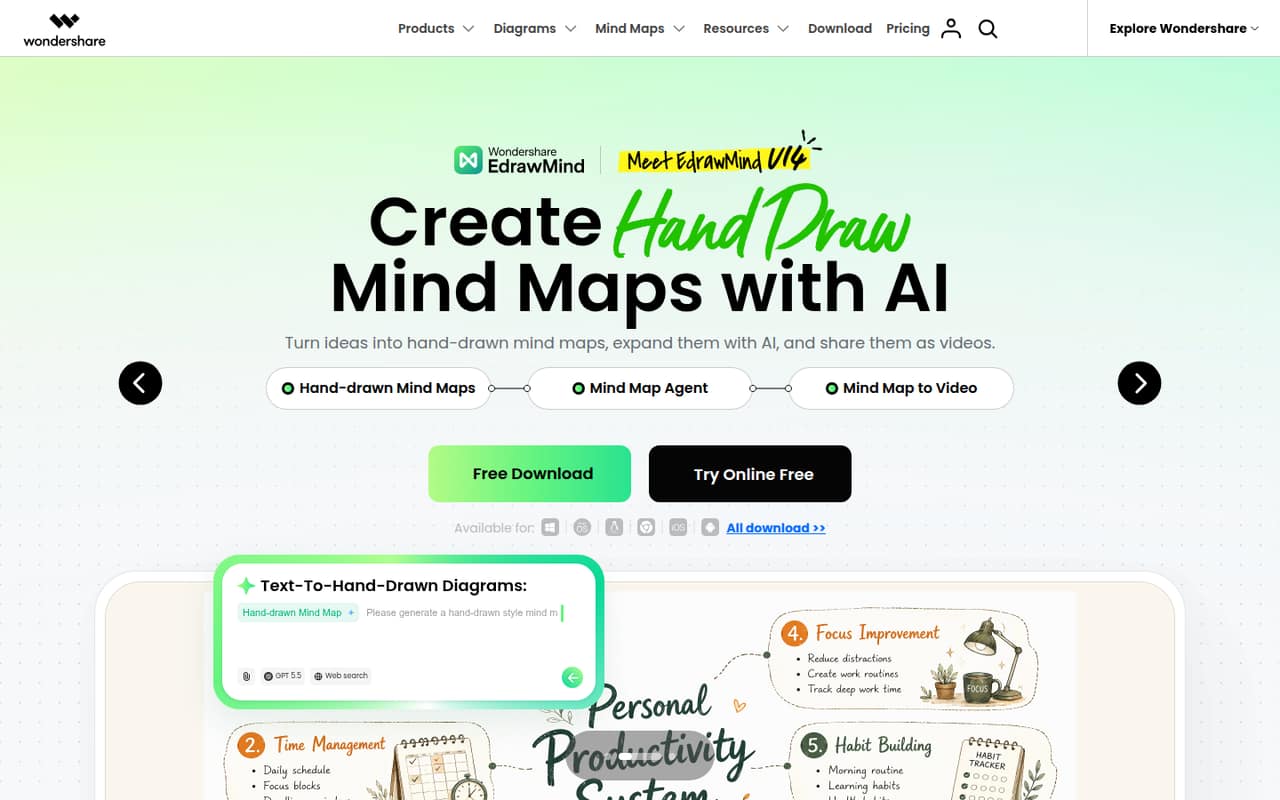
The homepage highlights AI-assisted diagram creation, templates, browser-based collaboration, and desktop apps. Edraw lists more than 50,000 templates, including options for business plans, floor layouts, and org charts. That breadth is useful if your team makes different kinds of visuals, rather than needing one simple flowchart now and then.
Budget-conscious buyers should weigh the annual commitment and possible add-ons. The pricing page lists EdrawMax at $99 per year per subscriber, while AI Assets and token packs have no published prices. For occasional diagrams or a team that needs a free tool, this may be more software—and cost—than you need.
02Edraw AI free plan and trial
The pricing page does not list a free plan for EdrawMax, and a free-trial offer is not published. That means a small team should not plan around being able to use the product indefinitely at no cost. Ask the vendor whether a trial is currently available and what it includes before committing.
The cheapest listed way in is the EdrawMax Annual Plan: $99 for annual billing, or $8.25 per month when averaged across the year. The pricing page lists that rate for EdrawMax annual subscribers; it does not publish a monthly-billed price. AI Assets and AI Token packs are separate add-ons with prices not published, so confirm whether the AI features your team wants are covered by the subscription or cost extra.
03What a small team pays for Edraw AI
The pricing page lists the EdrawMax Annual Plan at $99 per subscriber for a year, equivalent to $8.25 per month with annual billing. It does not publish a monthly-billed price. Assuming each person needs a subscription, one person costs $99 per year; three cost $297 per year, or $24.75 per month averaged across the year; five cost $495 per year, or $41.25 per month averaged across the year.
Those are annual-billing calculations, not monthly payment quotes. The listed plan is for EdrawMax annual subscribers, so ask the vendor whether the same rate applies to your team and how seats are purchased. The pricing material also lists Edraw Creative Assets / AI Assets and AI Token packs as add-ons, but their prices are not published. If your team expects to use AI heavily, those unknowns make it hard to set a reliable total budget. Confirm add-on requirements and pricing before buying.
04Getting started with Edraw AI
The homepage presents browser-based diagram creation and collaboration alongside desktop apps. That gives a small team a choice of working in a browser or using a desktop version, but the vendor does not publish a setup checklist or an estimate of how long onboarding takes. We would budget time to learn the diagram and project workflows before rolling it out to everyone.
The listed capabilities cover AI diagram generation and editing, mind maps, Gantt charts, and templates. A team can start by choosing the workflow it needs most, then check whether its preferred features require an AI add-on. The vendor does not publish integration details in the pricing material, so ask about connections to the tools your team already uses before you make those part of the plan. Browser collaboration is highlighted, but specific sharing permissions and team setup steps are not published.
05When small teams outgrow Edraw AI
Edraw AI may stop fitting when your team needs a predictable, no-surprises bill. The listed EdrawMax price is annual, the monthly-billed price is not published, and prices for AI Assets and AI Token packs are also not published. As more people need access, annual seat costs add up: the listed rate works out to $297 a year for three subscribers and $495 for five, before any add-ons.
A growing team should also check whether its working style fits the product. The homepage highlights browser collaboration and desktop apps, but the pricing material does not spell out team-specific seat rules, collaboration limits, or integration details. Ask the vendor about those before expanding. If you need a free tier, transparent monthly billing, or confirmed add-on costs, compare alternatives before adding seats. There are no published usage limits in the pricing details to identify a specific feature threshold where an upgrade becomes necessary.
Questions people ask
Is Edraw AI free?
The pricing page does not list a free plan, and a free trial is not published. The cheapest listed option is EdrawMax Annual Plan at $99 for a year, equivalent to $8.25 per month with annual billing. Ask the vendor whether a trial is currently available and what AI features it includes.
How much does Edraw AI cost for a small team?
The listed EdrawMax annual rate is $99 per subscriber. At that rate, three people cost $297 per year and five cost $495 per year, before add-ons. Those figures assume each person needs a subscription. The vendor does not publish a monthly-billed price or prices for AI Assets and AI Token packs.
What can Edraw AI help a team create?
Edraw highlights AI-assisted diagrams, including flowcharts, along with mind maps, Gantt charts, and templates. Its homepage also promotes turning mind maps into presentations and creating hand-drawn-style maps that can be shared as videos. The listed template library contains more than 50,000 templates.
Can a team collaborate in Edraw AI?
The homepage highlights creating and editing diagrams in a browser and sharing them with a team. It also lists desktop apps. Specific collaboration limits, team seat rules, and sharing permissions are not published in the pricing details, so confirm those with the vendor if they matter to your workflow.
Are Edraw AI features included in the EdrawMax price?
The pricing material lists Edraw Creative Assets / AI Assets and AI Token packs as add-ons, but the prices are not published. It does not make clear which AI features are included in the $99 annual EdrawMax listing. Ask the vendor which plan or add-ons cover the features your team expects to use.