
We may earn a commission if you buy through links on this page. It never changes a score or a ranking. How we make money
The bottom line
Useful for stream highlights and vertical clips, but the paid entry price and unknown limits need scrutiny.
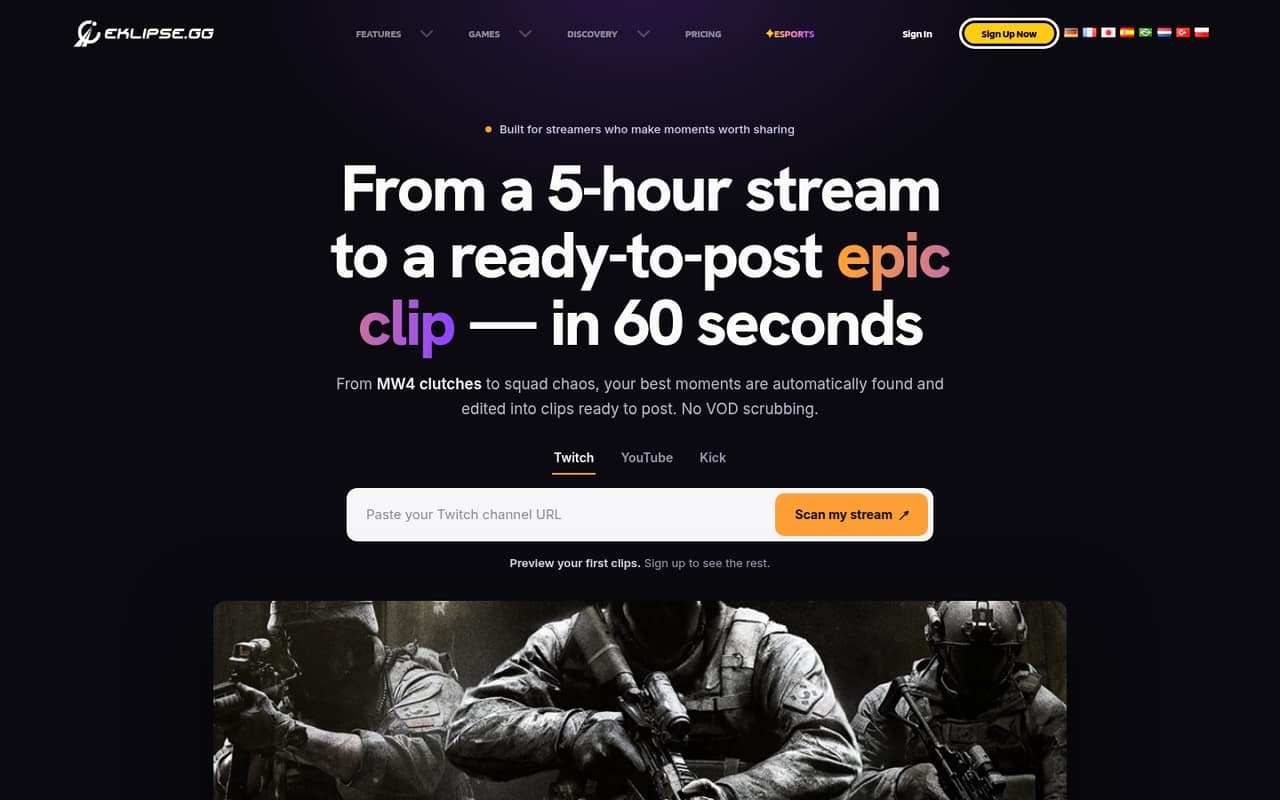
Eklipse uses AI to find livestream highlights and turn them into vertical clips. It also offers editing, auto captions, a Content Planner, and console clipping for Xbox and PS5 streams on Twitch or YouTube.
The pricing page lists Premium at $24.99 per month, with no free plan or trial listed. A Reddit user reports using a free version to format clips they had already made, while other users describe mixed results with clip selection and captions.
Good fit if
- Livestreamers making social clips
- Creators who stream console games
- Small teams repurposing approved clips
Skip it if
- Teams needing published clip limits
- Creators on a strict free-only budget
- Teams needing confirmed shared seats
ScoresHow it rates
What works
- Finds highlights using gameplay, audio, and chat signals
- Reframes clips vertically for social platforms
- Offers editable captions and clip adjustments
- Content Planner supports four social platforms
- Console clipping supports Xbox and PS5 streams
What doesn't
- Pricing page lists no free plan or trial
- Clip limits are not published
- Monthly plans include only 14-day clip storage
- Annual plan prices are not published
- Reddit users report missed context and caption errors
01Who Eklipse is for
Eklipse is for livestreamers who want help turning long streams into short social clips. It uses gameplay events, audio spikes, and chat sentiment to find moments, then reframes highlights into vertical 9:16 clips. You can trim clips, edit captions, change templates, and adjust highlights before sharing.
For a one-person creator, the main question is whether those features save enough editing time to justify $24.99 a month. A small team of three or five could use it to prepare and schedule approved clips, but the pricing page does not explain shared seats or team permissions. We’d confirm that before budgeting for multiple people.
It fits teams publishing to TikTok, YouTube Shorts, Instagram Reels, or Facebook. Console streamers may also find the Xbox and PS5 support useful. If you only need occasional clips or cannot budget for a paid plan, start by checking whether the free use reported by one Reddit user fits your workflow.
02Eklipse free plan and trial
The pricing page lists no free plan and no free trial. Its cheapest listed option is Premium at $24.99 per month. That’s the clearest paid way in if you need Eklipse’s clipping service.
There is a wrinkle: one Reddit user says they use a free version to turn clips they had already made on Kick into short-form video, with a camera overlay and automatic subtitles. That comment doesn’t establish a generally available free plan or list its limits, so treat it as a user report rather than a published offer.
If you’re considering that free use, check with Eklipse whether it’s available to your account and which features it includes. The pricing page does not publish clip limits, so ask what usage is covered before relying on it for a regular posting schedule.
03What a small team pays for Eklipse
The pricing page lists Premium at $24.99 per month and Premium Pro at $39.99 per month. If each creator needs an individual paid plan, one person would pay $24.99 or $39.99 monthly. That works out to $74.97 or $119.97 for three people, and $124.95 or $199.95 for five. These are simple per-person estimates, not confirmation that Eklipse requires separate accounts.
The page doesn’t publish annual prices, so there’s no supported annual total to compare. Annual plans do add 90-day storage and 1080p lossless export; monthly plans include 14-day storage. Both tiers list those annual-plan benefits, while clip limits aren’t published for either plan. The listed add-ons section is empty, but that doesn’t confirm whether extra services can be purchased separately.
Before buying for a group, ask Eklipse whether Premium or Premium Pro supports shared access, how clip limits work, and what an annual commitment costs. The published prices make Premium the cheaper starting point, but the extra value in Pro isn’t clear from the listed plan details.
04Getting started with Eklipse
Eklipse’s basic job is clear: identify stream moments, make vertical clips, and let you review and edit them before sharing. Its listed editing tools include trimming, caption changes, and templates. The Content Planner can schedule and post approved clips to TikTok, YouTube Shorts, Instagram Reels, and Facebook. The mobile app supports clip review and editing.
For console clipping, Eklipse says it supports Xbox and PS5 streams on Twitch or YouTube. That gives console creators a supported route, but the vendor doesn’t publish a setup-time estimate in the information available to buyers. We’d check the setup instructions for your specific console and streaming platform before committing.
A Reddit user describes using Eklipse on clips already made on Kick to reformat them and add captions. The same user says the auto subtitles sometimes need correction. So expect to review clips and captions rather than assume every result is ready to post. The published pricing details don’t spell out a team onboarding process or shared-account setup.
05When small teams outgrow Eklipse
The first pressure point is predictable volume: Eklipse does not publish clip limits for Premium or Premium Pro. If several creators depend on it every week, ask the vendor how many clips each plan covers before building a workflow around it. The monthly storage window is another constraint: the pricing page lists 14 days for monthly plans, compared with 90 days on annual plans.
Cost also rises quickly if every creator needs a separate plan. At the listed Premium rate, three people would total $74.97 per month and five would total $124.95. Whether accounts can be shared or seats bundled isn’t stated, so confirm that directly before budgeting.
Reddit feedback suggests AI selection still needs human review. One commenter says some clips start in the middle of a fight, and another reports correcting auto-caption errors. If your team needs reliably contextual edits, predictable clip capacity, or clear shared-seat pricing, those gaps may push you to compare other tools or keep more of the editing in-house.
From the threadsWhat users say
Reddit feedback is mixed: users value help finding and formatting clips, but report that AI picks and captions still need review. The comments don’t give a clear picture of Eklipse support or broad team use.
Still messing around with eklipse to try and get it to do what I want (automatically make short content from streams)
there’s some parts it starts in the middle of a fight and not before the fight happens
I use the free version of Eklipse. But only on clips that I've already done on Kick
The subtitles doesn't always work 100% though so sometimes i have to change what it thought was being said
Questions people ask
Is Eklipse free to use?
The pricing page lists no free plan or free trial. One Reddit user says they use a free version to format clips they had already made on Kick, but that comment doesn’t give its terms or limits. Ask Eklipse whether that free access is available to you and what it includes.
What does Eklipse do?
Eklipse uses AI to find moments in livestreams and turn them into social-ready clips. It can reframe highlights vertically, add editable captions, and let you trim clips or change templates. Its Content Planner schedules and posts approved clips to TikTok, YouTube Shorts, Instagram Reels, and Facebook.
How much does Eklipse Premium cost?
The pricing page lists Premium at $24.99 per month and Premium Pro at $39.99 per month. Annual prices are not published. The listed monthly plans include 14-day clip storage; annual plans include 90-day storage and add 1080p lossless export.
Can Eklipse clip Xbox and PS5 streams?
Eklipse lists console clipping support for Xbox and PS5 streams on Twitch or YouTube. The available details don’t specify setup steps, so check Eklipse’s instructions for your console and streaming platform before relying on that workflow.
Does Eklipse create captions and schedule posts?
Yes. Eklipse lists auto-generated, editable captions and a Content Planner that schedules and posts approved clips to TikTok, YouTube Shorts, Instagram Reels, and Facebook. A Reddit user reports that automatic subtitles sometimes need correction, so review captions before publishing.