
We may earn a commission if you buy through links on this page. It never changes a score or a ranking. How we make money
The bottom line
Good for quick, occasional cutouts; team pricing and shared access need clarification.
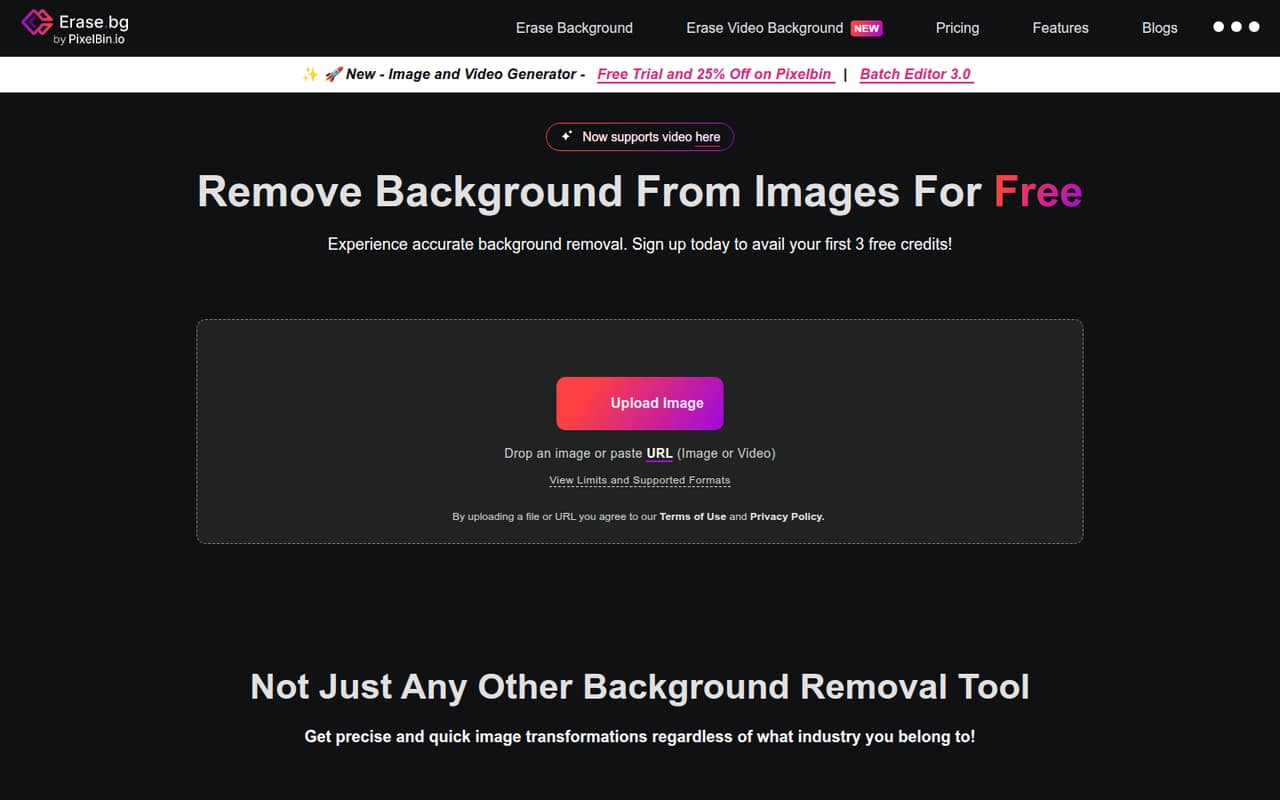
erase.bg automatically removes image backgrounds, with a free Starter Plan offering 3 credits and 3 HD downloads. It also lists bulk processing, video uploads up to 30 seconds, and API access for business workflows.
For a small team, the catch is pricing clarity: Pro starts at $5 for 10 credits, but seat costs and monthly or annual plans aren't listed. Check how credits and access work across your team before making it part of a regular production process.
Good fit if
- People editing a few images
- Small teams testing background removal
- Businesses needing API or bulk processing
Skip it if
- Teams needing published per-seat costs
- High-volume users needing predictable monthly billing
- Teams requiring confirmed shared accounts
ScoresHow it rates
What works
- Free plan includes 3 credits and 3 HD downloads
- Pro starts at $5 for 10 credits
- One credit covers one background removal
- Supports PNG, JPEG, JPG, WEBP, and HEIC
- Offers batch mode and API access
What doesn't
- No monthly or annual billing is listed
- Per-seat pricing isn't published
- How teams share credits isn't stated
- One-time credit packs are non-refundable
- Enterprise pricing requires contacting sales
01Who erase.bg is for
erase.bg fits a solo operator or a small team of 2–10 people that needs occasional product, profile, or marketing images cleaned up without buying a full image-editing suite. The tool automatically removes image backgrounds, so its core job is narrow and easy to explain: upload an image and get a background-free result.
The free Starter Plan gives a small team a low-cost way to try the service, while Pro starts at $5 for 10 credits for more regular use. Bulk processing is listed for batch work, and the Enterprise offer is aimed at businesses that need bulk processing or API access. Those options may suit a team with a steady workflow, but erase.bg doesn't publish seat pricing or a standard team plan. We’d treat it as a good fit for a few edits, not assume it’s the right home for a shared production pipeline until the vendor confirms how team access and credits work.
02erase.bg free plan and trial
The Starter Plan is free and includes 3 credits and 3 free HD downloads. The homepage says personal-use image processing on its website is free, making it a sensible entry point for occasional edits or a small team deciding whether the output suits its needs. One background removal uses 1 credit, so the listed allowance covers three removals.
The free allowance is limited: it isn't a standing supply for regular batch work. The pricing page doesn't list a free trial separate from the Starter Plan. If you use the credits and need more, Pro is pay-as-you-go from $5 for 10 credits. The pricing page also lists one-time credit packs, but says those credits are non-refundable and valid for one year. The free offer is described for personal use; ask the vendor about commercial use and team sharing before using it for ongoing business work.
03What a small team pays for erase.bg
The pricing page lists a free Starter Plan and Pro pay-as-you-go from $5 for 10 credits. It doesn't list monthly or annual billing, a per-seat price, or a standard team plan. For one person, the entry cost is $0 for the listed free allowance, then $5 for the Pro starting purchase. One background removal uses 1 credit.
For a team of 3 or 5, a reliable total can't be calculated from the published prices: erase.bg doesn't say how many accounts a purchase covers, whether credits can be shared, or whether each person needs a separate account. If each teammate buys the $5 starting amount, that would be $15 for three or $25 for five, but that's only a per-person illustration—not a published team rate. The pricing section also lists one-time euro packs: €3.57 for 10 credits, €7.13 for 100, and €14.26 for 1,000. Packs are valid for one year and non-refundable. Ask sales about Enterprise bulk processing.
04Getting started with erase.bg
For a basic edit, the setup looks simple: use the website to process an image, with no separate software installation listed. The service supports PNG, JPEG, JPG, WEBP, and HEIC images, and lists a maximum image resolution of 10,000 × 10,000 pixels. It also accepts video uploads up to 30 seconds, so check that limit before planning a video workflow.
A team can begin with the free credits, but the pricing information doesn't explain shared accounts, user roles, or how credits are pooled. Those are worth confirming before inviting coworkers or building a repeatable process. For a one-off background removal, there are few workflow decisions; bulk processing and API access add options for larger operations. Enterprise capabilities are available for API integration and bulk processing, but the vendor doesn't publish setup steps or a standard integration list here. Ask the vendor what implementation involves if you need those features on day one.
05When small teams outgrow erase.bg
The first sign of a mismatch is using the free 3-credit allowance for regular work. Pro starts at $5 for 10 credits and lists unlimited transformations, unlimited HD downloads, batch mode, and 24/7 chat and email support. However, the pricing page doesn't explain how those unlimited features relate to credit use, so ask what the $5 purchase covers before budgeting for repeated jobs.
A growing team may also need predictable monthly costs, individual seats, or shared credit accounting. erase.bg doesn't publish monthly or annual billing or per-seat rates, and its one-time packs are non-refundable. That makes costs harder to forecast if several people process images every week. For heavier batch needs, Enterprise offers custom quotes and asks businesses to contact sales. If your team needs a defined user limit, clear account controls, or a guaranteed monthly budget, get those details in writing before committing to a larger workflow.
Questions people ask
How many free background removals does erase.bg include?
The Starter Plan includes 3 free credits and 3 free HD downloads. erase.bg says one background removal uses 1 credit, so the listed allowance covers three removals. The homepage describes free image processing on its website for personal use.
How much does erase.bg Pro cost?
The pricing page lists Pro as pay-as-you-go, starting at $5 for 10 credits. It doesn't list monthly or annual billing. It also lists one-time credit packs in euros: €3.57 for 10 credits, €7.13 for 100, and €14.26 for 1,000.
Can erase.bg process videos?
Yes. erase.bg lists video upload support for files up to 30 seconds. The listed image formats are PNG, JPEG, JPG, WEBP, and HEIC, with a maximum image resolution of 10,000 × 10,000 pixels.
Does erase.bg offer bulk processing or an API?
Yes. Pro lists batch mode, and Enterprise offers bulk processing through a custom quote. erase.bg also lists API integration for organizational workflows. The vendor doesn't publish Enterprise pricing or setup details, so contact sales for requirements and costs.
Can a team share erase.bg credits?
The pricing information doesn't say whether credits can be shared between teammates or how many users an account supports. It also doesn't list per-seat pricing. Before buying for a team, ask erase.bg whether one credit balance can serve multiple users and what access controls are available.