
We may earn a commission if you buy through links on this page. It never changes a score or a ranking. How we make money
The bottom line
A capable project-time tracker with a useful free tier and a five-seat paid-plan minimum.
Everhour combines time tracking with project budgets, reports, scheduling, and invoicing. Its Free plan covers up to five seats, but has limited features; paid Team includes all features and starts at five seats.
For a small team, the key decision is whether Free covers your workflow or whether Team’s $42.50 monthly equivalent for five seats, billed yearly, is worth the upgrade. Reddit comments are mixed: some value its fit with project-management workflows, while others say tracking takes a routine.
Good fit if
- Teams tracking client project time
- Small teams with billable work
- Asana, Jira, or Trello users
Skip it if
- Teams needing a full-featured free plan
- Teams unwilling to track time routinely
- Small teams avoiding seat minimums
ScoresHow it rates
What works
- Free plan covers up to five seats
- Tracks time, projects, and tasks
- Team includes budgets and invoicing
- Reports can be saved and exported
- Integrates with Asana, Jira, and Trello
What doesn't
- Free plan has limited features
- Team requires a five-seat minimum
- Monthly Team price is not published
- Custom plan starts at 50 seats
- Consistent timer use takes a team routine
01Who Everhour is for
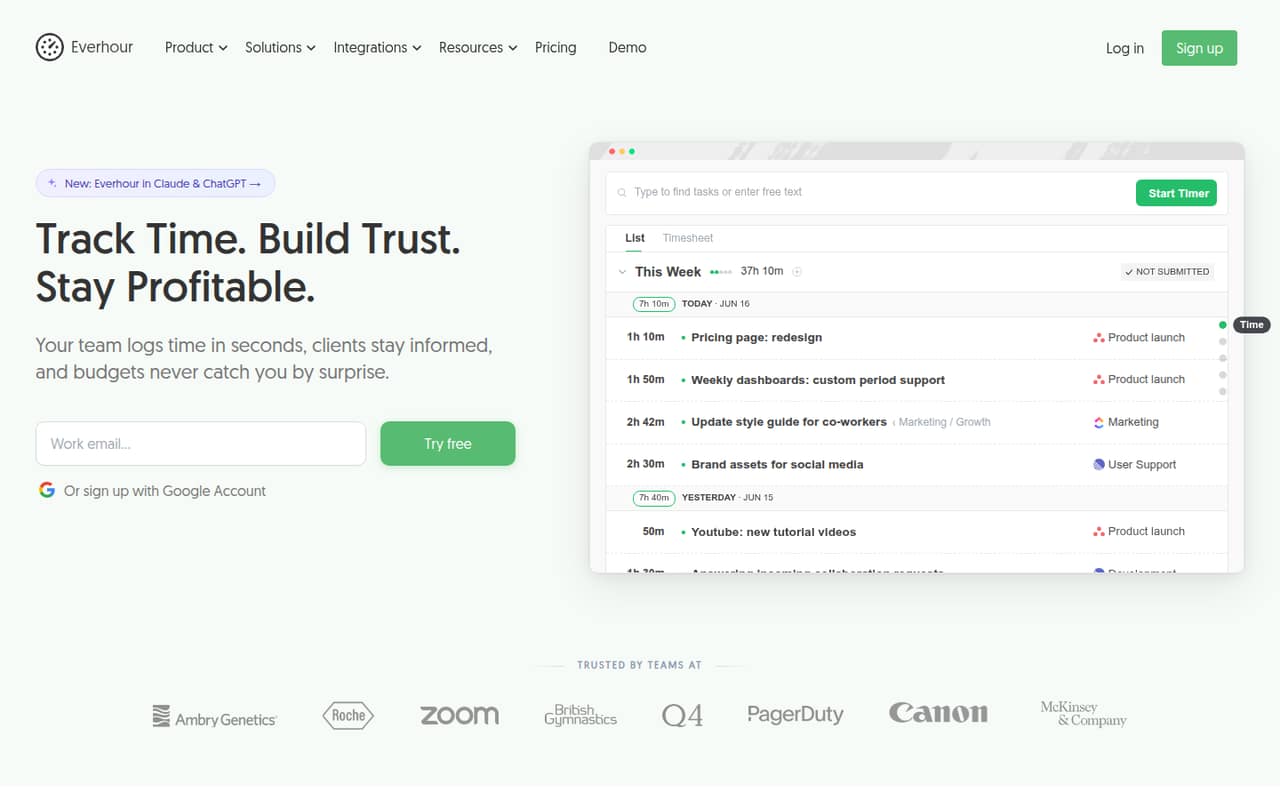
Everhour is for teams that need to connect work hours to projects, tasks, budgets, or client bills. A small agency or service team could use it to see planned versus tracked time, monitor project budgets, and turn tracked hours into invoices. It also offers reports, scheduling, time-off planning, and workload views.
The Free plan is aimed at individuals and small teams, with up to five seats and limited features. That makes it a reasonable starting point for a team of one to five that mainly needs time tracking, projects, tasks, reports, and data export. Teams that need all features, native integrations, billing, budgeting, invoicing, SSO, or advanced permissions need Team. Its five-seat minimum means it is a less tidy fit for a solo user or three-person team that wants paid features but does not need five seats.
02Everhour free plan and trial
Everhour’s Free plan costs $0 and supports up to five seats. It includes time tracking, projects and tasks, reports, and data export, but the plan has limited features. The pricing page also lists a 14-day trial of all features, giving a team a short window to assess features beyond Free.
Free is the cheapest way in and may be enough if your team only needs the listed basics. It does not include all features: the pricing page lists native integrations, billing, budgeting, invoicing, SSO, and advanced permissions under Team. If one of those is essential, the paid plan has a five-seat minimum. Everhour does not publish a monthly Team price, so ask the vendor for the monthly rate if you do not want annual billing.
03What a small team pays for Everhour
The Free plan is $0 for up to five seats, with limited features. Team is listed at $8.50 per seat per month when billed yearly, with a five-seat minimum. That works out to $42.50 per month, or $510 for a year, for the minimum five seats. The pricing page says annual payment saves 15%; it does not publish the monthly-billing price.
A solo user or a team of three can use Free if its features are enough. If either needs Team features, the minimum bill is still five seats: $42.50 per month equivalent on annual billing, not one seat at $8.50 or three at $25.50. A five-person team pays the same minimum: $42.50 monthly equivalent, billed annually. The pricing page lists no extra paid add-ons for these plans. Custom is for organizations with at least 50 seats, and volume discounts are available for new accounts above 50 seats.
04Getting started with Everhour
The basics are straightforward to scope: set up projects and tasks, then decide how the team will record time and review reports. If you use Asana, Jira, or Trello, Everhour lists integrations with those project-management apps; whether one is needed on day one depends on where your team keeps its work. Team includes native integrations, while Free is listed with limited features.
The work is less about a complicated tool rollout than making time tracking part of the team’s routine. In one Reddit thread, a commenter said tracking became automatic after a week or two once the team made it a habit. Another pointed out that remembering to start, stop, and switch timers can feel like extra work. Keep the process simple, explain when to track, and agree how often someone checks the reports. The vendor’s pricing page does not publish a setup timeline.
05When small teams outgrow Everhour
The first pressure point is Free’s limited feature set. If your team needs billing, budgeting, invoicing, native integrations, SSO, or advanced permissions, the listed upgrade is Team. That plan has a five-seat minimum, so a solo user or team of three pays for five seats to get those features. For a larger organization, Custom starts at 50 seats; that is a substantial threshold for a team still growing in small increments.
A different reason to move on is that people do not track consistently. One Reddit commenter called getting everyone to use a time tracker the biggest issue, while another said the start-stop-switch routine can feel like work on top of work. A commenter who had used Everhour said it made more sense when most work lived in project-management tools. If your team does not share that workflow, or will not maintain a tracking habit, compare tools before making a paid-seat commitment.
From the threadsWhat users say
Reddit comments are mixed. Some appreciate Everhour’s fit with project-management workflows and reporting, while others focus on the effort of remembering to track time.
Everhour made more sense when most of our work lived inside project management tools
After a week or two it became pretty automatic
The biggest issue with any time tracker is getting people to actually use it consistently
the reporting alone made it worth it for us
Questions people ask
What is Everhour used for?
Everhour tracks work time and connects it to projects and tasks. Teams can also manage project budgets and rates, compare planned with tracked time, build reports, schedule workloads, and turn tracked time into client invoices.
Does Everhour have a free plan?
Yes. The Free plan costs $0 and supports up to five seats. It includes time tracking, projects and tasks, reports, and data export, with limited features. It also lists a 14-day trial of all features.
How much does Everhour Team cost?
Team is listed at $8.50 per seat per month when billed yearly, with a five-seat minimum. That is $42.50 per month equivalent, or $510 per year. Everhour does not publish the monthly-billing price.
Does Everhour record your screen?
Everhour’s listed features cover time tracking, projects, reports, scheduling, invoicing, and integrations. The vendor does not publish screen recording as a feature in the plan details here. If screen recording is a requirement, ask Everhour to confirm before choosing a plan.
Which project-management apps integrate with Everhour?
Everhour lists time-tracking integrations with Asana, Jira, and Trello. The pricing page includes native integrations with the Team plan. Check with Everhour about any other app or integration you need.