
We may earn a commission if you buy through links on this page. It never changes a score or a ranking. How we make money
The bottom line
Useful market-data formulas for Excel, but a small business needs a paid seat for each user.
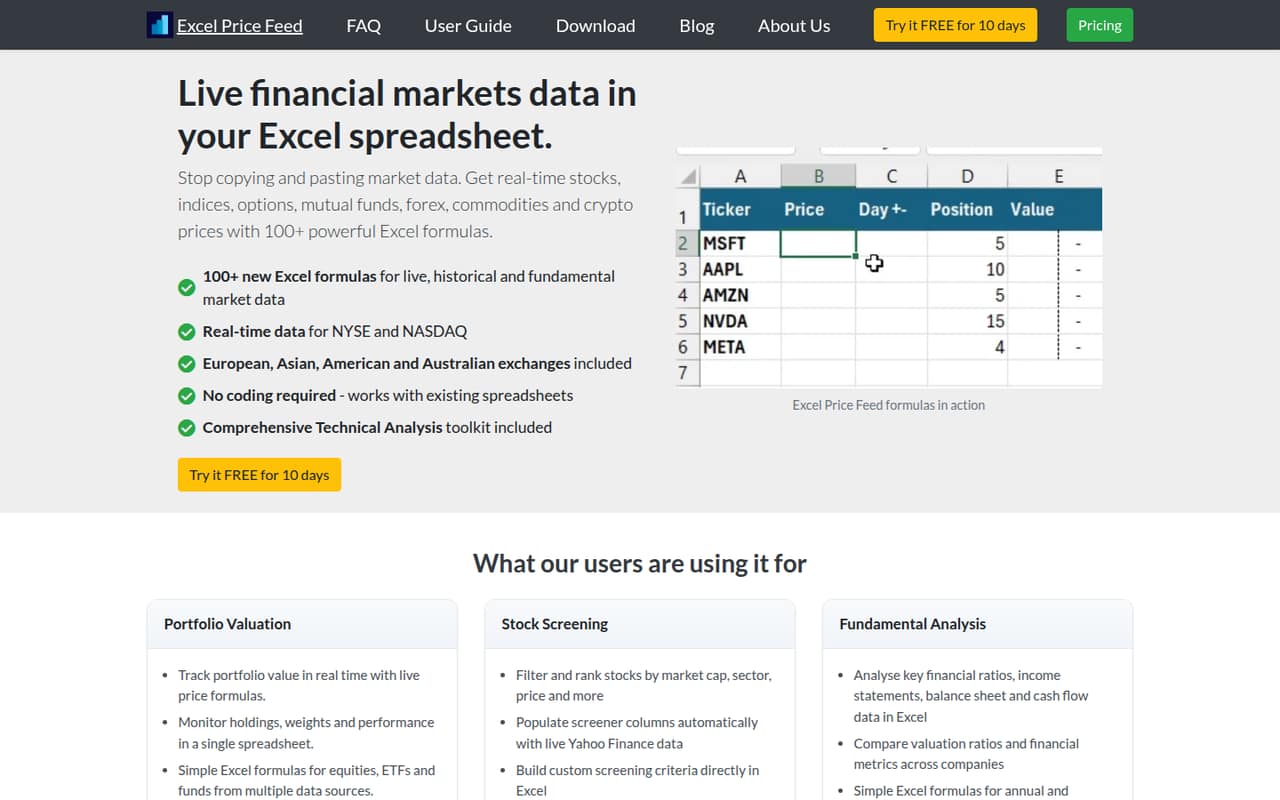
Excel Price Feed adds formulas for live and historical market data, company fundamentals and portfolio information to existing spreadsheets. Its 10-day trial gives you a chance to check the fit, but there’s no free plan to keep using afterward.
For a business, Professional is $25 per user per month, or $275 per user per year. That can make sense for a small team already doing financial work in Excel, but the per-seat cost adds up as more people need access.
Good fit if
- Small teams already working in Excel
- Investors tracking portfolios and holdings
- Analysts who need market data formulas
Skip it if
- Teams looking for a free ongoing plan
- Groups that need many shared seats
- People who do not use Excel
ScoresHow it rates
What works
- More than 100 add-in formulas for Excel
- Live and historical market data
- Company statements available through formulas
- Interactive Brokers portfolio streaming
- Priority email and online chat support
What doesn't
- No free plan after the 10-day trial
- Business use requires the Professional plan
- Each subscription covers one user and machine
- Multiple subscriptions require a sales pricing request
- Setup time and learning curve are not published
01Who Excel Price Feed is for
Excel Price Feed is for investors and finance teams that already do their work in Excel and want market information in their spreadsheets. It adds formulas for live prices, historical data, company fundamentals and portfolio information. The data categories listed include stocks, indices, options, funds, forex, commodities and cryptocurrencies.
For a team of one to 10, the practical fit is a business where a few people need those functions and already use Excel for analysis. A private investor can choose Non-Professional; business, firm or organizational use calls for Professional. Each subscription covers one user and one machine, so people who need their own access mean additional seats. The annual price starts at $165 for a private investor or $275 for a professional user. It is less suitable if your team needs a lasting free option or wants a general-purpose spreadsheet rather than a finance-focused add-in.
02Excel Price Feed free plan and trial
There is no free plan. Excel Price Feed offers a 10-day free trial, which starts after you activate the add-in. That gives a solo investor or small team a short window to see whether its formulas fit an existing spreadsheet workflow before paying.
The listed plans include full use of the add-in, future software updates, priority email and online chat support, and Customer Portal access. The available details do not spell out whether the trial has feature or usage limits, so ask the vendor if you need to confirm trial access for a particular data source or workflow. After the trial, the cheapest listed option is Non-Professional at $15 monthly or $165 annually, but it is for personal use. Business use starts with Professional at $25 monthly or $275 annually per user.
03What a small team pays for Excel Price Feed
A private investor pays $15 per month or $165 per year for Non-Professional. A business, firm or organization needs Professional at $25 per month or $275 per year per user. Annual billing works out to $13.75 and about $22.92 per user per month, respectively, with one month free compared with monthly billing.
For business-use seats, straight per-user math puts three people at $75 monthly or $825 annually, and five people at $125 monthly or $1,375 annually. Those totals assume one subscription per user; the pricing page says to contact sales for pricing when buying more than one subscription, so confirm the actual quote before budgeting. Each plan lists one user and one machine. Invoice payment is available on request. The plan details list no separate add-on prices, but they also do not publish a multi-subscription rate. For a personal investor, use the lower Non-Professional price; do not use it as a business-team price.
04Getting started with Excel Price Feed
The product works as an Excel add-in, adding more than 100 formulas to spreadsheets for market data and analysis. The trial starts after you activate the add-in. The vendor does not publish a setup-time estimate in the details available here, so plan for time to install and activate it, connect the data sources you need, and check how its formulas fit your existing workbook.
The listed connections include Yahoo Finance, Interactive Brokers and IG Index/IG Markets. Interactive Brokers users can stream holdings and market data into Excel with formulas. Historical data is available from one-minute to weekly resolution through formulas or on-demand downloads. If your team relies on a particular connection on day one, confirm its setup steps and data coverage with the vendor before you commit. The available plan details do not describe a learning path or onboarding service, though they do list priority email and online chat support.
05When small teams outgrow Excel Price Feed
The first pressure point is cost: a business pays $25 per user monthly or $275 per user annually, and each subscription is for one user and one machine. A team that adds people should budget for additional seats, then ask sales for a quote because the vendor says multiple subscriptions are priced on request. The listed prices do not provide a volume discount.
A second reason to look elsewhere is a need for capabilities the product details do not describe, such as shared administration or team-wide collaboration. Ask the vendor directly rather than assuming those functions are included. Reddit discussion about the product is an integration announcement, not a detailed account of day-to-day use by a growing team. That post describes the add-in as regularly updated and mentions support for fundamental and end-of-day data APIs, but it does not establish how well larger teams manage seats or workflows. A 10-day trial can help check your own requirements before scaling.
From the threadsWhat users say
The Reddit discussion is an integration announcement rather than a set of detailed buyer reviews. It presents the add-in positively, but offers little evidence about everyday use or team experience.
easy to use and featureful add-in for Excel
regularly updated with new features
excellent support of Fundamental
and End of Day APIs
Questions people ask
Does Excel Price Feed have a free plan?
No. Excel Price Feed offers a 10-day free trial, which starts after you activate the add-in. After the trial, the least expensive plan is Non-Professional at $15 per month or $165 per year for personal use. Business use starts with Professional.
How much does Excel Price Feed cost for a business?
Professional costs $25 per user per month or $275 per user per year. The listed plan covers one user and one machine. For more than one subscription, the vendor asks customers to contact sales for pricing, so confirm the quote for your team.
What is the difference between Non-Professional and Professional?
Non-Professional is for private investors using the add-in personally and costs $15 monthly or $165 annually. Professional is for business, firm or organizational use and costs $25 monthly or $275 annually. Both list one user and one machine, full add-in use, updates, support and Customer Portal access.
Which market data sources does Excel Price Feed connect to?
The listed connections include Yahoo Finance, Interactive Brokers and IG Index/IG Markets. Interactive Brokers users can stream holdings and market data into Excel with formulas. Confirm with the vendor if you need a specific feed or data coverage before buying.
What can Excel Price Feed do in Excel?
It adds more than 100 formulas for live and historical market data, company fundamentals and portfolio information. Listed features include historical data from one-minute to weekly resolution, financial statements, portfolio streaming for Interactive Brokers, and technical indicators such as SMA, EMA, RSI, MACD and Bollinger Bands.