
We may earn a commission if you buy through links on this page. It never changes a score or a ranking. How we make money
The bottom line
ExpenseWire covers expense reporting and approvals, but custom pricing leaves small teams without a clear cost.
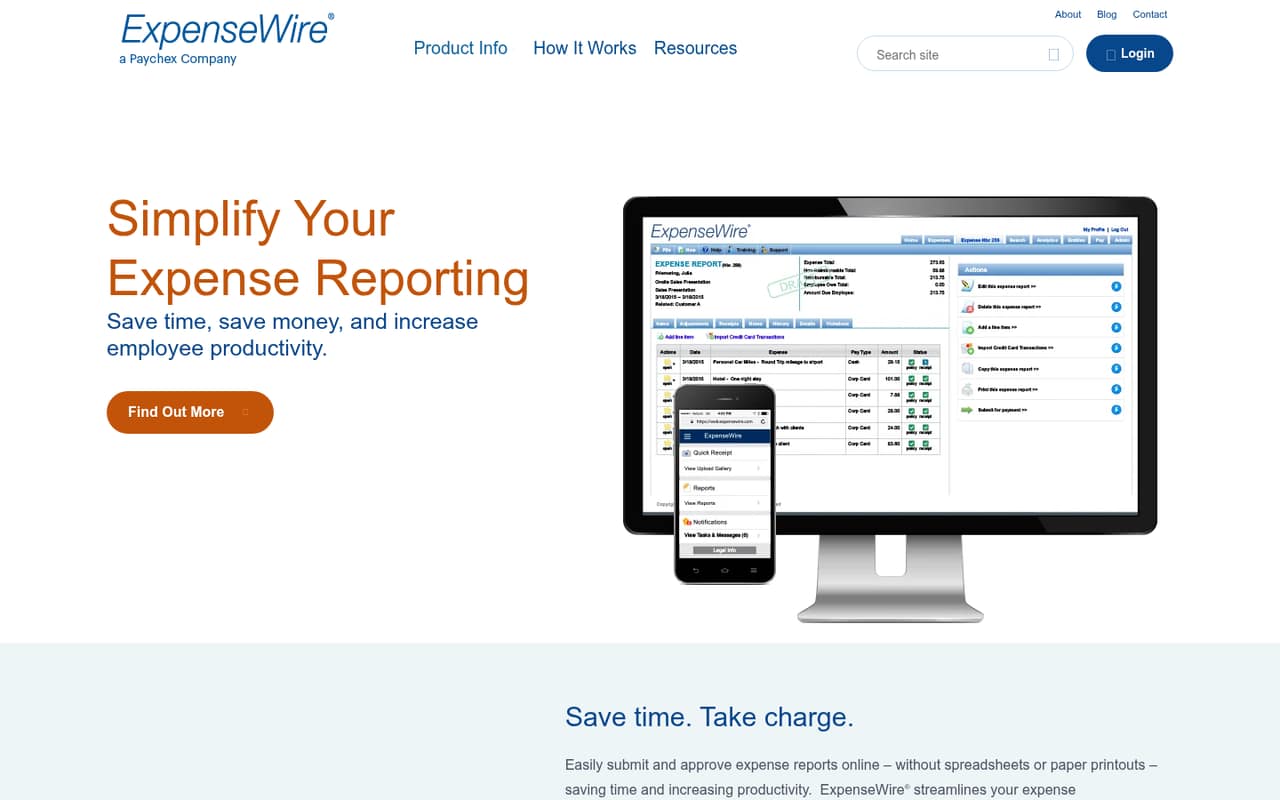
ExpenseWire is online expense reporting and reimbursement software for organizations. It lists report submission and approvals, mobile receipt uploads, expense policies, system integrations, and health care professional spend tracking.
For a team watching its software budget, the main drawback is the buying information: pricing is custom, plan limits are unpublished, and there is no free plan listed. Get a quote before deciding whether it fits.
Good fit if
- Teams replacing paper expense reports
- Managers approving expenses on mobile
- Organizations tracking health care professional spend
Skip it if
- Teams that need a free plan
- Buyers requiring published per-seat prices
- Teams needing clear plan limits upfront
ScoresHow it rates
What works
- Online expense submission and approvals
- Receipt uploads from any device
- Expense policies help control spending
- Managers can approve expenses on mobile
- Tracks health care professional spend
What doesn't
- Pricing is custom and quote-based
- Plan limits are not published
- No free plan is listed
- Trial terms are not published
- Setup steps and effort are not published
01Who ExpenseWire is for
ExpenseWire is for organizations that want to move expense reports, receipts, approvals, and reimbursement out of spreadsheets or paper processes. For a team of 1–10, it is most relevant when employees submit expenses regularly and someone needs to review them, apply spending policies, and keep records in one online workflow.
The vendor also lists mobile receipt uploads and approvals, plus integrations with payroll, accounting, CRM, and travel-booking systems. Its Sunshine Act tracking is a more specialized fit for organizations that monitor health care professional spend. ExpenseWire says it serves organizations of different sizes, but it does not publish plan limits or a starting price. That makes it difficult for a small team to tell whether the product is sized or priced for its needs before speaking with the vendor. If expense volume is light and a free option is important, this is not an obvious budget fit.
02ExpenseWire free plan and trial
ExpenseWire does not list a free plan. The pricing information lists custom, quote-based pricing, with no monthly or annual rate and no published plan limits. The vendor also does not publish trial terms, so a team should ask whether a trial or guided evaluation is available before committing.
The cheapest way in is to request a quote; there is no listed self-serve plan to start with. Ask the vendor to specify the included users, expense-report limits, available features, and whether any minimum contract or setup charge applies. Those details matter for a small team because the published pricing does not provide a rate you can compare against a per-seat budget.
03What a small team pays for ExpenseWire
The pricing page lists a Custom plan billed per month, but it does not publish a monthly or annual price. It also lists no plan limits. So the cost for one person, three people, or five people cannot be calculated from published rates; there is no per-seat figure to multiply, and no monthly-versus-annual comparison to make. Request a quote that spells out the price for your actual headcount and billing term.
No add-ons are listed in the pricing information. That does not establish whether implementation, integrations, or extra services cost more, so ask for those details in writing. For a 1–10-person team, compare the full quoted cost—not just a headline rate—with the expense volume and approval work you need to handle. Until ExpenseWire supplies a quote and limits, the budget fit is uncertain.
04Getting started with ExpenseWire
ExpenseWire describes an online workflow for submitting and approving expense reports, uploading receipts, and enforcing expense policies. It also lists mobile approvals and integrations with payroll, accounting, CRM, and travel-booking systems. Those capabilities suggest the main setup decisions will involve your approval process, expense rules, and which systems need to connect, but the vendor does not publish setup steps or an onboarding timeline.
The learning curve and amount of configuration are not published either, so we would not assume setup is instant or estimate staff hours. Before buying, ask who configures policies and approval routes, which integrations are included in your quote, and whether the vendor provides onboarding or support. A small team can then judge the work against its current process rather than relying on an unverified setup estimate.
05When small teams outgrow ExpenseWire
ExpenseWire's published information does not give a specific point where a team must upgrade: plan limits, seat thresholds, and tier differences are not published. With custom pricing and no public per-seat rate, growing from a few users to a larger group also does not come with a predictable cost curve. Ask the vendor how pricing changes as headcount, report volume, or approval needs increase.
A team may need to reconsider the fit if its quote becomes hard to justify, if required integrations are not included, or if it needs clear limits and pricing before expanding. The listed features cover reporting, receipts, policy enforcement, approvals, integrations, and health care professional spend tracking, but the vendor does not publish details about plan-level availability. Before signing, get written confirmation of the features and capacity included now, plus the terms for adding users or changing plans later.
Questions people ask
Does ExpenseWire have a free plan?
ExpenseWire does not list a free plan. Its pricing is described as custom and quote-based, with no published monthly or annual rate. If you are considering it for a small team, ask the vendor for a quote and confirm whether it offers a trial or evaluation period.
How much does ExpenseWire cost for a small team?
ExpenseWire's pricing page lists custom pricing but does not publish a per-user rate or plan limits. That means a one-, three-, or five-person cost cannot be calculated from public rates. Request a quote for your headcount and ask whether monthly and annual billing differ.
What does ExpenseWire do?
ExpenseWire provides online expense reporting and reimbursement software. Its listed capabilities include online report submission and approvals, receipt uploads from any device, expense policy enforcement, mobile approvals, system integrations, and tracking health care professional spend.
Does ExpenseWire integrate with accounting or payroll software?
ExpenseWire says it works with payroll, accounting, CRM, and travel-booking systems. The published information does not name specific products or explain which integrations are included in each plan. Ask the vendor to confirm compatibility with your systems and whether any integration costs extra.
Does ExpenseWire offer a free trial?
ExpenseWire does not publish trial terms. That does not confirm whether a trial is unavailable, so ask the vendor directly about a trial, demo, or other evaluation option. Also confirm what features and users would be included during any evaluation period.