
We may earn a commission if you buy through links on this page. It never changes a score or a ranking. How we make money
The bottom line
Good source tracking and filtering; the free plan is for solo use, while team features cost per seat.
A small team may not need Feeder if a shared inbox or a handful of bookmarks already covers its monitoring. But for following many websites, newsletters and news sources in one place, Feeder brings useful filtering, summaries and sharing together.
The Free plan covers up to 200 feeds, but shared feeds and publishing are listed on Professional and Enterprise. Professional starts at $14.99 per user per month with annual billing, so weigh the team features against the per-seat cost.
Good fit if
- Small teams tracking many sources
- Teams filtering updates by keywords
- Researchers sharing monitored feeds
Skip it if
- Teams needing free shared feeds
- Occasional readers with few sources
- Organizations needing published custom pricing
ScoresHow it rates
What works
- Free plan includes up to 200 feeds
- Keyword rules can hide or flag posts
- Creates feeds for pages without them
- Professional includes shared feeds and folders
- Can summarize, translate and read posts aloud
What doesn't
- Free updates have a 30-minute maximum speed
- Free plan allows two AI summaries daily
- Team features require Professional or Enterprise
- Professional is priced per user
- Enterprise pricing is not published
01Who Feeder is for
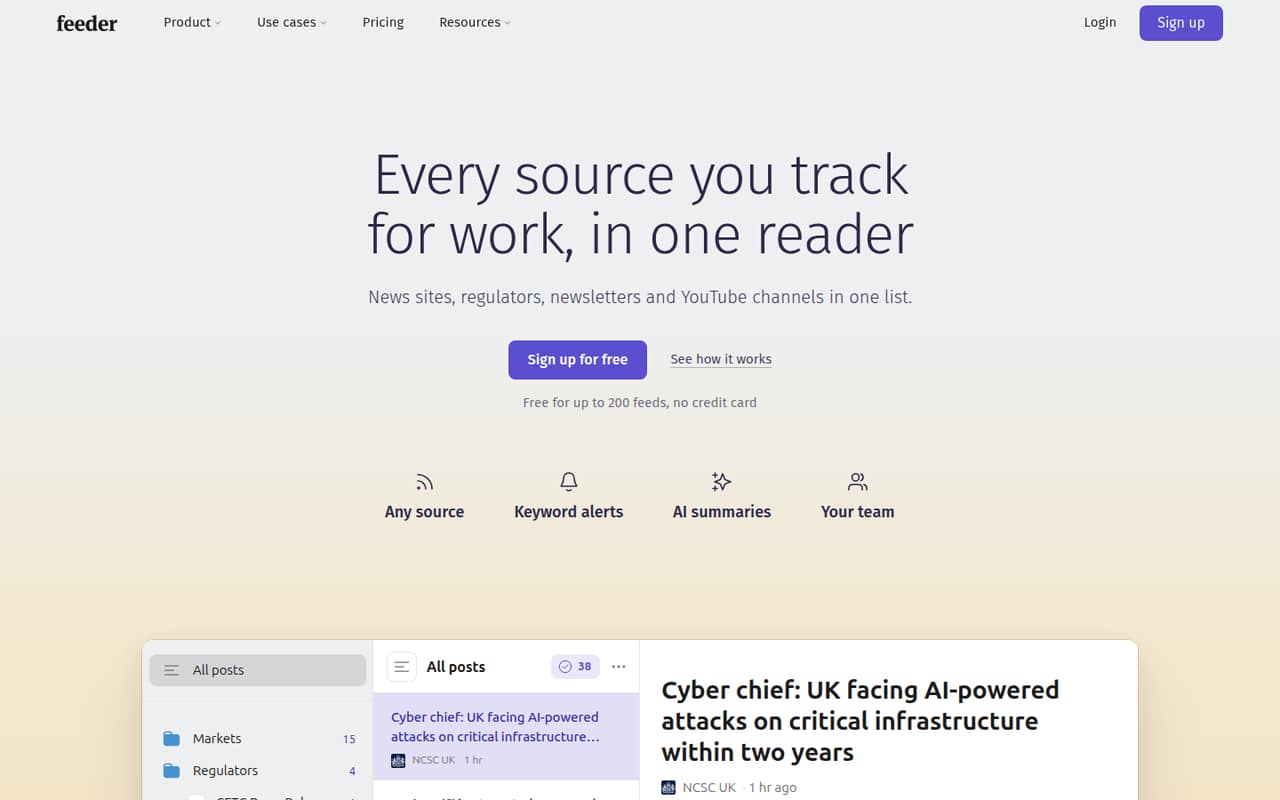
Feeder suits a solo operator or a small team of roughly 1–10 people that needs to watch more sources than it can check manually. It brings website updates, news, newsletters and other sources into one reader. You can follow feeds by site address or topic, create feeds for pages that lack them, and use keyword rules to filter posts or get alerts.
The Free plan is a reasonable starting point for one person tracking up to 200 feeds. For a team that needs shared feeds and folders, the listed entry point is Professional, at $14.99 per user per month with annual billing. That can make sense when monitoring is part of research, communications or content work. If your team only checks a few sites, a shared document or inbox may be enough; Feeder's paid team functions are harder to justify when there is little to share or publish.
02Feeder free plan and trial
Feeder's Free plan includes 200 feeds, a 30-minute maximum update speed, two AI summaries a day, three AI feeds and 50 posts kept per feed. It costs $0, so a solo user can try the core source-tracking workflow without a subscription. The pricing page lists no free trial; the Free plan is the no-cost way in.
The main constraints are the slower maximum update speed, limited daily summaries and the cap on saved posts per feed. Free also does not list shared feeds, shared folders or publishing features; those are included with Professional and Enterprise. For a team that needs to distribute a common set of feeds, confirm the paid plan fits before building its workflow around individual Free accounts.
03What a small team pays for Feeder
For one person, Plus costs $7.99 per month with annual billing or $9.99 month to month. It raises the limits to 2,500 feeds, five-minute maximum update speed, 10 daily AI summaries, 30 AI feeds and 100 saved posts per feed. Plus is listed for individuals, not as a team-sharing plan.
Professional is the listed team plan, with shared feeds and folders, plus publishing features. One seat costs $14.99 per month billed yearly or $19.99 monthly. Three seats come to $44.97 per month on annual billing ($539.64 for a year) or $59.97 month to month. Five seats cost $74.95 per month billed yearly ($899.40 for a year) or $99.95 monthly. Professional includes 10,000 feeds, one-minute maximum update speed and 100 newsletter subscribers. No add-ons or seat minimums are listed. Enterprise pricing is not published, so ask Feeder for a quote if you need its custom limits or SAML single sign-on.
04Getting started with Feeder
The basic setup appears straightforward: add a site address or topic to find sources, then organize updates with keyword rules. Feeder can also create a feed for a page that does not already have one. That gives a small team a clear starting workflow without requiring it to build a publishing setup first.
The learning curve will depend on how many sources and rules you bring in. Teams should agree on which feeds belong in shared folders and which keywords should trigger notifications; Professional and Enterprise include those shared team features. The product details describe translation and read-aloud options, but availability depends on plan. Feeder does not publish supported integrations in its plan details, so ask the vendor about connections to your current tools before rollout. Setup time and onboarding requirements are not published.
05When small teams outgrow Feeder
The first limit to watch is the Free plan's 200 feeds, 30-minute maximum update speed and 50 saved posts per feed. Plus expands those limits, but its listed audience is individuals. If your team needs shared feeds or folders, the next listed step is Professional, priced per user. The jump from one Professional seat to five is $74.95 per month with annual billing or $99.95 month to month.
Professional lists 10,000 feeds, one-minute maximum update speed, 60 AI summaries a day and 200 AI feeds. Teams needing more AI summaries, custom limits or SAML single sign-on may need Enterprise, which lists 200 daily summaries and 1,000 AI feeds but has no published price. Before upgrading, check whether your team will use its publishing features—widgets, newsletters, public dashboards and RSS feeds. If not, the paid team plan may be more than a small monitoring workflow needs.
Questions people ask
Can a small team use Feeder for free?
Yes, but the Free plan is best suited to individual use. It includes 200 feeds, two AI summaries a day and a 30-minute maximum update speed. Shared feeds and folders are listed on Professional and Enterprise, so a team that needs a common workspace should compare the per-user Professional cost.
How much does Feeder cost for a team of three?
Professional costs $14.99 per user per month with annual billing or $19.99 monthly. Three seats therefore cost $44.97 per month on annual billing, or $59.97 month to month. The annual-billed rate means $539.64 for a year across three seats.
Does Feeder include shared feeds?
Shared feeds and folders are listed with Professional and Enterprise. They are not included in the Free or Plus plan details. If your team needs to share sources and updates, Professional is the published team plan with a per-user price.
Can Feeder create feeds for websites without RSS?
Feeder lists the ability to create feeds for pages that do not already have them. You can also find feeds using site addresses or topics. The product details do not specify which pages are supported, so check a must-have source with Feeder before relying on it.
Does Feeder offer a free trial?
The pricing page lists a Free plan and no free trial. The Free plan costs nothing and includes up to 200 feeds, two AI summaries a day, three AI feeds and 50 posts kept per feed. It is the available way to try the core reader without paying.