
We may earn a commission if you buy through links on this page. It never changes a score or a ranking. How we make money
The bottom line
Good coverage for jobs, assets and parts; check the free plan and setup details before buying.
FieldEx combines field service and maintenance tools for teams that need to manage jobs, equipment, parts and technician work in one platform. Growth starts at $15 per user per month with annual billing, or $20 with monthly billing.
The vendor offers a free plan, but its included features and limits aren't published in the pricing details. For scheduled maintenance, the Pro plan starts at $55 per user per month with annual billing. Get the free-plan terms and a setup estimate before choosing.
Good fit if
- Teams managing jobs and equipment
- Maintenance teams with scheduled inspections
- Businesses tracking parts by location
Skip it if
- Teams needing clear free-plan limits
- Very tight per-seat budgets
- Teams needing published setup guidance
ScoresHow it rates
What works
- Work orders support custom forms, steps and checklists
- Asset records include history, parts and maintenance plans
- Preventive maintenance can use dates or meter readings
- Parts tracking includes locations, bins and reorder flags
- Growth includes reports and a Power BI connector
What doesn't
- Free-plan features and limits aren't published
- Pro costs substantially more per user than Growth
- Enterprise requires annual billing
- Custom workflows and other integrations cost extra
- Setup effort and learning curve aren't published
01Who FieldEx is for
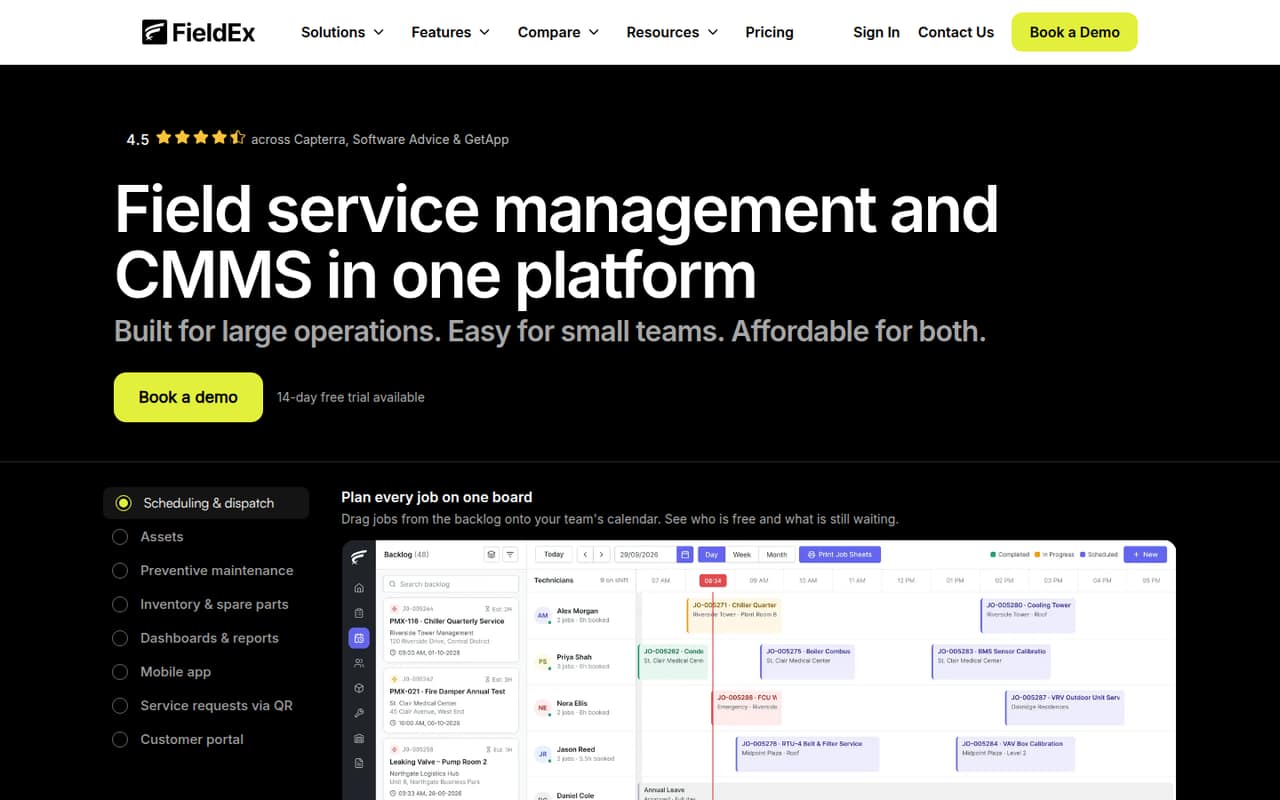
FieldEx is for small teams that handle both service jobs and equipment maintenance. It brings work orders, asset records, maintenance schedules, parts tracking and mobile technician tools into one platform. That can suit a few technicians and an operations lead who want job and equipment information together, rather than managing those tasks in separate systems.
For a team of one to five, the main budget question is whether Growth's job, asset and parts tools are enough, or whether scheduled maintenance makes Pro necessary. Growth starts at $15 per user per month with annual billing; Pro starts at $55. That is a meaningful jump for a small crew, so don't pay for Pro unless its preventive maintenance, customer portal or connectors fit your work. The vendor doesn't publish seat minimums or the free plan's limits in the pricing details. Ask for those details before building a budget around a larger team.
02FieldEx free plan and trial
The vendor lists a free plan, but doesn't publish its included features, user limit, usage caps or whether it is limited by time. We wouldn't assume it covers work orders, asset records or any particular number of technicians until FieldEx confirms that in writing. For a small team, ask whether the free plan supports the jobs and equipment you need to track, and what happens to your data if you move to a paid plan.
FieldEx also lists a 14-day free trial for Growth and Pro. The pricing details don't say whether the trial requires a payment method or what happens when it ends, so confirm those terms before signing up. If you need published paid-plan features and pricing, Growth is the cheapest listed option: $15 per user per month with annual billing, or $20 with monthly billing.
03What a small team pays for FieldEx
The pricing page lists Growth at $15 per user per month with annual billing, or $20 with monthly billing. One seat works out to $180 per year on annual billing, versus $20 month to month. Three seats cost $45 per month equivalent, or $540 for a year; monthly billing costs $60 per month. Five seats cost $75 per month equivalent, or $900 for a year, versus $100 month to month.
Pro is $55 per user per month with annual billing or $65 monthly. Three seats cost $165 per month equivalent, or $1,980 for a year; monthly billing costs $195 per month. Five seats cost $275 per month equivalent, or $3,300 for a year; monthly billing costs $325. Pro adds preventive maintenance, a customer portal, public QR fault reports and connectors including Xero and QuickBooks. Enterprise is $85 per user per month and annual billing is required. Custom workflows and integrations with other systems are quoted separately, so ask for those costs if they are part of your plan.
04Getting started with FieldEx
FieldEx's published pricing details don't give a setup timeline, training offer or learning-curve estimate. We can't responsibly put a number of hours on implementation. The work to plan for is clear from the listed tools: configure work-order fields, checklists and status flows, organize asset records and parts, and set up maintenance schedules if you choose Pro.
For mobile use, the technician app is available on Android and iOS. Growth lists reports and a Power BI connector; Pro adds a REST API plus Xero and QuickBooks connectors. A small team that only needs jobs and equipment may not need those integrations on day one. Before committing, ask FieldEx about importing existing assets and parts, configuring workflows, technician training and any fees for connecting systems. Custom workflows and other integrations are quoted separately, which can add cost as well as setup work.
05When small teams outgrow FieldEx
The first reason to move up is a feature gap: Growth includes work orders, asset history, parts inventory and reports, while scheduled maintenance by date or meter reading is listed under Pro. Pro also adds the customer portal and public QR fault reports. If those become essential, the price rises from $15 to $55 per user per month with annual billing, or from $20 to $65 with monthly billing.
A growing team may also need Enterprise for multi-level SLA response targets, technician offline mode or branded completion certificates. Enterprise is $85 per user per month and requires annual billing. The vendor doesn't publish seat thresholds, usage caps or a point at which teams should move plans, so base that decision on the features your team actually needs and the added per-seat cost. Custom workflows and integrations are separate quotes. If those costs or the plan jumps no longer fit, ask for a full quote before deciding whether to stay or move.
Questions people ask
How much does FieldEx cost for a small team?
Growth costs $15 per user per month with annual billing, or $20 monthly. Three Growth seats cost $45 per month equivalent with annual billing, or $60 month to month. Pro costs $55 per user per month annually or $65 monthly. Custom workflows and other integrations are quoted separately.
What does FieldEx's free plan include?
FieldEx lists a free plan, but its included features, user limit and usage limits aren't published in the pricing details. Ask the vendor what the free plan covers, whether it supports your number of technicians, and what happens to your records if you switch to a paid plan.
Does FieldEx offer a free trial?
Yes. The pricing page lists a 14-day free trial for Growth and Pro. It doesn't state whether a payment method is required or what happens when the trial ends, so confirm those terms with FieldEx before starting.
Which FieldEx plan includes preventive maintenance?
Pro lists preventive maintenance scheduling by time or meter reading. Growth includes work orders, asset service history, spare parts inventory and reports, but preventive maintenance is not listed among its included features. Pro starts at $55 per user per month with annual billing.
Can FieldEx connect to Xero or QuickBooks?
The Pro plan lists Xero and QuickBooks connectors, along with a REST API. Growth lists a Power BI connector. Other system integrations are quoted separately, so ask FieldEx whether the specific connection you need is included or will cost extra.