
We may earn a commission if you buy through links on this page. It never changes a score or a ranking. How we make money
The bottom line
A capable self-hosted team drive at a low per-user rate, but not a free or hands-off option.
FileRun gives small teams file sharing, syncing, and document editing while keeping files on their own server. Its business price is €9.90 per user per year, with storage on your own disk not billed, but there is no free business plan.
The low seat price is appealing, though the Small business plan lists 10 or 20 user accounts and installation support rather than direct email support. Budget for server setup, and confirm the minimum billable account block before buying.
Good fit if
- Teams with their own server
- Small teams sharing existing files
- Budget-conscious self-hosted businesses
Skip it if
- Teams needing a free business plan
- People avoiding server administration
- Teams needing published monthly billing
ScoresHow it rates
What works
- Files stay on your own server
- €9.90 per user per year
- Sync across desktop and mobile platforms
- Guest links offer configurable controls
- Supports several sign-in options
What doesn't
- No free business plan
- Requires a server you manage
- Small business support is not email support
- Monthly business pricing is not published
- Small business lists 10 or 20 accounts
01Who FileRun is for
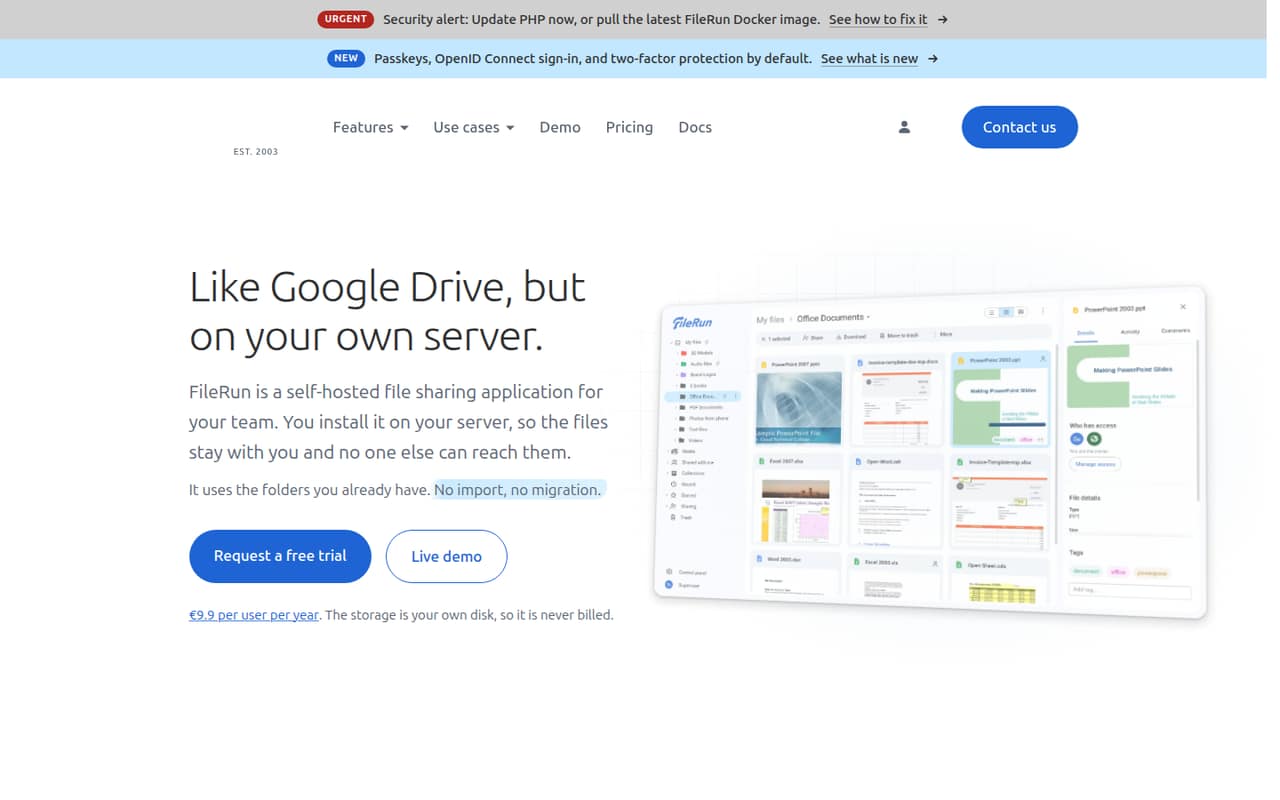
FileRun is for a small team that wants a shared drive but wants files to stay on its own server. It lets people share and sync files and folders, edit documents through supported office tools, and invite outside guests. The files remain on your own storage, which the homepage says is not billed separately.
For a 1–10 person team, the low listed rate may look attractive, but the Small business plan lists 10 or 20 user accounts. Confirm with FileRun what account block you must buy and how that affects the invoice. The plan includes installation support, which may help a team without a dedicated admin. It still needs a server and someone responsible for its setup and upkeep. If you need a ready-to-use hosted service or a free business tier, FileRun is a less natural fit.
02FileRun free plan and trial
FileRun does not list a free business plan or a general free trial. The Home option costs €99 once and includes five user accounts, one extra account every year, and lifetime free software updates, but it is for personal, non-business use. It is not the right route for a team buying FileRun for work.
The Large business page offers a free trial, but the pricing details do not state its length. That plan is aimed at organizations with 100 or more user accounts, so it is not a small-team free tier. For a business, the cheapest listed entry is Small business at €9.90 per user per year, billed annually. It includes installation support and client forum access; ask FileRun to confirm the minimum account block and whether a trial is available for your team.
03What a small team pays for FileRun
The pricing page lists business plans at €9.90 per user per year, billed annually, or €0.825 per user per month as an annualized rate. At that rate, one seat works out to €9.90 a year; three seats to €29.70; and five seats to €49.50. Those are per-seat calculations, not monthly billing. The Small business plan lists 10 or 20 user accounts, so ask FileRun whether your team must buy an account block and what the actual minimum invoice is.
Small business includes installation support, client forum access, and a 30-day money-back guarantee. Medium business lists 30–90 accounts and email support; Large business starts at 100 accounts. No add-ons are listed, and storage on your own disk is not billed. The Home plan is €99 once for personal, non-business use, not a cheaper business subscription. The pricing page does not list a monthly business price.
04Getting started with FileRun
FileRun is self-hosted, so the starting work is getting it running on your own server and making it reachable to your team. One Reddit poster describes setting up a Docker Compose deployment behind nginx; that account is useful context, not a promise that every installation will be that quick. Another Reddit user said they had trouble installing it, so teams without server experience should factor in setup time or use the Small business plan’s installation support.
For day one, FileRun lists desktop and mobile sync for Windows, macOS, Linux, iOS, and Android. It also lists LDAP, Active Directory, OpenID Connect, SAML, Microsoft Azure, OAuth2, and Authentik sign-in options. Document editing works through supported self-hosted office suites or online services. The pricing page does not specify setup time, and the vendor’s installation support is included in Small business.
05When small teams outgrow FileRun
A team may outgrow the Small business tier when it needs email support or has more accounts than that plan covers. The pricing page lists Medium business for 30–90 accounts, with email support and Docker installation service; Large business is for 100 or more accounts and includes installation and configuration. These are meaningful support steps, but a 1–10 person team should check the account-block requirement before assuming it can pay for exactly its current headcount.
The bigger limit may be the self-hosted model: your team remains responsible for the server and storage. FileRun’s feature list covers sharing, sync, editing, and access controls, but doesn’t publish a per-plan feature matrix for those capabilities. Reddit reactions are mixed: some users praise their setup, while others object to the licensing model or say they hit user limits. One commenter warns that giving a whole family access requires a license. If free access or a different licensing approach matters more than the self-hosted workflow, that could be a reason to move.
From the threadsWhat users say
Reddit sentiment is mixed. Some users praise their FileRun setup, while others criticize the licensing model, report installation issues, or prefer a free option.
That is not the point of self hosting. The point of self hosting is to give you infrastructure that you fully control
Spun up the docker compose. loaded it into nginx. Set up the server. It is 10x faster than my Nextcloud instance
The catch is that if you want to give your entire family access you'll need a license
Why pay when there are free alternatives? Also they get everyone on it by originally being free, then pulled out of the free game
Questions people ask
Does FileRun have a free plan for businesses?
FileRun does not list a free business plan. Its Home plan costs €99 once and is for personal, non-business use. The Large business page offers a free trial but does not state its length. The listed business entry point is Small business at €9.90 per user per year, billed annually.
How much does FileRun cost for a small team?
The pricing page lists business plans at €9.90 per user per year. That works out to €29.70 a year for three seats or €49.50 for five at the per-seat rate. Small business lists 10 or 20 user accounts, so ask FileRun whether a minimum account block changes what your team pays.
Can FileRun keep files on our own server?
Yes. FileRun is self-hosted, and its product description says files stay on your own server rather than being imported into a separate cloud. The homepage says storage on your own disk is not billed. Your team still needs to provide and manage the server.
Can people outside our team access FileRun files?
FileRun lists sharing with outside guests as well as users and groups. Its access controls include password-protected links, expiry dates, and download limits. The Large business plan also lists nine guest accounts per paid user; the pricing details do not specify a guest allowance for Small business.
What sign-in options does FileRun support?
FileRun lists LDAP, Active Directory, OpenID Connect, SAML, Microsoft Azure, OAuth2, and Authentik. If your team depends on a particular identity provider or needs a specific configuration, confirm compatibility and setup requirements with FileRun before purchasing.