
We may earn a commission if you buy through links on this page. It never changes a score or a ranking. How we make money
The bottom line
A capable form builder with a genuinely useful free plan and no per-seat pricing.
For a small team that needs forms, surveys, quizzes, or payment collection, Fillout is worth considering. The free plan includes unlimited forms and seats, with a monthly response limit of 1,000.
Paid plans start at $15 per month for Starter, with unlimited seats. Pro removes Fillout branding, while Business adds unlimited responses and analytics. Reddit comments are mostly positive, though one user flags linked-record management as a rough spot.
Good fit if
- Small teams collecting form responses
- Airtable users building custom forms
- Teams wanting unlimited seats
Skip it if
- Teams needing high response limits free
- Forms requiring advanced linked-record tools
- Organizations needing published Enterprise pricing
ScoresHow it rates
What works
- Free plan includes unlimited forms and seats
- Free tier allows 1,000 responses monthly
- Paid plans do not charge per seat
- Supports payments, signatures, and PDF generation
- More than 50 native integrations
What doesn't
- Free plan caps responses at 1,000 per month
- Starter still limits teams to 2,000 responses
- No Fillout branding removal until Pro
- Conversion kit add-on pricing is not published
- A Reddit user calls linked-record management janky
01Who Fillout is for
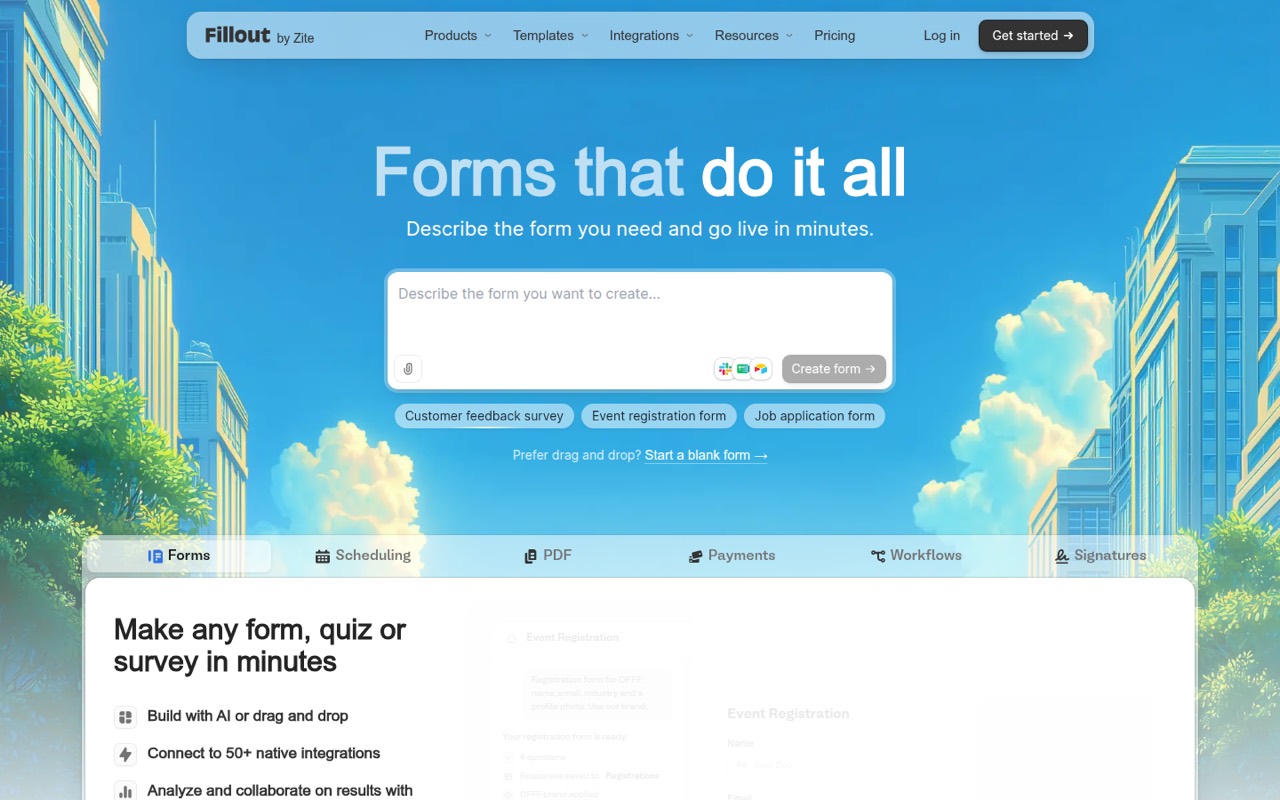
Fillout suits solo operators and small teams of roughly one to ten people that need forms without paying for every seat. It builds simple or multi-page forms, surveys, and quizzes, and can handle jobs such as scheduling, payments, signatures, and PDF generation. You can start with a drag-and-drop editor or describe a form for its AI builder to create.
For a team watching its budget, the main draw is the free plan and flat plan pricing: the listed plans include unlimited seats. That makes it useful when several people need access to responses or form setup. The free tier should cover modest response volumes; teams with more submissions, branding needs, or analytics requirements can move up. Fillout lists more than 50 native integrations, and Reddit users discuss using it with Airtable. If your work depends on carefully managed linked records, one Reddit commenter found that area a little rough.
02Fillout free plan and trial
Fillout’s Free plan includes unlimited forms and seats, up to 1,000 responses per month, and a maximum file size of 20 MB. That is a useful starting point for a small team running a handful of surveys, applications, or customer intake forms, as long as response volume stays within the cap.
The free tier does not list the paid Starter features CAPTCHA and premium field types, or custom endings and redirects. Fillout branding removal and custom fonts and CSS are listed on Pro, not Free. The pricing information does not list a free trial, so the free plan is the way to start without a subscription. If response volume grows, Starter raises the limit to 2,000 per month; Business lists unlimited responses.
03What a small team pays for Fillout
The pricing page lists Starter at $15 per month, Pro at $40, and Business at $75. These are plan prices, not per-person rates: one, three, or five seats cost the same on each plan. At Starter, that works out to $15 per person for one seat, $5 each for three, or $3 each for five. Pro comes to $40, about $13.33, or $8 per person at those team sizes. Business comes to $75, $25, or $15 per person.
The pricing data lists the same monthly amounts for monthly and annual billing, while the pricing page says annual billing saves 20%. Because those details do not reconcile, confirm the total at checkout before committing annually. Starter is the cheapest paid option and raises the response limit to 2,000 per month. Pro is the step up for removing Fillout branding and using custom fonts and CSS. Conversion kit features are listed separately, but their price is not published. Fillout does not list per-seat charges.
04Getting started with Fillout
Fillout offers two ways to make a form: describe it to the AI builder or use the drag-and-drop editor. The editor supports themes, logos, colors, fonts, and custom CSS, so a basic form should be a manageable setup for a small team; more styling and workflow decisions will take extra time. Fillout does not publish a setup-time estimate.
For day one, check that your needed service is among its 50-plus native integrations. Airtable is a recurring use case in Reddit discussions: one user described prefilling fields, showing or hiding them based on URL parameters, and updating records. Another Reddit commenter said linked-record management could be janky, so test that workflow before relying on it. Fillout also lists workflows and routing for reducing manual work, plus response views and collaboration for reviewing submissions. We would start with one real form and confirm where its answers need to go.
05When small teams outgrow Fillout
The first pressure point is volume. Free stops at 1,000 responses per month and Starter at 2,000; Pro lists 5,000. Business lists unlimited responses, form analytics, partial submissions, a custom domain, and priority support. If your response count is climbing, compare the cost of that plan with the value of those added controls before upgrading.
Branding is another trigger: the pricing page puts no Fillout branding and custom fonts and CSS on Pro, not Starter. A team that needs those options should budget for the $40 plan rather than assuming Starter covers them. Seats are not the cost cliff—the listed plans include unlimited seats—but access controls may need scrutiny as the team grows. A Fillout founder said in a Reddit thread that Business access was admin-level or per-form, while granular workspace permissions were in a higher-priced tier at that time. Ask Fillout about current permissions if different roles matter. One Reddit user also reported that linked-record management felt rough.
Questions people ask
What does Fillout’s free plan include?
The Free plan includes unlimited forms and seats, 1,000 responses per month, and a 20 MB maximum file size. It is a reasonable starting point for a small team with modest response volume. The pricing page lists CAPTCHA and premium field types on Starter, and branding removal on Pro.
Does Fillout charge per user?
The listed Free, Starter, Pro, and Business plans include unlimited seats, so their prices do not rise when you add a few teammates. The plan price still changes when you need higher response limits or features such as removing Fillout branding, custom CSS, or analytics.
Can Fillout collect payments and signatures?
Fillout’s product description lists forms for payments and signatures, as well as scheduling and PDF generation. The specific payment providers, transaction fees, and availability by plan are not published in the pricing details here, so confirm those requirements with Fillout before choosing a plan.
Does Fillout work with Airtable?
Fillout lists more than 50 native integrations, and Airtable is a common use case in Reddit discussions. Users describe workflows involving prefilling fields and updating records. One commenter also says linked-record management can feel janky, so check that specific workflow before rolling it out.
Does Fillout offer a free trial?
The pricing information does not list a free trial. Fillout does offer a Free plan with unlimited forms and seats, 1,000 responses per month, and a 20 MB maximum file size. Teams can use that plan to start before choosing a paid tier.