
We may earn a commission if you buy through links on this page. It never changes a score or a ranking. How we make money
The bottom line
Strong for custom textures and effects; less appealing if you need free access or shared team licensing.
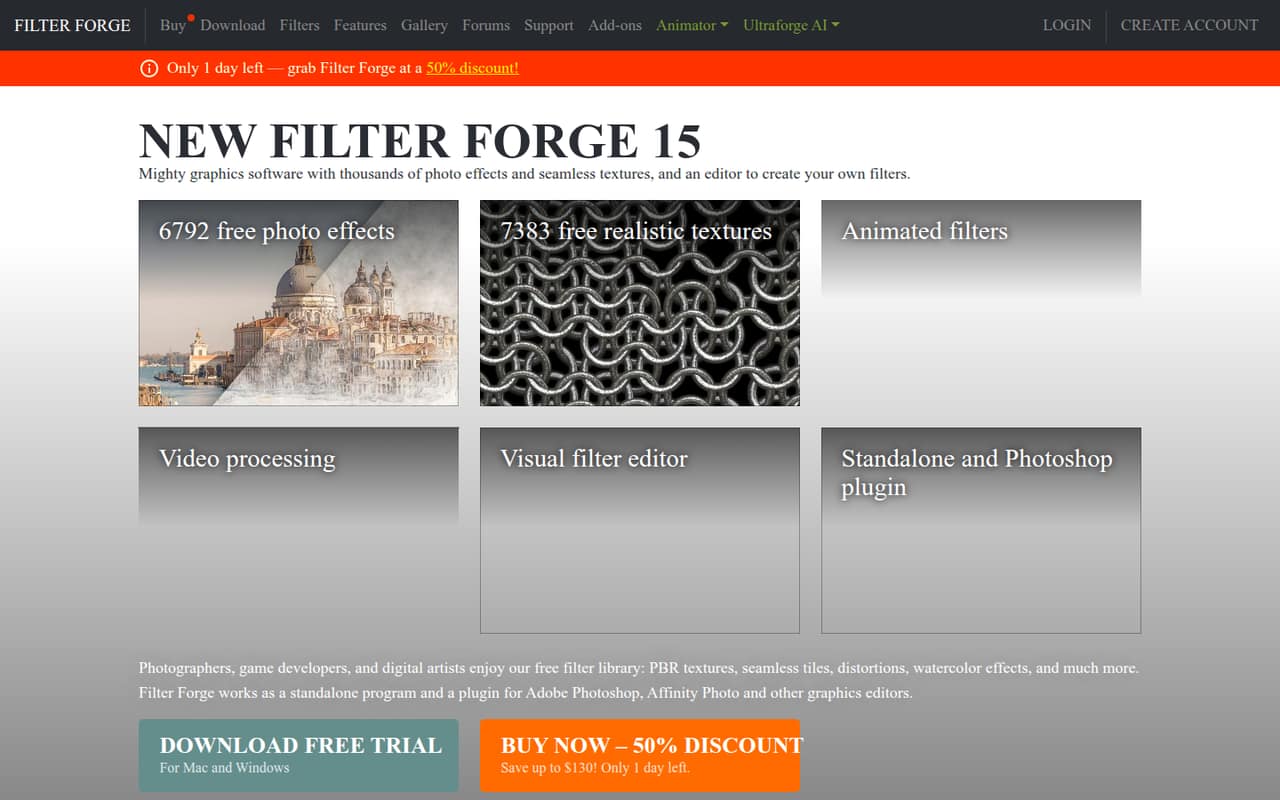
Filter Forge combines a large filter library with a visual editor for building custom effects and procedural textures. It runs on its own or as a plugin for Photoshop, Affinity Photo, and other graphics editors, per the homepage.
There’s no free plan, and the cheapest permanent license is limited to smaller images. The $69 Professional permanent license is the more practical entry point for large images or custom filters; budget separately for each computer that needs a license.
Good fit if
- Artists making custom textures
- Small teams needing repeatable effects
- Photoshop and Affinity Photo users
Skip it if
- Teams that need a free plan
- People seeking shared team licensing
- Artists who need simple filter discovery
ScoresHow it rates
What works
- Thousands of photo effects and texture filters
- Visual editor builds filters without coding
- Seamless textures up to 65,000 × 65,000 pixels
- Generates Albedo, Roughness, and Normal maps
- Standalone app and graphics-editor plugin
What doesn't
- No free plan
- Cheapest permanent license is for smaller images
- Professional license is priced per computer
- Annual billing is not listed
- A Reddit user found filter discovery difficult
01Who Filter Forge is for
Filter Forge is for small creative teams that make image effects, surface materials, or reusable textures—not for every team that occasionally edits a photo. It combines a library of thousands of filters with a visual editor for building custom filters from components, without coding. The homepage also lists seamless procedural textures up to 65,000 × 65,000 pixels and PBR maps such as Albedo, Roughness, and Normal.
For a one-to-five-person team, the main budget question is how many computers need a license. The $29 Basic Edition is for smaller images and uses library filters; the $69 Professional permanent license is the entry point listed for large images and creating custom filters. If your team needs to share and reuse project files, the $129 Studio permanent license lists that capability. This is a specialist graphics tool, so it makes most sense when textures or effects are a recurring part of the work.
02Filter Forge free plan and trial
Filter Forge has no free plan. The pricing page lists a 30-day trial, but does not publish trial limits or say whether every edition feature is available during that period. Check with the vendor if you need to know whether the trial supports your target image sizes, custom filters, or plugin setup before committing.
The cheapest way in is the Basic Edition permanent license, listed at $29, with a regular price of $59. It is described as being for smaller images and uses Filter Library filters. If you need large images or want to create custom filters, the listed Professional permanent license is $69, regularly $139. Both are one-time licenses, rather than monthly plans.
03What a small team pays for Filter Forge
The pricing page lists Basic at $29 per permanent license and Professional at $69. If each person needs a license on one computer, Basic works out to $29 for one person, $87 for three, or $145 for five. Professional comes to $69, $207, or $345 for those same team sizes. These are listed prices; the page also gives regular prices of $59 and $139, respectively.
The Professional one-month subscription is $12 per license, or $36 for three and $60 for five for one month. The three-month option is $29 per license, or $87 for three and $145 for five for three months. Annual billing is not listed. Studio subscriptions list two computers: $19 for one month or $49 for three months. The Filter Library Backup and Librarian are included in a bundle; the price breakdown lists them at $29 and $39, but standalone prices are not published. The bundle is listed at $99, regularly $207.
04Getting started with Filter Forge
The homepage says Filter Forge runs as a standalone program and as a plugin for Photoshop, Affinity Photo, and other graphics editors. That gives a small team a choice: work in the standalone app or use it alongside a supported editor. The homepage also describes a visual, node-based editor for building filters without coding, so custom effects do not require programming skills.
Setup effort beyond choosing the standalone app or plugin is not published. The filter library may take time to navigate: one Reddit commenter said it was difficult to find the filters they wanted and that they downloaded some individually to make them easier to locate. The same commenter preferred the program’s internal library search to the separate library software. Teams should try the trial and check the filter-finding workflow before buying; the vendor does not publish a setup-time estimate.
05When small teams outgrow Filter Forge
The first pressure point is more people needing access. Professional subscriptions list one computer, while Studio subscriptions list two; the permanent Professional and Studio listings do not specify a computer count. There is no annual billing listed, so a team that wants predictable yearly subscriptions will need to compare the one-time license options or ask the vendor about licensing for multiple people.
The second pressure point is edition fit. Basic is for smaller images and uses library filters; Professional is listed for large images and custom filter creation. Studio adds project files for sharing and reusing artwork, while the Professional bundle’s backup loads 14,000 filters. A Reddit user praised the filter range but also called the tool expensive, and another had trouble finding desired filters. If filter discovery or a straightforward team workflow is central to your work, try the trial with the people who will use it before buying more licenses.
From the threadsWhat users say
Reddit comments are mixed: one user liked the filter range, while others raised concerns about cost and finding the right filters. The discussion is small, so it offers limited evidence about broader user sentiment.
very impressed with its capabilities and range of filters
it is indeed expensive
I also found it very difficult to find what filters I actually wanted
they try to nickle and dime you for everything...library, program to import the library, lifetime upgrades, etc etc
Questions people ask
Does Filter Forge have a free plan?
No. The pricing page lists a 30-day trial, but no free plan. It does not publish the trial’s feature limits, so check with the vendor if you need to confirm whether a particular edition or image size is available during the trial. The cheapest listed permanent license is Basic at $29.
How much does Filter Forge cost?
The listed prices start at $29 for the Basic Edition permanent license, which is for smaller images and uses library filters. Professional permanent licensing is listed at $69 for large images and custom filter creation. The page also lists subscriptions from $12 for one month. Prices are in USD.
Can Filter Forge create PBR textures?
Yes. Filter Forge lists PBR map generation, including Albedo, Roughness, and Normal maps. It also lists procedural textures that can be generated seamlessly at resolutions up to 65,000 × 65,000 pixels. Check the edition details or ask the vendor which license includes the specific features you need.
Does Filter Forge work with Photoshop or Affinity Photo?
The homepage says Filter Forge runs as a standalone program and as a plugin for Photoshop, Affinity Photo, and other graphics editors. The vendor does not publish setup time in the pricing details, so check the docs or ask support for installation steps and compatibility with your exact editor version.
What is the difference between Basic, Professional, and Studio?
Basic is described as a permanent license for smaller images that uses Filter Library filters. Professional is listed for large images and custom filter creation. Studio’s permanent license lists project files for sharing and reusing artwork. The pricing page does not spell out every feature difference, so ask the vendor about a particular workflow.